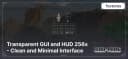
Transparent GUI and HUD 256x – Transparent Game Interface
Transparent GUI and HUD 256x is a Minecraft texture pack that makes the interface clear and minimalistic. Enjoy a clean HUD with improved vi
Transparent GUI and HUD 256x is a Minecraft texture pack that makes the interface clear and minimalistic. Enjoy a clean HUD with improved visibility.
Key Features of Transparent GUI and HUD
- Purpose: Simplifies and minimizes interface elements.
- Transparency: Semi-transparent menus, inventory, and other GUI elements.
- Compatibility: Supports Minecraft versions from 1.8 to 1.20+.
- Performance: Lightweight, suitable for all types of PCs.
- Highlights: Sleek interface, mod compatibility, and shader support.
Detailed Overview
Minimalist Interface
Transparent GUI and HUD replaces Minecraft’s standard panels and menus with transparent elements that look modern and unobtrusive. Semi-transparent inventory and settings menus allow players to see the game world even while managing resources.
Clean Aesthetic
This texture pack is ideal for players who prefer simplified, non-distracting interfaces. It’s especially useful for streamers and content creators, as the interface looks sleek and doesn’t obstruct viewers' experience.
Shader Compatibility
Transparent GUI and HUD pairs seamlessly with popular shaders like SEUS and BSL, creating an even more elegant interface. The combination of transparency and enhanced lighting amplifies the visual appeal.
Key Features of the Texture Pack
- Transparent Interface: Semi-transparent panels and menus for better visibility.
- Minimalist Design: Modern and unobtrusive style.
- Compatibility: Works with most mods and Minecraft versions.
- Performance: Lightweight and efficient, ideal for low-end PCs.
- Aesthetic Appeal: Perfect for streamers and content creators.
Comparison with Other Texture Packs
| Feature | Transparent GUI and HUD | Default HD | Faithful 32x |
|---|---|---|---|
| Purpose | Transparent interface | Enhanced textures | Classic style |
| Interface Transparency | Full | None | None |
| Shader Support | Full | Full | Full |
| Performance | Very High | High | High |
Optimization Tips
-
Install OptiFine:
OptiFine ensures seamless performance for transparent interface elements and improves compatibility with other texture packs and shaders. -
Graphics Settings:
Enable "Fancy Graphics" for maximum clarity of the transparent elements. -
Mod Compatibility:
Use Transparent GUI and HUD alongside popular mods like JEI for an enhanced resource management experience.
Who Is Transparent GUI and HUD For?
This texture pack is ideal for players who prefer a minimalist interface, as well as those who want to focus more on gameplay without bulky GUI elements. It’s especially beneficial for streamers, as it enhances the visual appeal of broadcasts.
Conclusion
Transparent GUI and HUD is a unique texture pack that makes Minecraft’s interface sleek, simple, and functional. If you’re looking for a cleaner, less intrusive interface that enhances visibility and adds a modern touch, this texture pack is your perfect choice.
Published under All Rights Reserved (free distribution allowed)
Installation
A typical installation takes about 5 minutes. The flow is the same; only the loader and the matching build differ.
 How to Install a Texture Pack in MinecraftLearn how to install a texture pack in Minecraft with a simple step-by-step guide. Personalize your game with ease.Open the install guide