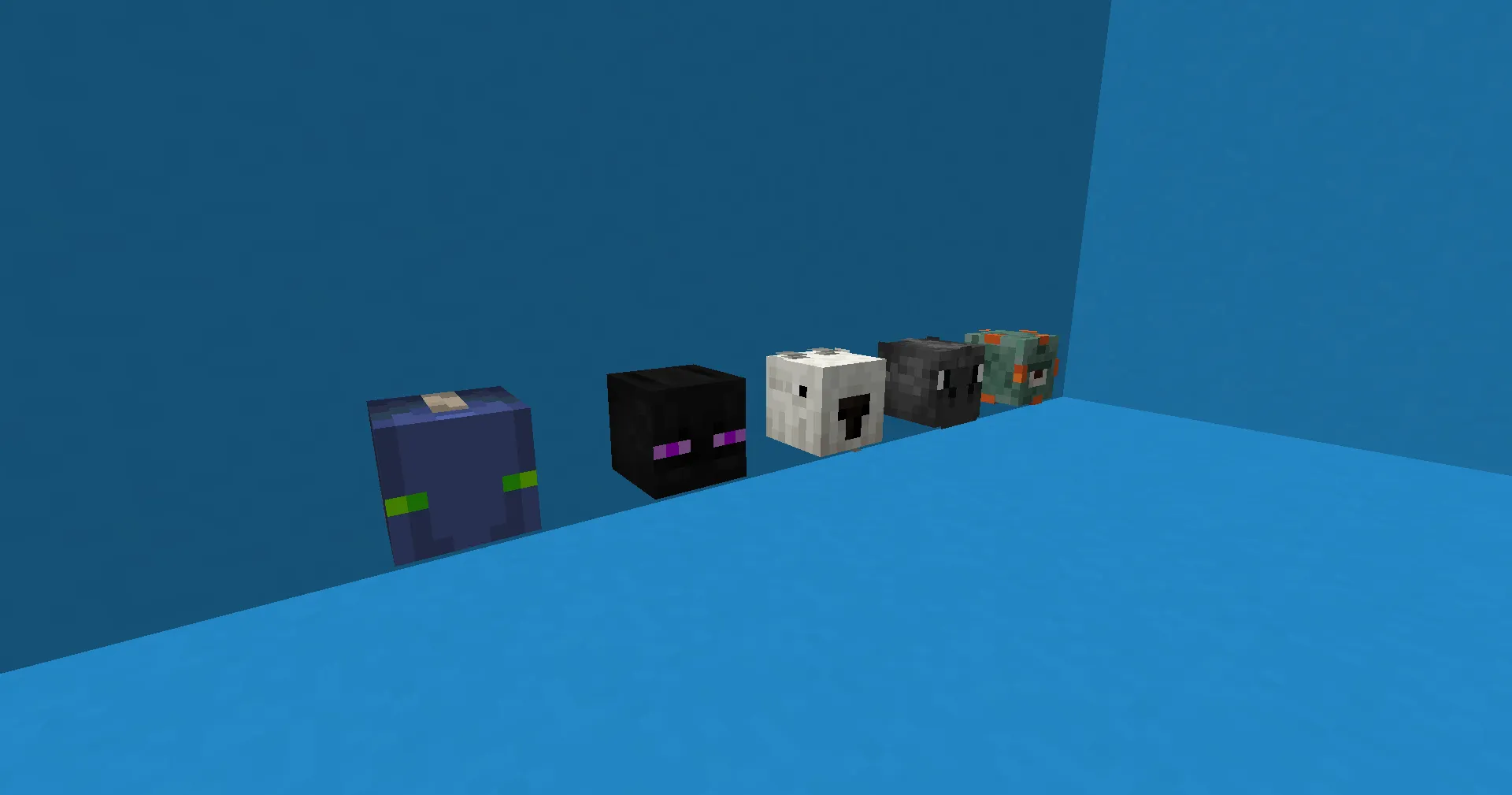
HeadDrop is a powerful and flexible plugin for Minecraft servers that lets players collect heads from other players and mobs after killing them. It adds competitiveness and excitement to the server, allows drop chances customization, leaderboard display, and even sends Discord alerts on rare drops.
Player and Mob Head Drops
The plugin supports head drops from both players and all mobs, including bosses. All chances are fully configurable.
Drop Chance and Item Customization
You can set different drop chances for different entities, rename heads, add lore, and change appearance.
Looting Enchantment Support
If the weapon has the Looting enchantment, the head drop chance increases depending on the enchantment level.
Leaderboard System
Players can see who has collected the most heads. This system works via command or web interface.
Discord Integration
When a rare head drops, the plugin can send a notification to your Discord server.
Folia Support
Fully compatible with Folia server modification version 4.19 and higher.
Unique Sounds (1.20+)
Different sounds for different mob head drops.
Optimization and Performance
Runs fast and lag-free even on large servers.
| Command | Permission | Description |
|---|
| /head | headdrop.head | Gives a head through the command. |
| /headdrop reload | headdrop.reload | Reloads the plugin configuration. |
| — | headdrop.notify | Receive plugin alerts and update notifications. |
| — | headdrop.player | Allows player head drops. |
| — | headdrop.killer | Allows mob head drops. |
| — | headdrop.chance.* | Increases head drop chance based on permission level. |
| — | headdrop.gui.move | Allows players to move heads in GUI. |
Config:
Version: 5.4.3 # Version of the config. don't change this
Require-Killer-Player: true # Need to be killed by a player to drop head
Enable-Looting: false # Enable looting enchant buff
Baby-HeadDrop: false # Baby mobs will drop heads too
Enable-Perm-Chance: false # headdrop.chance.{number} will add extra chance for a player. 1-100
Nerf-Spawner: false # Stop mobs from dropping heads spawned from spawnner
Bounties: false # Enable bounties feature (Premium version only)
Disable-Worlds: # Disable headdrop is certain worlds
- demoWorld
- demoWorld2 Require-Weapon: #required weapons to drop head
Enable: false
Weapons:
- Diamond_Axe Database: #Database function
Enable: false
Online: true # If your server is in offline mode, set this false
URL: jdbc:sqlite:HeadDrop.sqlite
User: null
Password: null
Cleanup: 30 #Auto cleanup database if player is inactive for x days Web: # Website for leaderboard
Enable: false
Port: 8080
Endpoint: leaderboard Bot: #Notify about headdrop in discord. Required DiscordUtils plugin
Enable: false
Channel-ID: ''
Title: HeadDrop
Description: '{KILLER} killed {MOB} using {WEAPON} and got a head!'
Footer: HeadDrop by RRS Effects: #Show a particle effect on head drop (Premium version only)
Enabled: true
Particle: FLAME
Count: 10
OffsetX: 0.5
OffsetY: 0.5
OffsetZ: 0.5
Speed: 0.1
Sound: ENTITY_PLAYER_LEVELUP
Volume: 1.0
Pitch: 1.0 Lores: # add a blank line/lore if you want to disable lore.
- Killed by {KILLER}
- Killed on {DATE}
- Killed Using {WEAPON}
# Drop -> Disabling it will behave vanilla
# Chance -> Chances for dropping head
# Sound -> Sound for the head in note block
# Point -> Point for each head drop (Need to enable database)
PLAYER:
Drop: true
Chance: 100.0
Point: 1
ZOMBIE:
Drop: true
Chance: 100.0
Sound: default
Point: 1
WITHER_SKELETON:
Drop: false
Chance: 100.0
Sound: default
Point: 1
CREEPER:
Drop: true
Chance: 100.0
Sound: default
Point: 1
Default plugin config describes all game mobs.
Version: 5.4.3
MyHead-Success: Your Head added in your inventory!
Head-Success: '%player%''s Head added in your inventory'
Head-Error: You Need to give a player name to get head!
Head-Search-Error: You need to give a name to search for head!
Custom-Head-Success: Head Added on your Inventory
Reload: Plugin reloaded!
Permission-Error: You don't have permission to execute this command!
Player-Command: This is player only command!
HeadDrop makes PvP and PvE in Minecraft more exciting. It rewards players for kills, adds elements of collection and visual progression. If you want to give your players extra motivation and create a unique experience, this plugin is a great choice.



 345
345 0
0 0
0