The /gamerule Command: How to Change Game Rules
 206
206 0
0 0
0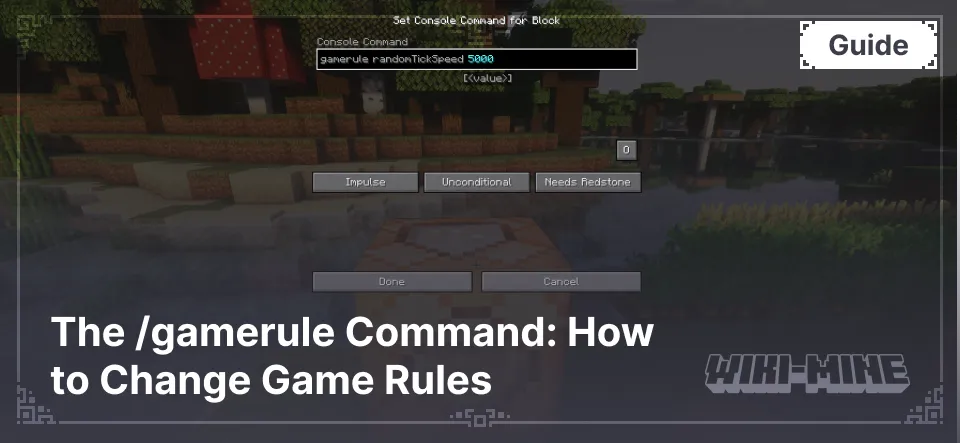
The /gamerule command is used to change fundamental game settings. With it, you can stop the day-night cycle, prevent fire from spreading, or customize character death mechanics. Settings are applied instantly and saved in the world files, so they do not need to be re-entered every time you enter the game.
Article Navigation
To use the command, administrator rights are required (cheats must be enabled in the world or server settings).
How to Enter the Command
The command syntax looks like this:
/gamerule <rule_name> [value]
There are two types of values:
- Boolean:
true(enabled) orfalse(disabled). - Integer: A whole number to adjust the intensity of processes.
If you enter the command without a value — /gamerule <rule_name>, the chat will display the current status of that rule.
List of All Game Rules
The table below collects the main rules available in current versions of the game.
| Rule | Description | Possible Values | Default Value |
|---|---|---|---|
| announceAdvancements | Whether to announce in chat when players unlock advancements. | true or false | true |
| commandBlockOutput | Whether command blocks should notify administrators in chat when they perform commands. | true or false | true |
| disableElytraMovementCheck | Disables the server's check on player movement speed when flying with elytra (anti-cheat). | true or false | false |
| disableRaids | Completely disables the possibility of pillager raids triggering on villages. | true or false | false |
| doDaylightCycle | Whether time advances in the day/night cycle. If set to false, time will stop at the current moment. | true or false | true |
| doEntityDrops | Whether entities that are not mobs (e.g., minecarts) should drop items when destroyed. | true or false | true |
| doFireTick | Whether fire should naturally spread to blocks and then extinguish. | true or false | true |
| doImmediateRespawn | Whether the player will respawn immediately without seeing the death screen and respawn menu. | true or false | false |
| doInsomnia | Whether phantoms will spawn at night if the player has not slept for a long time. | true or false | true |
| doLimitedCrafting | Limits item crafting to only those recipes the player has already unlocked. | true or false | false |
| doMobLoot | Whether mobs should drop experience and items (loot) when killed. | true or false | true |
| doMobSpawning | Whether mobs should spawn naturally in the world (due to darkness or biome conditions). | true or false | true |
| doPatrolSpawning | Whether random pillager patrols should spawn in the world. | true or false | true |
| doTileDrops | Whether blocks should drop items when destroyed. | true or false | true |
| doTraderSpawning | Whether wandering traders should periodically spawn near the player. | true or false | true |
| doWeatherCycle | Whether the weather changes. If set to false, the weather will stay in the current cycle (e.g., eternal rain). | true or false | true |
| drowningDamage | Whether running out of air underwater causes damage to the player (drowning). | true or false | true |
| fallDamage | Whether falling from a height causes damage to the character's health. | true or false | true |
| fireDamage | Whether fire, lava, or burning causes damage to the character. | true or false | true |
| forgiveDeadPlayers | Whether angry neutral mobs stop being angry (aggroed) when the target player dies. | true or false | true |
| freezeDamage | Whether powder snow causes freezing damage to a player standing in it. | true or false | true |
| keepInventory | Whether players keep their inventory and experience after death. | true or false | false |
| logAdminCommands | Whether executed admin commands are added to the server's system log. | true or false | true |
| maxCommandChainLength | The maximum number of commands that can run in a chain during a single tick. | <Number> | 65536 |
| maxEntityCramming | The maximum number of entities that can inhabit one block before taking suffocation damage. | <Number> | 24 |
| mobGriefing | Whether mobs can pick up items, trample crops, or destroy blocks (creeper explosions). | true or false | true |
| naturalRegeneration | Whether players can regenerate health naturally via a full hunger bar. | true or false | true |
| playersSleepingPercentage | The percentage of players on a server who must sleep to skip the night. | <Number> | 100 |
| randomTickSpeed | Sets the speed at which random events occur (plant growth, ice melting). 0 disables random ticks. | <Number> | 3 |
| reducedDebugInfo | Whether the debug screen (F3) hides extended technical information. | true or false | false |
| sendCommandFeedback | Whether feedback (messages) from executed commands appears in the chat. | true or false | true |
| showDeathMessages | Whether a message appears in the global chat when a player dies. | true or false | true |
| spawnRadius | Defines the number of blocks from the world spawn point where a player can spawn. | <Number> | 10 |
| spectatorsGenerateChunks | Whether players in spectator mode can load (generate) new chunks. | true or false | true |
| universalAnger | Whether angry neutral mobs will attack any nearby players, not just the offender. | true or false | false |
How to remove command messages from chat
To clear the chat of system notifications, the rule sendCommandFeedback is used. If set to false, the game will stop sending confirmations about actions performed by the administrator.
- Command:
/gamerule sendCommandFeedback false
How to disable fall damage
The rule responsible for this is fallDamage. With a value of false, the character will stop losing health when falling from any height. This is useful when building tall objects in survival mode.
- Command:
/gamerule fallDamage false
How to disable phantom spawning
The mechanic of flying mobs appearing during insomnia is regulated by the rule doInsomnia. If set to false, phantoms will stop spawning in the world, even if the character has not slept for many nights in a row.
- Command:
/gamerule doInsomnia false
How to disable command execution output in chat
When command blocks are working on a map, the chat might become inconvenient for communication. To stop this, use the rule commandBlockOutput. This will hide all notifications about actions performed by command blocks.
- Command:
/gamerule commandBlockOutput false
How to speed up plant growth and tick speed
The speed of random events (wheat growth, saplings, grass spread) is regulated by the parameter randomTickSpeed. The standard value for Java is 3, and for Bedrock it is 1. Increasing this number will speed up farms, but values that are too high may cause lag or a world crash.
- Example (speed up by 10 times):
/gamerule randomTickSpeed 30
How to disable item dropping after death
The rule keepInventory allows you to keep all items and accumulated experience after death. The character will respawn at the spawn point with a full inventory.
- Command:
/gamerule keepInventory true
How to disable block destruction by creepers
To protect the landscape and buildings, the rule mobGriefing is used. In this case, creeper explosions will inflict damage only on players and mobs without breaking blocks. This will also prohibit endermen from stealing dirt blocks.
- Command:
/gamerule mobGriefing false

Published by: TNT