
How to Build a Nether Portal in Minecraft
A complete guide on how to build and activate a Nether portal in Minecraft, including obsidian mining and linking portals.
How to Build a Nether Portal in Minecraft
The Nether portal is the only way to travel from the Overworld to the Nether, a dimension with its own unique resources and structures. The design is simple: a vertical frame of obsidian that is ignited from the inside. Below is a complete guide covering everything from mining obsidian to controlling exactly where the portal will spawn you in the Nether. All dimensions and figures correspond to the current version of Minecraft Java Edition.
What You Need
You only need a few things for a minimal working portal:
Item | Quantity | Purpose |
Obsidian | 10 (minimum) | portal frame |
Flint and Steel | 1 | activation |
Diamond Pickaxe or Netherite Pickaxe | 1 | mining obsidian |
Water Bucket + Lava Bucket | 1 each | alternative method without a pickaxe |
A Flint and Steel is crafted from 1 Iron Ingot and 1 Flint. Flint drops when mining Gravel with about a one-in-ten chance.
Step 1. Mining Obsidian
Obsidian forms where water meets a lava source block. Find or place a lava source, then pour water over it — the lava will turn into an obsidian block. If water hits flowing lava, it turns into Cobblestone instead, so you must pour it directly on a source block.
Obsidian can only be mined with a Diamond Pickaxe or a Netherite Pickaxe. Using a stone or iron pickaxe will destroy the block without dropping anything, wasting both time and the block itself. It takes about 9–10 seconds to break one block with a Diamond Pickaxe, and slightly less with a Netherite Pickaxe. The Efficiency enchantment significantly speeds up this process.
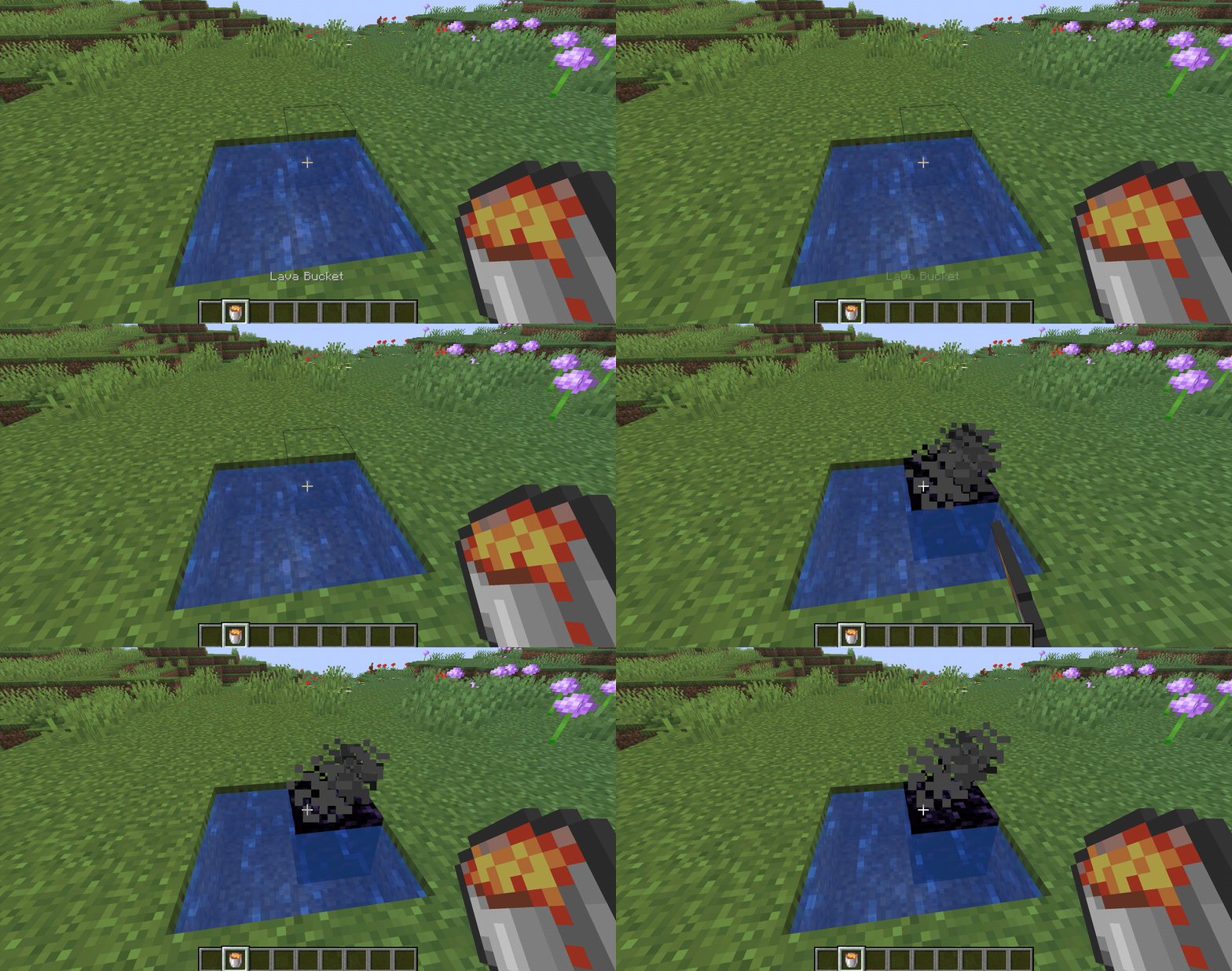
Creating an obsidian block with lava and water
Obsidian can also be found ready-made in Ruined Portals. These structures generate in both the Overworld and the Nether, and their frames already contain several obsidian blocks, often with a Flint and Steel in the nearby chest.
Step 2. Building the Frame
The frame is a vertical rectangle. The minimum size is 4 blocks wide and 5 blocks high on the outside, creating a 2×3 opening. Corner blocks are not required for the portal to work: a frame without corners takes 10 obsidian blocks, while one with corners takes 14. Corners are added purely for looks.
Size (outside) | Opening | Obsidian without corners | Obsidian with corners |
4×5 | 2×3 | 10 | 14 |
5×5 | 3×3 | 12 | 16 |
23×23 | 21×21 | 84 | 88 |
A portal larger than 23×23 will not activate. The shape must remain rectangular — the game does not accept diagonal or L-shaped frames. You cannot lay the frame horizontally like an End portal: it must be vertical.
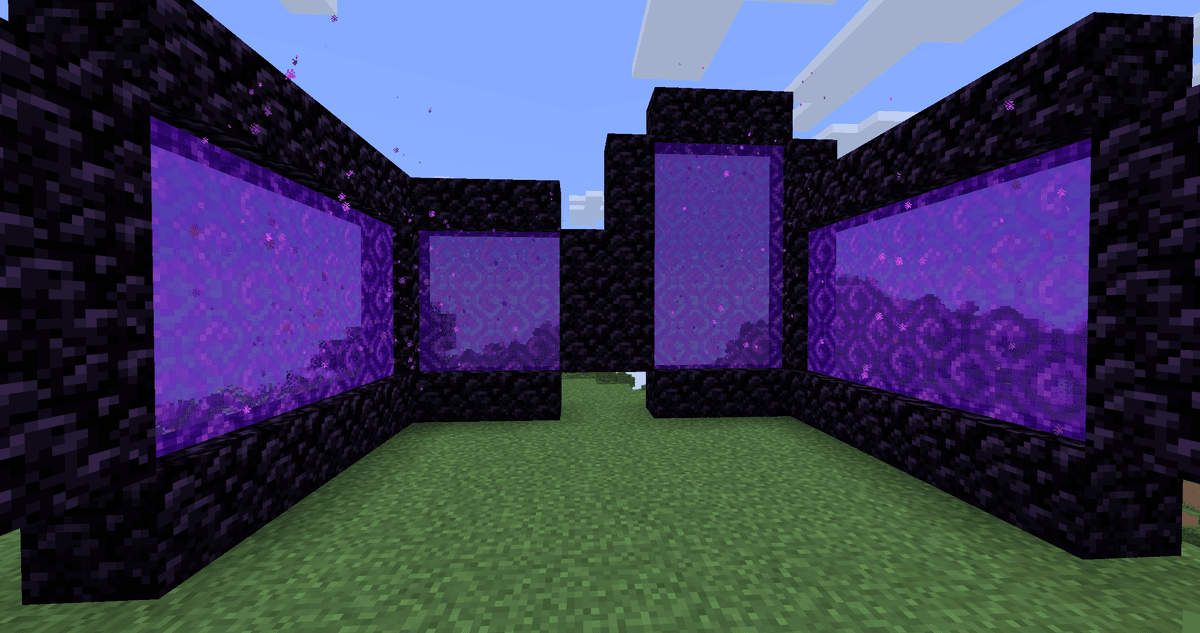
Different sized portals side by side
Step 3. Activating the Portal
Aim at the bottom inner block of the frame and use the Flint and Steel — the opening will fill with purple portal blocks. Fire must be the final action: if you ignite an incomplete frame, the portal will not activate even after you place the last obsidian block.
Instead of a Flint and Steel, any other source of fire inside the frame will work: a Fire Charge, a lightning strike, a Ghast fireball, or fire spreading from an adjacent burning block. The portal can only be activated in the Overworld or the Nether — it will not light in the End.
Crying Obsidian cannot be used for the frame. It looks similar to normal obsidian on the outside, but it will not activate the portal — only regular obsidian works.
How Linking Between the Overworld and the Nether Works
Coordinates in the Nether are compressed relative to the Overworld at a 1:8 ratio. One block of travel horizontally in the Nether equals eight blocks in the Overworld (the Y height does not scale). To estimate roughly where the portal will take you, divide your X and Z coordinates in the Overworld by 8.
Overworld (X, Z) | Nether (X, Z) |
800, 1600 | 100, 200 |
−240, 80 | −30, 10 |
The first time you step through a portal, the game searches for an already active portal near the corresponding point within a radius of approximately 128 blocks. If it finds one, it teleports you there; if not, it generates a new portal as close to those coordinates as possible. Because of this radius, two portals built near each other in the Overworld often lead to the exact same portal in the Nether.
In the opposite direction, the formula is reversed: the portal coordinates in the Nether are multiplied by 8. A portal at 100, 200 in the Nether will lead roughly to 800, 1600 in the Overworld.
An automatically generated portal in the Nether often spawns hovering over a lava lake, right against the Bedrock ceiling, or inside a wall. To avoid ending up in a dangerous spot, it is safer to calculate the coordinates beforehand and build the frame manually.
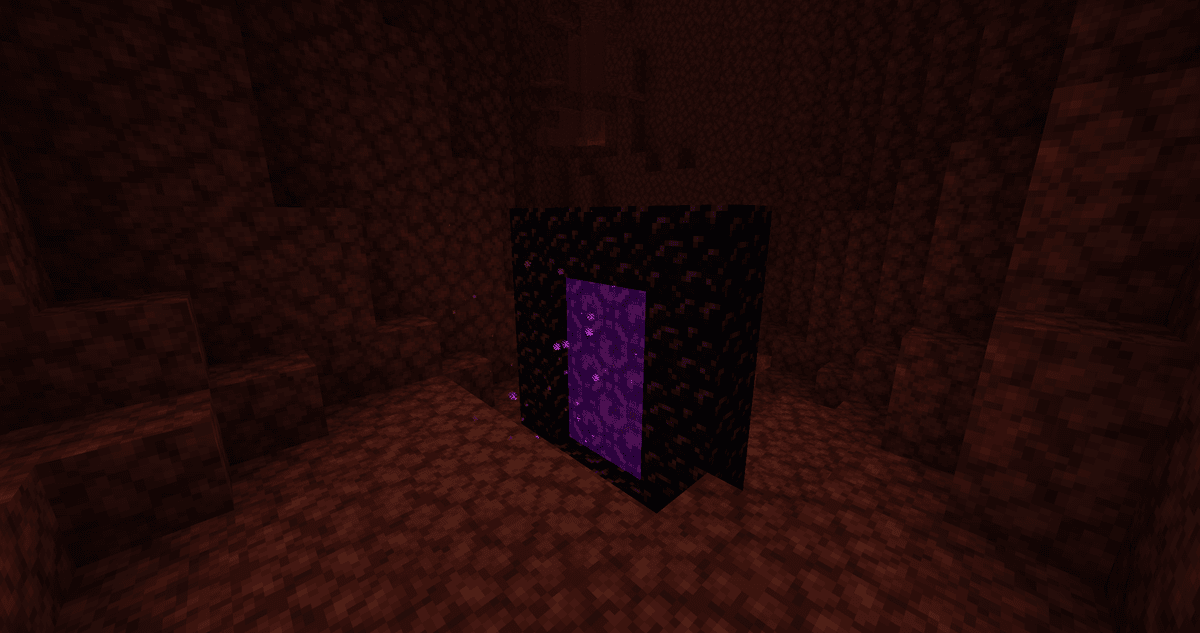
Automatically generated portal in the Nether
Advanced Techniques
Portal Without a Pickaxe
If you don't have a Diamond Pickaxe yet, obsidian can simply be cast in the shape of the frame. Build a mold out of cheap blocks (Dirt, Cobblestone) in the shape of the future frame, fill it step by step with lava sources, and pour water over them — the lava will harden into obsidian already in the right shape. Speedrunners frequently use this method.
Paired Portals for Fast Travel
The Nether shortens the distance in the Overworld by eight times, making it very convenient to link portals manually. Write down the coordinates of the portal in the Overworld, divide X and Z by 8, travel to that point in the Nether, and build and ignite the portal right there. Then, each portal will lead exactly where it needs to, without generating unnecessary frames.
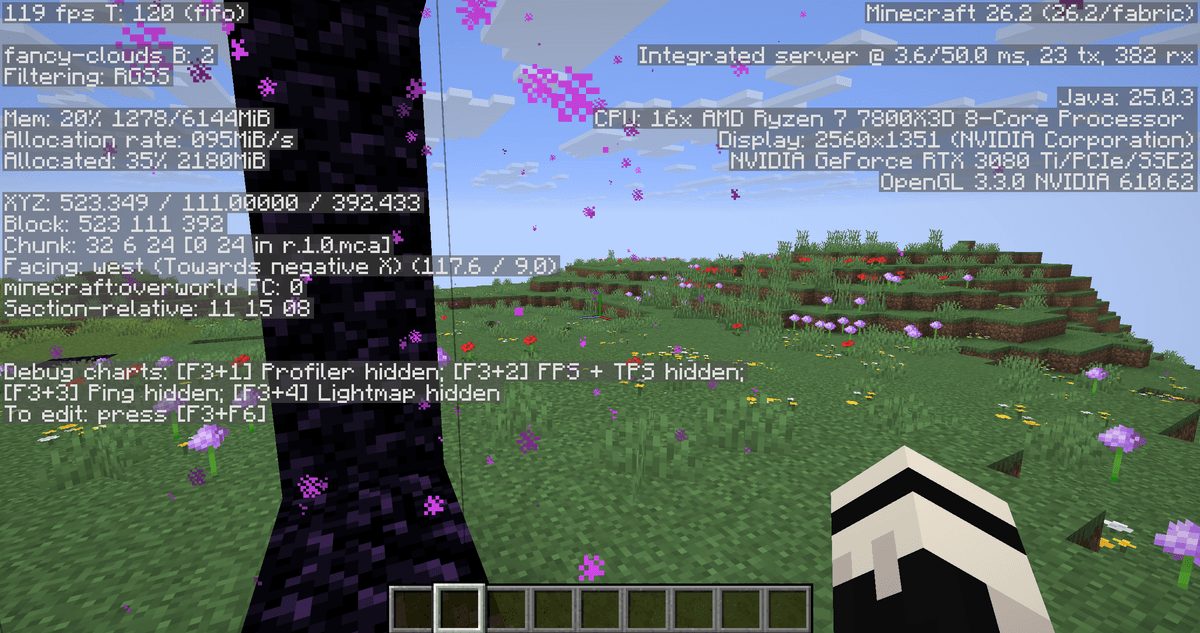
Screen with the debug menu (F3) open near a portal
Common Mistakes and How to Avoid Them
Mining with the wrong pickaxe. A stone or iron pickaxe destroys obsidian without dropping it. Always use a Diamond Pickaxe or Netherite Pickaxe.
A frame that is too small or non-rectangular. A portal smaller than 4×5 or with gaps in the walls will not activate. Ensure the side walls are continuous and the opening is at least 2×3.
Igniting before the frame is finished. Fire only activates on a fully completed frame. Place all the blocks first, then ignite it.
A frame made of Crying Obsidian. It will not activate. A regular obsidian frame is required.
An accumulation of extra frames in the Nether. If you place portals randomly, they will merge into one due to the 128-block linking radius. Link them manually using coordinates.
Zombified Piglins near the portal in the Overworld. A Zombified Piglin will occasionally spawn on the bottom frame of an active portal. If the portal is near your base, fence it off or light up the area.
Conclusion
A Nether portal is quick to build: 10 blocks of obsidian, a Flint and Steel, and a few minutes. The difficulty lies not in the frame itself, but in the linking — without manually calculating coordinates, portals in the Overworld and the Nether will not connect the way you want. A basic 4×5 portal satisfies the needs of most players, and large 23×23 frames are only really needed for decoration. The method of casting obsidian in a mold saves you in the early game without diamonds, while manual linking using the divide-by-8 formula becomes mandatory as soon as you start setting up a portal network for fast travel across Minecraft.
Leave a comment
Links will be stripped
No comments yet. Be the first to share your thoughts.