
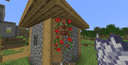
Beautify: Refabricated Mod: Decoration and Coziness in Minecraft
This guide provides step-by-step instructions on using all the decorative and interactive objects of the Beautify: Refabricated…
This guide provides step-by-step instructions on using all the decorative and interactive objects of the Beautify: Refabricated modification in Minecraft Java Edition. You will learn about methods for building hanging l
This guide provides step-by-step instructions on using all the decorative and interactive objects of the Beautify: Refabricated modification in Minecraft Java Edition. You will learn about methods for building hanging landscapes, the nuances of configuring custom lights, the bonuses of book stacks, the trading system with the botanist villager, and ways to fix possible errors during installation.
Preparation
Before you start, make sure you have installed all the components required to run the mod.
Requirements and resources to get started:
Loader: Fabric
Game version: Minecraft 1.18 - 26.1.x
Required libraries: Fabric API and Cloth Config API
Step 1. Basic Ropes and Lattices (The Foundation of Decor)
Creating hanging constructions and vertical climbs starts with the basic elements — ropes and lattices.
Step-by-step work with the framework elements:
Crafting a Rope. A rope is created at a crafting table using string. The resulting rope can be hung from the ceiling or walls. If you place a rope directly beneath another, they merge into a single long rope.
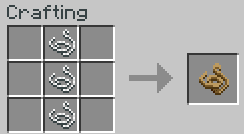
Using it as a ladder. All placed ropes have a physical collision for climbing. You can climb up or down them simply by pressing the movement keys. This lets you create hidden vertical shafts or realistic rope climbs to attics.
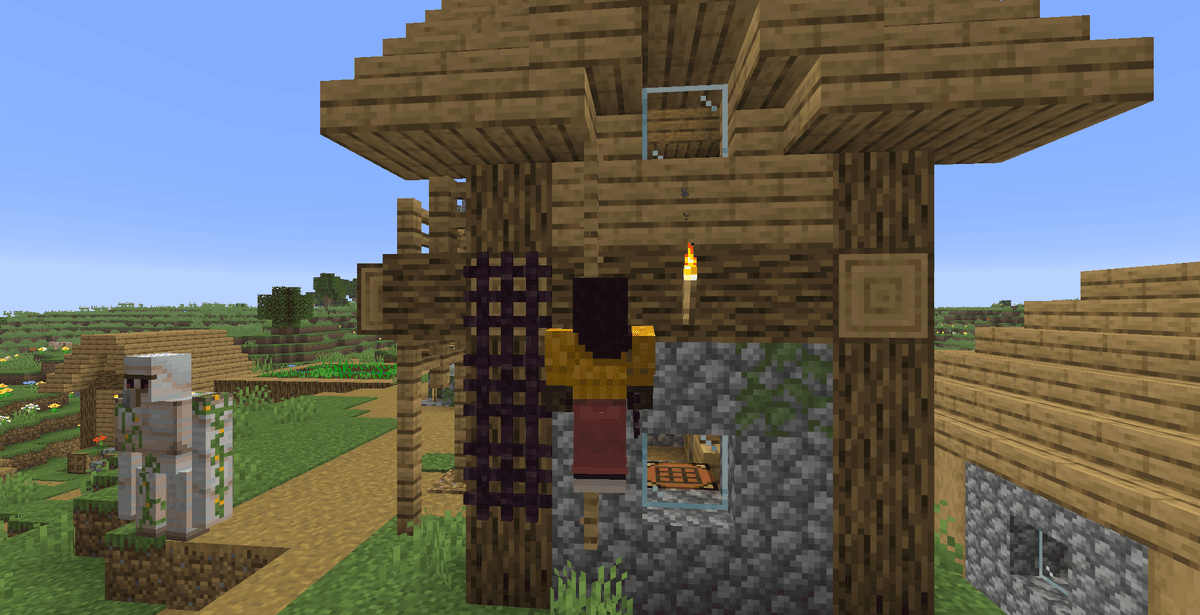
Crafting wooden Lattices. They are created from sticks and a log. Lattices can be hung flat on walls or placed horizontally on the ceiling.
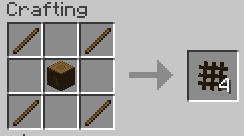
Climbing on lattices. Like ropes, lattices support the climbing mechanic. You can build large green walls out of them that also serve as a ladder for moving between the floors of your base.
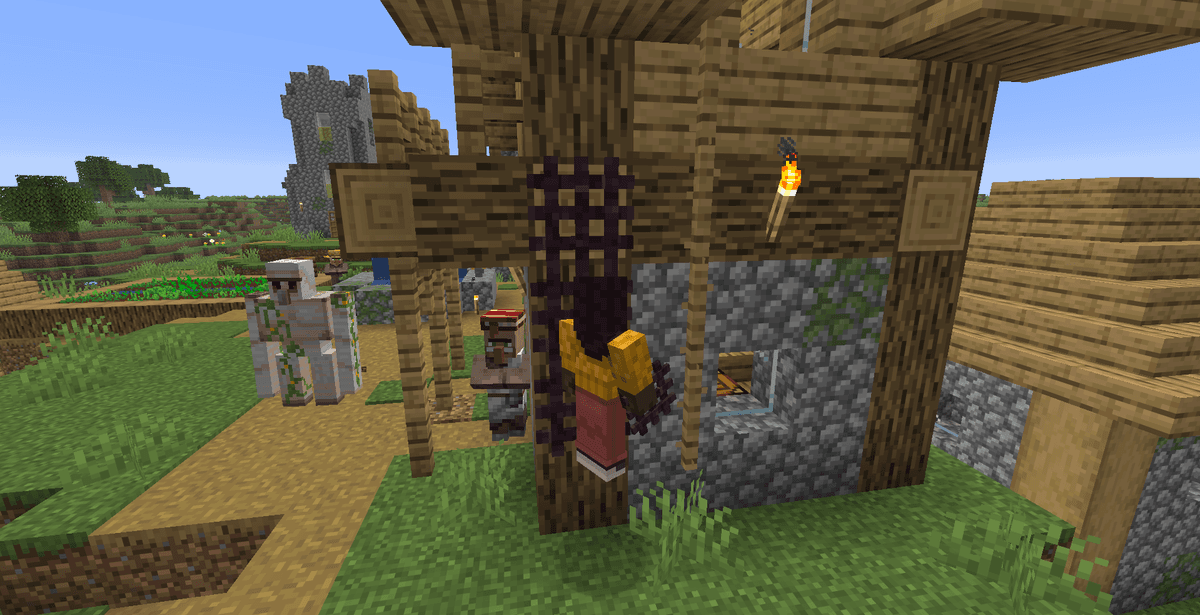
Step 2. Gardening and Hanging Greenery
The mod lets you go beyond standard vanilla pots and create complex vertical gardens.
Creating a hanging garden:
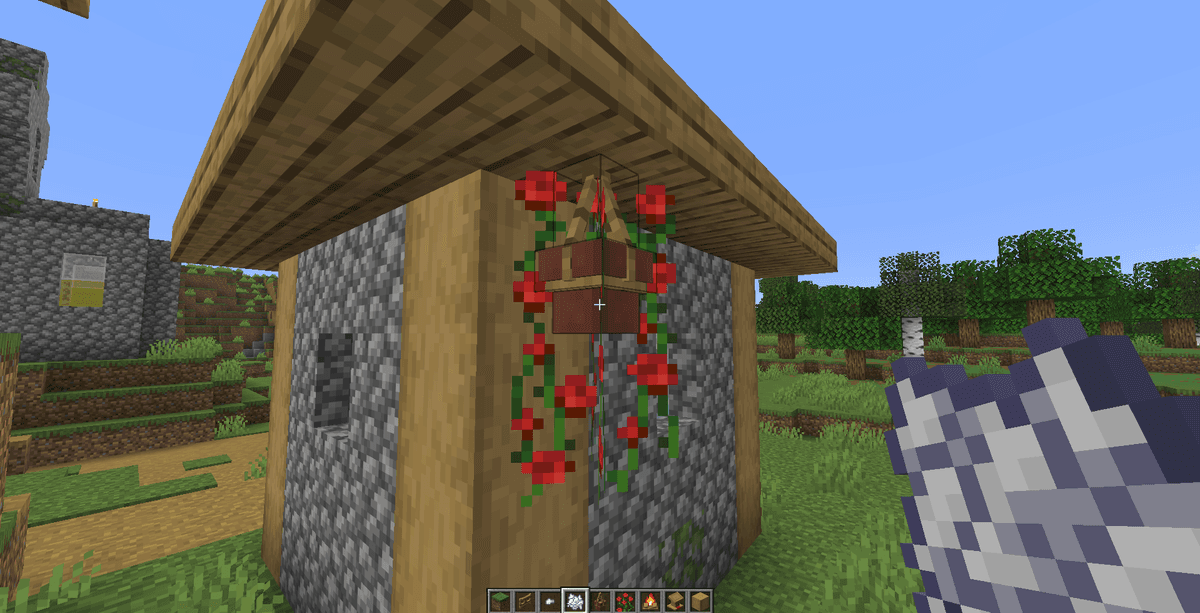
Creating a Hanging Pot. Combine a rope with a regular flower pot at a crafting table.
Placing it in the world. Hang the pot from a rope or any solid ceiling block. It will automatically orient itself accordingly.
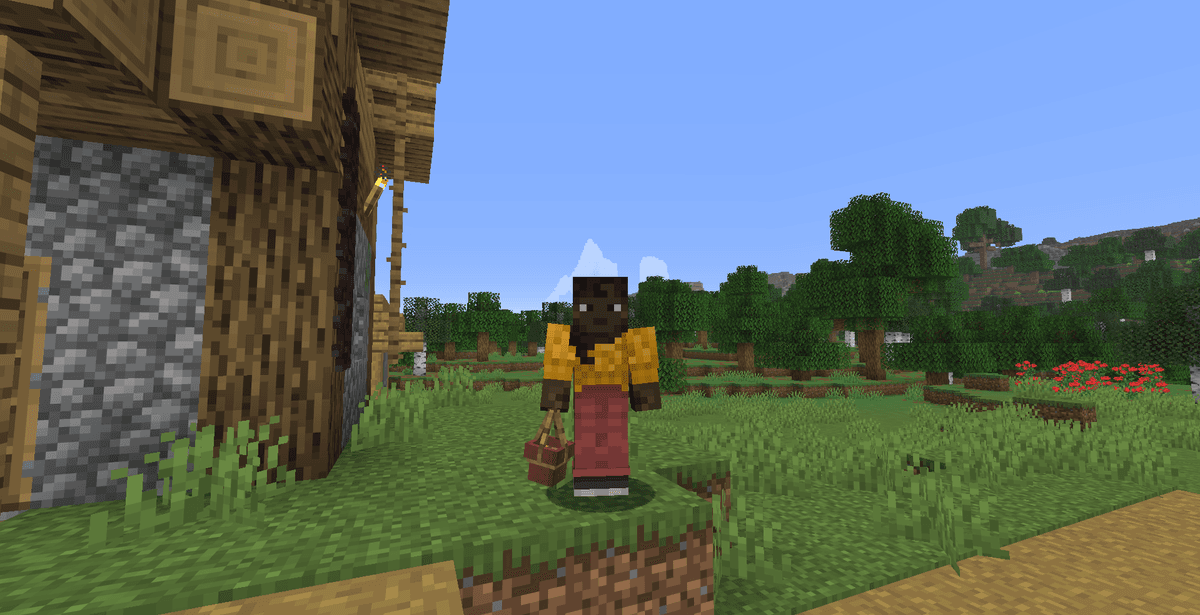
Planting plants. Take any vanilla flower in your hand (for example, a poppy, cornflower, or dandelion) and right-click on the hanging pot. The plant will appear inside the pot in a miniaturized three-dimensional format.
Stimulating growth (Bone Meal). Apply bone meal to a pot with a planted plant. A green sprout (vine) will begin to grow downward from the bottom of the pot. Each subsequent use of bone meal will add one block of length to the sprout until it reaches the ground or an obstacle.
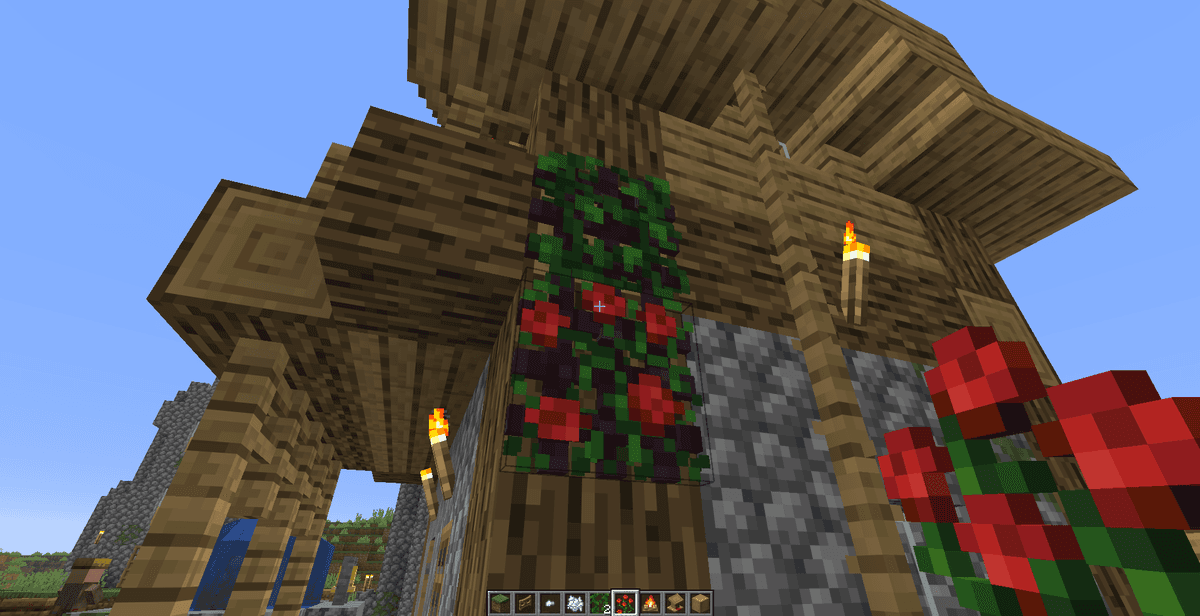
Greening the lattices. Right-click with a vine or climbing plants on a placed Lattice block. The plant will wrap around the mesh. Unlike vanilla ivy, plants on lattices are fixed and will not chaotically spread to neighboring building blocks of your structure.
Step 3. Interactive Decor and the Usefulness of Book Stacks
The mod's decorative elements offer practical benefits for survival.
Using household items:
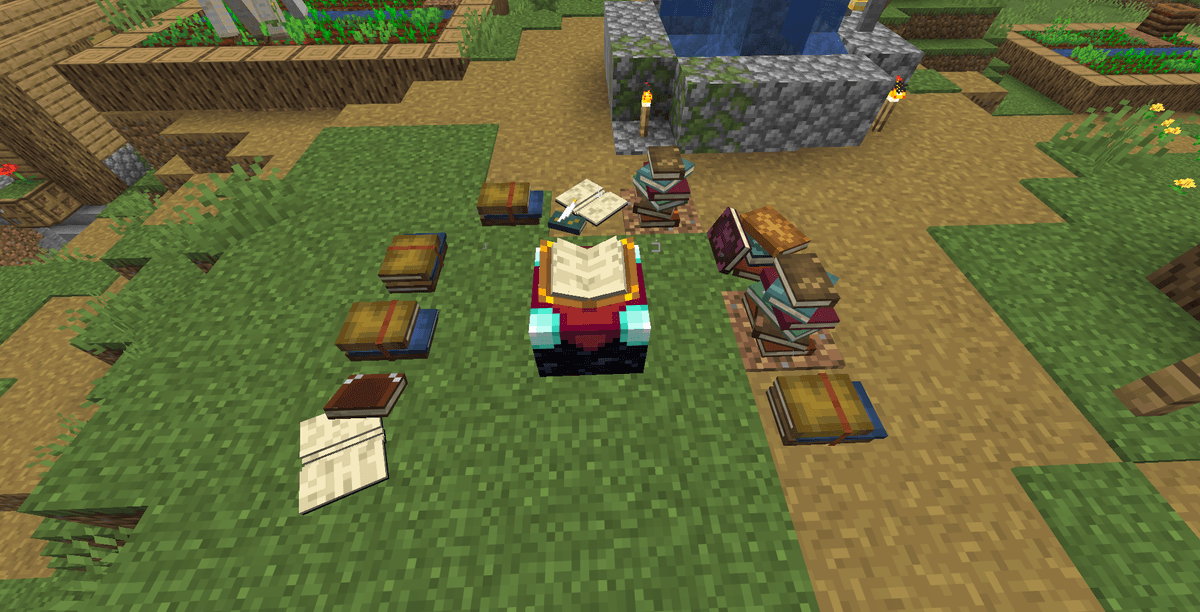
Book Stacks and enchanting bonuses. You can place them horizontally or vertically. When you place book stacks within a two-block radius around an enchanting table, they begin to transmit magical power. Book stacks replace ordinary bookshelves, allowing you to accumulate level 30 enchanting in much smaller rooms or to create realistic library tables with scattered books.
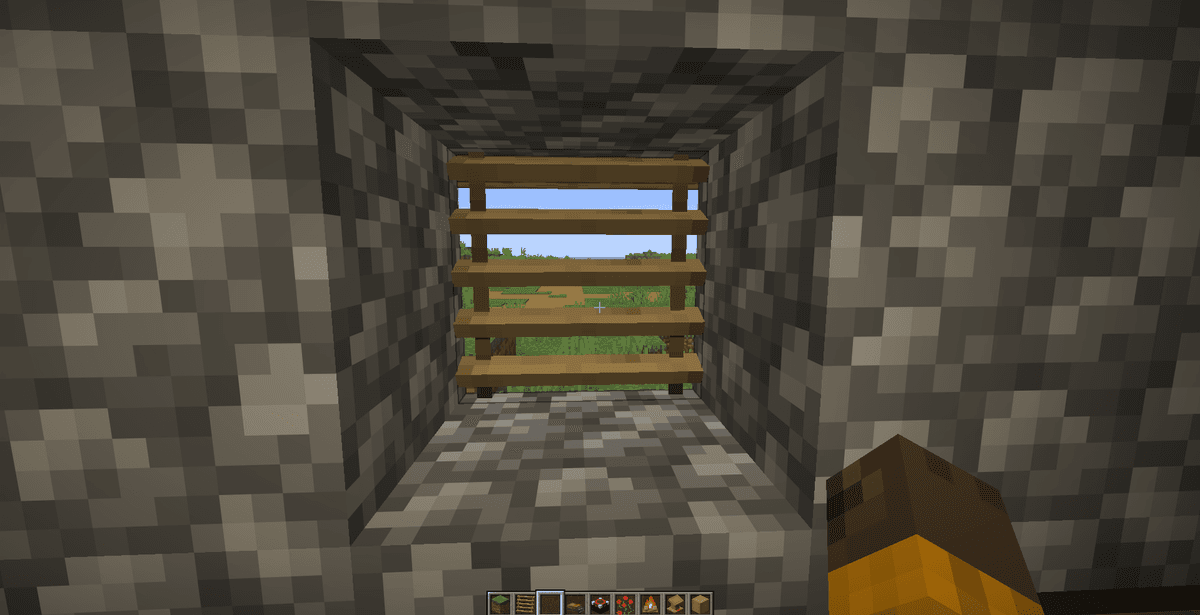
Operating Blinds. Craft wooden blinds from the planks of the type you need. Place them in a window opening. Right-clicking on any part of the blinds opens or closes the entire connected structure. Closed blinds completely block light and visibility from outside.
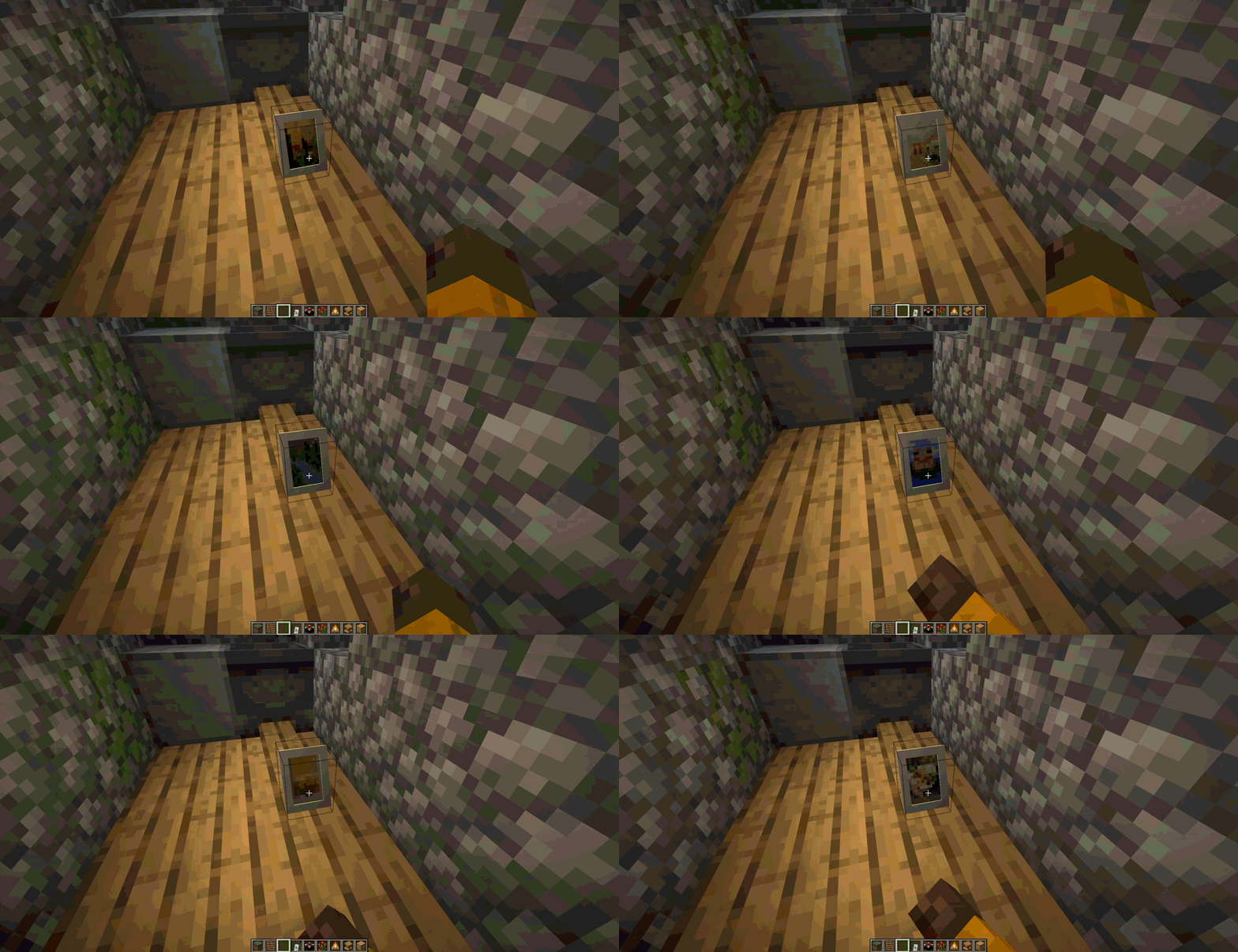
Framed paintings. Use quartz or wood to craft frames. Once you mount a frame on a wall, you can switch between available 16x16 block paintings, choosing the style that matches the color of the room's wallpaper.
Step 4. The Custom Lighting System
Beautify: Refabricated offers five new types of light sources, each with its own activation method.
Methods of using the lights:
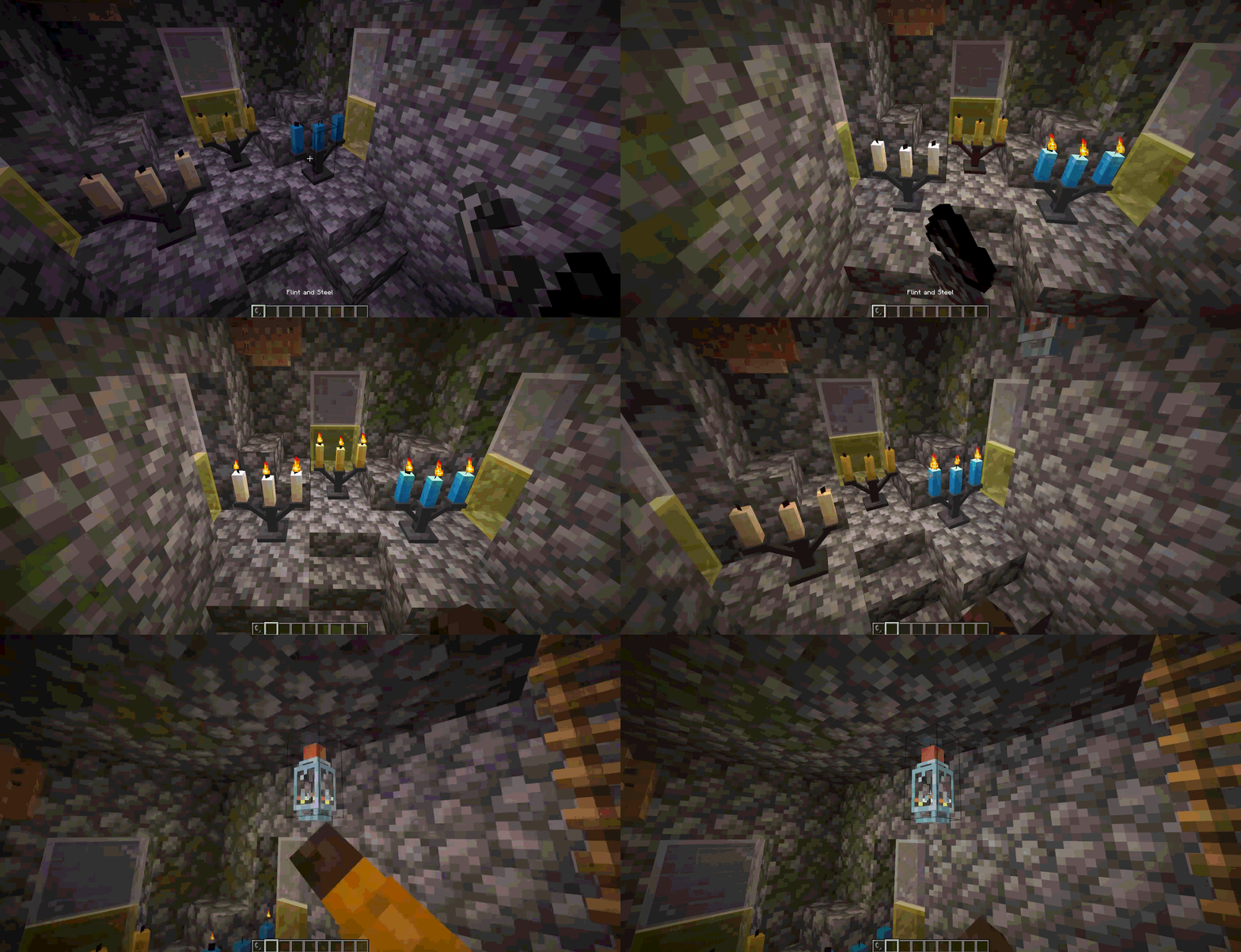
Candelabras / Chandeliers. After being placed on a table or hung from the ceiling, they stand unlit. Take a Flint and Steel or a fire charge in your hand and right-click on the candelabra to light the candles. To extinguish the light, right-click on the burning candelabra with an empty hand.
Bamboo Lanterns. These devices turn on and off with a right-click. They do not require external power or activators.
Light Bulbs. Place a bulb on a wall or ceiling. It works on the principle of an ordinary switch: right-clicking turns the light on or off. They do not need redstone wires, which simplifies decorating modern buildings.
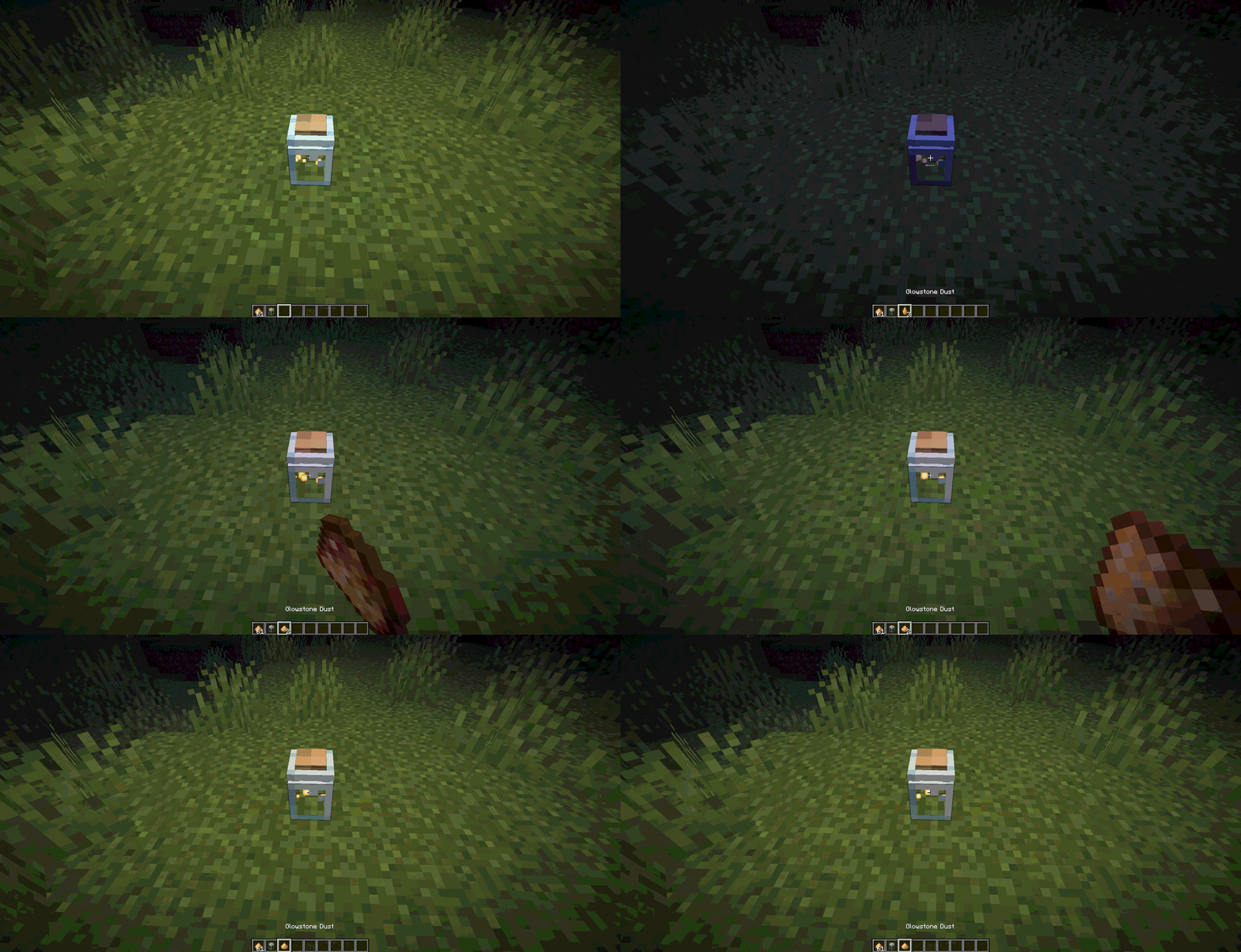
Glowessence Jars. Craft an empty glass jar and place it. Take Glowstone Dust and pour it inside using right-click. Each portion of glowstone dust increases the jar's brightness by a few levels (up to a maximum of 3). This lets you set the dim lighting in basements.
Step 5. The Botanist Villager and the Botanist Workbench
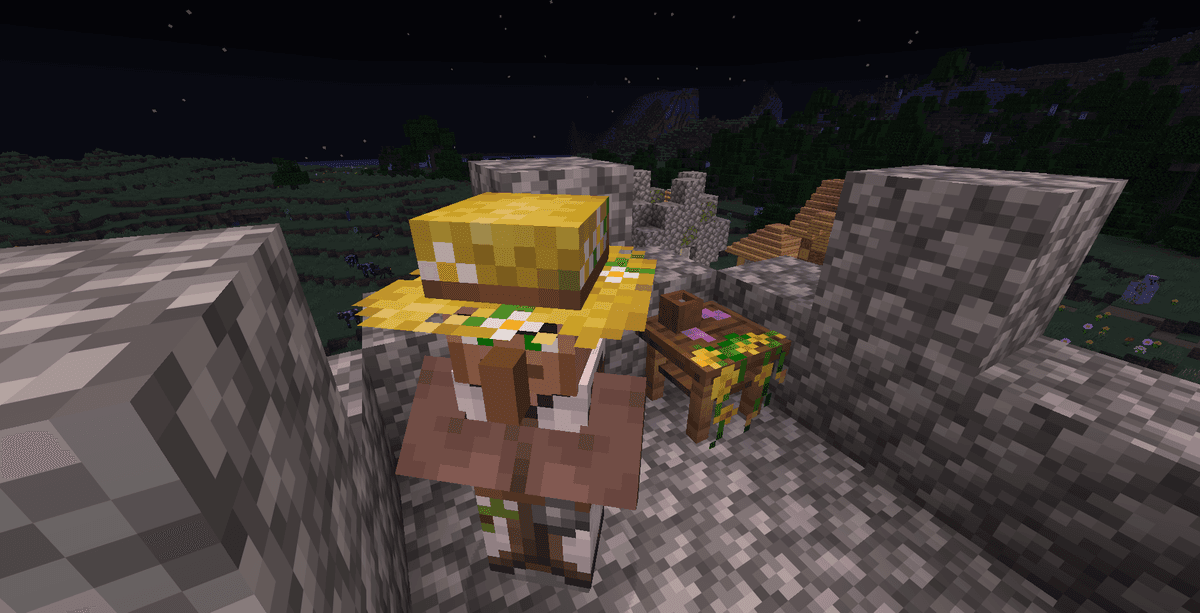
The modification adds a new villager profession to villages — the Botanist. He has his own workstation, spawns in a custom house (whose design changes depending on the biome), and offers profitable trade deals.
The workstation and trading:
Botanist Workbench. This is the botanist's work block, crafted from wood and plant materials. It is used as a workstation for villagers so they can acquire or maintain the botanist profession.
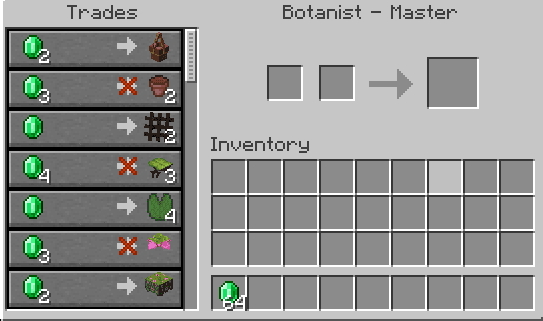
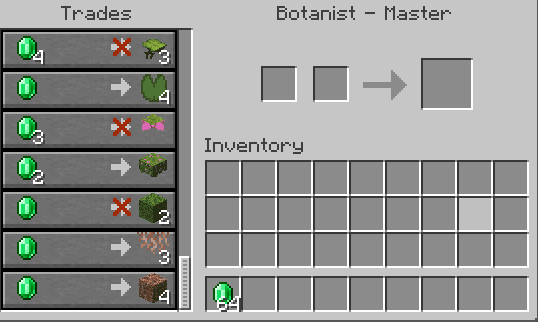
Obtaining rare materials. The botanist's main benefit lies in trading. Instead of long expeditions in search of rare natural biomes, you can exchange emeralds for hard-to-reach decorative blocks and plants.
Table of available goods from the botanist villager by level:
Villager Level | Level Name | Goods for purchase (for emeralds) |
|---|---|---|
Level 1 | Novice | Hanging Pots, Flower Pots, Vines |
Level 2 | Apprentice | All kinds of decorative wooden and metal Lattices, Big/Small Dripleaves |
Level 3 | Journeyman | Lily Pads, Spore Blossoms |
Level 4 | Expert | Moss Blocks, Flowering Azalea |
Level 5 | Master | Rooted Dirt, Hanging Roots |
Trading with the botanist significantly speeds up the construction of complex gardens in survival, providing stable access to the rare plants of the Nether or damp caves.
Technical Details: How It Works Inside
The modification is optimized to run on clients and servers without unnecessary load on the system.
The mod's internal architecture:
Model rendering. All furniture and decorative element models use Minecraft's standard 3D-model system (JSON blockstates and models). They do not use heavy entities or Tile Entities for static objects (except for dynamic interactive blocks, where it is necessary for storing states).
Vanilla textures. Objects such as blinds, lattices, or book stacks use textures from your current texture pack (vanilla or custom). This ensures that if you install a medieval resource pack, all wooden blinds and frames will automatically get the corresponding medieval oak or spruce textures, preserving the integrity of the style.
BlockStates. Interactive objects (blinds, lanterns, candles) update their state via BlockState parameters (for example,
lit=true/falsefor candles oropen=true/falsefor blinds). This allows the game to handle interaction instantly without needing to synchronize complex data objects between server and client.
Configuration via Cloth Config and TOML/JSON
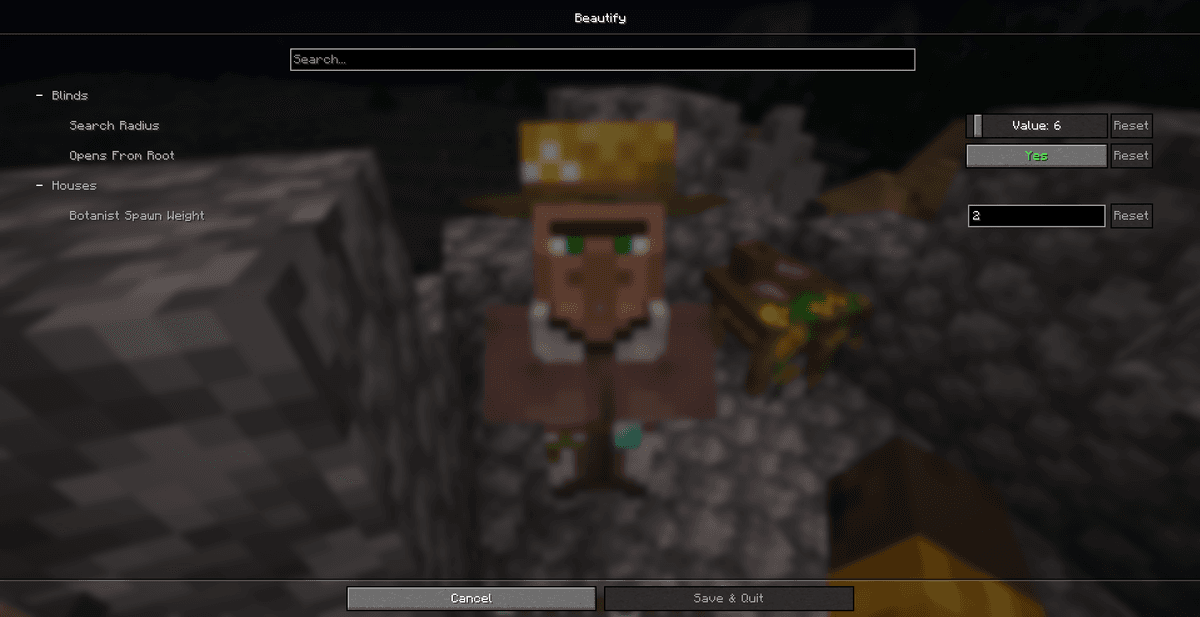
The mod's configuration lets you adjust the frequency of structure generation and the range of interactive blocks. It is generated after the first launch in the config/beautify.json [VERIFY IN-GAME] file (on Fabric) or beautify-common.toml [VERIFY IN-GAME] (on Forge/NeoForge) or through the Cloth Config API interface if Mod Menu is present.
Main configuration parameters:
Configuration parameter | Default value | Description of the parameter and its effect in the game |
|---|---|---|
|
| Adjusts the generation frequency of the botanist villager's house in villages of different biomes [VERIFY IN-GAME]. |
|
| Defines the radius for searching and automatically closing neighboring blinds when right-clicking [VERIFY IN-GAME]. |
You can edit the parameters in two ways:
Through the JSON/TOML file. Open the
config/beautify.jsonfile (on Fabric) orbeautify-common.toml(on Forge) with a text editor, change the values you need, and save the file. You will need to restart the game.Through Mod Menu. Enter the "Mods" section in the game's main menu, find Beautify: Refabricated, click the configuration button, and change the values using sliders and checkboxes. The changes are applied immediately.
Common Errors and How to Avoid Them
When working with the mod, players sometimes encounter technical problems or graphical bugs.
Typical problems and methods for solving them:
Game loading error (Missing Dependencies). If the game crashes at the launch stage, make sure you have installed Cloth Config API. This library is mandatory for initializing the mod's parameters. On Fabric, you also need to install the corresponding version of Fabric API.
Plants do not grow from the pot. If using bone meal on a hanging pot has no effect, check the space beneath it. For the sprout to grow, there must be at least one block of free air below the pot. Sprouts cannot grow through solid blocks or slabs.
Conflicts with rendering optimization mods (for example, Sodium). On older versions of Sodium, some 3D models of lattices or hanging pots could display with black textures or become transparent. To solve the problem, update Sodium to the latest version or check compatibility with the Indium mod, which restores correct rendering of custom models on Fabric.
Unable to light the candelabras. If a candelabra won't light with flint and steel, check whether territory protection mods are installed (for example, WorldGuard on a server) that forbid the use of fire in that region. Also, candelabras won't light if they are underwater.
The villager's workstation does not update. If a villager won't take the botanist profession near the workbench, make sure he has no previously locked profession (his trading experience must be equal to zero). Also, a villager cannot change profession at night or during an alarm (a bell ringing).
Alternatives and a Comparison of Decorative Approaches
Beautify: Refabricated focuses on a targeted improvement of the vanilla style, but other decorative modifications exist.
A comparative analysis of decorative mods:
Beautify: Refabricated vs. Chipped. The Chipped mod offers thousands of alternative variants of vanilla blocks (different patterns of planks, stone, etc.) that are created at special workbenches. Beautify does not change standard blocks but adds completely new, unique furniture and decor models with their own functionality (climbing ropes, lighting candles). They work great together.
Beautify: Refabricated vs. Decocraft. Decocraft adds hundreds of realistic furniture pieces (sofas, tables, household appliances) with high polygon detail, which often clashes with Minecraft's cubic style and can lower FPS on weak computers. Beautify fully preserves the pixel aesthetic and low-poly models, so it does not strain your video card.
Beautify: Refabricated vs. MrCrayfish's Furniture Mod. The MrCrayfish mod is a classic furniture add-on with a large number of household appliances. Beautify is more focused on natural decor (gardens, plants), atmospheric lighting, and cozy medieval or classic interiors.
Conclusion
The guide shows that Beautify: Refabricated is an easy-to-use and functional decorative mod. It offers players convenient tools for creating hanging gardens, flexible lighting configuration, library organization, and trading rare resources with botanist villagers.
For optimal mod performance, we recommend pairing it with EMI for easy recipe lookup and Sodium with Indium for stable rendering of complex models. The mod will suit you if you like to pay a lot of attention to interior details, build castles or cozy farms, and want an interactive environment that fully matches the style of the original game.
Installation
A typical installation takes about 5 minutes. The flow is the same; only the loader and the matching build differ.
- 1Install a mod loader (Forge, Fabric or NeoForge) that matches your Minecraft version.
- 2Download the mod file (.jar) built for that same version.
- 3Place the .jar into your .minecraft/mods folder.
- 4Launch Minecraft with the modded profile and check the mod loads in-game.
 Installing Mods in Minecraft: A Guide for Forge, FabricLearn how to install mods in Minecraft with this step-by-step guide for Forge and Fabric. Improve your game with new features, tools, and mechanics!Open the install guide










