
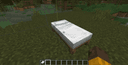
Better Beds Mod: Rendering Optimization and 3D Bed Models in Minecraft
Detailed technical review of the Better Beds client optimization mod for Minecraft to boost FPS.
Detailed technical review of the Better Beds client optimization mod for Minecraft to boost FPS.
Dependencies:
Loader: Fabric / NeoForge / Quilt
Minecraft Version: 1.16 – 1.21.x
The Better Beds mod rewrites the bed rendering mechanism in Minecraft, replacing the heavy vanilla block entity renderer with the standard static model engine. In the vanilla game, beds are processed as a Block Entity Renderer (BER), forcing the central processing unit (CPU) to recalculate their geometry every frame. Better Beds converts beds into classic blocks with JSON models, fully shifting their rendering to the graphics card (GPU). This provides a significant framerate (FPS) boost near villages or in multiplayer lobbies and allows beds to be customized via standard resource packs.
Technical Issues with Vanilla Bed Rendering
In vanilla Minecraft, beds, chests, signs, and banners are handled as special objects — Block Entities. Unlike regular stone or wood, which are baked into the static chunk mesh when loaded, block entities require a dedicated Block Entity Renderer.
Problems caused by this approach in the vanilla game:
CPU Overhead. The processor is forced to query the coordinates of every nearby bed every millisecond and send separate drawing instructions to the GPU.
Lack of Occlusion Culling. The vanilla entity renderer draws beds even when they are behind walls or under floors, wasting your computer's resources.
Performance Drops (FPS lag). If you enter a large village with dozens of villagers or play on servers in modes like BedWars where many beds are placed at bases, the framerate can suddenly drop significantly due to the CPU being overloaded with rendering threads.
Optimization and Mechanics of Better Beds
The Better Beds mod completely removes the Block Entity Renderer for beds, turning them into standard 3D blocks.
How the optimization works:
During chunk loading, the game reads the bed model as a static object, similar to stairs or fences.
The bed geometry is combined (baked) into the general 3D Chunk Mesh.
The GPU draws the entire chunk along with the bed in a single pass (one Draw Call), without involving the CPU in per-frame calculations at all.
If the bed is hidden behind other opaque blocks, occlusion culling algorithms automatically stop rendering it, saving GPU memory.
Since the mod operates exclusively on the client side, it doesn't change game logic. Beds retain all their functions: you can sleep on them, reset your spawn point, and villagers easily recognize them as workstations or sleeping spots. The mod does not need to be installed on the server, so you can freely use it while playing multiplayer.
Historical Context: Why Beds Became Entities
Mojang's decision to make beds block entities was a necessary step in the past. Up to version 1.12, Minecraft used an old block ID system that allocated only 4 bits for each block's metadata (a maximum of 16 different states).
For a bed, they had to encode:
16 different wool colors.
2 bed parts (head and foot).
4 placement directions (north, south, east, west).
This resulted in 128 state combinations, which physically couldn't fit within the old system's limitations. To avoid wasting dozens of precious free block IDs, the developers turned the bed into a Tile Entity (the predecessor to Block Entity), moving the color and direction data into separate metadata, and shifting rendering to a CPU-based renderer.
In version 1.13 ("The Flattening"), the developers completely rewrote the ID system, allowing blocks to have an unlimited number of states. However, the bed code remained unchanged. Better Beds essentially fulfills this outdated technical debt, reverting beds back to the standard block format.
Customization and Resource Pack Support
Vanilla beds use a single large texture wrapped around a flat entity model. Changing the bed geometry (for example, making the legs round or adding a bulky blanket) using regular resource packs is impossible in the vanilla game without installing heavy optimizers like OptiFine with its Custom Entity Models (CEM) feature.
Better Beds makes beds open to any graphical customization. Since the bed is now a regular block, you can create or download a resource pack with a bed.json file in the models/block/ folder.
This allows you to:
Create fully 3D bed models with detailed pillows, blankets, and legs.
Use animated textures or add glow-in-the-dark elements (via PBR shaders).
Add volumetric details that extend beyond the standard rectangular frame.
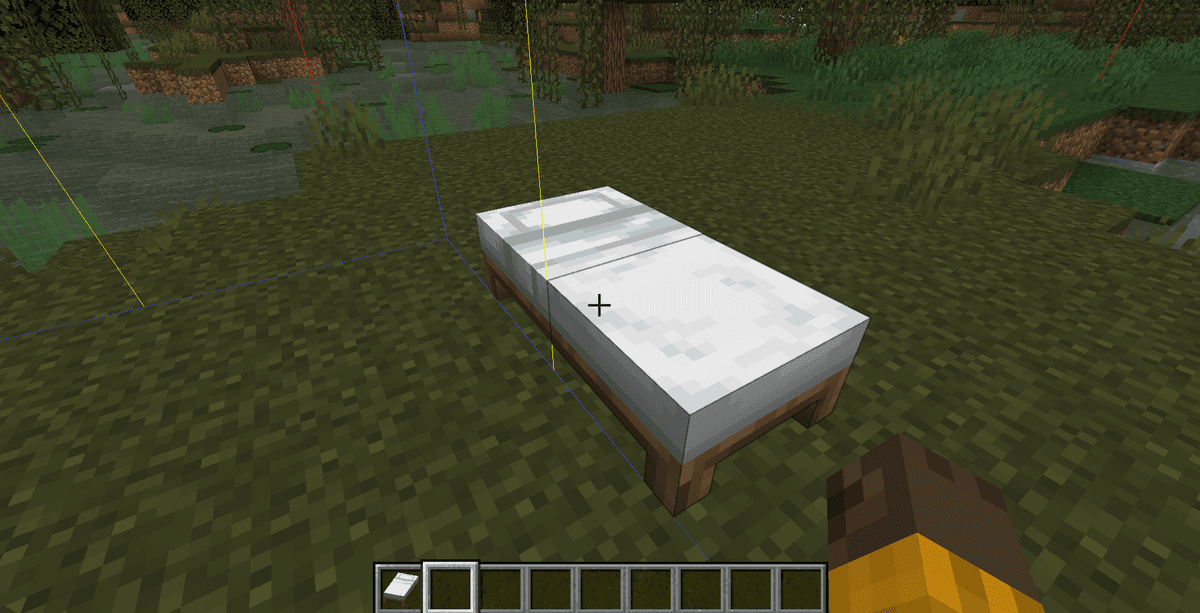
By default, the mod includes built-in JSON models that exactly replicate the vanilla bed appearance, so without installing third-party resource packs you won't notice a visual difference, but you will get a performance boost.
Compatibility and Limitations
The mod has a high level of compatibility with other graphics optimizers (Sodium, Embeddium, Iris, Lithium), as it uses the same hooks for chunk rendering optimization.
Limitations and conflicts:
Bedspreads. This popular mod, which allows applying banner patterns to beds, is incompatible with Better Beds. The reason is that Bedspreads is strictly tied to the vanilla Block Entity Renderer to draw the banner over the bed.
Custom bed mods. If another mod adds new bed types and uses the standard model renderer, you will need a separate resource pack with JSON models for those new beds. Mods that register beds via their own custom BER renderers will work stably but won't get the FPS boost from Better Beds.
Author's Opinion
Better Beds is an effective technical solution for optimizing the client side of Minecraft. Replacing the outdated bed rendering method with static JSON models completely eliminates the per-frame CPU load, allowing the graphics card to draw beds as part of the terrain.
Compared to heavy entity model changing mods, Better Beds offers a lightweight alternative that focuses solely on optimizing beds and expanding possibilities for resource pack creators. The main downside is its incompatibility with mods that modify the vanilla entity renderer (such as Bedspreads), as well as the need to manually add models for furniture from some third-party mods. This mod is perfect for you if you play on a weak computer, frequently visit large bases or villages with many beds, or want to install beautiful 3D furniture textures without losing performance.
Installation
A typical installation takes about 5 minutes. The flow is the same; only the loader and the matching build differ.
- 1Install a mod loader (Forge, Fabric or NeoForge) that matches your Minecraft version.
- 2Download the mod file (.jar) built for that same version.
- 3Place the .jar into your .minecraft/mods folder.
- 4Launch Minecraft with the modded profile and check the mod loads in-game.
 Installing Mods in Minecraft: A Guide for Forge, FabricLearn how to install mods in Minecraft with this step-by-step guide for Forge and Fabric. Improve your game with new features, tools, and mechanics!Open the install guide










