Better Mods Button Mod: Bringing the Mods Button Back in Minecraft Forge
Dependencies: Loader: Forge / NeoForge Minecraft version: 1.18.2 – 26.1.x Mod version: 26.1.0 Required mods: Config Menus for Forge (for…
Dependencies: Loader: Forge / NeoForge Minecraft version: 1.18.2 – 26.1.x Mod version: 26.1.0 Required mods: Config Menus for Forge (for in-game configuration) The client-side mod Better Mods Button brings the «Mods» bu
Dependencies:
Loader: Forge / NeoForge
Minecraft version: 1.18.2 – 26.1.x
Mod version: 26.1.0
Required mods: Config Menus for Forge (for in-game configuration)
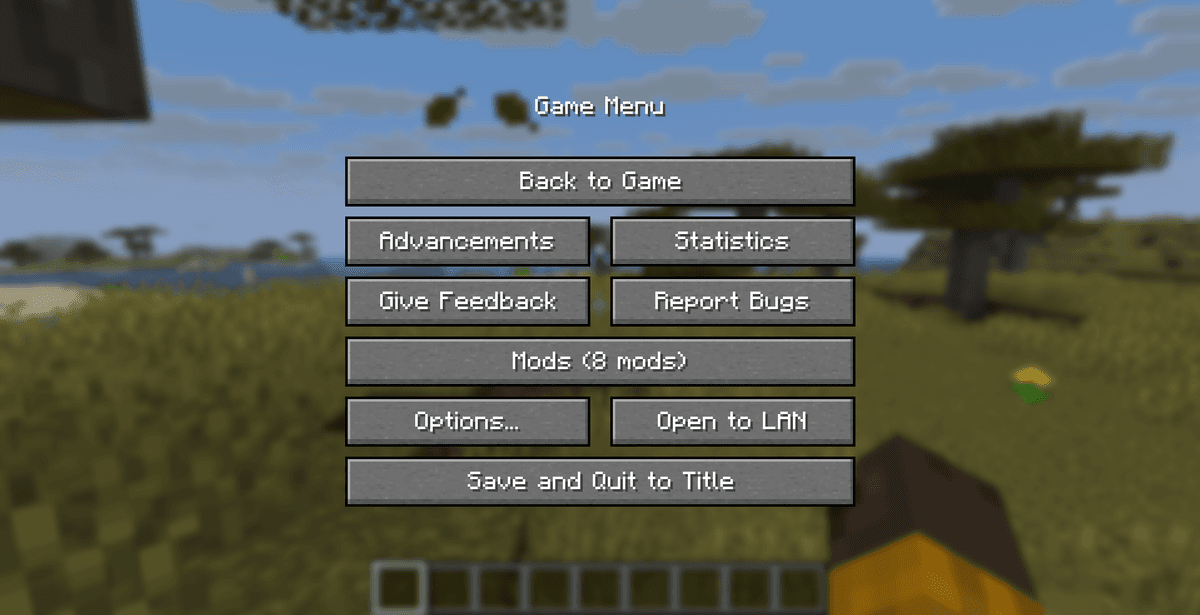
The client-side mod Better Mods Button brings the «Mods» button back to the game's pause menu, which disappeared from the Forge loader's official interface after Minecraft version 1.13. Thanks to this, you get quick access to the configuration of your installed modifications directly during gameplay. The modification offers flexible options for changing the button's position, size and design, allowing you to adapt it to any visual menu style.
Functionality and Button Positioning Options
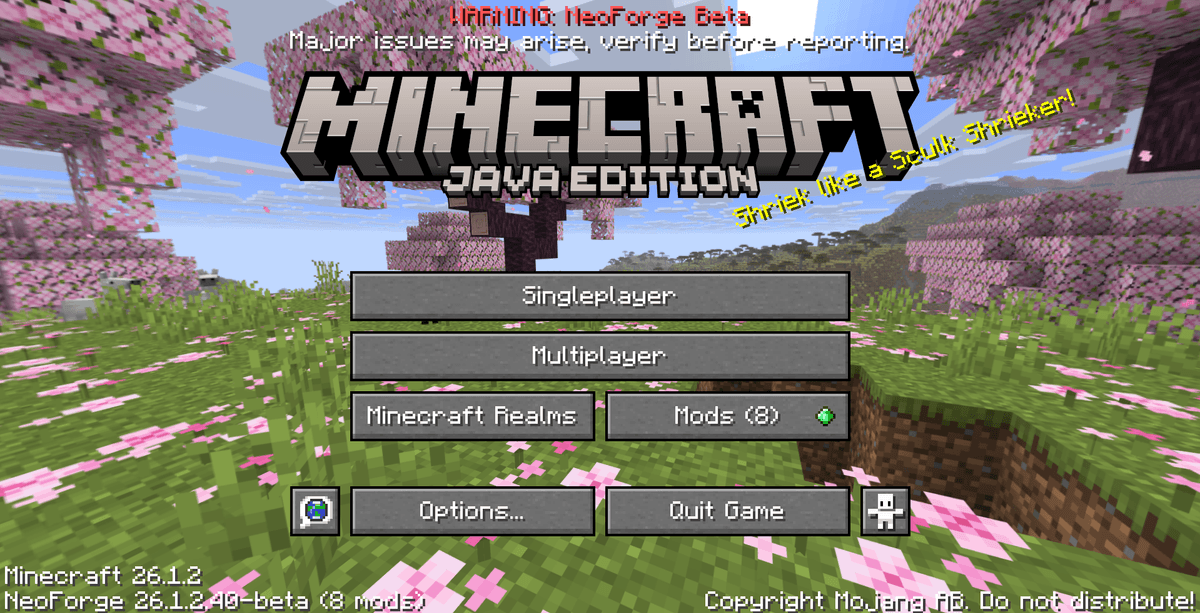
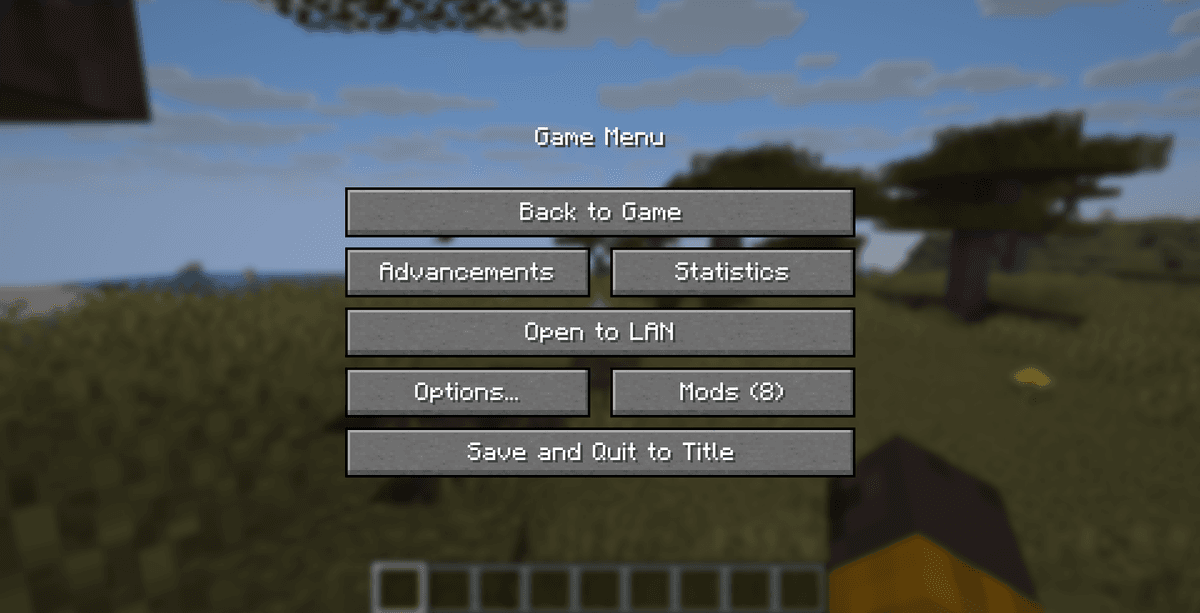
The mod adds several alternative layouts for the «Mods» button both in the main menu and on the pause screen, allowing you to avoid interface elements overlapping.
Available display and position options:
Menu element | Button placement options | Additional design features |
|---|---|---|
Main screen | Next to the Realms button, on a separate line, at an angle, or replacing the standard buttons. | Displaying the total number of installed modifications directly on the button text. |
Pause screen (ESC) | Separately in the middle, below the settings button, replacing the feedback or help button. | Integration of an icon (update badge) with a notification about the availability of new versions of modifications. |
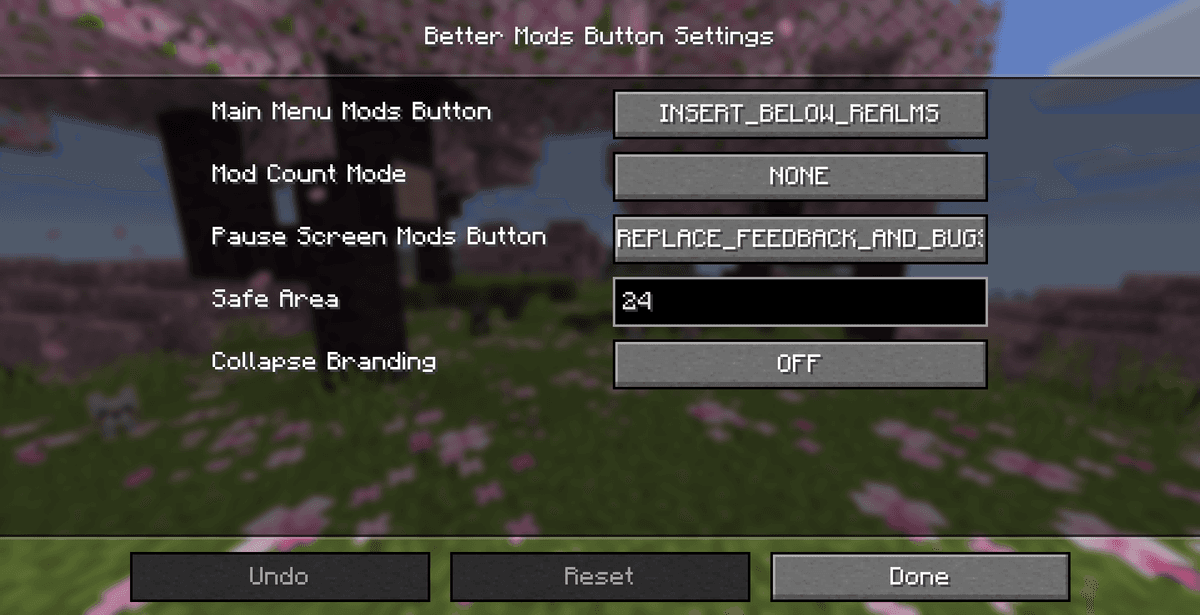
You can completely hide the update icon if you don't want to see unnecessary notifications, or change the font size on the button so that it blends in harmoniously with the other text elements.
Configuration via the TOML File
The configuration files are generated automatically after the first launch of the game in the folder .minecraft/config/bettermodsbutton-client.toml.
The main keys of the configuration file and their description:
Configuration key | Data type / Value | Parameter description |
|---|---|---|
| Boolean ( | Controls the display and activation of the mods button on the game's main screen [CHECK IN GAME]. |
| Boolean ( | Controls the display and activation of the mods button in the pause menu (ESC) [CHECK IN GAME]. |
| Boolean ( | Enables displaying the exact number of loaded mods directly on the button itself [CHECK IN GAME]. |
| Boolean ( | Enables or disables a small notification icon about the availability of updates for mods [CHECK IN GAME]. |
For more convenient configuration, you can install the helper mod Config Menus for Forge (or NeoForge). Thanks to this, you will be able to change all the parameters of position, colours and overlays through a convenient graphical menu directly during gameplay, without the need to edit the TOML file manually.
Compatibility and Limitations
The modification works exclusively on the client side and does not require installation on the server for multiplayer play.
Technical compatibility details:
Designed for the Forge and NeoForge loaders. On Fabric, this mod will not work, since for that platform there is a similar mod Mod Menu, by whose interface the developer Fuzss was in fact inspired.
Compatible with any mods that change the menu background, add panoramas or custom button textures.
It does not conflict with other UI mods if you choose a free spot for the button in the configuration.
Conclusion
The Better Mods Button mod is a useful interface addition for players who use the Forge and NeoForge loaders. It brings back the familiar and convenient tool for accessing mod settings directly while surviving in the world.
Compared to the original Mod Menu for Fabric, this mod is its quality counterpart for the Forge ecosystem, offering the same flexibility of settings. The main limitation is the need to install the additional library Config Menus for Forge for comfortable in-game configuration. This mod will suit you if you play on Forge or NeoForge and want convenient access to the settings of all your installed mods in a single click.
Installation
A typical installation takes about 5 minutes. The flow is the same; only the loader and the matching build differ.
- 1Install a mod loader (Forge, Fabric or NeoForge) that matches your Minecraft version.
- 2Download the mod file (.jar) built for that same version.
- 3Place the .jar into your .minecraft/mods folder.
- 4Launch Minecraft with the modded profile and check the mod loads in-game.
 Installing Mods in Minecraft: A Guide for Forge, FabricLearn how to install mods in Minecraft with this step-by-step guide for Forge and Fabric. Improve your game with new features, tools, and mechanics!Open the install guide