

CreativeCore — a library mod for other mods to work in Minecraft
CreativeCore is a core library mod for Minecraft with no content of its own — it provides shared GUI, networking, and in-game config tools…
CreativeCore is a core library mod for Minecraft with no content of its own — it provides shared GUI, networking, and in-game config tools for dependent mods.
CreativeCore — a library mod for other mods to work in Minecraft
Minecraft version the article was tested and written on: 26.1.2
Supported version range: 1.12.2 – 26.x
CreativeCore is a library (core) mod for Minecraft that holds shared code for other mods in a single file. A standalone mod usually carries all of its code inside itself, so the same solutions end up being duplicated from project to project. The library extracts the repeating parts — interfaces, network data transfer, the settings system — into a shared foundation that dependent mods draw on. If an installed mod marks this library as required, it simply won't launch without it.
Why it's needed
The mod by itself doesn't add items, blocks, or mechanics — after installing it, the world looks exactly the same as before. That's normal behavior for a library: it works in the background and serves other mods rather than the player directly. So it's only worth installing in one case — when some mod requires CreativeCore as a dependency.
What the library includes
The set consists of several parts. The player sees some of them indirectly — through the menus and settings of mods that rely on this foundation.
Component | What it does |
GUI-API | A shared framework for building interfaces. Dependent mods use it to build their menus, editors, and settings panels, so screens across different mods by the same author keep a consistent style. |
Packet system | Data transfer between client and server with splitting support. Minecraft limits the size of a single network packet, and splitting lets bulky data be sent in parts without being cut off. |
Event system | A mechanism for reacting to in-game events that the internal logic of dependent mods is built on. |
InfoStack objects | A unified description of item groups — the same stack format for all mods that use the library. |
Fake world | An isolated environment in which the mod performs actions on blocks without affecting the main save. |
Platform-independent loader | The same code works on Forge, NeoForge, and Fabric, so there's no need to maintain separate versions for each loader. |
In-game settings
A separate part of the library is the settings system. Settings for mods that rely on CreativeCore can be changed not through text files but directly in the game. Two commands and a menu entry give access to them:
/cmdclientconfig— opens the client-side settings (only affect your side of the game)./cmdconfig— opens the server-side settings (for the server operator).The mod's entry in the in-game menu — the same screen as the commands, but without typing text.
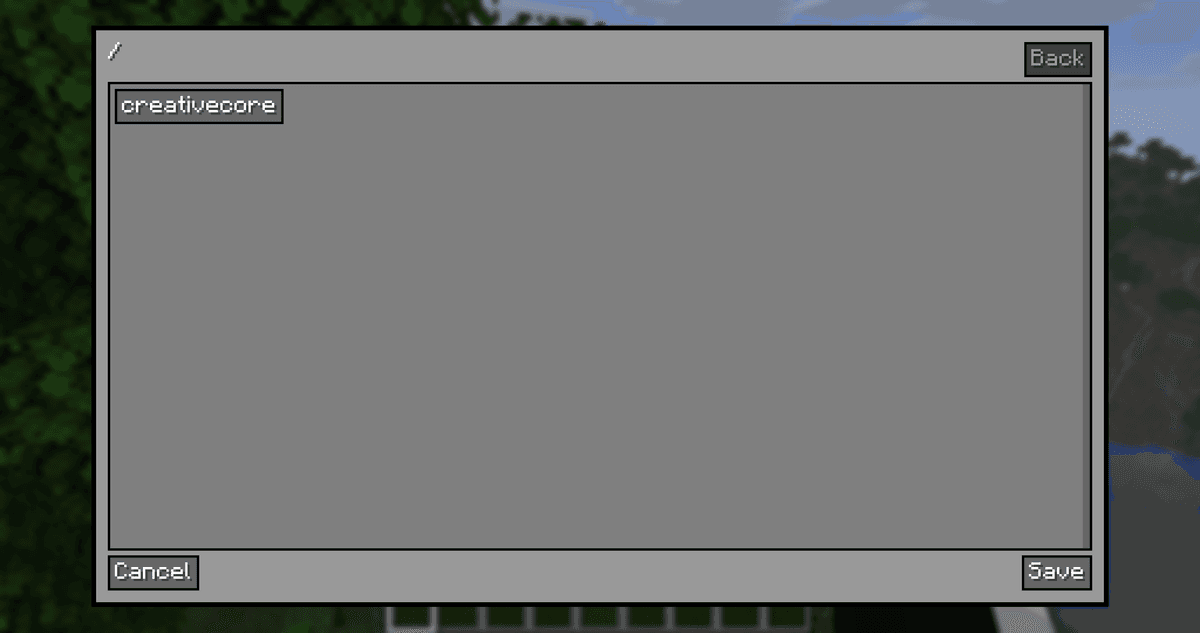
Demonstration of the command /cmdclientconfig
Changes take effect without manually editing config files and without restarting the game.
Conclusion
Unlike libraries that provide ready-made gameplay features, CreativeCore contains no content of its own and exists only as a foundation for mods: shared interfaces, network data transfer, and the settings system are all gathered in one file. Its strength is changing mods' settings directly in the game via /cmdconfig and /cmdclientconfig, without editing files. There's no point installing it on its own: it's only needed when some other installed mod requires it.
Installation
A typical installation takes about 5 minutes. The flow is the same; only the loader and the matching build differ.
- 1Install a mod loader (Forge, Fabric or NeoForge) that matches your Minecraft version.
- 2Download the mod file (.jar) built for that same version.
- 3Place the .jar into your .minecraft/mods folder.
- 4Launch Minecraft with the modded profile and check the mod loads in-game.
 Installing Mods in Minecraft: A Guide for Forge, FabricLearn how to install mods in Minecraft with this step-by-step guide for Forge and Fabric. Improve your game with new features, tools, and mechanics!Open the install guide










