Cull Leaves — a mod for optimizing leaves in Minecraft
The Cull Leaves mod adds culling of hidden faces to leaf blocks, which is absent in vanilla Minecraft: the game renders every leaf block in…
The Cull Leaves mod adds culling of hidden faces to leaf blocks, which is absent in vanilla Minecraft: the game renders every leaf block in full, with all six faces, even those covered by neighboring leaves inside the canopy. Because of this, in jungles, mangrove swamps, and…
Cull Leaves — a mod for optimizing leaves in Minecraft
Minecraft version it was tested on and the article was written for: 26.1.2
Range of supported versions: 1.16.x – 26.1.2
Mod version: 4.1.2
Dependencies: Fabric API (for Fabric builds)
The Cull Leaves mod adds culling of hidden faces to leaf blocks, which is absent in vanilla Minecraft: the game renders every leaf block in full, with all six faces, even those covered by neighboring leaves inside the canopy. Because of this, in jungles, mangrove swamps, and dark oak forests the graphics card processes thousands of polygons the player physically cannot see. After installation, the shared face of two leaf blocks is no longer drawn — the frame rate rises noticeably in places with dense tree clusters.
How face culling works
When two leaf blocks sit right against each other, the face between them is physically invisible — it is hidden by the neighboring block. The game's standard logic still queues this face for rendering along with its transparency, because leaves are a block with cutouts in the texture, while the built-in culling kicks in only between solid surfaces. The mod changes this rule: leaves next to leaves are now treated as a solid neighbor, and the game skips the shared boundary. Only the outer "shell" of the canopy remains on the graphics processor — the very silhouette seen from the outside.
The mod adds no new blocks, textures, or interfaces and does not interact with anything else in the game. It changes only the game's answer to the question "does this face need to be drawn?". That is why the effect is noticeable only on the performance side — the behavior of the leaves, their decay, dropping saplings, and interaction with tools all stay vanilla.
Where the performance gain is noticeable
The biggest gain comes in locations with dense canopies:
jungles — multi-tiered vegetation with leaves at various heights
mangrove swamps — a continuous cover over the water plus a mass of roots
dark oak forests — the canopies join and form a "ceiling"
taiga with spruces — cone-shaped canopies with a large number of layers
tree farms and mega-builds with park plantings
On open plains, in deserts, in the Nether or the End, the mod optimizes nothing — there simply are no leaves there to gain on. On weak graphics cards, the FPS difference in forests is sometimes more noticeable than toggling shadows — it is the cheapest optimization for those who want to preserve the vanilla look of nature.
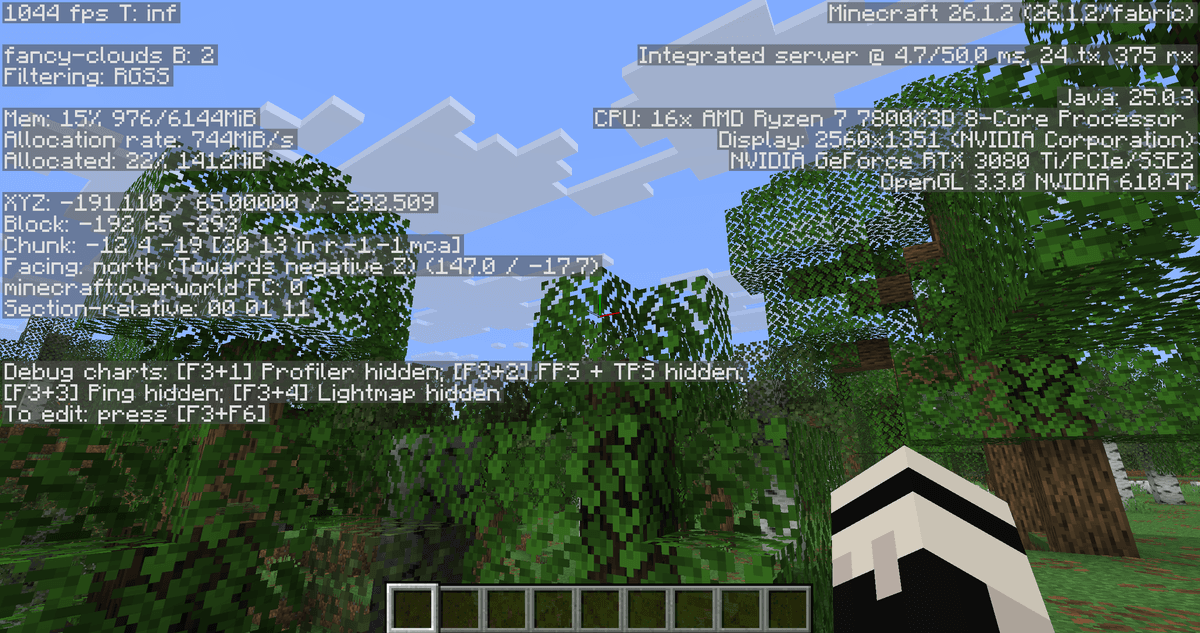
F3 statistics with the mod enabled
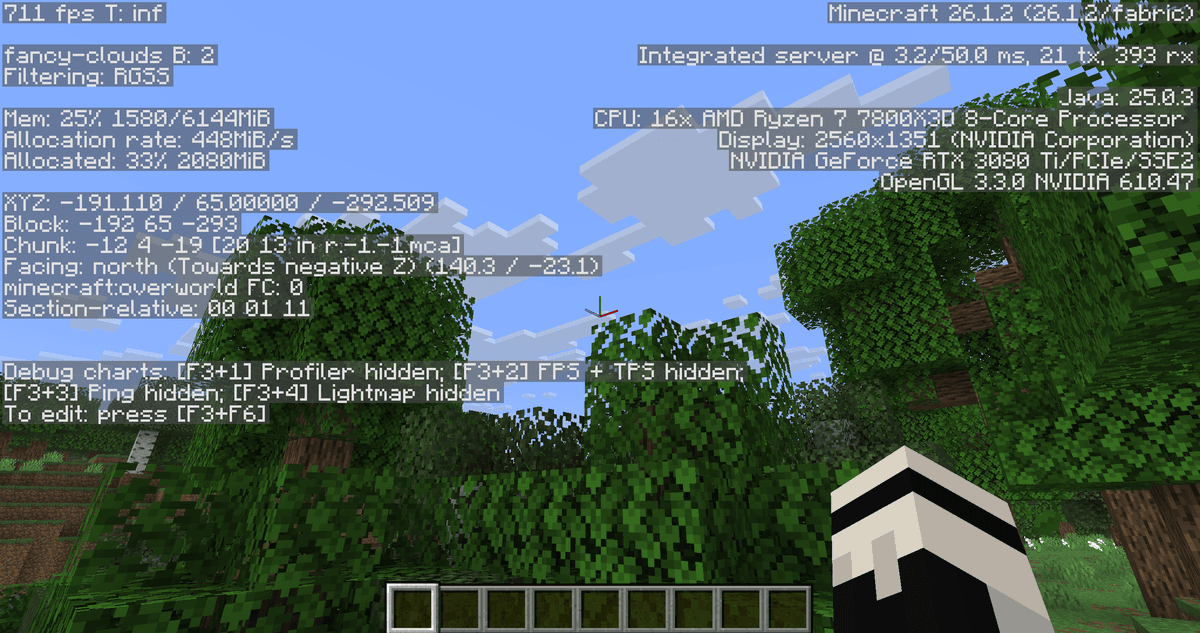
F3 statistics with the mod disabled
Visual changes
The outer outline of the tree stays unchanged. The silhouette the player sees from the side is the same as in vanilla — the mod removes only what was already hidden. The difference is noticeable only when the camera peeks inside the canopy through a gap in the leaves: the interior space now looks empty, because there really are no polygons there.
For those who want an even denser outer canopy shell, the mod includes a built-in resource pack. You can activate it in the standard resource pack settings menu — after that, the outer layers of the trees look more voluminous, with no visible "hole" from the inside when viewed from below.
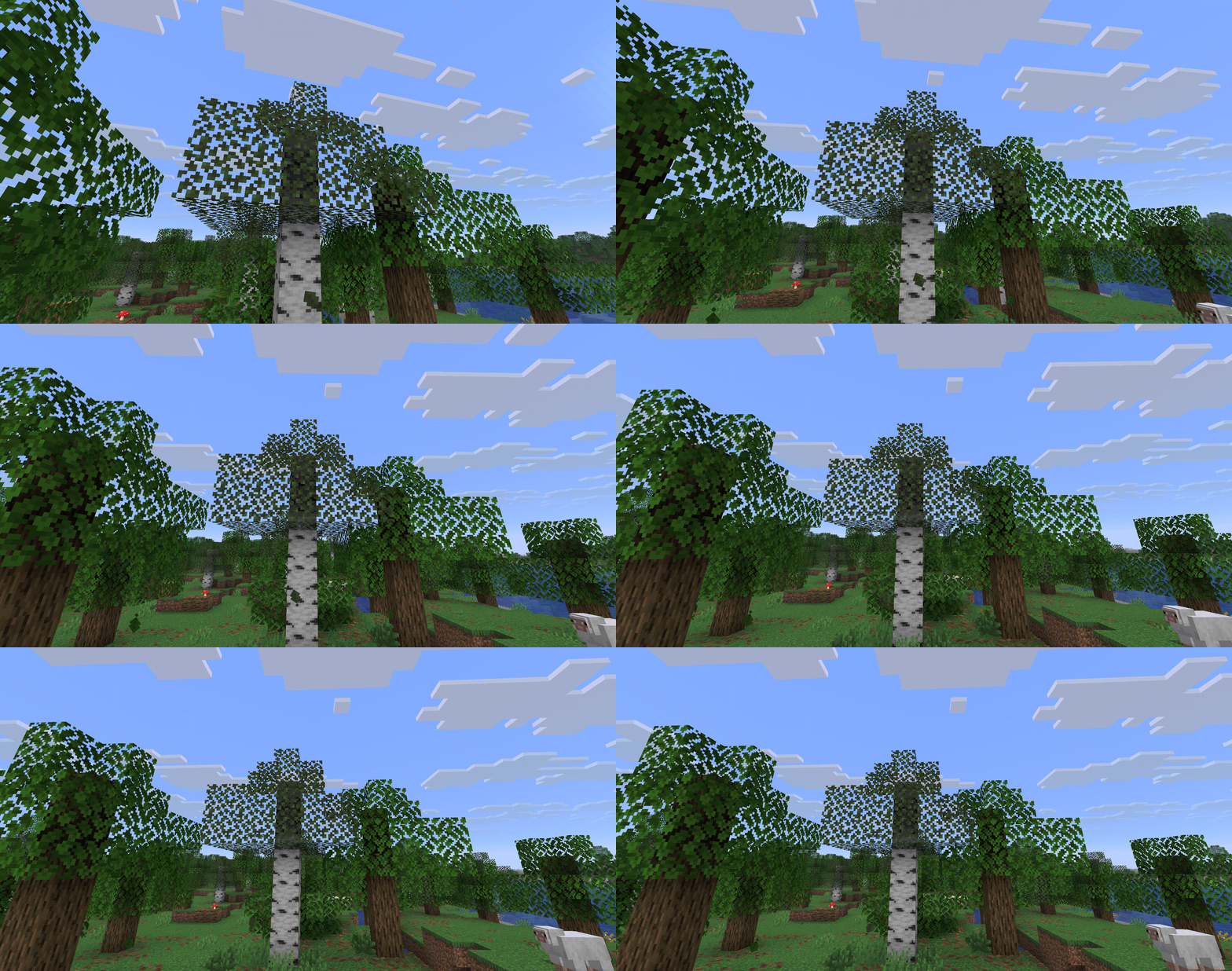
Rotating around the trees, leaves without polygons are visible
Settings
The configuration file is saved at the path config/cullleaves.json in the game folder.
Parameter | What it does |
| The mod's master switch. With the value true, culling is active for all leaf types. With false, the game behaves as if the mod is not installed. |
| Extends the same face culling to mangrove root blocks (appeared in version 3.2.0). With true, the hidden faces of roots in dense masses stop being drawn — useful in mangrove swamps. With false, roots are processed the vanilla way, even if the neighboring leaves are culled. |
The config contains no other options — you cannot adjust the intensity of the effect, exclude a particular leaf type, or set rules for modded trees; culling is applied globally to all blocks the game marks with the leaves tag.
Conclusion
Cull Leaves removes the unnecessary load from rendering the inner layers of leaves in tree canopies. It suits survival in forested worlds, server builds with megabases among the trees, and any scenario where you need to squeeze out FPS on a weaker PC without losing the vanilla silhouette of nature.
Installation
A typical installation takes about 5 minutes. The flow is the same; only the loader and the matching build differ.
- 1Install a mod loader (Forge, Fabric or NeoForge) that matches your Minecraft version.
- 2Download the mod file (.jar) built for that same version.
- 3Place the .jar into your .minecraft/mods folder.
- 4Launch Minecraft with the modded profile and check the mod loads in-game.
 Installing Mods in Minecraft: A Guide for Forge, FabricLearn how to install mods in Minecraft with this step-by-step guide for Forge and Fabric. Improve your game with new features, tools, and mechanics!Open the install guide