
Diagonal Fences — a building mod for adding 45-degree diagonal fence connections in Minecraft
Diagonal Fences is a Minecraft mod that adds 45° diagonal connections to fences, creating seamless enclosures without blocky gaps.
Diagonal Fences is a Minecraft mod that adds 45° diagonal connections to fences, creating seamless enclosures without blocky gaps.
Diagonal Fences — a building mod for adding 45-degree diagonal fence connections in Minecraft
Minecraft version tested and written about: 26.1.2
Supported versions range: 1.18.2 — 1.26.x
Dependencies: Puzzles Lib (for Fabric and NeoForge builds), Fabric API, Forge Config API Port (for Fabric builds)
Diagonal Fences adds the ability to connect fences at a 45° angle in Minecraft. In vanilla, fence segments only connect along the four cardinal directions — north, south, east, and west. Any diagonal fence line ends up jagged: individual posts without crossbars, leaving block-wide gaps between them. The mod removes this limitation — new connections form automatically as soon as two fences are placed diagonally adjacent.
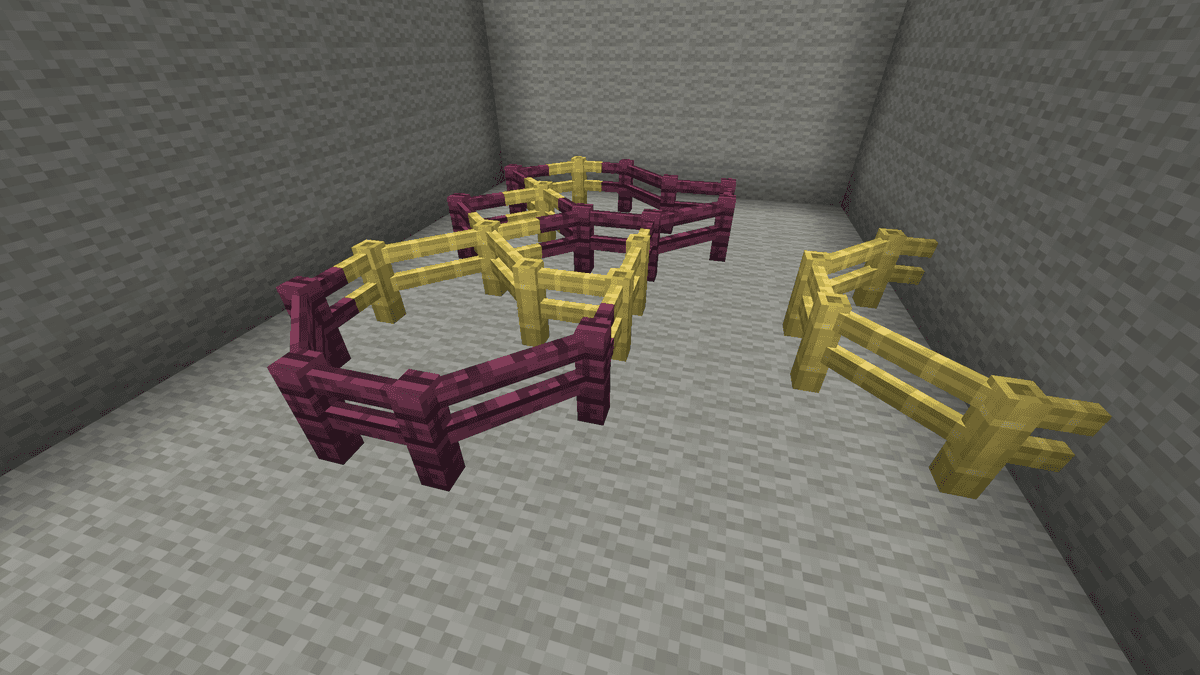
Sequential diagonal placement of fences forming new shapes
How diagonal connections work
The principle remains the same as in vanilla: the fence "reaches" towards neighboring blocks automatically, without any crafting or additional items. The only difference is that blocks placed diagonally from a segment are now also considered neighbors. If you place two fences one block apart diagonally, a crossbar at a 45° angle will appear between them.
The hitbox of the crossbar is also diagonal — meaning mobs won't slip through the connection, and the player cannot jump over the fence from the side where it was previously technically absent. This behavior is maintained across all fences.
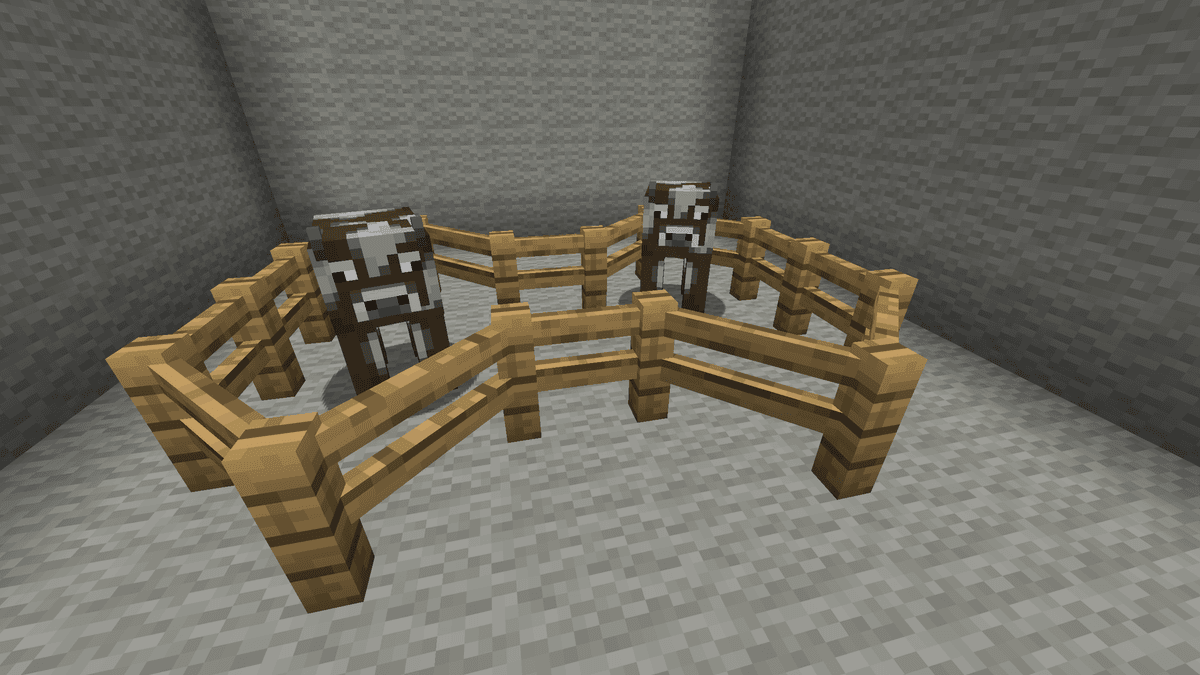
Cows behind a diagonal fence
Support for fences from other mods
Diagonal Fences dynamically detects blocks acting as fences and applies the same logic to them. No separate configuration for modpacks is needed — extra fences are picked up automatically if they are registered via the standard Minecraft mechanism.
If a block incorrectly receives diagonal behavior (e.g., a decorative item that only visually resembles a fence), it can be excluded from processing via the system block tag:
diagonalfences:non_diagonal_fences
Blocks added to this tag via a datapack are completely ignored by the mod — they act exactly as in vanilla. This allows targeted fixes without deleting the mod itself or editing other resources.
Config
Configuration files are stored in .minecraft/config/ and start with the prefix diagonalblocks-
diagonalblocks-common.toml
Parameter | What it does |
| Determines which fence variant is placed initially. |
diagonalblocks-server.toml
Parameter | What it does |
| Allows manually toggling the type of an already placed fence between diagonal and normal variants. This is done via Shift + right-click with an empty hand on the segment. |
Conclusion
Diagonal Fences solves a key architectural issue — smooth diagonal enclosures, which are impossible to build in vanilla Minecraft without a jagged effect. The mod does not introduce new blocks, change recipes, or touch any other mechanics beyond fence connections — making it safe to drop into an existing world without side effects. Suitable for survival servers where players frequently build structures with uneven angles, as well as creative maps with decorative perimeters.
Installation
A typical installation takes about 5 minutes. The flow is the same; only the loader and the matching build differ.
- 1Install a mod loader (Forge, Fabric or NeoForge) that matches your Minecraft version.
- 2Download the mod file (.jar) built for that same version.
- 3Place the .jar into your .minecraft/mods folder.
- 4Launch Minecraft with the modded profile and check the mod loads in-game.
 Installing Mods in Minecraft: A Guide for Forge, FabricLearn how to install mods in Minecraft with this step-by-step guide for Forge and Fabric. Improve your game with new features, tools, and mechanics!Open the install guide










