
Do a Barrel Roll — mod for adding realistic flight physics and elytra rotation in Minecraft
Do a Barrel Roll overhauls elytra controls in Minecraft, unlocking full three-axis rotation and plane-like flight physics.
Do a Barrel Roll overhauls elytra controls in Minecraft, unlocking full three-axis rotation and plane-like flight physics.
Do a Barrel Roll — mod for adding realistic flight physics and elytra rotation in Minecraft
Minecraft version on which the article was tested and written: 26.1.2
Supported versions range: 1.17.1 — 26.1.2
Dependencies: Required for Fabric: Fabric API, Cicada, YACL
Do a Barrel Roll overhauls elytra controls in Minecraft: instead of vanilla gliding through the sky with fixed pitch, the mod unlocks complete freedom of rotation across three axes. In flight, the character behaves closer to an airplane than a glider: you can fly upwards, perform barrel rolls and loops, and approach targets at arbitrary angles.
Control principle
The standard layout is built on the premise that the mouse provides the two main directions of movement, while the keyboard handles the auxiliary one. Moving the mouse left-right rotates the character around the longitudinal axis, moving it forward-backward changes the nose pitch up or down. The strafe keys A and D turn the body left or right. Thus, the controls are closer to flight simulators: the mouse does the main work, and the keyboard is responsible only for minor course corrections. All bindings can be changed in the standard Minecraft controls menu.
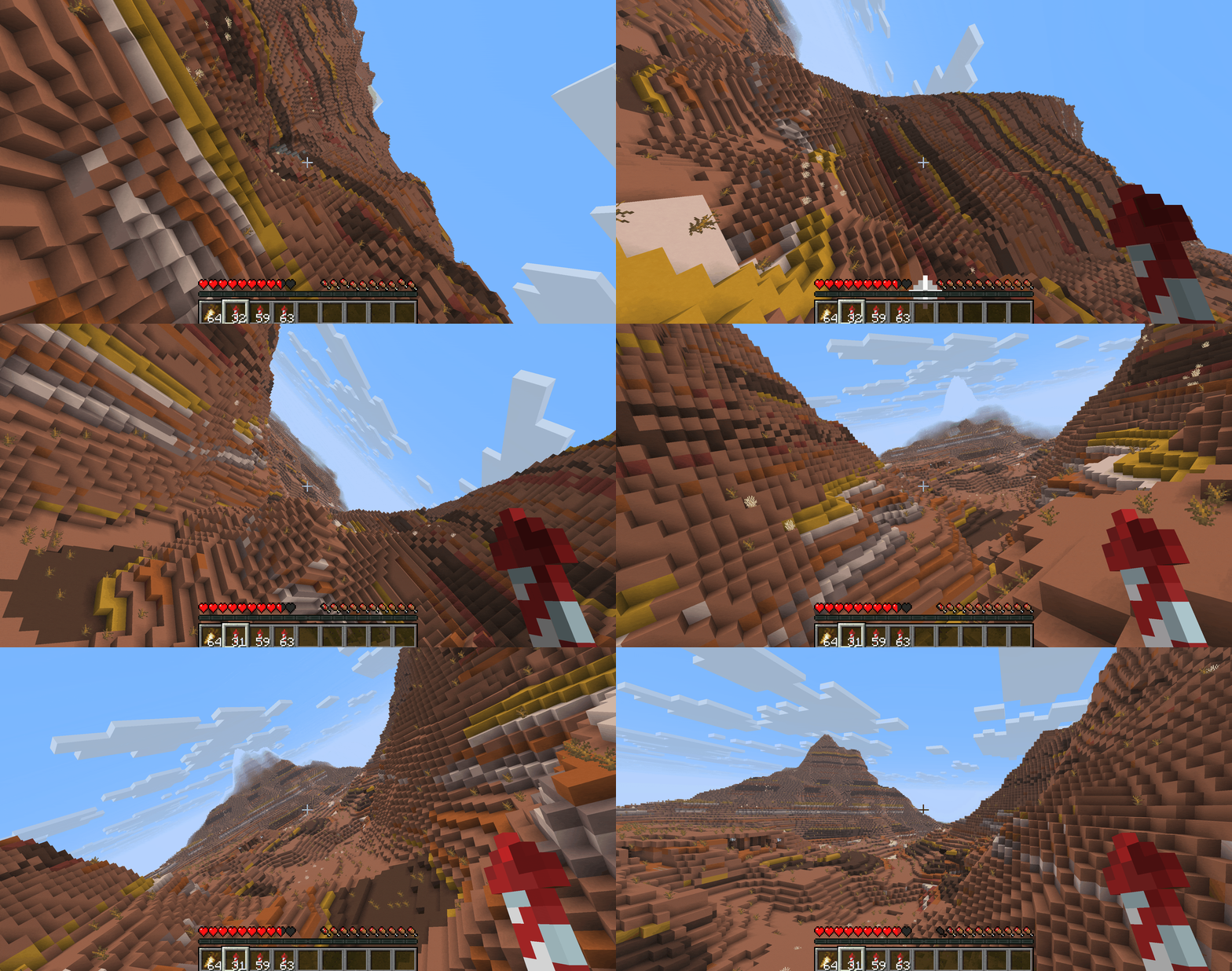
Canyon flight — you can see how the character model tilts along with the camera.
Bank angle
Besides the player model's reaction, the mod adds a slight screen shift during turns — a simulation of lateral G-force. The stronger the angle, the more noticeably the camera tilts towards the turn. This is perceptible when flying in an arc: the horizon tilts smoothly, and the turn feels like a controlled trajectory rather than a sharp camera jump. The strength of the effect is regulated by a separate slider banking_strength in the settings; it can be disabled entirely if needed.
Main configuration parameters
It's more convenient to edit settings via the YACL screen; all values are saved in the file config/do_a_barrel_roll-client.json. Below are key options with example values. The config also has an advanced section with bank and rudder effectiveness formulas — it's better not to change them without understanding the mathematics of rotations.
Parameter | What it does |
| Global toggle for the mod without deleting files. |
| Swaps roll and yaw controls. |
| Inverts the pitch axis — moving the mouse up lowers the nose. |
| Cursor position sets rotation speed, not instantaneous turn. |
| Disables mod logic in water. |
| Method of transitioning to controlled flight. |
| Adds camera tilt in turns. |
| Tilt strength. Higher — sharper effect. |
| Automatic leveling after a maneuver. |
| Activates the thrust system (on servers — only with permission). |
| HUD horizon line indicator, like in airplanes. |
| Minor hidden effects that do not impact balance. |
The sensitivity section stores separate sensitivities for mouse, controller, and camera across each of the three axes — this allows a gamepad player to have different values than on a mouse, without switching profiles.
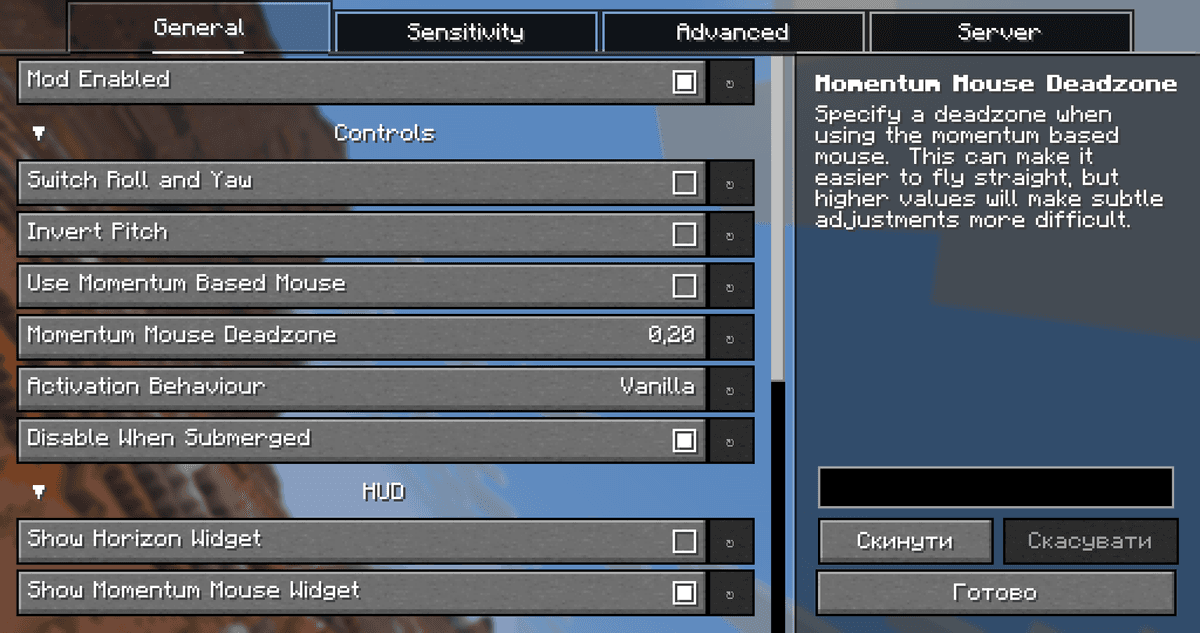
Do a Barrel Roll settings window in YACL
Conclusion
Do a Barrel Roll shifts from vanilla "camera-following gliding" to full three-axis control, bringing the flight closer to a simulator model. The strong point is maneuver precision: the camera does not change course in jerks, but smoothly enters a tilt, which allows you to pass through narrow rock openings or level out above the ground at the last moment. The weak point is the entry barrier: for a player used to vanilla logic, the first five minutes will be difficult to hold a course.
It's not suitable for cases where a mod modifying the flight physics itself is needed: the mod does not touch elytra speed, distance, and regeneration. It is convenient for survival with active travel over long distances, for shooting from a non-standard angle, and for creative maps with complex topography.
Installation
A typical installation takes about 5 minutes. The flow is the same; only the loader and the matching build differ.
- 1Install a mod loader (Forge, Fabric or NeoForge) that matches your Minecraft version.
- 2Download the mod file (.jar) built for that same version.
- 3Place the .jar into your .minecraft/mods folder.
- 4Launch Minecraft with the modded profile and check the mod loads in-game.
 Installing Mods in Minecraft: A Guide for Forge, FabricLearn how to install mods in Minecraft with this step-by-step guide for Forge and Fabric. Improve your game with new features, tools, and mechanics!Open the install guide










