
Easy Anvils — a mod for adding convenient and useful anvil mechanics in Minecraft
Easy Anvils overhauls anvil mechanics in Minecraft: items remain in the interface after closing, and the prior work penalty grows much…
Easy Anvils overhauls anvil mechanics in Minecraft: items remain in the interface after closing, and the prior work penalty grows much slower.
Easy Anvils — a mod for adding convenient and useful anvil mechanics in Minecraft
Article written for version: 26.1.2
Supported Minecraft versions: 1.18.2 –26.1.2
Dependencies: Puzzles Lib (for Fabric and NeoForge), Fabric API, Forge Config API Port
Easy Anvils overhauls anvil mechanics in Minecraft: items remain in the interface after closing, and the prior work penalty grows slower. The mod doesn't add new blocks and doesn't change progression — it only tweaks the behavior of the anvil itself. The main problem it solves: it eliminates the "Too Expensive!" limit and the associated need to throw away a tool that has already been enchanted many times.
Keeping items in the interface
After closing the anvil interface, items don't drop — they remain in the top two slots and are displayed directly on the block itself. You can walk away, see what's lying there, and return later. On a server, the behavior is the same: items are bound to the anvil until you take them out via the interface.
If the anvil is destroyed, the contents will drop as regular loot — nothing is lost. The visual rendering of the contents can be disabled in the client config if you don't like the look of a block with items on top of it.
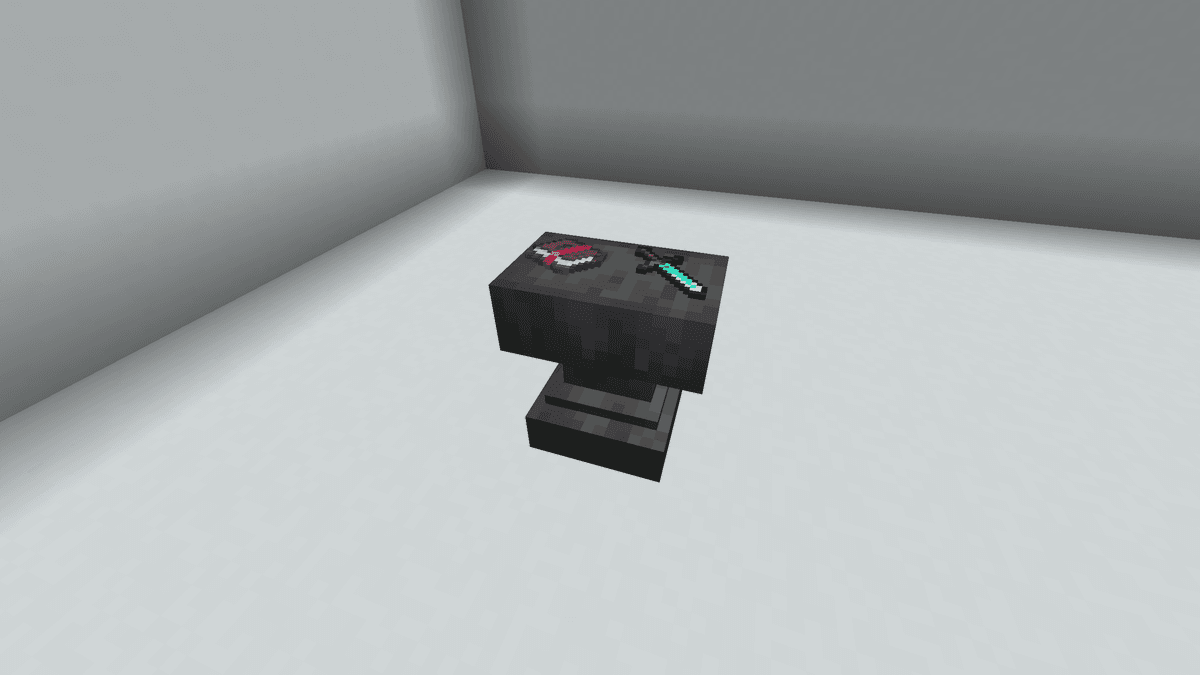
Displaying items on an anvil
Prior work penalty
In vanilla, every use of the anvil doubles the penalty, and after just 5-6 operations, normal repair becomes impossible — the game displays "Too Expensive!" and blocks the action. Easy Anvils replaces this limitation with linear growth: by default, each operation adds a fixed 4 levels of penalty, rather than doubling the previous value.
Renaming and pure repair without adding enchantments don't increase the penalty at all (penalty_free_renames_and_repairs). Combining two enchanted books with each other is also free thanks to penalty_free_enchants_for_books. If the cost of the operation still exceeds the maximum, the mod caps it at the permissible level by default instead of blocking it.
Repairing an anvil with an iron block
A chipped or damaged anvil is repaired by clicking an iron block directly on the block. Each click restores one stage: chipped → damaged → intact.
The chance to break is reduced from the vanilla 0.12 to 0.05 per use. Plus, renaming cannot break the anvil at all — even if you're very unlucky.
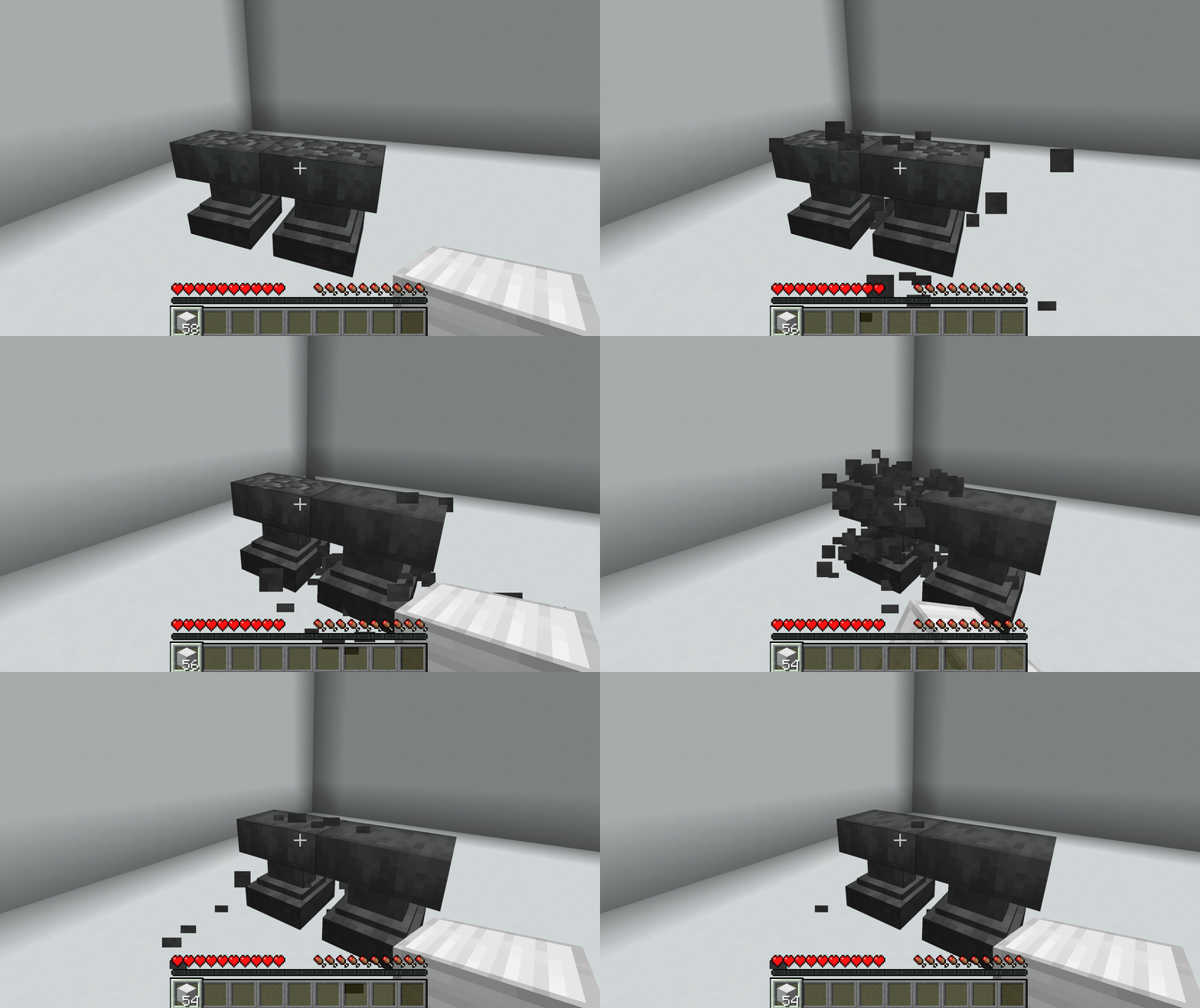
Repairing an anvil with iron blocks
Text formatting in names
Minecraft formatting codes work in the name input field: §a — green color, §l — bold, §o — italic, §n — underline, §k — obfuscated ("matrix") text, §r — reset style.
Example input in the renaming field: §6§lLegendary Sword — you will get golden bold text, and if it's a name tag on a mob — also above the mob.
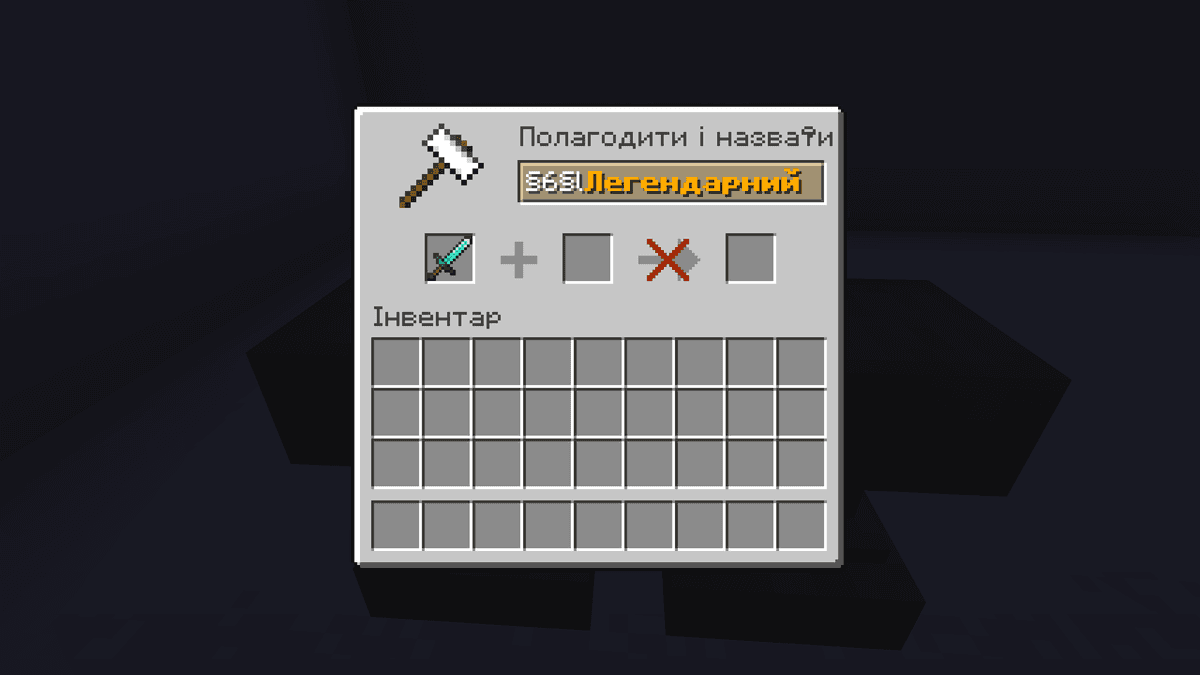
Text formatting on the example of a diamond sword
Config
Files are located in .minecraft/config/.
easyanvils-client.toml
Parameter | What it does |
| Renders items from the anvil directly on the block. |
easyanvils-server.toml
Parameter | What it does |
| Old vanilla anvils from already generated chunks are converted into mod anvils upon the first interaction. |
Section [costs] — operation costs
Parameter | What it does |
| Free renaming. |
| Maximum operation cost in levels. -1 — no limit, operation is always available. Any number (e.g., 40 — vanilla value) sets a threshold, above which "Too Expensive!" appears. |
| Reduces the cost of applying enchantments from an enchanted book by half. |
| The fraction of total durability restored by one unit of repair material (range 0.0–1.0). 0.25 — a quarter per iron ingot for an iron pickaxe. |
| Additional fee in levels for each unit of material during repair. Must be > 0. |
| Additional fee when combining two items of the same type, if the first is not fully repaired. Must be > 0. |
| Bonus durability when combining two identical items (range 0.0–1.0). 0.12 — an extra 12% margin on top. |
Section [miscellaneous] — auxiliary
Parameter | What it does |
| Allows repairing the anvil with an iron block. |
| Enables formatting codes |
| The chance for the anvil to advance to the next destruction stage per use in survival. Vanilla value — 0.12. Range 0.0–1.0. |
| Renaming never breaks the anvil. |
Section [prior_work_penalty] — prior work penalty
Parameter | What it does |
| How the penalty grows for repeated work. |
| Maximum penalty growth in levels per operation in |
| How to calculate costs for renaming and repair when accumulated penalty is high. |
| Renaming or repair alone do not increase the penalty. |
| Combining two enchanted books together does not increase penalty. |
Conclusion
Easy Anvils removes enchantment limitations in Minecraft — and allows you to push a single tool through dozens of anvil operations without throwing it away. The mod solves one task and does so through fine-grained config tweaks, with no new blocks or progression. It's suited for long survival campaigns where tools go through many iterations of enchanting and repair, and for technical modpacks where anvil repair needs to be automated.
Installation
A typical installation takes about 5 minutes. The flow is the same; only the loader and the matching build differ.
- 1Install a mod loader (Forge, Fabric or NeoForge) that matches your Minecraft version.
- 2Download the mod file (.jar) built for that same version.
- 3Place the .jar into your .minecraft/mods folder.
- 4Launch Minecraft with the modded profile and check the mod loads in-game.
 Installing Mods in Minecraft: A Guide for Forge, FabricLearn how to install mods in Minecraft with this step-by-step guide for Forge and Fabric. Improve your game with new features, tools, and mechanics!Open the install guide










