

Easy Magic — A mod for adding convenient and useful enchanting mechanics in Minecraft
Easy Magic is a Minecraft mod that improves the enchanting table by keeping items inside, adding a reroll button, and making bookshelf…
Easy Magic is a Minecraft mod that improves the enchanting table by keeping items inside, adding a reroll button, and making bookshelf placement more lenient.
Easy Magic — A mod for adding convenient and useful enchanting mechanics in Minecraft
Article based on version: 26.1.2
Supported Minecraft versions: 1.19.x – 26.1.2
Dependencies: Puzzles Lib (Fabric and NeoForge); for Fabric additionally Fabric API and Forge Config API Port
Easy Magic is a Minecraft mod that reworks the enchanting table without changing the enchantment formula itself. In vanilla, the table returns the lapis lazuli and the item back to the inventory every time you close the interface, and rerolling a bad enchantment list is only possible by fully enchanting an item. The mod fixes both inconveniences: items placed inside stay in the block between sessions, and a separate button appears in the interface to reroll the proposed enchantments for a small fee. Experience levels, bookshelves, and lapis lazuli work the same way as without the mod.
Items stay in the table
The main change affects the enchanting table slots. After installing the mod, the lapis lazuli and the item placed for enchanting do not drop back when closing the screen — they are stored right in the block. You can leave to do other things and return to the exact same setup later.
The placed items are also displayed in the world around the block. This is controlled by the client parameter render_enchanting_table_contents with three modes: items float in the air above the table, are shown on it without spinning, or do not render at all. When the player walks too far away, the enchanted item disappears from rendering, while the lapis lazuli continues to spin around the block.
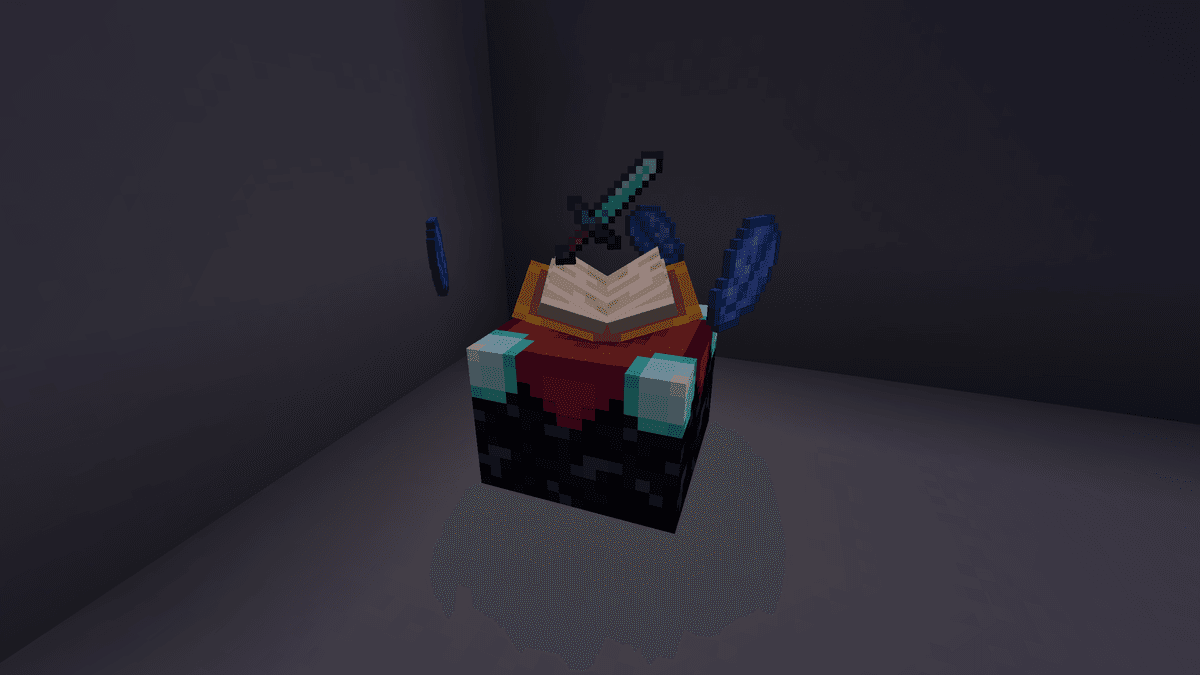
Enchanting table with placed lapis lazuli and a sword levitating above it
Rerolling enchantments
The second big change is the enchantment reroll button right in the enchanting screen. If you are not satisfied with the three proposed options, the mod allows you to generate a new set without spending an item on an enchantment. By default, one reroll costs 1 lapis lazuli and 5 experience points — specifically points, not levels, so progress for expensive enchantments hardly suffers. You can repeat this as many times as you want until you get the desired result.
The price is configured in the server config. The cost in lapis lazuli and experience is set by separate parameters, each can be set to zero to make rerolling free. A separate toggle switches the cost from experience points to full enchantment levels — making each reroll noticeably more expensive. Another mode moves the cost to a separate item: instead of lapis lazuli, an item from the easymagic:reroll_catalysts tag is used, and an additional slot for it is added to the interface.
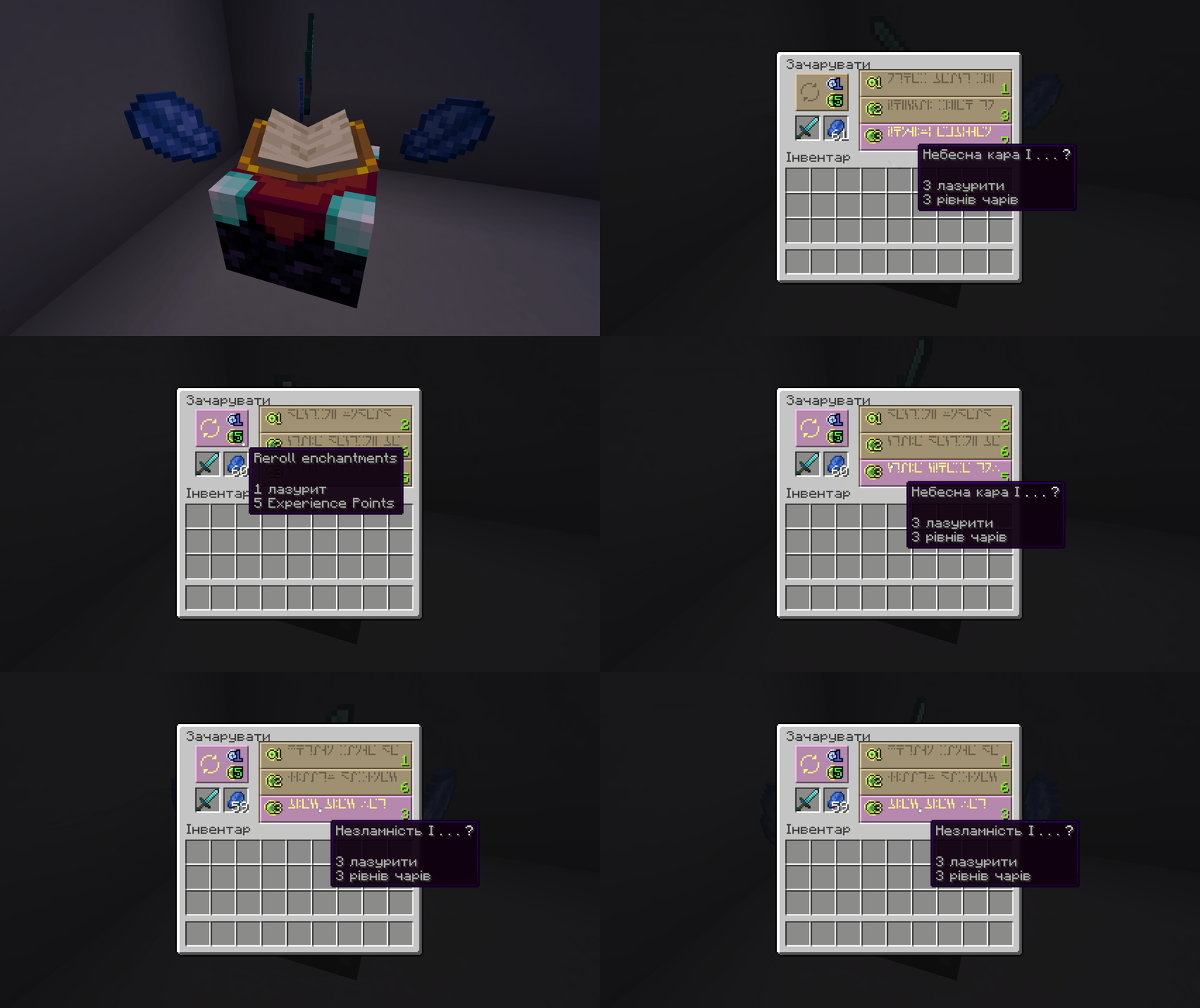
Pressing the reroll button - the three proposed enchantment options change to a new set.
Bookshelves and enchanting power
Easy Magic relaxes the requirements for bookshelf placement. In vanilla, a shelf only counts when there is air between it and the table — any block in between nullifies its contribution. With the mod, blocks without solid collision can occupy the gap: torches, carpets, tall grass, water. The shelf behind them is still counted. The parameter lenient_bookshelves is responsible for this behavior.
The number of shelves needed for top-tier enchantments has also become variable. The max_enchanting_power parameter defaults to the standard 15, but it can be lowered to 0 or raised to 50.
Chiseled bookshelves can also provide enchanting power — one point for every three books inside. The behavior is set separately: shelves can not affect the table at all, affect it only when facing it, or provide power regardless of orientation.
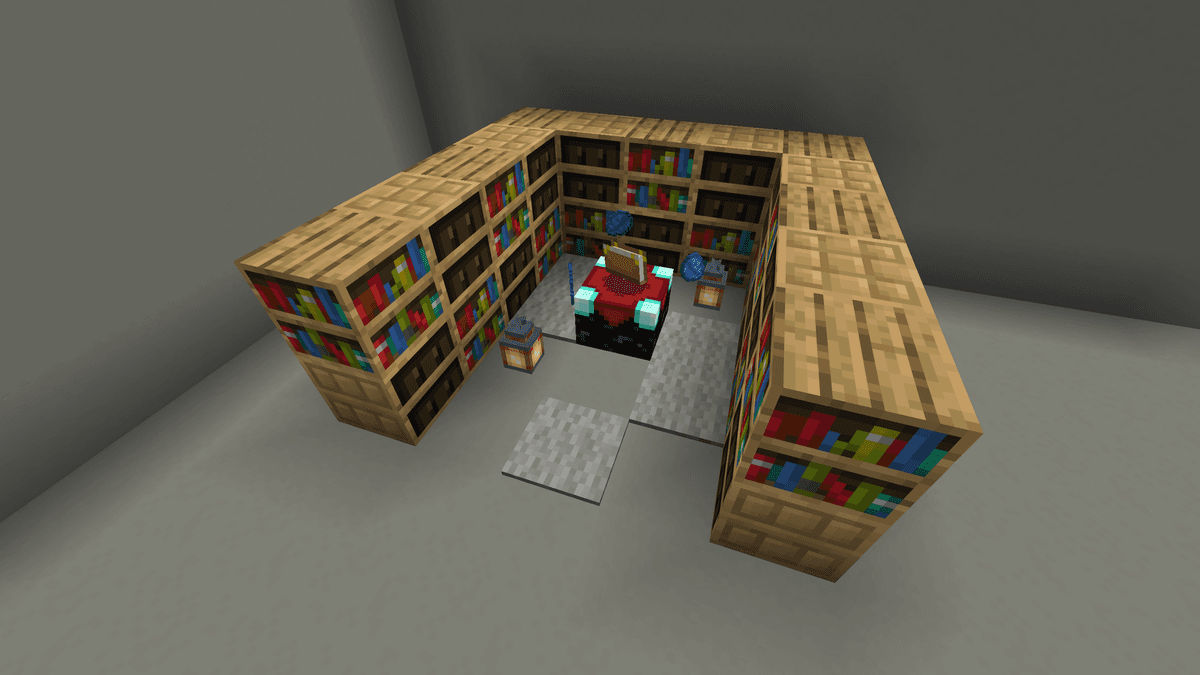
A row of bookshelves around the enchanting table with lanterns and carpets in the gap, demonstrating that the shelves are counted
Enchantment hints
The vanilla hint above an enchantment option shows only one random enchantment from the list. The mod allows you to control how many enchantments are visible in advance. The server parameter enchantment_hint has three modes: show nothing, show one enchantment (default behavior), or show the full list of enchantments the item will receive. The latter option removes the element of randomness — the entire result is visible before you spend levels.
Config
The mod creates two files in .minecraft/config: easymagic-server.toml manages the mechanics, easymagic-client.toml manages the display.
easymagic-server.toml
Parameter | What it does |
| Old vanilla enchanting tables are converted to the updated ones upon interaction. If false, you will have to manually break and replace the block. |
| How many enchantments are shown in the hint. |
| How many bookshelves are needed for maximum level enchantments. Range 0–50. |
| If |
| Whether chiseled bookshelves provide enchanting power (one point per three books). |
| How many catalyst items (lapis lazuli by default) are consumed per reroll. Range 0–64; 0 disables this cost. |
| If |
| Adds the reroll button to the enchanting screen. If |
| How many experience points (not levels) are consumed per reroll. 0 disables this cost. |
| If |
easymagic-client.toml
Parameter | What it does |
| How placed items are shown. |
| Hint for the book being looked at in a chiseled bookshelf. |
| Horizontal offset of the book hint from the standard position. Accepts any integer. |
| Vertical offset of the book hint from the standard position. Accepts any integer. |
| If |
Conclusion
Easy Magic solves two specific inconveniences of vanilla enchanting — the loss of placed items and the expensive reroll of bad enchantments. Rerolling for experience points instead of levels makes finding the right set accessible without harming progress. The limitations are also straightforward — the mod does not add new enchantments or increase their power, it only removes friction around the process itself. Suitable for players who want to keep the vanilla enchantment balance but get rid of the routine of repeated trips to the table.
Installation
A typical installation takes about 5 minutes. The flow is the same; only the loader and the matching build differ.
- 1Install a mod loader (Forge, Fabric or NeoForge) that matches your Minecraft version.
- 2Download the mod file (.jar) built for that same version.
- 3Place the .jar into your .minecraft/mods folder.
- 4Launch Minecraft with the modded profile and check the mod loads in-game.
 Installing Mods in Minecraft: A Guide for Forge, FabricLearn how to install mods in Minecraft with this step-by-step guide for Forge and Fabric. Improve your game with new features, tools, and mechanics!Open the install guide










