

EMI — A Modern Recipe Viewer and Item Search Mod for Minecraft
EMI is a Minecraft mod that shows crafting recipes, builds recipe trees, and lets you craft step by step with exact material counts.
EMI is a Minecraft mod that shows crafting recipes, builds recipe trees, and lets you craft step by step with exact material counts.
EMI — A Modern Recipe Viewer and Item Search Mod for Minecraft
Minecraft version: 1.21.1
Mod version: 1.1.24
EMI is a client-side item and recipe viewer. The mod processes vanilla recipes as well as recipes added by other mods through the EMI API, building an interactive dependency tree from them. Its main difference from similar mods is the step-by-step crafting mode, which tracks completed and remaining steps for any complex recipe.
Basic Browsing
The side panel displays all available items. Clicking an item opens a list of crafting recipes and a list of recipes where that item is used as an ingredient — the standard toggle between "how to get it" and "where it's used" modes.
Search supports filtering by name. The available recipes mode is toggled with the recipe book button — by default, EMI reassigns it from its vanilla function to a switch for this mode. The panel will then show only the items that can be crafted with the materials you currently have.
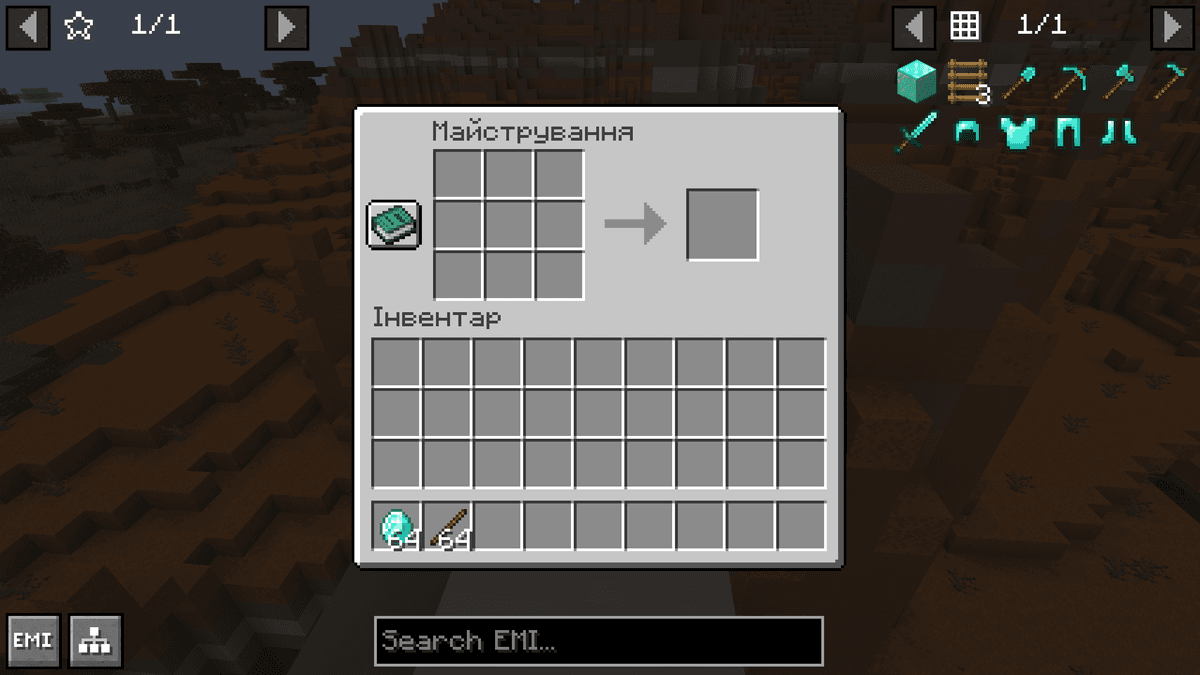
EMI's side panel with the filter applied
Recipe Tree
For any item, EMI builds a complete recipe tree: it breaks the craft down to base materials, calculates the exact amount of each ingredient across all nested steps, and shows any leftovers. For example, if crafting an intermediate component produces more than what's needed further down the chain, the mod calculates the surplus and factors it into the total cost.
Alongside the recipe tree, there's a tree-based crafting mode: the mod tracks which steps have already been completed and which haven't. Synthetic favorites — temporary entries for each intermediate step — appear in the left side panel. Through them, you can craft each component in exactly the right amount without counting manually. The button that opens the recipe tree for a specific item is hidden by default — it appears when you hover over the recipe.
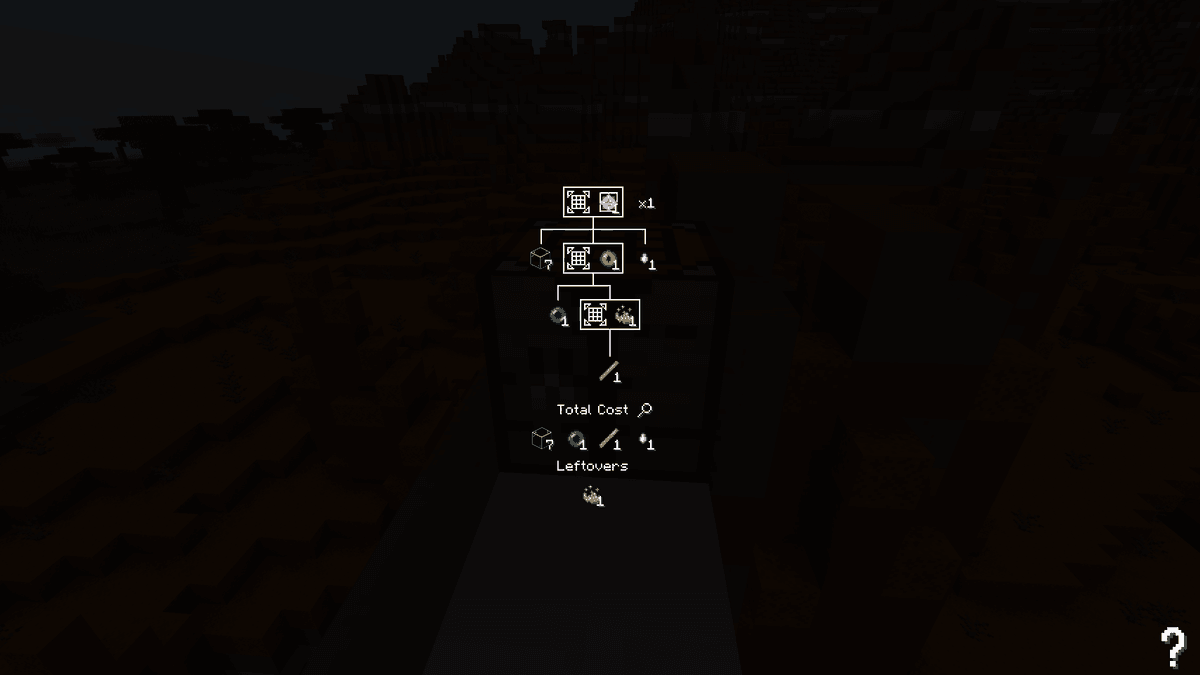
Recipe tree with base materials broken down
Favorite Items and Recipes
The left side panel holds pinned favorite ingredients. An item or recipe is added to favorites by pressing [A] on an element in the right panel. Recipes and items can be added independently of each other.
Quick crafting can be launched directly from favorites or from the available recipes mode. Default bindings:
Left-click on a recipe — craft one unit
Shift+Left-click — craft the maximum possible amount
Ctrl+Left-click — craft one unit and pin it to the cursor
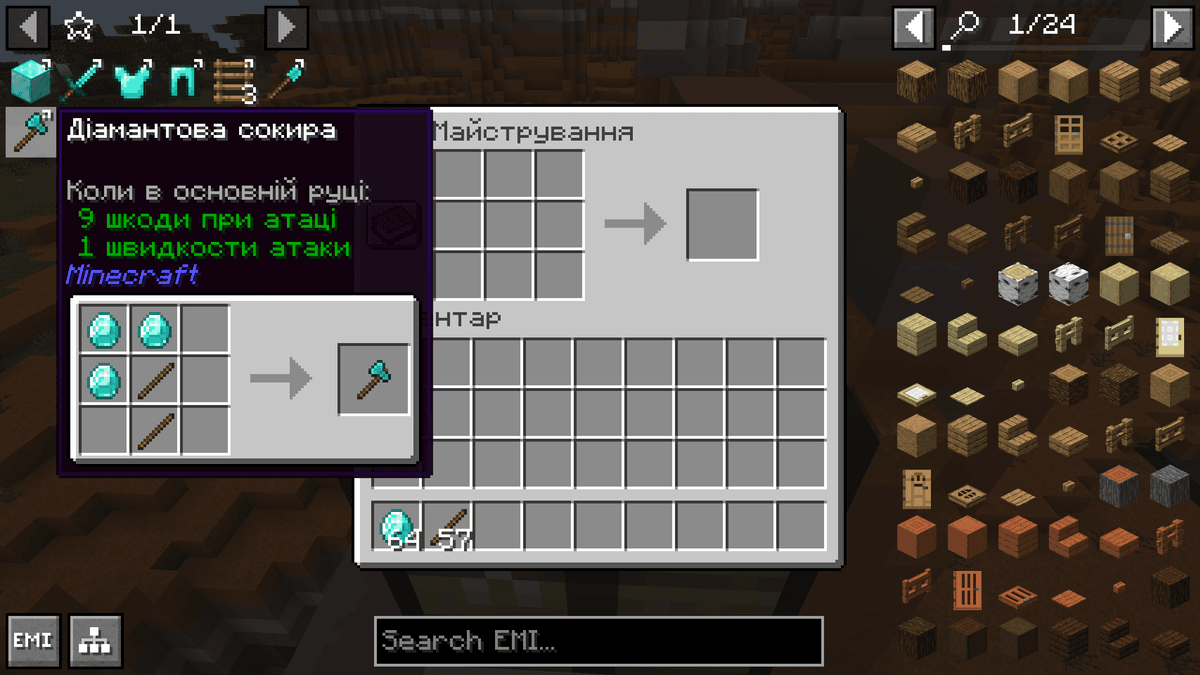
Screenshot of the left side panel with favorite recipes
Configuration
Settings open through the EMI button in the bottom-left corner of the interface — no separate dependencies are needed for the config screen. The screen is divided into categories: icons on the left switch between the General, UI, Binds, and Dev sections. Each setting is a row with a name and a value that toggles on click.
The Config Presets button applies a set of settings all at once, instead of changing each parameter manually. This is useful when setting things up for the first time or switching to a different modpack. The search bar lets you find a specific parameter without navigating through categories.
Changes can be undone with the Revert change(s) button — it shows the number of unsaved edits. Settings are stored in the config/emi.css file and are synced across different Minecraft installations.
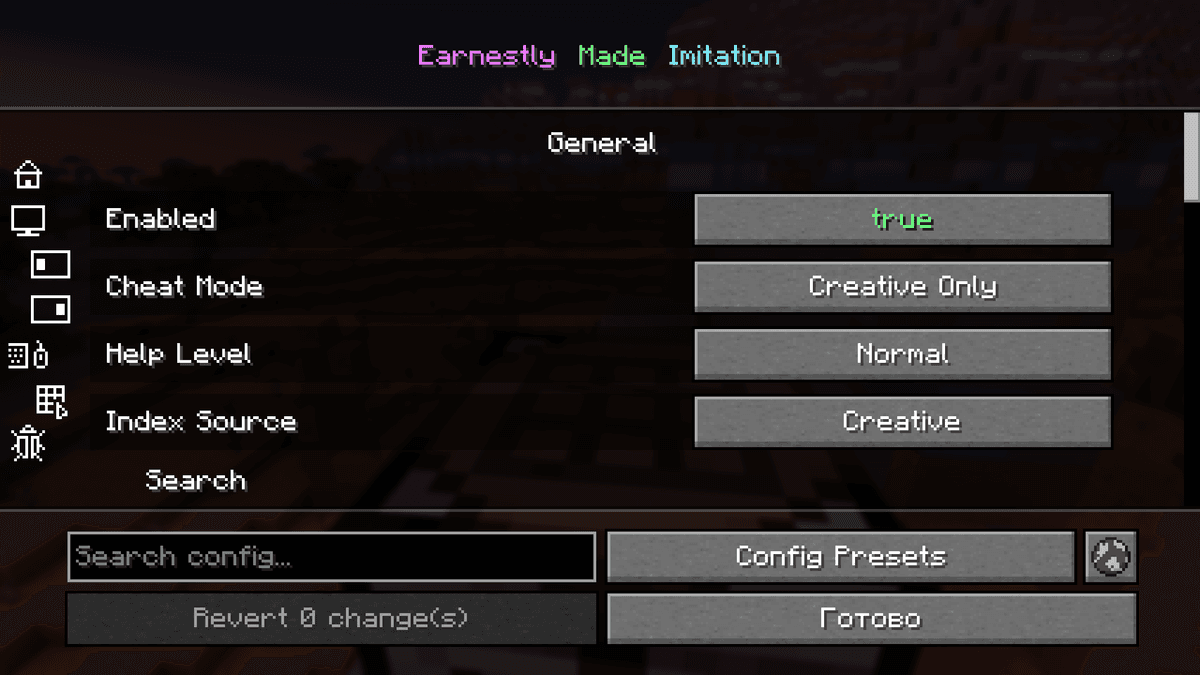
EMI's built-in config screen with the General section
Conclusion
EMI adds a recipe viewer with search and favorites. What sets it apart from similar mods is its recipe tree with exact base-material counts and its step-by-step crafting mode — a major advantage when working with technical modpacks, where a single end item can require dozens of intermediate steps.
It's well suited to technical modpacks with complex crafting chains, where it's important to see the exact base costs up front and to be able to craft in stages without manual counting.
Installation
A typical installation takes about 5 minutes. The flow is the same; only the loader and the matching build differ.
- 1Install a mod loader (Forge, Fabric or NeoForge) that matches your Minecraft version.
- 2Download the mod file (.jar) built for that same version.
- 3Place the .jar into your .minecraft/mods folder.
- 4Launch Minecraft with the modded profile and check the mod loads in-game.
 Installing Mods in Minecraft: A Guide for Forge, FabricLearn how to install mods in Minecraft with this step-by-step guide for Forge and Fabric. Improve your game with new features, tools, and mechanics!Open the install guide










