
EnhancedVisuals — a mod for adding dynamic and realistic screen effects in Minecraft
EnhancedVisuals adds realistic screen effects in Minecraft — blood, blur, and pulse from damage, rain, and explosions. Setup guide and…
EnhancedVisuals adds realistic screen effects in Minecraft — blood, blur, and pulse from damage, rain, and explosions. Setup guide and config keys.
EnhancedVisuals — a mod for adding dynamic and realistic screen effects in Minecraft
Version the article was tested and written on: 26.1.2
Supported version range: 1.18.2 – 26.1.2
Dependencies: CreativeCore
EnhancedVisuals is a mod that adds on-screen effects to Minecraft that trigger in response to taking damage, being affected by potion effects, rain, explosions, and low health. Vanilla is limited to a hit sound and a brief flash of the red damage overlay. The mod replaces this with a full-fledged HUD overlay system: blood after a hit, blur from an explosion, a red pulse at critical HP, static near an Enderman.
How it works
The mod doesn't add any items, blocks, or mobs — it's a layer of visual effects on top of the standard HUD. All reactions are tied to player events: the type of damage taken, health level, weather, position in water. Each event triggers a separate handler that overlays a texture on the screen, plays a sound, or applies a blur shader. Overlays fade out smoothly, with a configurable duration in ticks.
Optifine: when using it together with Optifine, you need to disable Fast Render, Anisotropic Filtering, and Antialiasing. Otherwise the screen turns black when some effects activate.
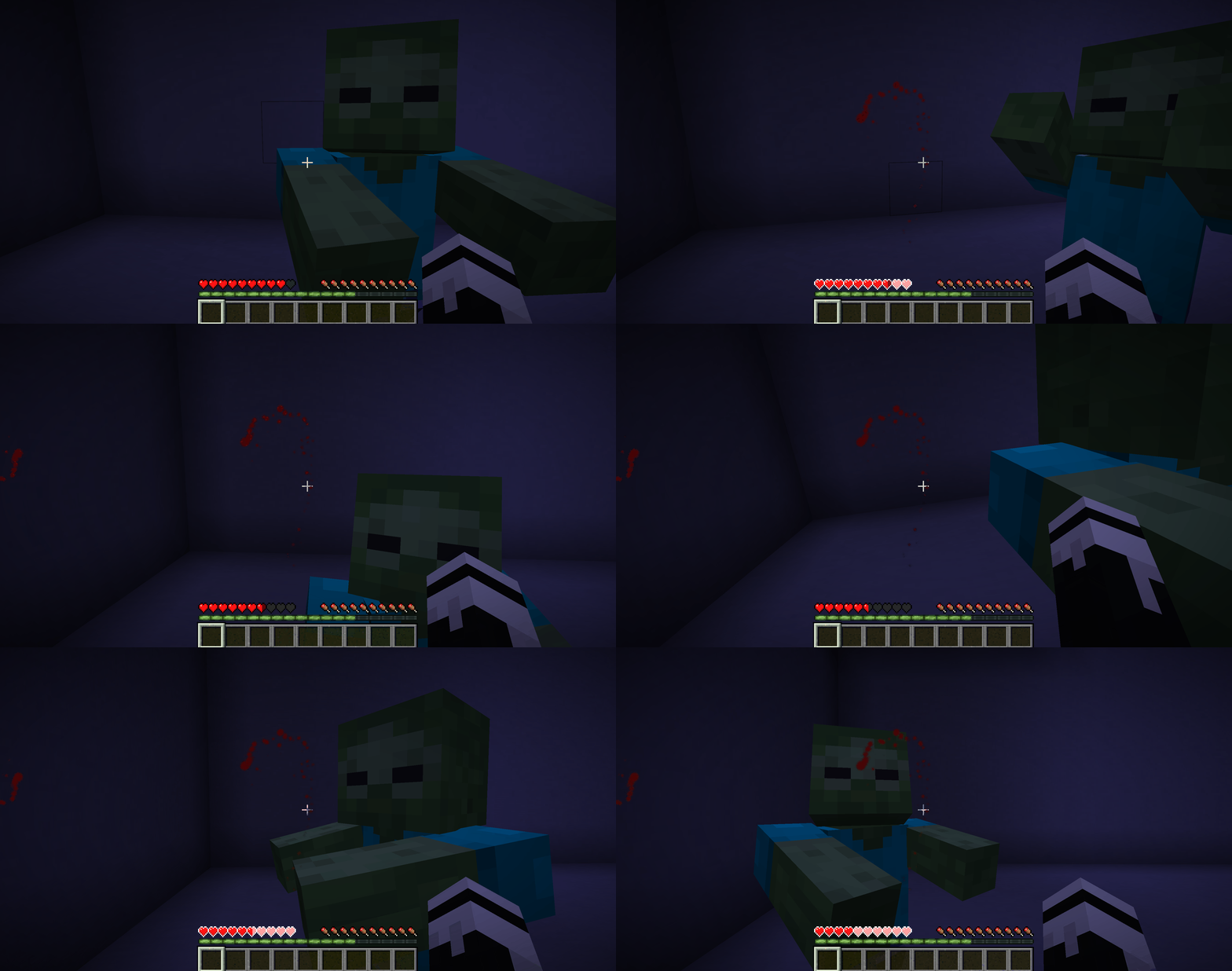
The player takes a hit from a zombie — blood splatters appear on screen
The "Enderman" effect and other changes
When looking directly at an Enderman, the screen darkens and becomes covered in static. The closer the mob, the stronger the static.
Some smaller but noticeable details:
Raindrops roll down the screen during rain.
The screen blurs when TNT explodes nearby.
Potion splashes give an overlay in the color of that potion: poison — green, speed — light blue.
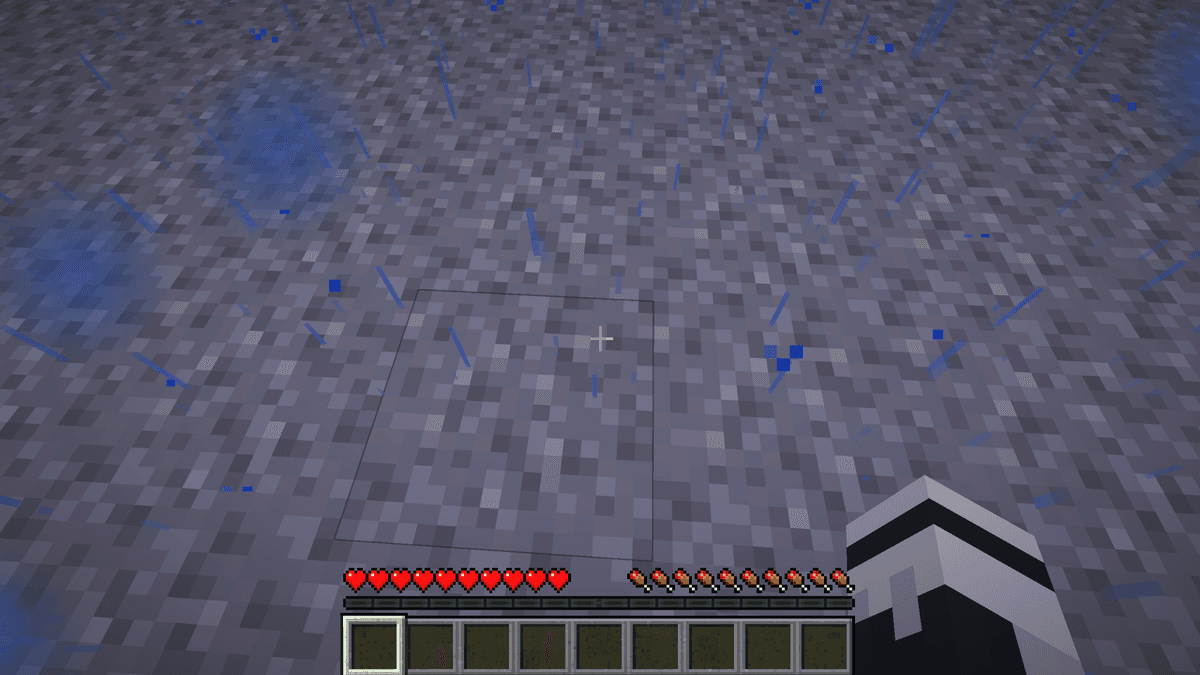
Screen with blue droplets during rain
Atmospheric logic
The mod doesn't change damage, hitboxes, or combat mechanics. Everything works only on screen. Other players on the server don't see these effects. If a player is killed in PvP, the cause is the same as without the mod, but the screen's reaction to hits is different.
Because of this, the mod works best in survival, especially hardcore. In fights where you need to quickly read your health bar, a constant red pulse and blur will get in the way. In PvE playthroughs, on the other hand, they add a level of tension that vanilla Minecraft lacks.
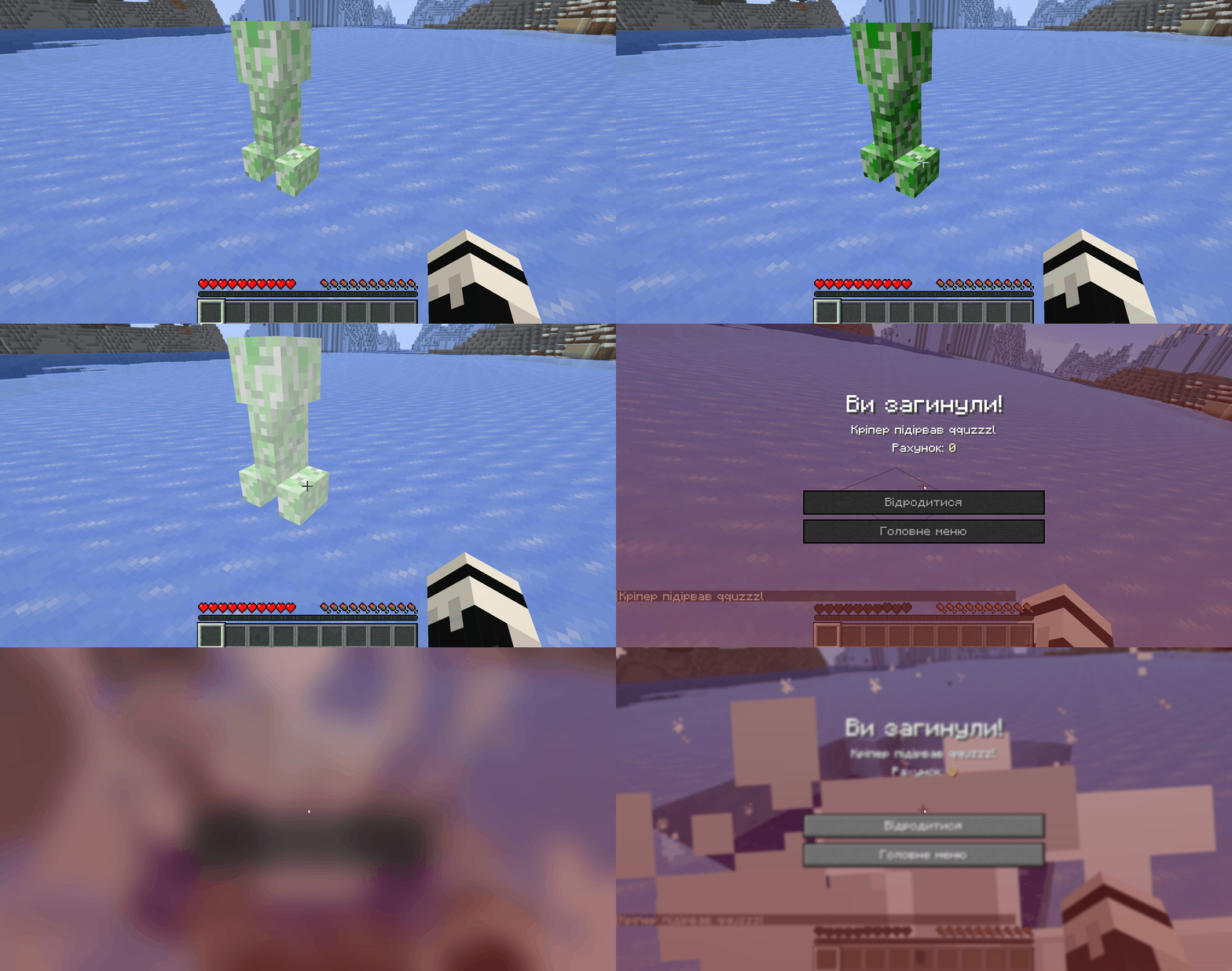
A creeper explosion — a short half-second blur
Configuration
Configuration is done through two files in the config folder:
enhancedvisuals-client.json— everything related to the visuals: blood, rain, explosions. Each overlay can be disabled individually with enabled: false, or adjusted with opacity (from 0.0 to 1.0).enhancedvisuals.json— the server-side file with death messages. Custom messages for the death screen are added to the deathMessages array.
The most useful keys if you need to quickly tweak things to your liking:
Key | What it does |
| Overall screen "bloodiness" — increase it if there's too little blood; lower it if there's too much |
| At what HP the heartbeat effect kicks in |
| Maximum strength of the Enderman effect |
| Volume of the ringing in your ears after an explosion |
|
|
| Default is |
The remaining parameters control effect duration in ticks, RGB colors, and texture scale. Useful if you want to build your own preset.
Conclusion
EnhancedVisuals makes damage in Minecraft something you can actually feel. The limitations are clear — the effects only live on screen, balance doesn't change, and on weaker PCs the blur shader can reduce performance if there are too many explosions and injuries at once. Suitable for survival, hardcore, and roleplay servers. Not suitable for PvP, where extra visual overlays get in the way of reading the fight.
Installation
A typical installation takes about 5 minutes. The flow is the same; only the loader and the matching build differ.
- 1Install a mod loader (Forge, Fabric or NeoForge) that matches your Minecraft version.
- 2Download the mod file (.jar) built for that same version.
- 3Place the .jar into your .minecraft/mods folder.
- 4Launch Minecraft with the modded profile and check the mod loads in-game.
 Installing Mods in Minecraft: A Guide for Forge, FabricLearn how to install mods in Minecraft with this step-by-step guide for Forge and Fabric. Improve your game with new features, tools, and mechanics!Open the install guide










