
Entity Culling — a mod for optimizing rendering of invisible objects in Minecraft
Entity Culling hides Minecraft entities and block entities blocked from view, cutting rendering load in bases, storage rooms, and dense…
Entity Culling hides Minecraft entities and block entities blocked from view, cutting rendering load in bases, storage rooms, and dense builds.
Entity Culling — a mod for optimizing rendering of invisible objects in Minecraft
Minecraft version the article was tested and written on: 1.21.10
Range of supported versions: 1.7.10 – 26.2
Entity Culling is a client-side mod for Minecraft that removes block entities and entities hidden behind terrain and buildings from rendering. In vanilla, the client spends resources rendering chests, beacons, mobs, and other objects even when they are completely blocked by walls or ceilings and are not physically visible on screen. The mod determines the actual visibility of each such object and skips it if the line of sight is obstructed. As a result, unnecessary render calls disappear, and part of the load is taken off the GPU in densely built-up locations.
How hidden object culling works
The core of the mod is asynchronous ray tracing (path-tracing). Free CPU threads are used: in parallel with the main game thread, it is calculated whether a direct line of sight exists from the camera to each object. The calculation happens in real time and does not block the main thread, so visibility is updated continuously during movement.
Vanilla culling and the check in Sodium work at the chunk level: an object is rendered if the chunk it's in is loaded. Here the approach is more precise — the line of sight itself is taken into account. An object standing in a visible chunk but blocked by a mountain, a base wall, or a ceiling will be skipped. Block entities (chests, beacons, barrels) and regular entities — mobs and other moving objects — are subject to culling.
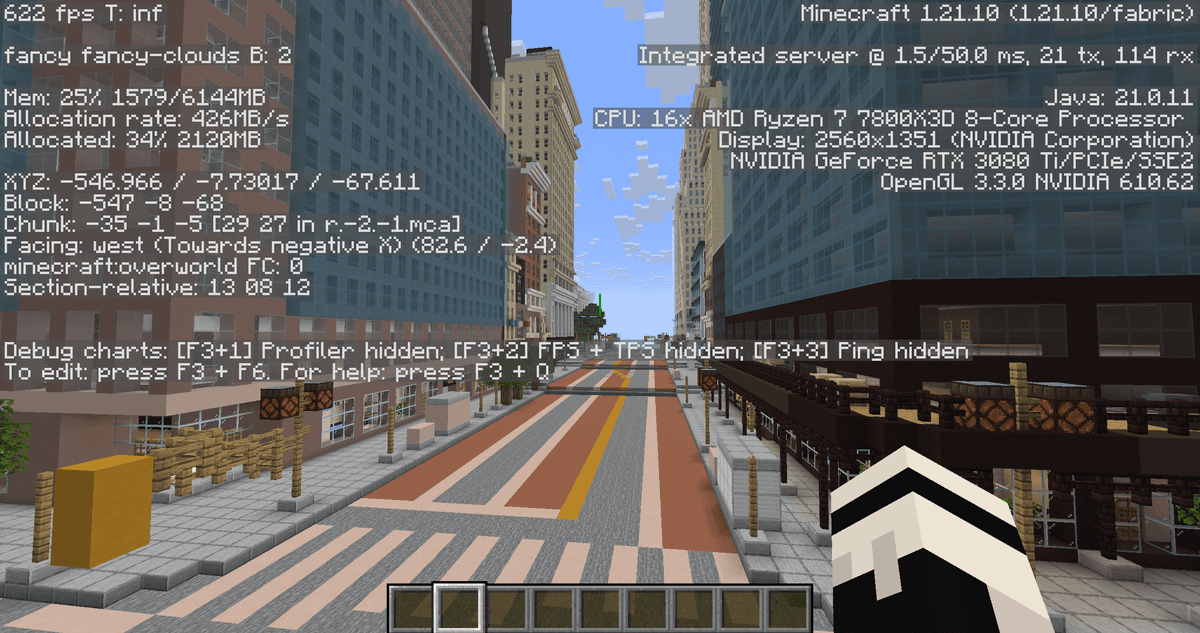
FPS demonstration via F3 with the mod enabled
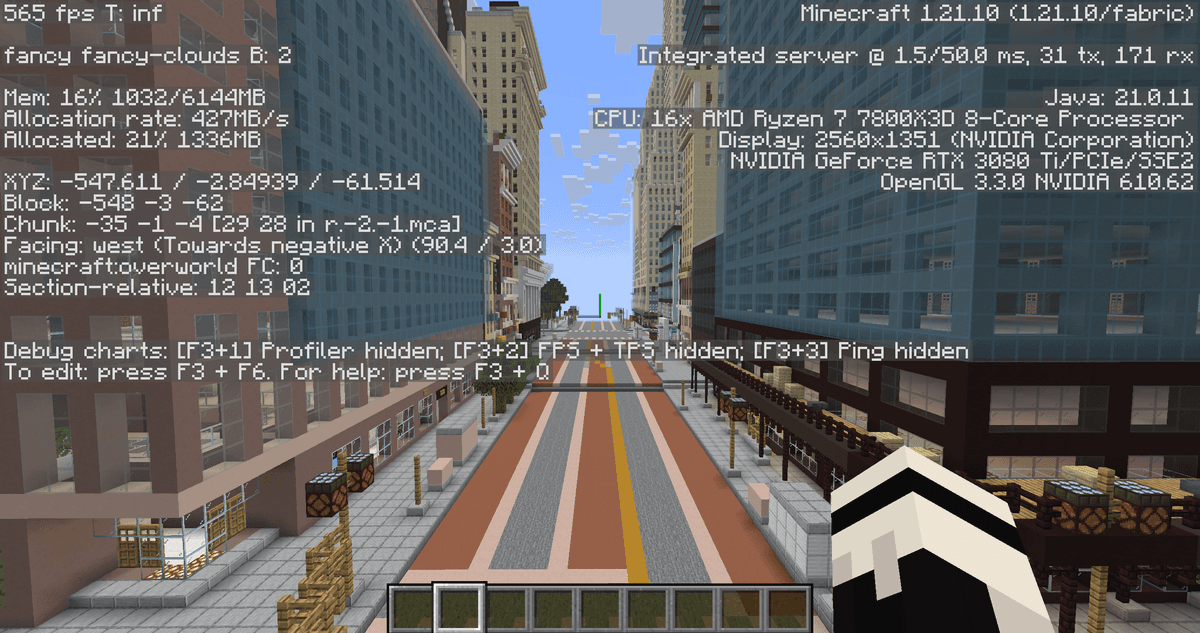
FPS demonstration via F3 with the mod disabled
Where the difference is noticeable
The gain depends on how many objects in the scene are blocked from the camera. The biggest effect is in large bases, technical storage rooms with hundreds of chests, underground complexes, and servers with dense construction, where many block entities and mobs within render distance are standing behind walls. In open fields without construction, the gain is minimal, since there is almost nothing to hide.
Entity tick optimization
Separately from rendering, the mod can limit tick processing for entities that are currently not visible. While an entity is hidden, the client only updates the bare minimum, and the load from a large number of invisible mobs decreases. The toggle is enabled in the settings and is active by default.
The optimization applies only to the client side. The mod does not affect server-side simulation: mobs still spawn, move, and drop items, and farms work without changes.
Client-side entities: some mods (including magic-themed ones) use purely client-side entities for animations and effects. If such entities are culled or don't receive ticks, their animation may behave incorrectly. Such objects should be added to the corresponding whitelist in the settings.
Conclusion
Entity Culling offloads rendering and part of the processing of objects that the player physically cannot see, moving visibility calculations to separate CPU threads. Unlike the built-in entity culling in Sodium, which is oriented toward visible chunks, this mod takes the line of sight itself into account, so more hidden objects are skipped. The main limitation is that individual block entities and client-side effects from some mods may disappear or flicker until they are manually excluded from culling. The mod benefits survival players with large-scale builds, technical builds, and heavy modpacks the most, where many hidden objects are constantly kept in view.
Installation
A typical installation takes about 5 minutes. The flow is the same; only the loader and the matching build differ.
- 1Install a mod loader (Forge, Fabric or NeoForge) that matches your Minecraft version.
- 2Download the mod file (.jar) built for that same version.
- 3Place the .jar into your .minecraft/mods folder.
- 4Launch Minecraft with the modded profile and check the mod loads in-game.
 Installing Mods in Minecraft: A Guide for Forge, FabricLearn how to install mods in Minecraft with this step-by-step guide for Forge and Fabric. Improve your game with new features, tools, and mechanics!Open the install guide










