

First-person Model — realistic first-person view mod with body rendering for Minecraft
First-person Model is a Minecraft mod that adds a realistic first-person view, allowing you to see your character's body during movement…
First-person Model is a Minecraft mod that adds a realistic first-person view, allowing you to see your character's body during movement without affecting ga...
First-person Model — realistic first-person view mod with body rendering for Minecraft
Minecraft version used for this article: 26.1.2
Supported version range: 1.16.5 – 26.1.2
Dependencies: Not Enough Animations, Fabric API
First-person Model replaces the standard first-person view in Minecraft. Instead of a pair of floating hands at the bottom of the screen, you can see your actual body — torso, legs, and arms — directly while moving. The mod is entirely client-side and purely visual: it doesn't affect mechanics, doesn't move the camera, and isn't installed on the server.
What changes in the view
Once enabled, looking down reveals your character's legs while walking, sneaking, or swimming. Hitting a block, drawing a bow, raising a shield — all these animations are displayed differently.
The camera stays at the exact same height and position as in vanilla. The hitbox, attack angle, and interaction distance remain unchanged. Therefore, using the mod on servers with anti-cheat protections carries zero risk.
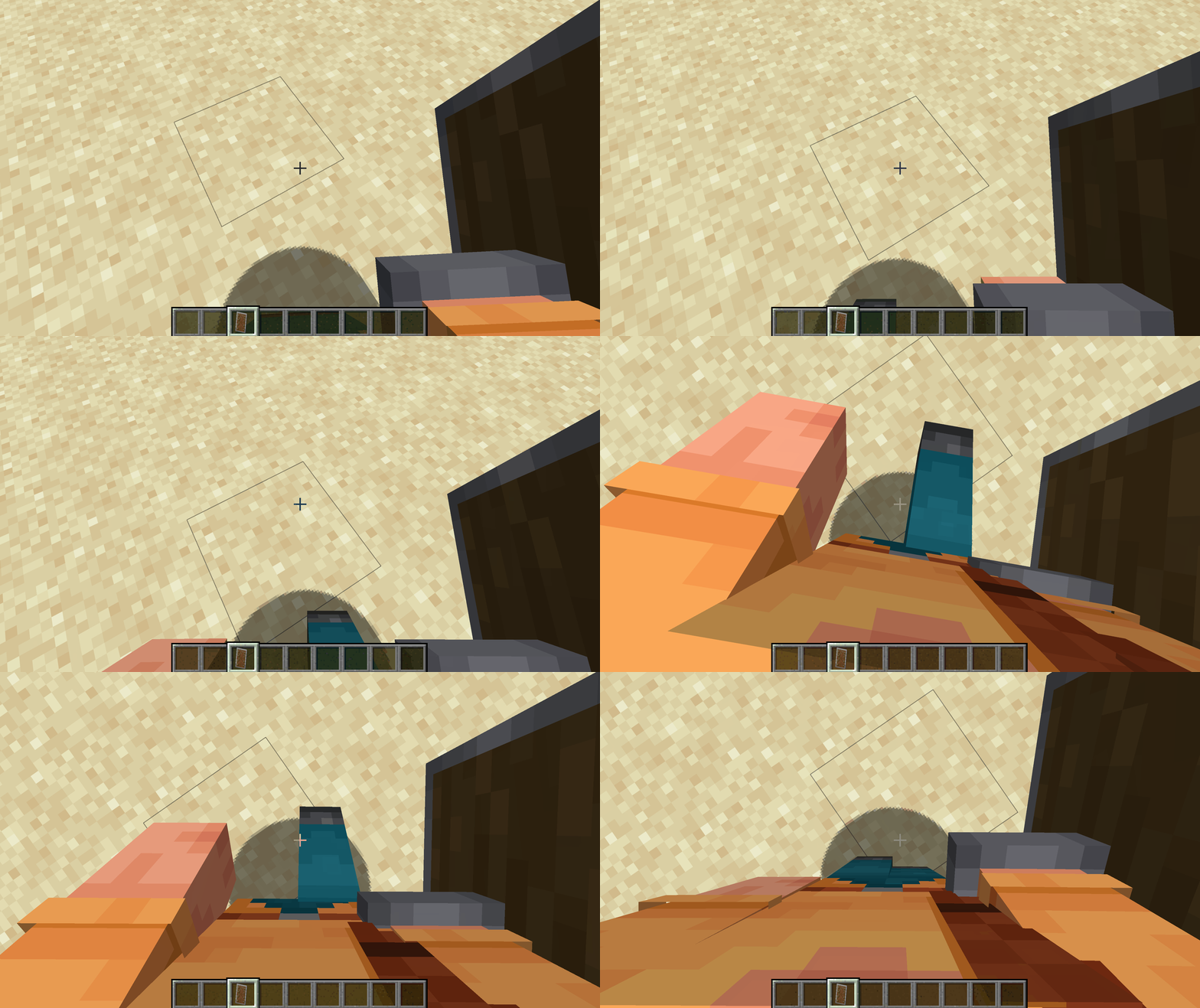
A player walking forward and looking down — moving legs and body are visible in first-person view
Toggling and switching
By default, the mod is active right after launching the game. The F6 key toggles between the mod's mode and the standard hand view directly in-game.
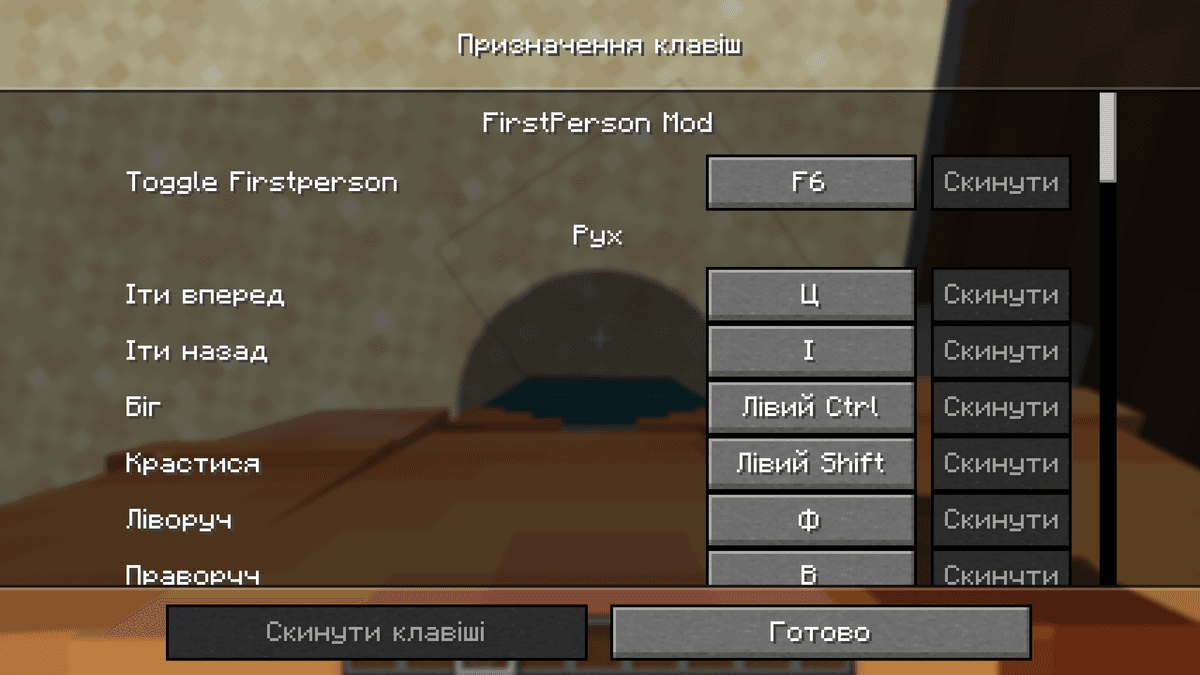
Minecraft keybind settings screen showing First-person Model bound to F6
Config
The configuration file is located at .minecraft/config
Parameter | What it does |
|
|
| Vanilla hands mode |
|
|
|
|
| A list of specific items in |
| Items that completely disable the mod when held. Used for items where the full body model interferes with interaction |
| Player model layers that won't be rendered in first-person view. An empty list means all layers are visible |
| Horizontal model offset in the standard state |
| Horizontal model offset while sneaking |
| Horizontal model offset while sitting |
|
|
autoVanillaHands and autoToggleModItems
Both parameters contain lists of item IDs. The difference between them: autoVanillaHands only switches the hand rendering to vanilla, while autoToggleModItems completely disables the entire mod as long as the item is held. For items with complex 3D geometry or specific aiming mechanics, the first option is softer, while the second is a full fallback to standard behavior.
Conflicts
Mods that alter the player model in non-standard ways can conflict with the rendering. The outward symptom is seeing the character's head when looking down. If this happens, the cause is an installed mod modifying the skin or skeleton outside the vanilla format.
Conclusion
First-person Model does one thing: it shows the player's body in first-person without impacting mechanics. The configuration flexibility via autoVanillaHands and autoToggleModItems allows you to exactly define which items should keep vanilla behavior. It is great for survival modpacks where immersion is important, while the F6 toggle keeps it convenient for PvP setups.
Installation
A typical installation takes about 5 minutes. The flow is the same; only the loader and the matching build differ.
- 1Install a mod loader (Forge, Fabric or NeoForge) that matches your Minecraft version.
- 2Download the mod file (.jar) built for that same version.
- 3Place the .jar into your .minecraft/mods folder.
- 4Launch Minecraft with the modded profile and check the mod loads in-game.
 Installing Mods in Minecraft: A Guide for Forge, FabricLearn how to install mods in Minecraft with this step-by-step guide for Forge and Fabric. Improve your game with new features, tools, and mechanics!Open the install guide










