

Gamma Utils (Fullbright) — Mod to enable maximum brightness and Night Vision in Minecraft
Gamma Utils (Fullbright) is a client-side mod that removes the vanilla brightness limit, raising gamma to 1500% for perfect visibility in…
Gamma Utils (Fullbright) is a client-side mod that removes the vanilla brightness limit, raising gamma to 1500% for perfect visibility in caves and at night.
Gamma Utils (Fullbright) — Mod to enable maximum brightness and Night Vision in Minecraft
Minecraft version on which the article was tested and written: 26.1.2
Supported versions range: 1.14.4 – 26.1.2
Required dependencies: Fabric API, Cloth Config API
Gamma Utils (Fullbright) is a client-side mod that removes the limit of the standard Minecraft brightness slider and raises the maximum gamma to values where caves look like day, and night on the surface is almost indistinguishable from daytime. The vanilla slider in the settings caps at 100%, whereas the mod raises the upper limit to 1500% by default and even higher through manual config editing.
Main Features
The basic task is toggling gamma with the G key between two values: the working one (100% by default) and the elevated one (1500% by default). The state changes instantly, but you can optionally enable a smooth transition — then the brightness increases at a configured speed in gamma units per second.
Separately, there is Night Vision bound to the H key. Unlike simply raising the gamma, Night Vision works with most shaders. Raising the gamma in combination with a shaderpack has no effect because the shader itself controls light rendering — so for players with Iris or OptiFine shaders installed, H remains the only working option.
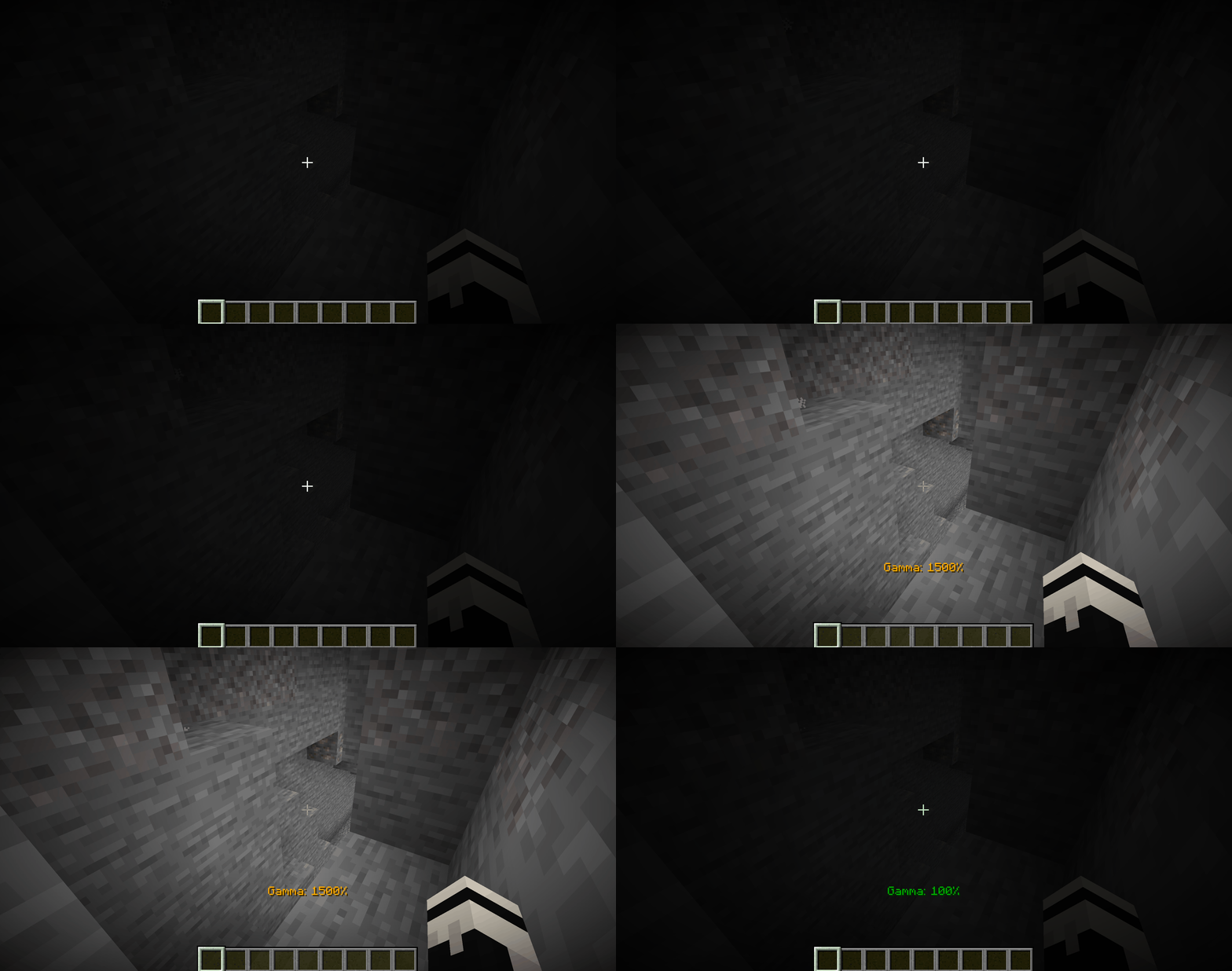
Pressing G in a dark cave — before and after shot, the darkness evens out to daylight
Commands and Keybinds
In addition to hotkeys, the mod registers a full set of commands /gamma:
Command | Action |
| toggle between base and elevated value |
| increase gamma by a step or a specified number |
| decrease gamma |
| set an exact value in percent |
| jump to the lower or upper limit |
| quick toggle for dynamic mode without opening the config |
| quick toggle for smooth transition |
| quick toggle for displaying High Gamma / Low Gamma effects |
Night Vision is moved to a separate branch of commands /nightvision with a set of arguments analogous to /gamma, plus the H key for instant toggling. The up and down arrows are bound to increase/decrease gamma by default — the step is configured in the config (10% by default). All keybinds can be reassigned via the standard Minecraft controls menu.
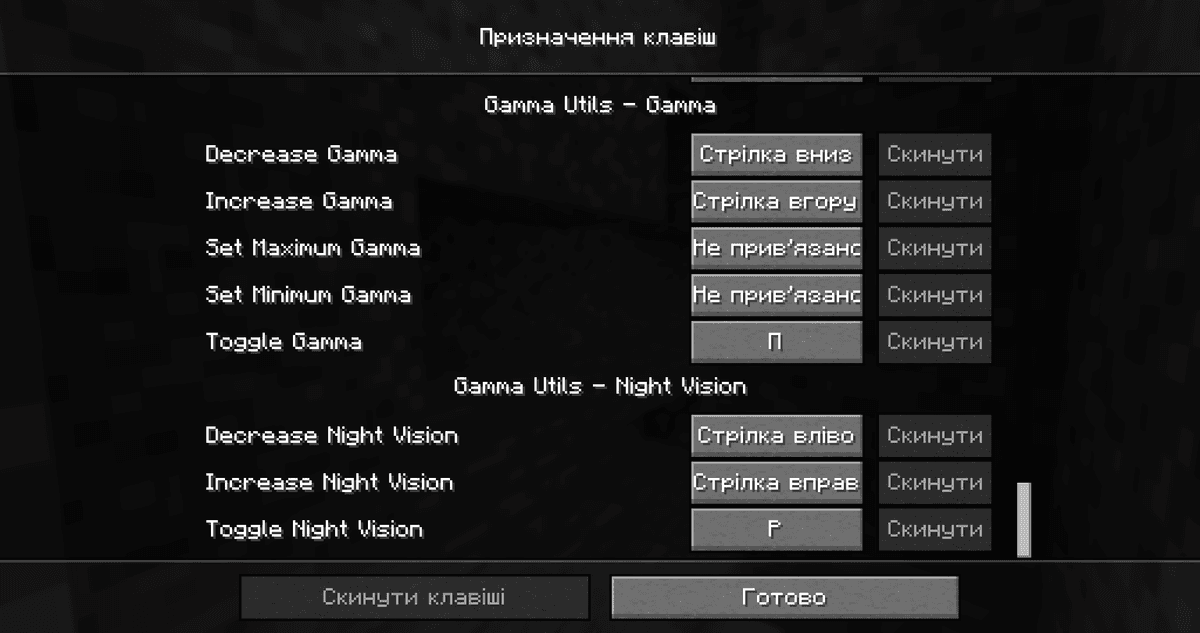
Keybind settings screen
Config
The gammautils.json file is located in .minecraft/config/.
Parameter | What it does |
| gamma value in toggled off and elevated state (G toggle) |
| step change via arrows |
| smooth transition instead of a jump and its speed in % per second |
| automatic gamma adjustment to the lighting around the player |
| separate gamma for the Overworld, the Nether, and the End (only works when dynamic is disabled) |
| hard limits for all commands; if disabled — limits are removed |
| show the gamma percentage in the corner of the screen when changing |
Conclusion
Gamma Utils (Fullbright) bypasses the artificial limit of the vanilla brightness slider and provides visibility in caves, the Nether, and at night. It is suitable for survival with long cave sessions, players who do not like holding a torch in their hand, and for taking screenshots and videos of dark structure interiors.
Installation
A typical installation takes about 5 minutes. The flow is the same; only the loader and the matching build differ.
- 1Install a mod loader (Forge, Fabric or NeoForge) that matches your Minecraft version.
- 2Download the mod file (.jar) built for that same version.
- 3Place the .jar into your .minecraft/mods folder.
- 4Launch Minecraft with the modded profile and check the mod loads in-game.
 Installing Mods in Minecraft: A Guide for Forge, FabricLearn how to install mods in Minecraft with this step-by-step guide for Forge and Fabric. Improve your game with new features, tools, and mechanics!Open the install guide










