
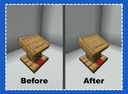
Highlight — a Mod for Customizing and Improving Visual Block and Outline Highlighting in Minecraft
Highlight redraws Minecraft's block selection outlines to match complex models like lecterns, without changing hitboxes or vanilla…
Highlight redraws Minecraft's block selection outlines to match complex models like lecterns, without changing hitboxes or vanilla collision.
Highlight — a Mod for Customizing and Improving Visual Block and Outline Highlighting in Minecraft
Minecraft version this article was tested and written on: 1.21.10
Supported version range: 1.19.2 – 1.21.10
Dependencies: Fabric API (for Fabric builds)
Highlight changes the appearance of the selection outline for some vanilla blocks in Minecraft. In regular gameplay, the outline that appears when you aim at a block consists of rectangular segments aligned strictly along the X, Y, and Z axes. For blocks with complex models — slopes, thin elements, or stepped parts — this outline looks like a rough cube and doesn't follow the block's real shape. The mod draws outline lines at arbitrary angles, so the highlight matches what you actually see. All changes are purely client-side rendering: the hitbox and click behavior remain vanilla.
How the Outline Is Rebuilt
The standard selection outline is a set of rectangular boxes tied to the block's collision shape. Each box is axis-aligned, so you can't draw a diagonal line inside it. For cubic blocks — stone, planks, dirt — the outline sits exactly on the surface. More complex models get approximated with steps: small ledges instead of a smooth slope, a stepped silhouette instead of refined details.
Highlight defines a separate outline type for such blocks, where each line is described by two endpoints in 3D space. The outline runs diagonally and follows the model's slopes. The collision geometry itself doesn't change — the game still registers clicks, breaking, and interaction under the same rules as without the mod.
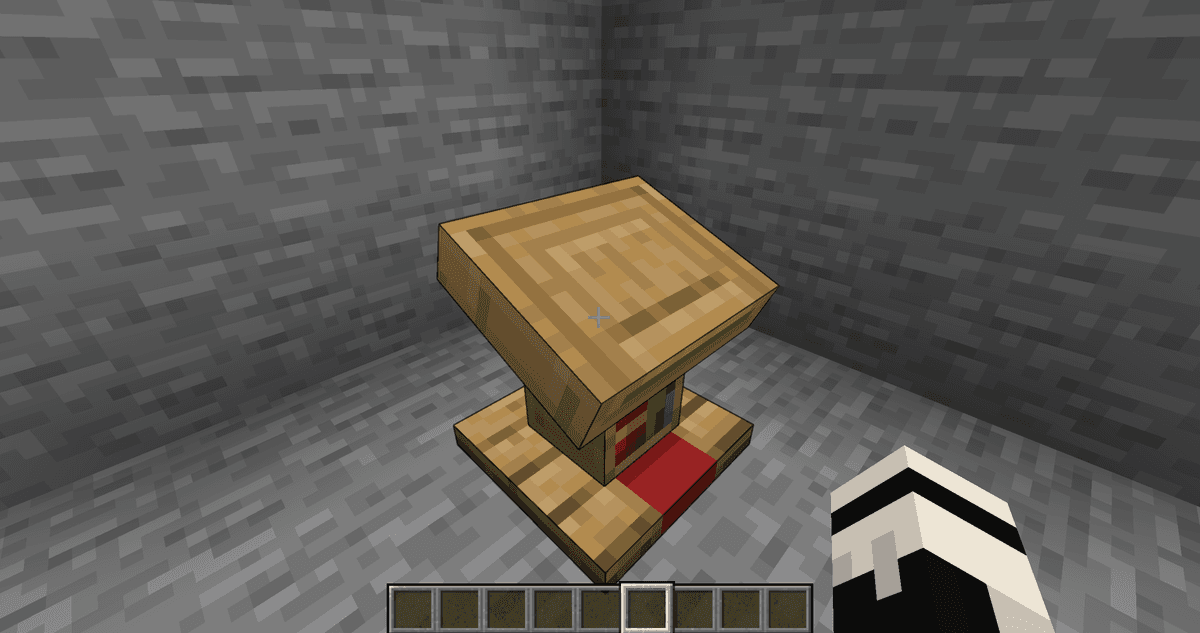
The new outline on the lectern
List of Processed Blocks
The refined outlines are defined in the mod's own internal resources: each block gets its own outline description tied to its identifier. The documentation gives a direct example: minecraft:lectern — once the mod is installed, the lectern's outline follows the slanted surface of its book stand.
Besides the lectern, the default set covers other vanilla blocks with complex models. If there's no description for a block, its outline stays standard — Highlight doesn't try to automatically rebuild every non-rectangular object in the game.
How to Add Your Own Outline
Outline descriptions are stored as regular resource files. This means resource pack authors can override any block's outline by placing their own description at the same path — the new version overrides the file from the default set. The structure of a record is simple: a list of lines, each defined by two points in the block's space. Variants for different states are described separately — for example, for the lectern's four rotations facing different directions.
A resource pack's outline doesn't move the block's hitbox. If a line extends beyond the vanilla collision shape, it will still be visible, but clicks will only register within the actual collision shape.
Conclusion
Highlight closes one visual gap in vanilla Minecraft: on blocks with complex models, the selection outline finally matches the real shape instead of a stepped approximation. The effect is most noticeable during building and screenshot or video work, where the exact position of an object matters. It suits decorators, builders, and owners of client-side modpacks who want a cleaner look for the game without touching any game rules.
Installation
A typical installation takes about 5 minutes. The flow is the same; only the loader and the matching build differ.
- 1Install a mod loader (Forge, Fabric or NeoForge) that matches your Minecraft version.
- 2Download the mod file (.jar) built for that same version.
- 3Place the .jar into your .minecraft/mods folder.
- 4Launch Minecraft with the modded profile and check the mod loads in-game.
 Installing Mods in Minecraft: A Guide for Forge, FabricLearn how to install mods in Minecraft with this step-by-step guide for Forge and Fabric. Improve your game with new features, tools, and mechanics!Open the install guide










