InvMove: How to Walk with an Open Inventory in Minecraft Java Edition 1.16–1.21.11
Dependencies: Loader: Forge, Fabric, NeoForge, Quilt Minecraft version: 1.16–1.21.11 Required dependencies: Cloth Config API In vanilla…
Dependencies: Loader: Forge, Fabric, NeoForge, Quilt Minecraft version: 1.16–1.21.11 Required dependencies: Cloth Config API In vanilla Minecraft, opening any interface (inventory, chests, furnaces, and so on) completel
Dependencies:
Loader: Forge, Fabric, NeoForge, Quilt
Minecraft version: 1.16–1.21.11
Required dependencies: Cloth Config API
In vanilla Minecraft, opening any interface (inventory, chests, furnaces, and so on) completely "paralyzes" the character. This limitation often becomes fatal during the exploration of dangerous locations, when a sudden creeper attack catches the player off guard while sorting items. To solve this problem, it's worth downloading the Minecraft inventory movement mod called InvMove. It's a popular client-side QoL modification that unlocks movement while interacting with graphical menus (GUI).
Core Functionality
The modification separates the character control system from the status of the open interface. Instead of standing still, you get full control over movement:
Moving with an open GUI: You can walk (W, A, S, D), run (Sprint), jump, and even safely dismount from vehicles (horses, boats, or minecarts) while keeping the crafting menu or inventory open.
Background Transparency: The vanilla client overlays a semi-transparent black dimming of the screen when the inventory is opened. InvMove lets you turn this dimming off completely, guaranteeing 100% visibility of what's happening around you while you move items.
Flexible Setup (Configuration)
To ensure maximum comfort, the mod offers deep behavior settings through an integrated menu:
Smart locking when working with text: If you open a menu that contains a text field (for example, an anvil, a book and quill, or a search bar), movement is automatically paused. The movement keys will type text rather than move the character.
Sneak control (Sneak Mode): You can finely tune the behavior of the Shift key. For example, you can preserve the current sneak state when opening a menu, or force the character to sneak only while the key is actively held down (which is useful for quickly moving stacks via Shift+Click).
Screen blacklist (Blacklist): If a specific mod's interface conflicts with movement, you can add that screen to the blacklist so that InvMove is forcibly disabled there.
Compatibility and Additional Add-ons
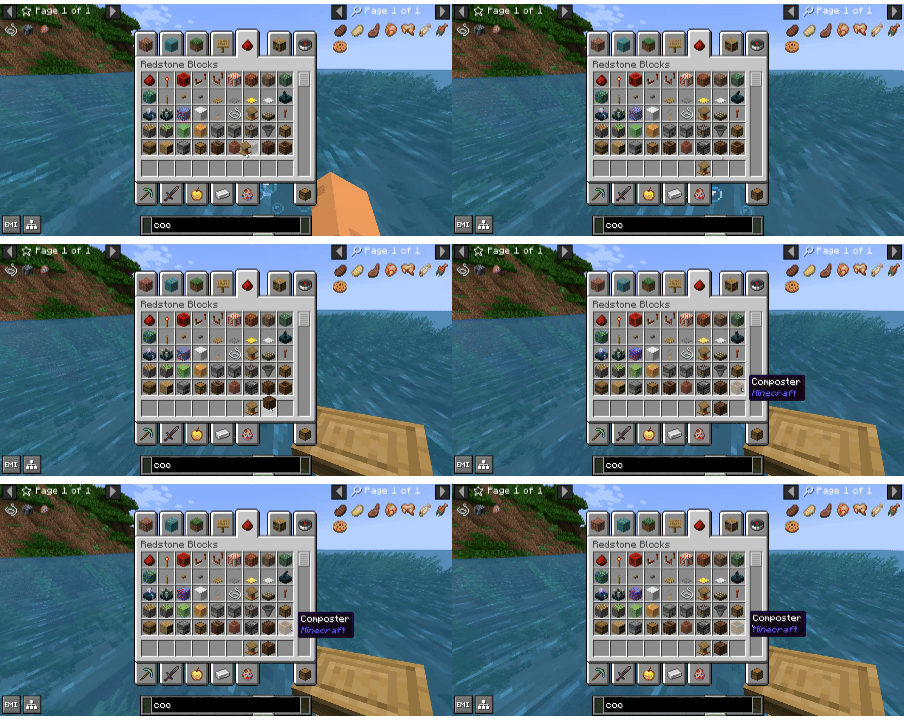
For the mod to correctly understand search bars in large recipe managers (such as JEI, REI, or EMI), the author created an official supplement called InvMoveCompats. Installing it guarantees that the character won't start running forward when you try to type a word to search for a craft. All new menus from other modifications are dynamically added to the config after their first opening in the game.
Important Warning Regarding Multiplayer (Anticheats)
InvMove is exclusively a client-side modification, so it does not require installation on the server core (Server-Side). However:
The ability to move with an open inventory is a typical feature of many cheat clients (Inventory Walk / InvMove hack).
Strict server anticheats on public minigame servers (for example, Hypixel) instantly recognize such movement packets as a violation and will issue an automatic ban.
The mod should be used exclusively in singleplayer or on private servers (SMP) with friends, where no aggressive anticheat plugins are installed.
Conclusion
InvMove is a must-have utility for players who value high game dynamics. The ability to drop excess loot, put on armor, or craft torches right on the move is a huge tactical advantage when fleeing from mobs or exploring caves. Thanks to its well-thought-out settings and smart text-field locking, the mod integrates organically into the client and feels like a feature that should always have been in the base game.
Installation
A typical installation takes about 5 minutes. The flow is the same; only the loader and the matching build differ.
- 1Install a mod loader (Forge, Fabric or NeoForge) that matches your Minecraft version.
- 2Download the mod file (.jar) built for that same version.
- 3Place the .jar into your .minecraft/mods folder.
- 4Launch Minecraft with the modded profile and check the mod loads in-game.
 Installing Mods in Minecraft: A Guide for Forge, FabricLearn how to install mods in Minecraft with this step-by-step guide for Forge and Fabric. Improve your game with new features, tools, and mechanics!Open the install guide