

Leaves Be Gone — a mod for instant and fast leaf decay after cutting down trees in Minecraft
Leaves Be Gone is a Minecraft mod for instant and fast leaf decay after cutting down trees, reducing server lag.
Leaves Be Gone is a Minecraft mod for instant and fast leaf decay after cutting down trees, reducing server lag.
Leaves Be Gone — a mod for instant and fast leaf decay after cutting down trees in Minecraft
Minecraft version tested and article written on: 26.1.2
Supported version range: 1.18.2 – 26.1.2
Required libraries: Puzzles Lib, additionally Fabric API and Forge Config API Port (for Fabric builds)
Leaves Be Gone accelerates leaf decay after cutting tree logs in Minecraft. The vanilla game removes the disconnected crown gradually — the process takes up to a minute and involves a series of checks for each block. The mod reduces this time to approximately one second and parallelly reduces server load during mass logging.
How accelerated decay works
After cutting the last log, the mod marks the adjacent leaves for decay and assigns each block a random delay within two values from the config. By default, this is an interval of 5–20 ticks (0.25–1 second). The random delay is designed so that blocks do not disappear simultaneously but in a cascade — this looks more natural and distributes computations across several game ticks instead of one spike.
The exact moment of decay is scheduled via Minecraft's standard delayed tick mechanism — the same one used for plant growth, fire spread, or other timers in the game. Thanks to this, if you exit the world right after chopping a tree and log back in, the leaves will continue to disappear from the point where the timer stopped. No additional checks are performed when reloading a chunk.
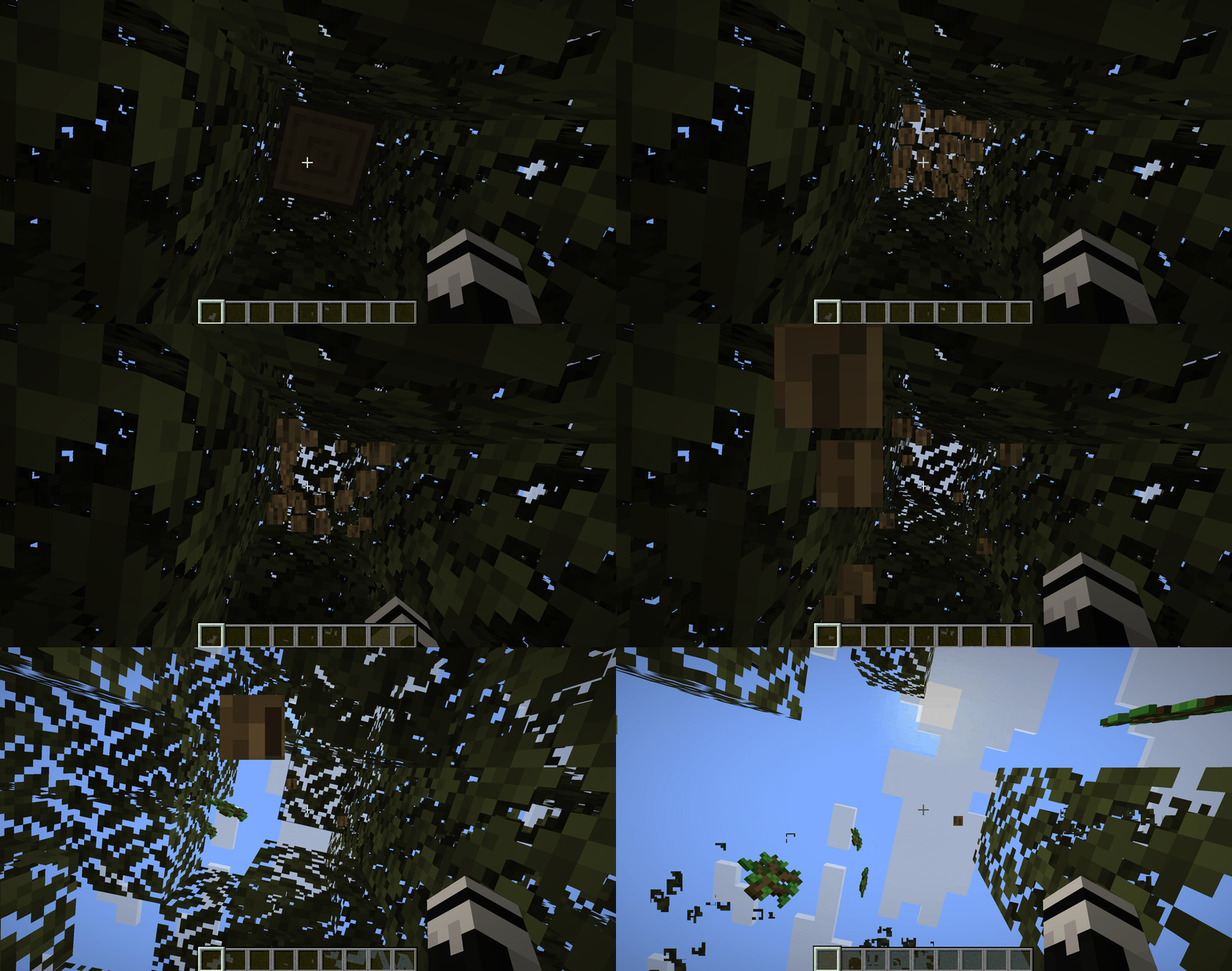
Leaf decay after cutting the last log — the crown disappears block by block over a second.
Support for mods with custom trees
Any mod that registers its leaves under the tag minecraft:leaves, receives accelerated decay automatically — without additional settings. This covers most mods adding new biomes and tree species, even if their leaves are implemented as a separate block, and not as a sub-type of vanilla ones.
A separate config parameter enables decay of leaves not tied to a log of their own kind. In vanilla, for example, oak leaves disappear only next to an oak log — next to birch they survive as usual. This parameter removes such a link for accelerated decay.
Configuration
The file leavesbegone-server.toml is located in the folder .minecraft/config.
Parameters of the leavesbegone-server.toml file
Parameter | What it does |
| Minimum number of game ticks before a leaf block begins to decay. Accepts any positive integer. At a value of 1, blocks start disappearing almost immediately after cutting the log; at 40, the first disappeared block will only appear after 2 seconds. Must be less than or equal to |
| Maximum number of ticks during which a block can wait to decay. Accepts any positive integer. At 20, the entire crown disappears in about a second; at 100, the process stretches to five seconds with a smooth cascade; if set to a value equal to |
| Determines whether accelerated decay applies to leaves not attached to a log of their kind. When |
Conclusion
Leaves Be Gone removes the slow vanilla disappearance of leaves after chopping. Unlike simpler alternatives for fast leaf decay, which add separate checks for each chopped block or completely replace the leaf class, this mod integrates into the existing game tick without extra iterations — hence less impact on TPS on servers with active logging. Suitable for survival servers where players regularly cut down forests for building, as well as for modpacks with complex biome systems and dozens of tree species.
Installation
A typical installation takes about 5 minutes. The flow is the same; only the loader and the matching build differ.
- 1Install a mod loader (Forge, Fabric or NeoForge) that matches your Minecraft version.
- 2Download the mod file (.jar) built for that same version.
- 3Place the .jar into your .minecraft/mods folder.
- 4Launch Minecraft with the modded profile and check the mod loads in-game.
 Installing Mods in Minecraft: A Guide for Forge, FabricLearn how to install mods in Minecraft with this step-by-step guide for Forge and Fabric. Improve your game with new features, tools, and mechanics!Open the install guide










