
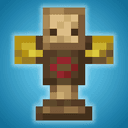
MmmMmmMmmMmm — a mod to add a training dummy and measure damage in Minecraft
A detailed review of the MmmMmmMmmMmm mod for Minecraft. Learn how to craft a training dummy, measure weapon damage, and configure settings.
A detailed review of the MmmMmmMmmMmm mod for Minecraft. Learn how to craft a training dummy, measure weapon damage, and configure settings.
MmmMmmMmmMmm — a mod to add a training dummy and measure damage in Minecraft
Minecraft version the article was tested and written on: 1.21.1
Supported version range: 1.18.x – 1.21.1
Dependencies: Fabric API(for Fabric), Moonlight Lib
MmmMmmMmmMmm adds one new item to Minecraft — a training dummy. The vanilla game does not provide a convenient way to check how much damage a weapon deals or how enchantments affect it: you have to look for mobs that do not show specific numbers. The dummy from the mod solves exactly this problem — it stands still, absorbs hits, and shows the amount of damage dealt right above itself.
How to get the dummy
The recipe takes two slots in the Crafting Table: a Hay Bale above an Armor Stand. The dummy is given as an item, which is then placed into the world with a right-click on a block.
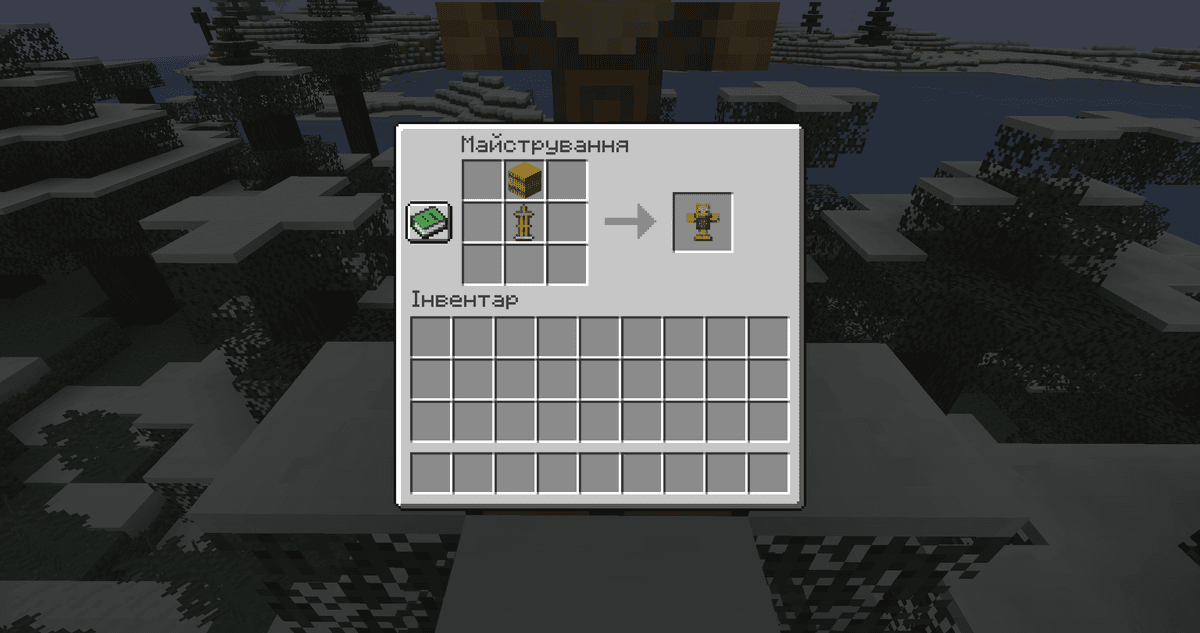
Crafting recipe for the training dummy
When placed, the dummy is oriented in 16 directions depending on the player's position — just like an Armor Stand. You can remove it by using Shift + left click with an empty hand. If the block under it is broken, the dummy also breaks and drops as an item.
Damage numbers and DPS
When hit, a damage number appears above the dummy. Each attack type has its own color: fire — orange, poison — purple. A few seconds after the last hit, a DPS line appears on the status bar — the average damage per second for the last series.
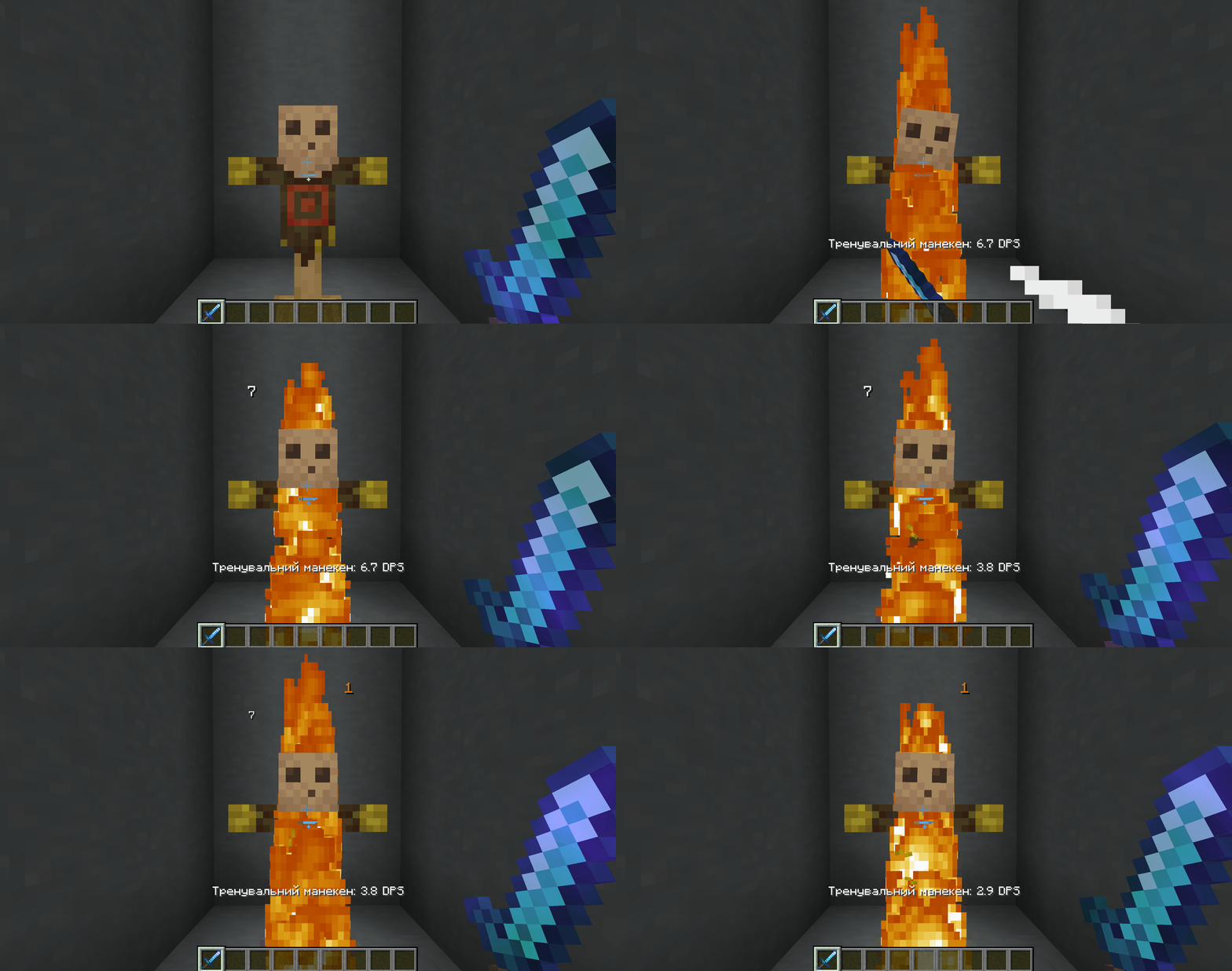
The player strikes the dummy with a sword, and the DPS line on the status bar updates in real time.
In the client config file, you can switch the numbers to hearts (1 heart = 2 damage), turn off the display entirely, or change the dummy's swaying intensity. There is also a separate mode for showing crits: color only, or color + multiplier.
Changing mob type
The dummy mimics a mob type depending on what it is wearing. This way you can test enchantments that only work against specific categories of mobs:
Zombie Head, Skeleton Skull — the dummy is considered undead, and corresponding enchantments work as they do on undead mobs.
Turtle Shell — the dummy is considered an aquatic mob.
Player Head — other mobs start attacking the dummy as a player, if dummy_decoy is enabled in the config. Useful for testing hostile AI or as bait for building mob farms.
Boss mode
If you give the dummy any Banner, it enters boss mode: a boss health bar appears at the top of the screen, and the dummy itself gets 200 HP by default. In the common.json file, you can change the amount of health (1 – 1 000 000) and the color of the bar (PINK, BLUE, RED, GREEN, YELLOW, PURPLE, WHITE).
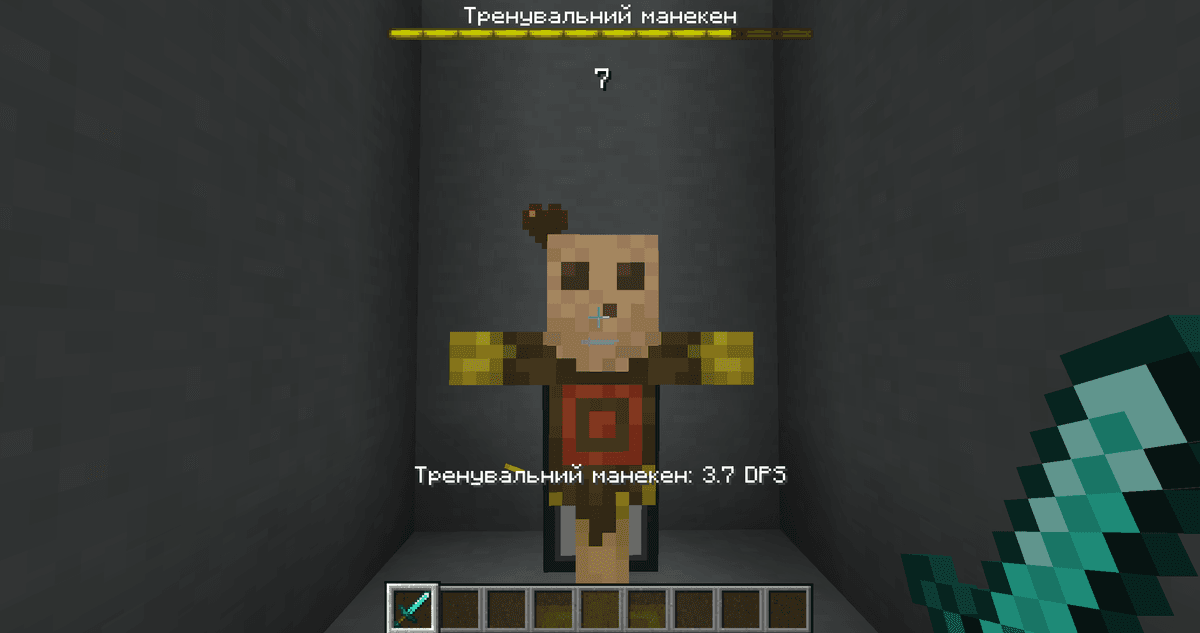
A dummy in boss mode with a banner on its back; a yellow boss health bar with a name at the top of the screen.
Pumpkin scarecrow
If you equip the dummy with a Pumpkin or Jack o'Lantern, it starts scaring animals within a 12-block radius (the value is changed in the config). The radius is any number from 0 to 100. There is no obstacle check, the scarecrow works through walls. In the config, there are two lists — mobs_whitelist and mobs_blacklist — where you can add mob IDs that the scarecrow should or should not affect.
Config — main parameters
The files are located in config/. Below is what is actually needed during the game. The rest of the values from the file are auxiliary (for example, exact hex codes for each type of damage) and are only changed for specific tasks.
Parameter | What it does |
|
|
| Whether equipment degrades when hitting the dummy |
| Whether mobs attack the dummy with a player head |
| Dummy HP in boss mode |
| Scare radius with a pumpkin, in blocks |
| How much experience drops on hit (default is |
| Show damage/healing numbers above any mobs and players, not just the dummy |
| Dummy skin |
| Hearts instead of damage numbers |
| Method of highlighting critical hits |
| Sway intensity when hit |
Conclusion
MmmMmmMmmMmm provides a testing ground for checking damage, enchantments, and long combo hits without spending resources on real mobs. It is suitable for players balancing modded gear, testing weapon builds before PvP, or setting up redstone contraptions with a damage trigger.
Installation
A typical installation takes about 5 minutes. The flow is the same; only the loader and the matching build differ.
- 1Install a mod loader (Forge, Fabric or NeoForge) that matches your Minecraft version.
- 2Download the mod file (.jar) built for that same version.
- 3Place the .jar into your .minecraft/mods folder.
- 4Launch Minecraft with the modded profile and check the mod loads in-game.
 Installing Mods in Minecraft: A Guide for Forge, FabricLearn how to install mods in Minecraft with this step-by-step guide for Forge and Fabric. Improve your game with new features, tools, and mechanics!Open the install guide










