
More Culling — a technical mod for graphics optimization and significant FPS boost in Minecraft
A detailed review of the More Culling technical mod for Minecraft. Learn how it optimizes rendering, boosts FPS, and how to configure it…
A detailed review of the More Culling technical mod for Minecraft. Learn how it optimizes rendering, boosts FPS, and how to configure it for best performance.
More Culling — a technical mod for graphics optimization and significant FPS boost in Minecraft
Minecraft version: 26.1.2
Mod version: v1.7.0
Dependencies: Cloth Config
Minecraft uses basic culling for invisible blocks, but it works in a limited way. The game still renders parts of blocks completely obscured by other structures, inner sides of leaves, or text on signs, even if they physically cannot be seen. More Culling expands this system and removes unnecessary rendering. The result is less GPU load and more FPS, especially in forests, large bases, villages, and at high render distances.
How More Culling works
The mod checks if the player can actually see a certain side of a block or model. If not, that part is not rendered.
For example, if you place several glass blocks close to each other, the vanilla version often continues to render the inner faces. More Culling removes this.
The same works with leaves — in a dense forest, the mod removes parts of models that are covered by other leaf blocks. On weaker graphics cards, this often provides a noticeably more stable FPS.
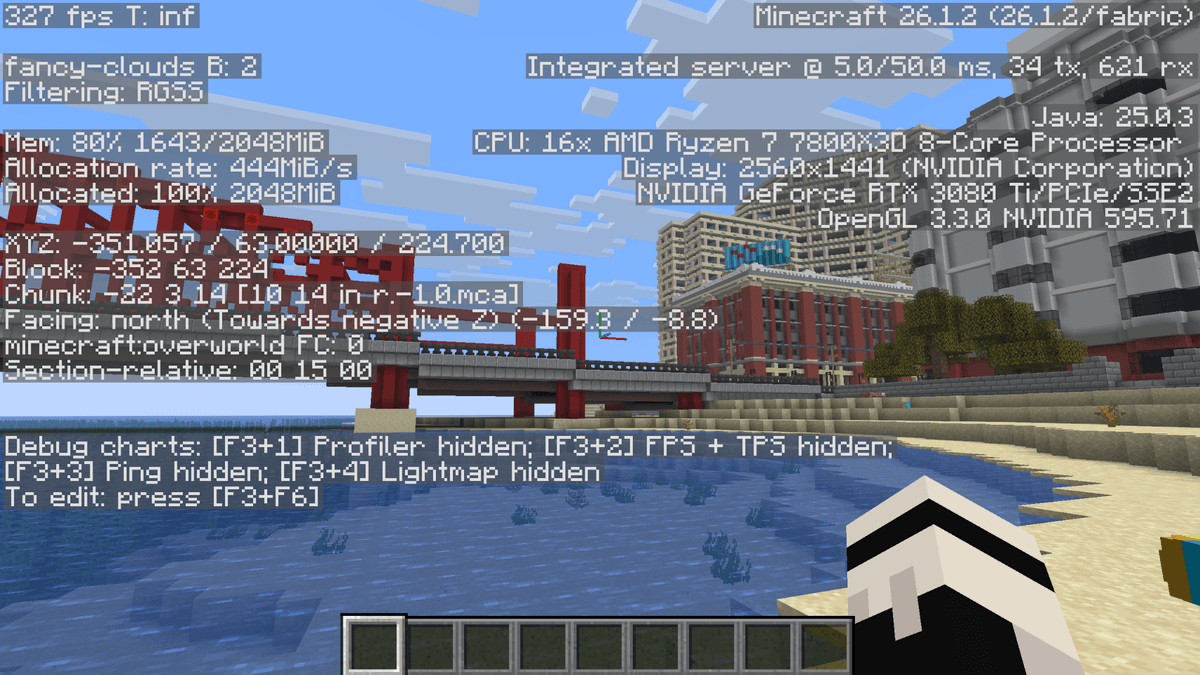
Performance demonstration with the mod enabled
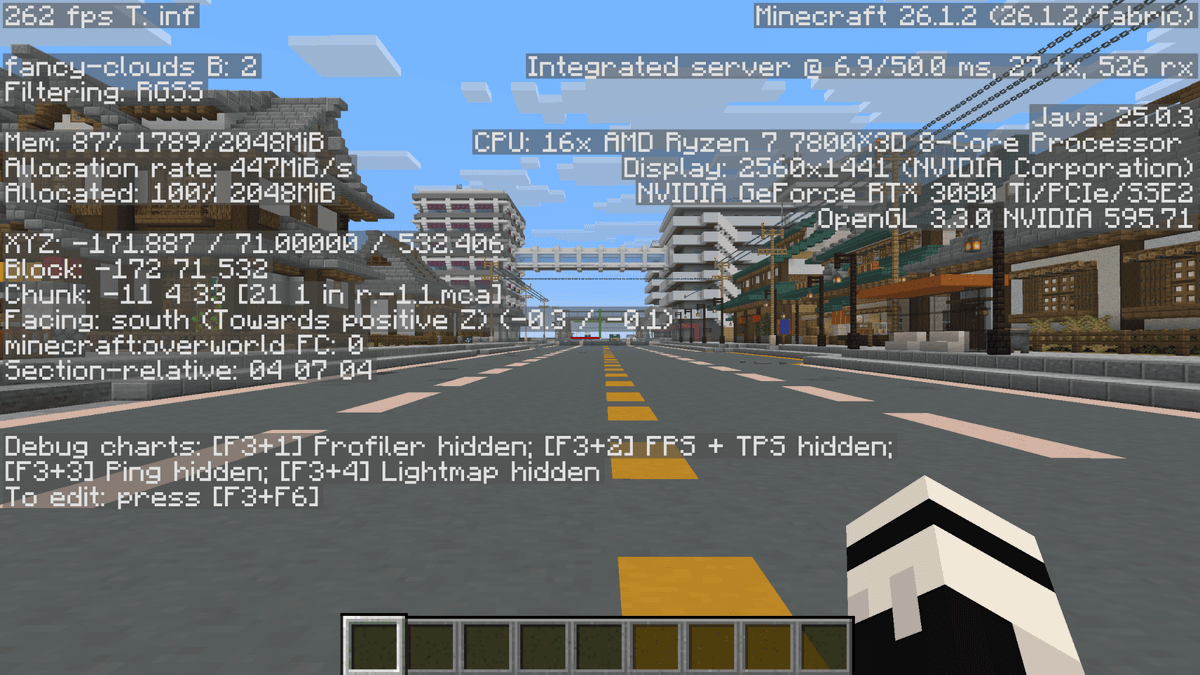
Performance demonstration with the mod disabled
Settings in the mod menu
One of the reasons for the mod's popularity is that almost all features can be individually disabled and configured via the config file moreculling.toml
Config parameters
Parameter | What it does |
| A list of exception blocks that the mod should not optimize. |
| Disables the rendering of cloud parts covered by other objects. |
| Does not render text on signs if they are too far away or behind a wall. |
| Optimizes rain rendering by not drawing drops behind obstacles. |
| Allows the mod to hide block faces adjacent to other blocks. |
| Enables a custom, more performant method of rendering item frames. |
| Optimizes maps in item frames (removes map rendering if it is out of sight). |
| Enables the LOD system for item frames — the further the frame, the simpler its model |
| The distance in blocks after which the item frame detail starts to decrease. |
| Hides the back and side faces of item frames attached to a wall. |
| Disables painting rendering if the player cannot see them. |
| Leaves processing mode (standard optimization algorithm). |
| Aggressiveness of hiding inner leaf layers (affects FPS in forests). |
| Whether to apply optimization to mangrove roots (disabled). |
| Optimization of End gateways (disabled to avoid graphical bugs). |
| Hides the beacon beam if it is covered by blocks from above. |
| Automatically tries to optimize blocks from other installed mods. |
Notes:
The
itemFrameMapCullingsettings for item frames can cause maps to flicker when viewed at sharp angles.The End gateways parameter is intentionally disabled to avoid black squares appearing in the sky.
Where the FPS boost is highest
The mod does not provide the same result in all worlds.
The biggest difference is noticeable in the following scenarios:
large forests with a lot of leaves
bases with glass
storages with item frames
server spawns with decorations
large villages
high render distance
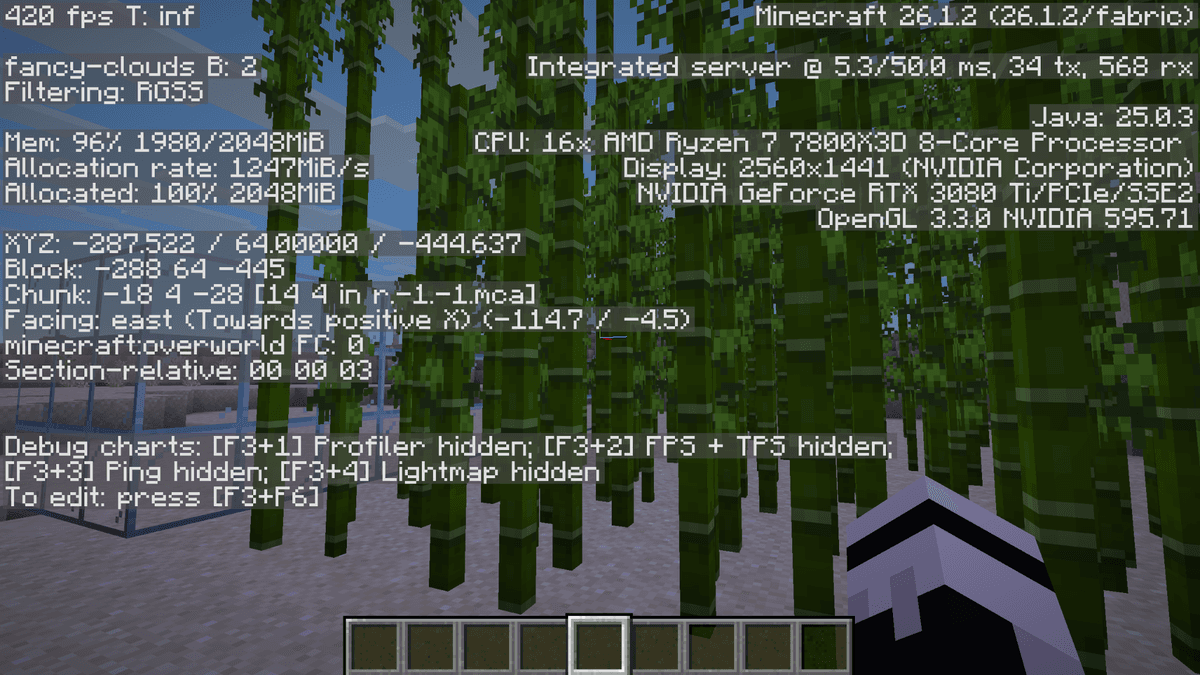
Demonstration of the mod working in a dense area
If playing in a normal world with an 8-chunk render distance, the boost may be minimal. If using 20+ chunks or resource packs, the difference is felt much stronger.
When the mod is not needed
When playing on a low render distance and there are few decorative blocks in the world, the boost will be insignificant.
Also, More Culling will hardly help if the problem is in the CPU, chunk generation, or a large number of mobs. In such cases, other mods will be more useful.
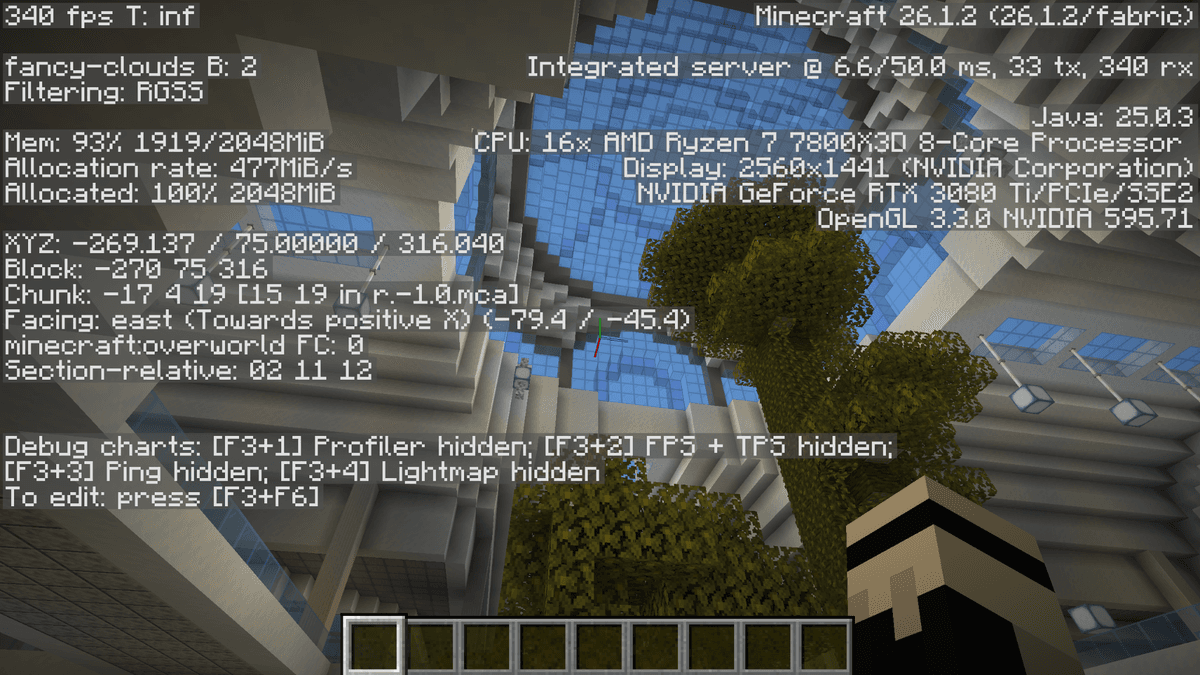
Base with glass blocks after optimization
Conclusion
More Culling solves a specific problem — it removes unnecessary rendering of models and blocks that are invisible anyway. Compared to other similar mods, it works more specifically with blocks, leaves, and decorative elements, rather than with mobs behind walls. The main limitation is that conflicts with graphical mods sometimes happen, so it's worth checking version compatibility for large modpacks.
Installation
A typical installation takes about 5 minutes. The flow is the same; only the loader and the matching build differ.
- 1Install a mod loader (Forge, Fabric or NeoForge) that matches your Minecraft version.
- 2Download the mod file (.jar) built for that same version.
- 3Place the .jar into your .minecraft/mods folder.
- 4Launch Minecraft with the modded profile and check the mod loads in-game.
 Installing Mods in Minecraft: A Guide for Forge, FabricLearn how to install mods in Minecraft with this step-by-step guide for Forge and Fabric. Improve your game with new features, tools, and mechanics!Open the install guide










