Oh The Trees You'll Grow — a mod for adding new tree species and wood types to Minecraft
Oh The Trees You'll Grow is a library for Minecraft that lets you create your own trees through NBT structures and JSON in data packs. The…
Oh The Trees You'll Grow is a library for Minecraft that lets you create your own trees through NBT structures and JSON in data packs. The mod itself adds nothing to the world — it provides a system through which data pack authors and consumer mods describe a tree's shape…
Oh The Trees You'll Grow — a mod for adding new tree species and wood types to Minecraft
Loader: Fabric
Minecraft version on which it was tested and the article was written: 26.1
Range of supported versions: 1.20.1 – 26.1
Mod version: 10.0.4
Oh The Trees You'll Grow is a library for Minecraft that lets you create your own trees through NBT structures and JSON in data packs. The mod itself adds nothing to the world — it provides a system through which data pack authors and consumer mods describe a tree's shape, height, leaves and decorators. Originally made as a shared backbone for the same author's biome generator, it now works as a standalone tool.
How it works
A tree consists of two parts — the trunk and the crown. Each is built in the game however you like: straight, leaning, with decorative blocks inside. Before saving, markers made of vanilla wool are added to the construction:
red wool on the lower edge of the trunk — fills the air down to the ground so the tree looks rooted;
red wool on the lower edge of the crown — connects the crown to the trunk;
exactly one white wool on the trunk and one on the crown — marks the anchor point.
There must be only one white wool per part. Otherwise the parts will not align correctly.
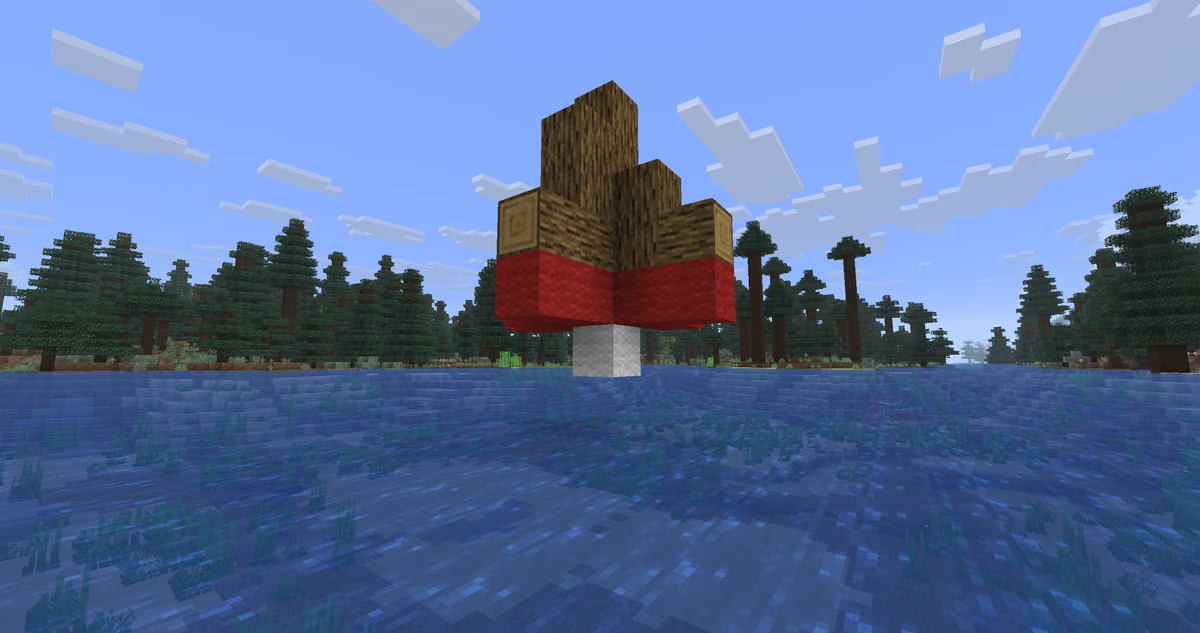
A trunk made of vanilla logs. At the bottom — a row of red wool around the perimeter, exactly in the middle — a single block of white wool.
The finished part is saved via a structure block in SAVE mode — a block you can obtain with the command: /give <name> minecraft:structure_block. In the "Structure Name" field you write your own name, and after pressing SAVE the part is written to a file inside the world folder. From there it is moved into a data pack as an NBT structure.
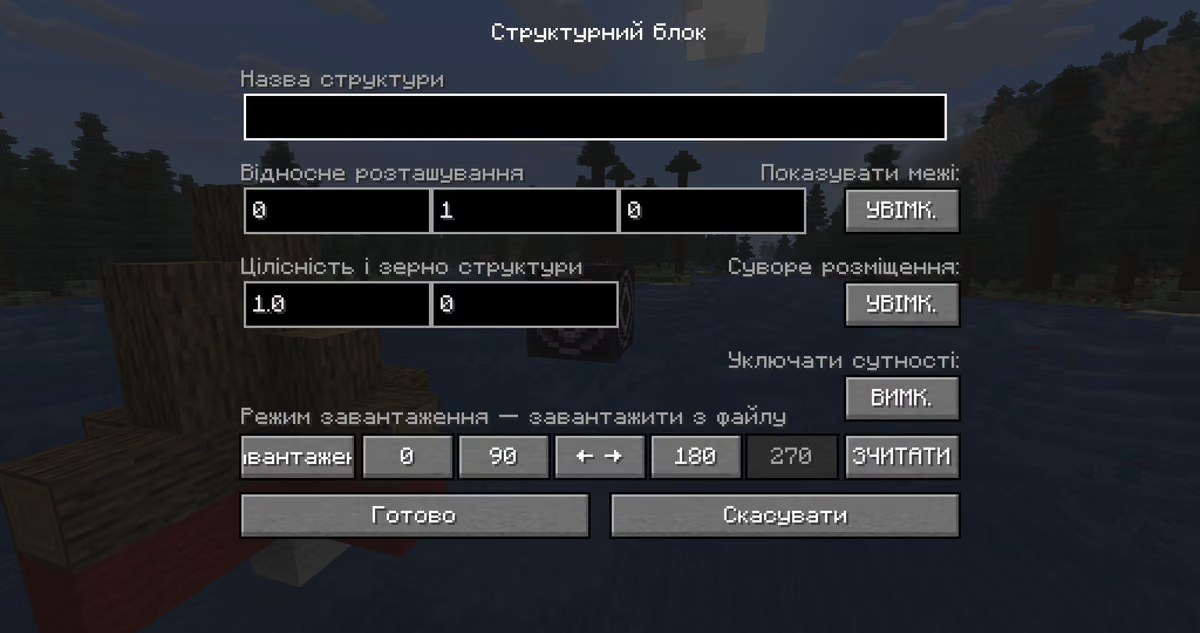
The structure block settings interface
What can be configured
A tree's behavior is described by a single JSON file in the data pack. It defines:
which saved parts the tree is made of;
which blocks it can grow on (by default — any ground);
the height — fixed or a min–max range;
which blocks replace the leaves and logs from the structure — from a single saved shape you can make an oak, acacia or birch without re-saving the NBT;
decorators: a moss disc under the tree, vines, bee hives with controlled probability;
additional blocks from the structure that should be transferred into the world as is (for example, glowstone inside the crown).
There is an official generator for assembling the JSON by hand: https://misode.github.io/ohthetreesyoullgrow/feature/. It provides a form with fields and immediately outputs ready code that you just need to drop into the data pack.
Test trees out of the box
The library comes with ready-made test trees — you can verify that the mod works right after installation, without your own data pack. The names of the test trees are suggested by the autocomplete of the placement command in the game. The sample data pack itself is located inside the mod's .jar file — you can unpack it and use it as a working template for your own project.
Conclusion
Oh The Trees You'll Grow solves a single task — custom trees without Java code, made by a single person with a structure block and a text editor. For an ordinary player the mod itself provides no value — you need a data pack or a consumer mod. The target audience of Oh The Trees You'll Grow is data pack authors, biome mod developers and adventure map creators.
Installation
A typical installation takes about 5 minutes. The flow is the same; only the loader and the matching build differ.
- 1Install a mod loader (Forge, Fabric or NeoForge) that matches your Minecraft version.
- 2Download the mod file (.jar) built for that same version.
- 3Place the .jar into your .minecraft/mods folder.
- 4Launch Minecraft with the modded profile and check the mod loads in-game.
 Installing Mods in Minecraft: A Guide for Forge, FabricLearn how to install mods in Minecraft with this step-by-step guide for Forge and Fabric. Improve your game with new features, tools, and mechanics!Open the install guide