

Overflowing Bars Mod: Compact Display of Health and Armor in Minecraft
Optimization and compact display of the health, armor, and toughness interface through a system of layers and indicators.
Optimization and compact display of the health, armor, and toughness interface through a system of layers and indicators.
Dependencies:
Loader: Fabric / Forge / NeoForge
Minecraft version: 1.18.2 – 26.1.x
Required mods: Puzzles Lib (for all loaders), Fabric API (for Fabric only)
The Overflowing Bars mod reorganizes the standard user interface (HUD) in Minecraft, making the display of health, protection, and armor toughness as compact as possible. Instead of stacking up several rows of hearts or shields when you gain extra effects or improved gear, this client-side mod combines all indicators into a single line. The system uses color separation of layers and small numeric counters next to the bars, allowing you to quickly assess your character's current state even during intense combat.
Organizing health and armor indicators
When the character's maximum health increases, the game's standard interface starts building extra hearts upward, covering a significant part of the screen. The Overflowing Bars mod solves this problem by overlaying layers.
How the updated bars work:
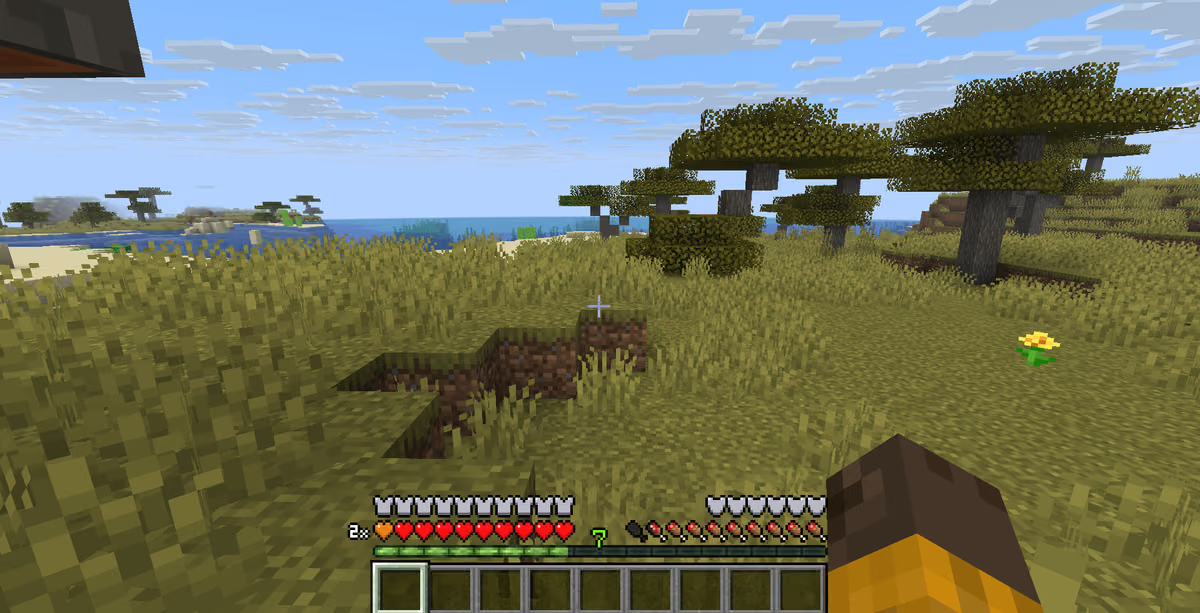
Health (Hearts). If the number of hearts exceeds the standard 10 units (20 health points), the new hearts do not form a second row but are overlaid on top of the first. Each subsequent layer gets its own color (for example, orange for the second layer). A small number appears next to the bar (for example,
x2), showing the current number of full rows of health.Armor (Armor). The display of protection points works on the same principle. When the armor value exceeds 20 units (10 shields), blue shields of the second layer are overlaid on top of the standard gray icons. A numeric marker on the right indicates the number of additional gear layers.
Thanks to this solution, you always see the exact values of your protection and health in one fixed place, without being distracted by counting dozens of tiny icons.
Additional interface elements and fixes
In addition to compactly packing the standard lines, the mod adds several important interface features and fixes long-standing rendering bugs.
Main additions:
Armor toughness bar (Armor Toughness). In the vanilla game, the armor toughness value is hidden from the player, even though it significantly affects the reduction of damage from powerful hits. The mod adds a separate graphical toughness panel in the form of semicircular shields or lines above the saturation (hunger) bar.
Fix for chat overlap. In the standard interface, the expanded armor bar often covered the bottom lines of the chat or was hidden under new messages. The mod moves the protection icons higher or automatically shifts the chat, eliminating the mutual overlap of elements.
Configuration via the TOML file
All display parameters, colors, and positioning of HUD elements are stored in the configuration file .minecraft/config/overflowingbars-client.toml [VERIFY IN GAME]. You can edit it manually using any text editor.
Key parameters of the TOML configuration file:
Configuration key | Data type / Value | Parameter description and its effect |
|---|---|---|
| Boolean ( | Controls the display of the armor toughness panel on the screen [VERIFY IN GAME]. |
| Boolean ( | Forces the numeric layer indicators to be shown even if only one layer is loaded [VERIFY IN GAME]. |
| String ( | Lets you choose which side of the screen the armor toughness bar is displayed on [VERIFY IN GAME]. |
| Color (Hex / RGB) | Sets the color for the additional layers of health hearts [VERIFY IN GAME]. |
| Color (Hex / RGB) | Sets the color for the additional layers of armor shields [VERIFY IN GAME]. |
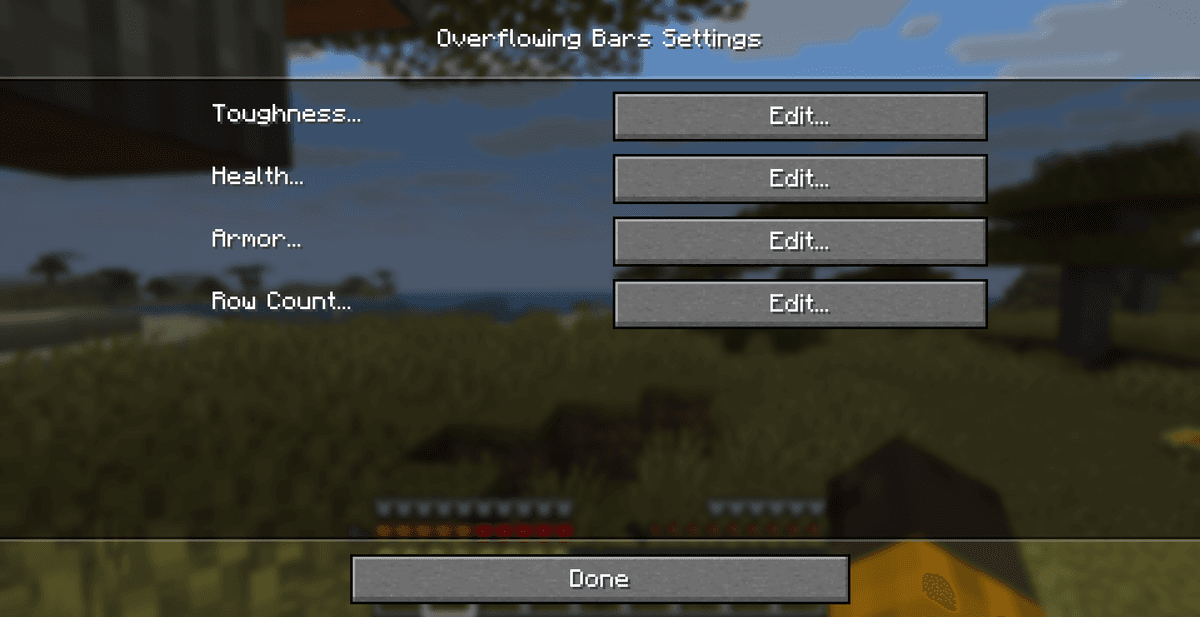
If you play on Fabric, we recommend installing the Mod Menu mod together with the Forge Config API Port library. This will let you change all configuration parameters through a convenient graphical interface directly in the game, without opening the TOML file manually.
Compatibility and recommended add-ons
The Overflowing Bars mod works exclusively on the client side and does not need to be installed on the server to play in multiplayer.
Compatibility and important recommendations:
AttributeFix. This mod is strongly recommended to be installed together with Overflowing Bars. The thing is that vanilla Minecraft limits the maximum armor (up to 30 points) and toughness (up to 20 points) values at the code level. AttributeFix removes these limits, allowing mods with powerful armor to work correctly, and Overflowing Bars to display these extremely high values properly.
Interface mods (HUD). The mod is compatible with most interface optimizers but may conflict with other global HUD overhauls (for example, Classic Bars or Fancy HUD) if they try to change the same health display elements at the same time.
Conclusion
The Overflowing Bars mod solves the problem of an overloaded interface in modpacks with a large amount of additional health and protection. The mod offers a simple and clean visual solution through colored layers and numeric counters, while preserving the original Minecraft style.
Compared to similar mods, such as Classic Bars (which completely reworks the icons into solid lines), Overflowing Bars preserves the familiar look of the vanilla hearts and shields, merely optimizing their arrangement. The main limitation is a possible conflict with large mods that radically change the entire game HUD. The mod is perfect for you if you play with mods for complex armor (RPG direction) or have effects that increase health and want to keep the screen free of unnecessary rows of icons.
Installation
A typical installation takes about 5 minutes. The flow is the same; only the loader and the matching build differ.
- 1Install a mod loader (Forge, Fabric or NeoForge) that matches your Minecraft version.
- 2Download the mod file (.jar) built for that same version.
- 3Place the .jar into your .minecraft/mods folder.
- 4Launch Minecraft with the modded profile and check the mod loads in-game.
 Installing Mods in Minecraft: A Guide for Forge, FabricLearn how to install mods in Minecraft with this step-by-step guide for Forge and Fabric. Improve your game with new features, tools, and mechanics!Open the install guide










