

Sodium Extra — a mod for graphics settings and additional optimization in Minecraft
Sodium Extra extends Sodium (MC 1.16.2–26.2) with per-element toggles for animations, particles, fog, sky, static entities, and light…
Sodium Extra extends Sodium (MC 1.16.2–26.2) with per-element toggles for animations, particles, fog, sky, static entities, and light updates for targeted FPS optimization.
Sodium Extra — a mod for graphics settings and additional optimization in Minecraft
Minecraft version on which the article was tested and written: 26.1.2
Supported versions range: 1.16.2 – 26.2
Dependencies: Sodium
Sodium Extra adds detailed control over visual effects in Minecraft — animations, particles, fog, and static objects in the scene. In the vanilla game, there is no such control: effects either always run or are controlled by a few general sliders. The mod puts each element into a separate toggle, so unnecessary load on the graphics card is removed selectively, without installing shader packs. Separately, it adds several performance options and fixes minor visual bugs. All toggles appear as additional tabs in the video settings menu.
Animations and Particles
The first group of toggles disables the animations of specific objects: water, lava, fire, portals, blocks, and the Sculk Sensor. Each item can be disabled independently — you can, for example, keep water movement but remove fire animation, which puts the heaviest load on low-end PCs near large fire sources.
The second group manages particles. The list is built dynamically: a separate toggle is created for each type of particle in the game, including those added by third-party mods. Because of this, only the desired effects — say, rain splashes or block breaking particles — are disabled, without affecting the rest.
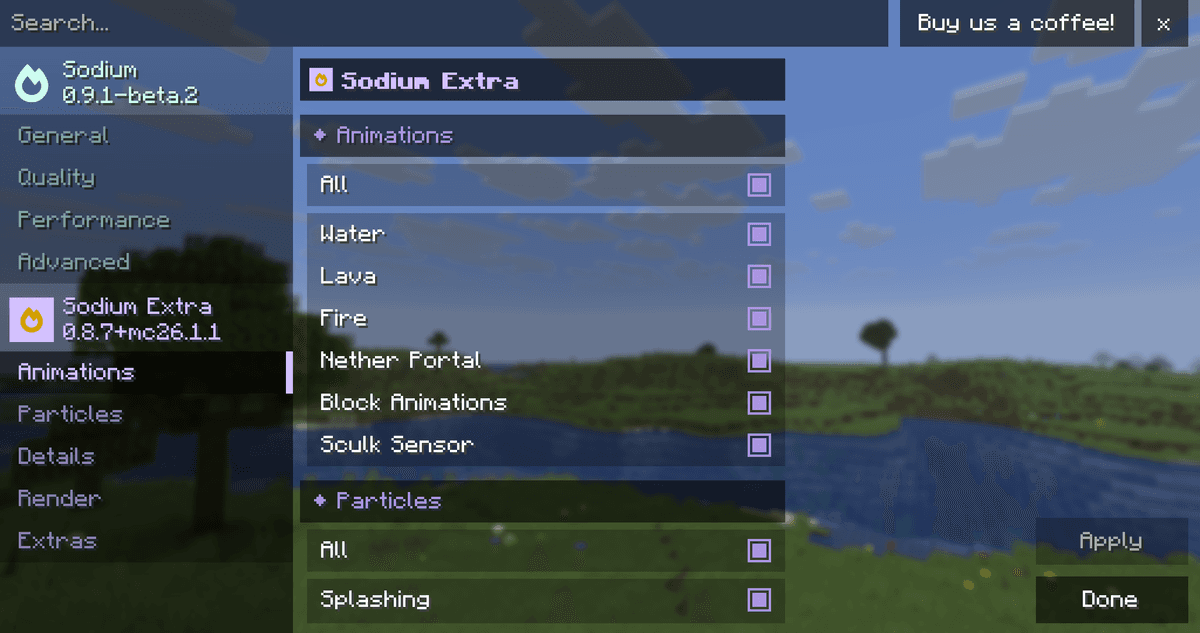
Animation settings tab in the video settings menu
Fog, Sky, and Weather
Fog is configured with a single distance slider or, if you enable the advanced mode, with separate toggles for each dimension — the Overworld, Nether, End, and dimensions from mods. An additional multiplier sets the distance at which the fog begins to roll over the horizon.
A separate "details" section enables or removes sky elements: the sky itself, stars, the sun and moon, weather, as well as biome colors and sky colors. By removing, say, stars and weather, you can slightly reduce the render load in night and rainy scenes.
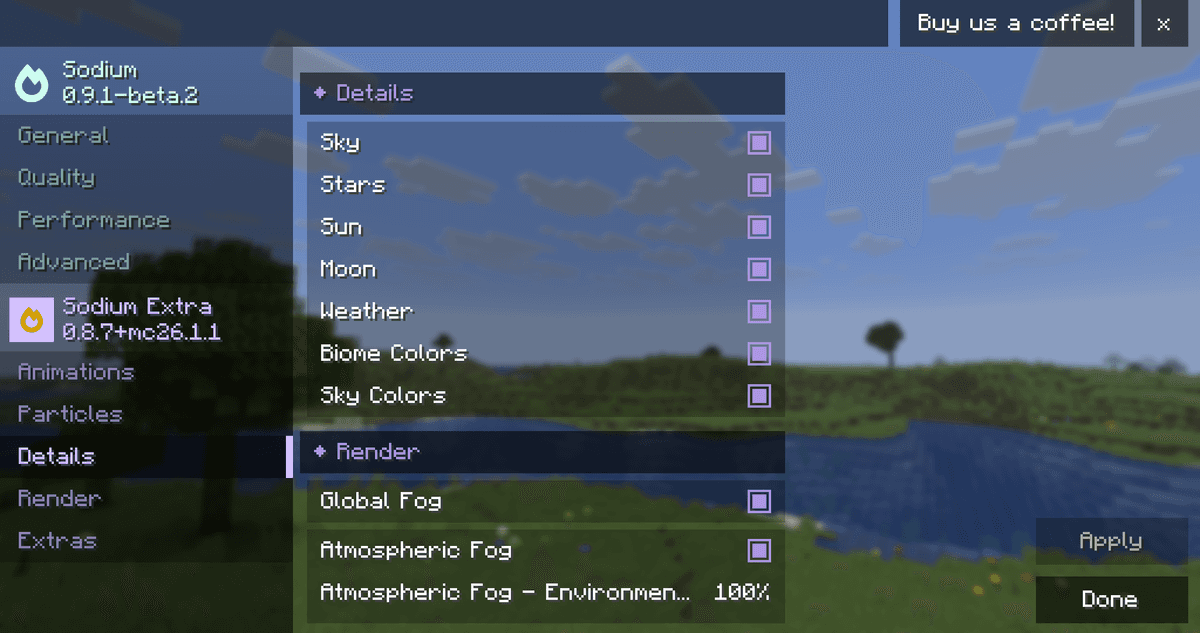
Fog and sky settings section
Static Entities and Light Updates
This section has the biggest impact on performance in built-up bases. Separate toggles disable the rendering of item frames, armor stands, and paintings — on warehouses with hundreds of item frames, this noticeably boosts FPS. This also includes the beacon beam, the rotation of the book above the enchanting table, the piston extension animation, as well as the display of item names in frames and player nicknames.
A standout option is the light updates setting. By default, the game recalculates light as usual. If you disable it, light updates stop — this dramatically reduces lag in large redstone contraptions where constant light recalculation is costly.
Light updates: this option should only be disabled deliberately. While it is disabled, the lighting in the world will remain outdated until the area is reloaded.
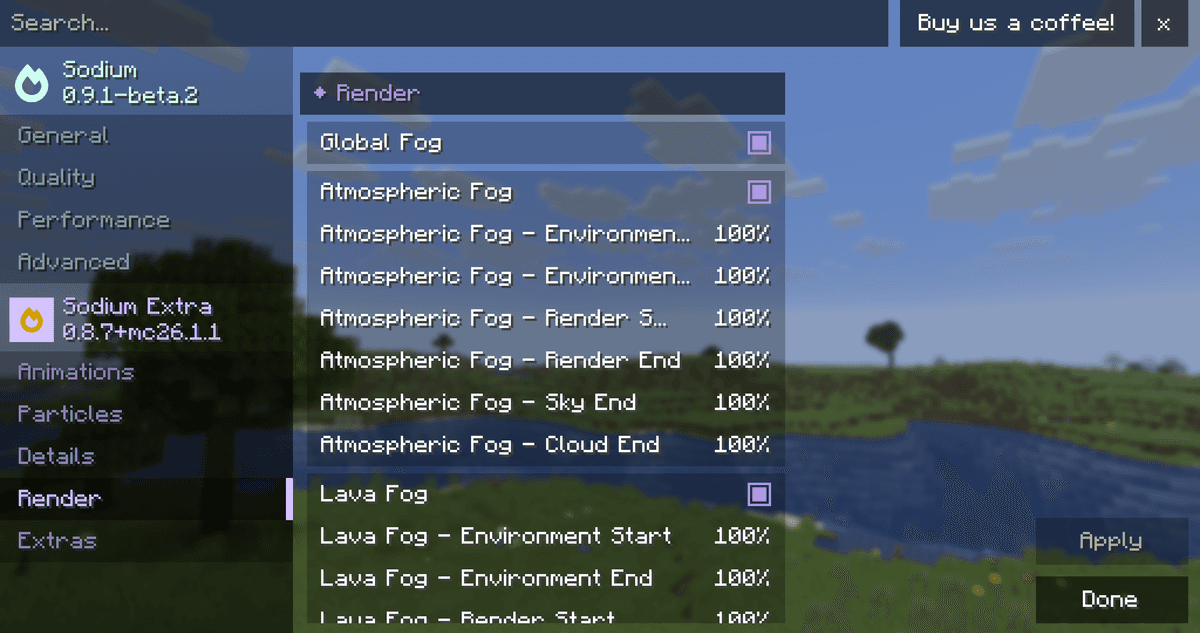
Render section with various toggles
Interface and Other Options
The "extra" section gathers smaller but useful settings. The FPS counter and coordinates are displayed directly on the screen, with options for position corner and text contrast. Toast notifications can be removed selectively — achievements, recipes, system, and tutorial hints, including starting prompts like "punch a tree" in a new world, can be disabled separately.
Other options include cloud height, instant crouching without smooth camera movement, and a fixed refresh rate for the debug screen (F3) instead of the unlimited vanilla one. Adaptive vertical synchronization replaces standard VSync on supported machines, and for macOS, there is an option that cuts the resolution in half on Retina displays to boost FPS. Separate sliders reduce distortion effects and field of view changes — this helps players sensitive to sudden camera movements. The shader block option disables vanilla post-effects, such as the image distortion when spectating a spider.
Conclusion
Sodium Extra adds flexible, element-by-element graphics control that vanilla Minecraft lacks. The benefit is practical: by disabling animations, particles, and the rendering of static entities, you can gain extra frames on low-end hardware or congested bases without decreasing the render distance. It is suitable for owners of low-end and mid-range PCs, players with large farms and bases, as well as those who want to remove specific visual elements without shader packs.
Installation
A typical installation takes about 5 minutes. The flow is the same; only the loader and the matching build differ.
- 1Install a mod loader (Forge, Fabric or NeoForge) that matches your Minecraft version.
- 2Download the mod file (.jar) built for that same version.
- 3Place the .jar into your .minecraft/mods folder.
- 4Launch Minecraft with the modded profile and check the mod loads in-game.
 Installing Mods in Minecraft: A Guide for Forge, FabricLearn how to install mods in Minecraft with this step-by-step guide for Forge and Fabric. Improve your game with new features, tools, and mechanics!Open the install guide










