
Sophisticated Backpacks (Unofficial Fabric Port) — upgradeable backpacks mod for Minecraft
Sophisticated Backpacks (Unofficial Fabric Port) is a Fabric port of the Sophisticated Backpacks mod for Minecraft. The mod adds six tiers…
Sophisticated Backpacks (Unofficial Fabric Port) is a Fabric port of the Sophisticated Backpacks mod for Minecraft. The mod adds six tiers of upgradeable bac...
Sophisticated Backpacks (Unofficial Fabric Port) — upgradeable backpacks mod for Minecraft
Minecraft version tested and used for this article: 1.21.1
Supported versions range: 1.19.2 – 1.21.1
Mod version: 3.23.4.3.106
Required dependencies: Fabric API, Forge Config API Port, Sophisticated Core (Unofficial Fabric Port)
Sophisticated Backpacks (Unofficial Fabric Port) is a Fabric port of the Sophisticated Backpacks mod for Minecraft. In vanilla, there is no portable storage: the player only has 36 inventory slots and chests that have to be placed and broken every time. The mod adds six tiers of backpacks that can be worn in the chestplate slot, carried in the inventory, placed as a block, and upgraded with modules — for automatic collection, filtering, cooking, and two dozen other functions.
How to get and use
A Leather backpack is created in a crafting table — the next ones are crafted by adding material to the previous tier. In item form, the backpack is opened with the B key (by default) or by right-clicking. When worn in the chestplate slot, it is displayed on the character's back and opens the same way.
To place the backpack in the world as a block, you need to hold Shift and right-click on any block. In this form, it acts like a regular container: it opens with a click and interacts with hoppers and pipes from other mods — items can be inserted and extracted by automation. To pick the backpack back up, hold Shift and click on it with an empty hand — or break it like a regular block.
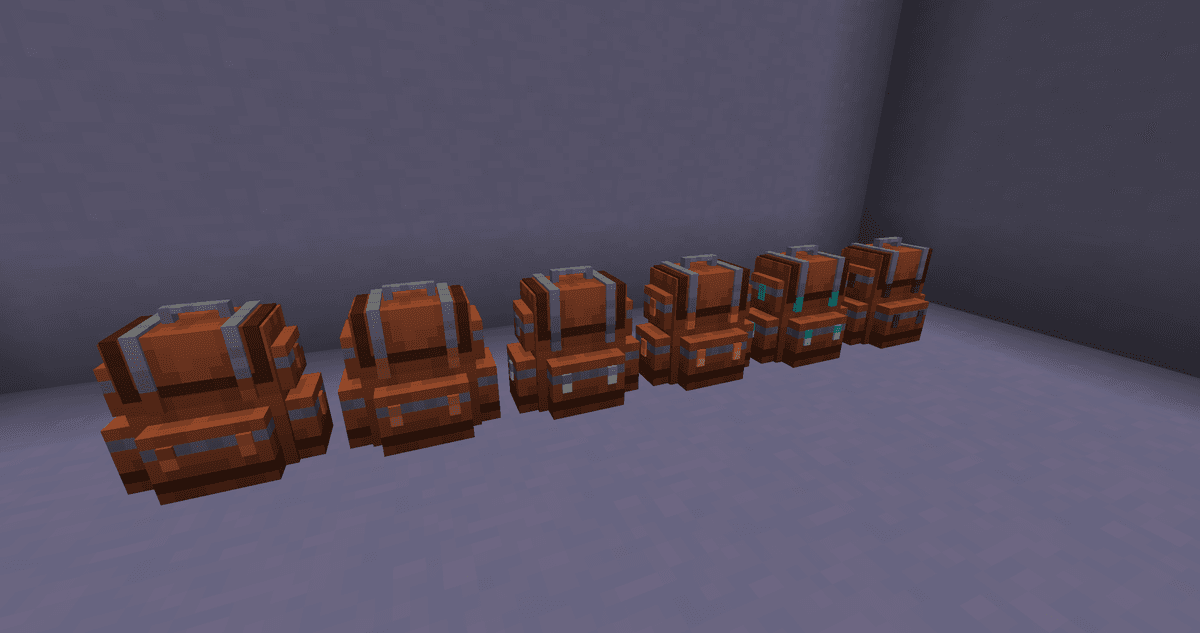
Six backpacks of all tiers placed in a row
Backpack Tiers
The higher the tier — the more inventory slots and upgrade slots.
Tier | Inventory slots | Upgrade slots |
Leather | 27 | 1 |
Copper | 45 | 1 |
Iron | 54 | 2 |
Gold | 81 | 3 |
Diamond | 108 | 5 |
Netherite | 120 | 7 |
When upgrading between tiers, all contents and installed upgrades are preserved.
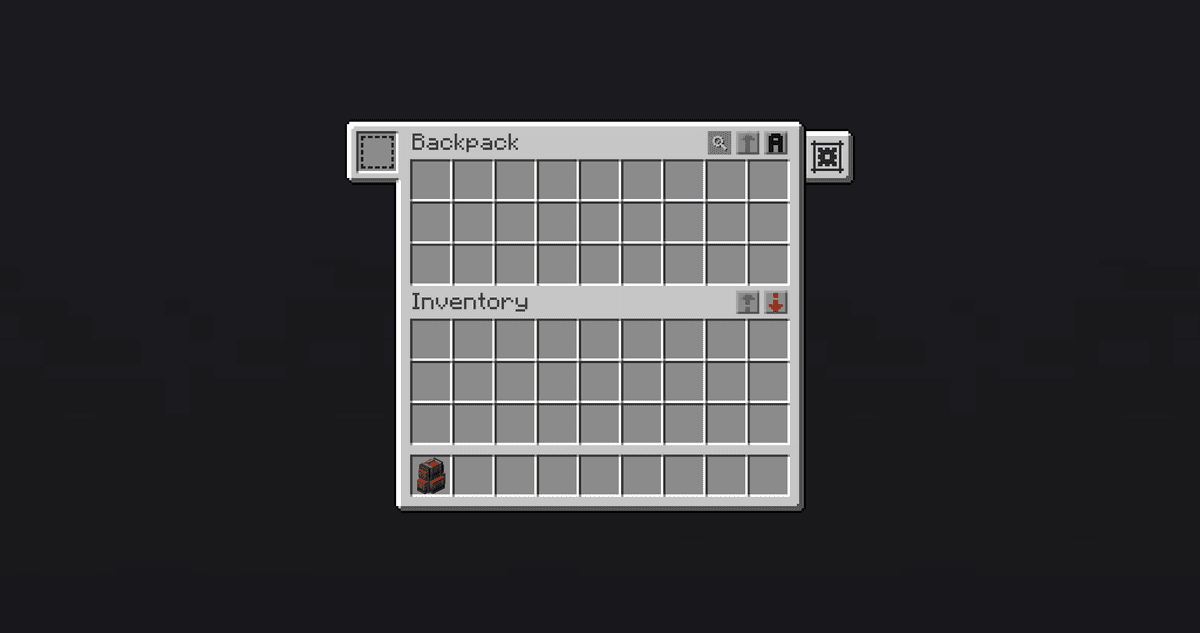
Leather backpack interface over the character's inventory, showing 27 slots and one upgrade slot
Dyeing
The backpack can be dyed in the crafting grid along with dyes. There are two colors: the main color (backpack body) and the accent color (straps and details). The dye's position in the grid determines what changes:
Dye on the left — changes the main color.
Dye on the right — changes the accent color.
Dye in the same column as the backpack — affects both colors simultaneously.
Dyes can be added sequentially, blending with the already applied ones — blending works just like for leather armor. To restore the base look, right-click the backpack on a cauldron filled with water.
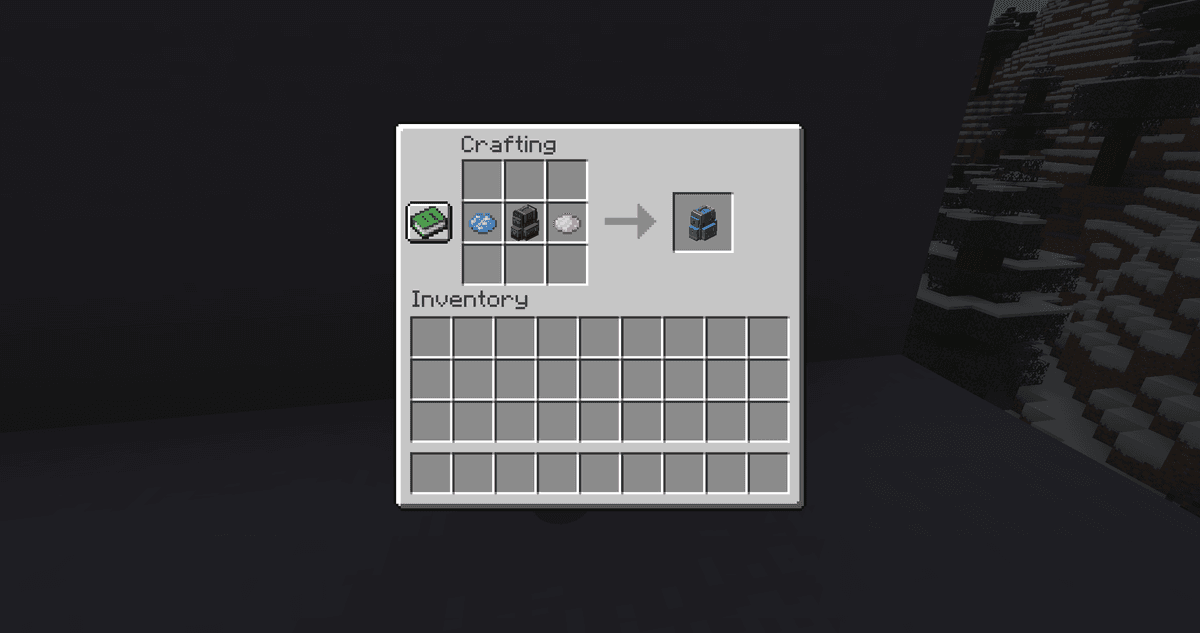
Blending dyes in the crafting grid
Upgrades
Upgrade slots are the main feature of the mod. Modules are inserted into them, adding new functions to the backpack. Most upgrades have two versions: standard and advanced. The advanced version provides more filter slots and a more complex filtering system.
Collection and Movement of Items
Pickup Upgrade collects picked-up items directly into the backpack according to the specified filter, bypassing the regular inventory. In block form, this upgrade collects items dropped near the placed backpack.
Magnet Upgrade teleports items into the backpack from a certain radius — 3 blocks for the standard version by default, 5 for the advanced one. The advanced version can also pull in experience orbs and convert them into liquid experience if the backpack has a Tank Upgrade installed.
Restock and Deposit Upgrade work with chests and containers in the world. Just hold Shift and right-click on the container with the backpack in hand — Restock will pull the needed items into the backpack, while Deposit will place them into the container according to the filter. Convenient for offloading after expeditions.
Refill Upgrade automatically replenishes specified items in the character's inventory from the backpack — for example, keeping a supply of torches or arrows in the hotbar as long as they are in storage.
Filtering and Compacting
Filter Upgrade restricts which items can enter the backpack via automation or leave it. Void Upgrade destroys items according to a filter — useful when useless stone or dirt constantly drops from mining. Compacting Upgrade automatically compresses resources using 2x2 and 3x3 recipes: for example, nine pieces of coal → a block of coal, four copper ingots → a block of copper.
Working on the Go
Several upgrades move crafting station functions directly into the backpack:
Crafting Upgrade — a 3x3 crafting grid accessible through the backpack interface. Placed items do not drop when closing the menu.
Smelting / Smoking / Blasting Upgrades — furnace, smoker, and blast furnace functions respectively. In automated versions, fuel and input items are pulled from the backpack automatically.
Stonecutter Upgrade — a stonecutter with memory of the last recipe.
Anvil Upgrade — repairing, renaming, and combining items without placing an anvil.
Smithing Upgrade — a smithing table for upgrading gear using templates.
Stack Upgrades
Stack Upgrades increase the maximum stack size of items in backpack slots. There are five tiers — Starter (×1.5), Tier 1 (×2), Tier 2 (×4), Tier 3 (×8), Tier 4 (×16) — and a separate Omega tier that raises the limit to the maximum integer value. Multiple upgrades multiply: two Tier 2 together give ×16.
Stack Downgrades work in reverse — dividing the stack by 8, 16, or 32. Useful in automation when a strict capacity limit per slot is needed.
Special Upgrades
Inception Upgrade allows placing backpacks inside a backpack — one level deep. Nested backpacks retain their upgrades but cannot contain other backpacks themselves.
Everlasting Upgrade makes the backpack invulnerable to explosions, lava, fire, and cacti. As a dropped item, it does not despawn over time and floats on lava instead of burning. When falling into the void, it hovers above the bottom of the world.
Tank Upgrade and Battery Upgrade turn a portion of the backpack slots into a liquid tank or energy battery. Pump Upgrade transfers liquid between the tank and containers or liquid blocks in the world. Experience Pump Upgrade along with Tank Upgrade stores the character's experience as liquid — can be set to collect above a certain level, dispense below a certain level, or maintain a specific amount.
Toolswapper Upgrade automatically puts the right tool in hand when hitting a block or mob for which the held item is unsuitable.
Feeding Upgrade feeds the character automatically when hunger drops. Alchemy Upgrade consumes potions, splash potions, and food with effects under set conditions — for example, while sprinting, underwater, or upon taking damage.
Jukebox Upgrade plays music discs directly from the backpack. The standard version provides one slot for a disc, the advanced provides 12 slots and full player controls: play, stop, switch tracks, repeat modes, and shuffle.
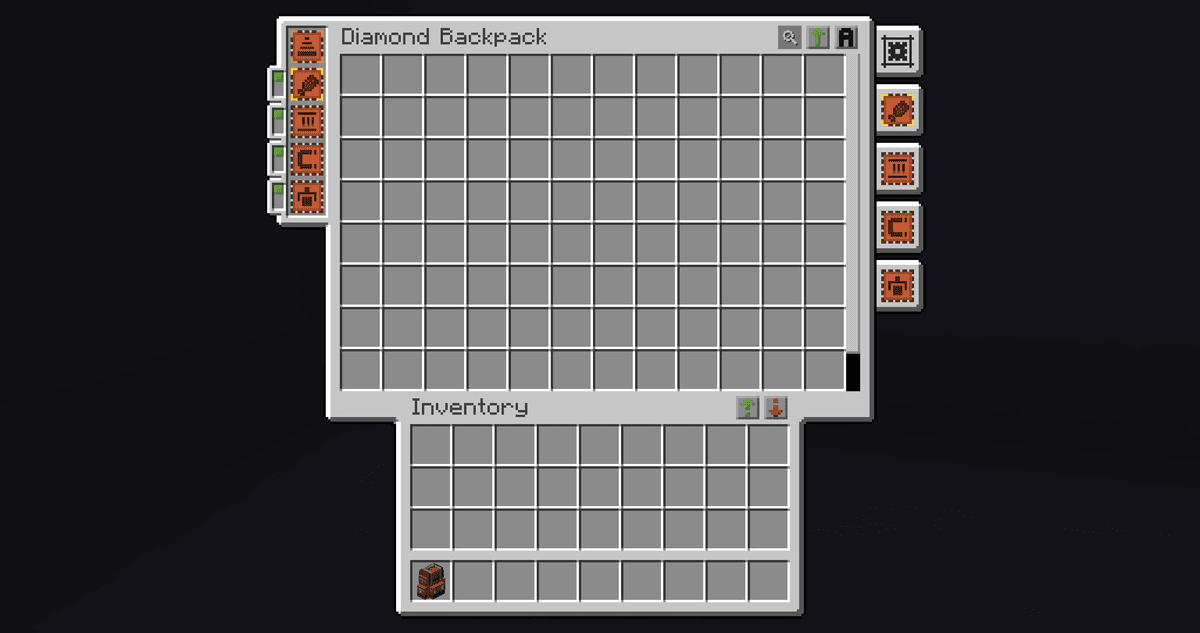
Diamond backpack interface with several installed upgrades
Conclusion
Sophisticated Backpacks (Unofficial Fabric Port) solves the lack of portable storage: one item replaces both chests on the go and several automation blocks. Six tiers offer gradual progression using the same materials as armor, while upgrades cover most routine tasks — from sorting loot to feeding on the go. Sophisticated Backpacks (Unofficial Fabric Port) is suitable for those playing on Fabric who don't mind tinkering with upgrades instead of taking a ready-made solution.
Installation
A typical installation takes about 5 minutes. The flow is the same; only the loader and the matching build differ.
- 1Install a mod loader (Forge, Fabric or NeoForge) that matches your Minecraft version.
- 2Download the mod file (.jar) built for that same version.
- 3Place the .jar into your .minecraft/mods folder.
- 4Launch Minecraft with the modded profile and check the mod loads in-game.
 Installing Mods in Minecraft: A Guide for Forge, FabricLearn how to install mods in Minecraft with this step-by-step guide for Forge and Fabric. Improve your game with new features, tools, and mechanics!Open the install guide










