Sophisticated Storage — a mod for expanding and improving the resource storage system in Minecraft
Sophisticated Storage expands Minecraft's storage system by adding barrels, chests and shulker boxes in six material tiers — from wooden to…
Sophisticated Storage expands Minecraft's storage system by adding barrels, chests and shulker boxes in six material tiers — from wooden to netherite. Each block supports upgrade slots, turning ordinary storage into an active hub with filtering, auto-smelting, a magnet and…
Sophisticated Storage — a mod for expanding and improving the resource storage system in Minecraft
Tested on: 1.21.1
Supported versions: 1.19.2 – 1.21.1
Dependencies: Sophisticated Core (Unofficial Fabric Port), Forge Config API Port, Fabric API
Sophisticated Storage expands Minecraft's storage system by adding barrels, chests and shulker boxes in six material tiers — from wooden to netherite. Each block supports upgrade slots, turning ordinary storage into an active hub with filtering, auto-smelting, a magnet and manual appearance customization.
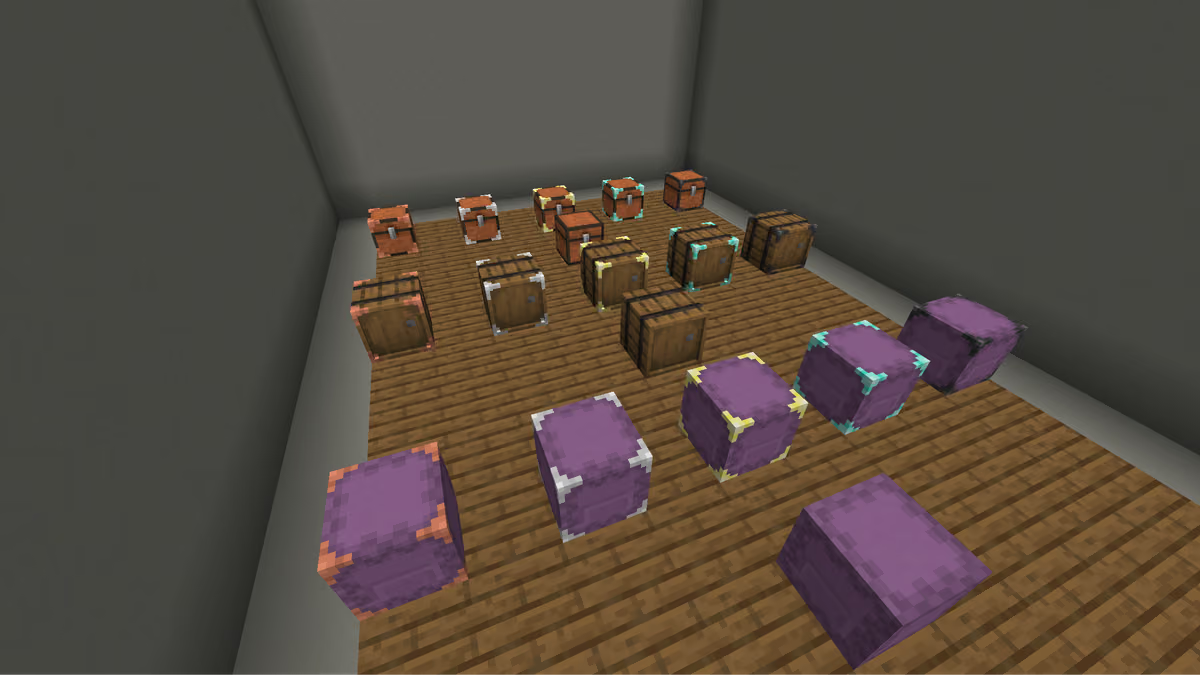
A storage room with rows of multi-tier barrels, shulker boxes and chests
Storage blocks
The mod adds three types of storage blocks: barrels, chests and shulker boxes. Each type comes in six tiers — wooden, copper, iron, gold, diamond and netherite. As the tier increases, the number of inventory slots and upgrade slots grows. Barrels are available in all vanilla wood variants.
Standard blocks
The slots are identical for barrels, chests and shulker boxes:
Tier | Inventory slots | Upgrade slots |
Wooden | 27 | 1 |
Copper | 45 | 1 |
Iron | 54 | 2 |
Gold | 81 | 3 |
Diamond | 108 | 4 |
Netherite | 132 | 5 |
You can upgrade the tier right in the world: hold an upgrade kit and right-click the block. Upgrades allow you to move up by one tier or skip several at once — depending on the type of item used.
Limited barrels
Limited barrels are a separate subtype for bulk storage of a single kind of item. Instead of standard slots they have 1–4 fixed slots with an increased stack limit. The higher the tier, the larger the base multiplier:
Tier | Stack multiplier |
Wooden | ×32 / ×16 / ×10 / ×8 |
Iron | ×64 / ×32 / ×20 / ×16 |
Gold | ×96 / ×48 / ×30 / ×24 |
Diamond | ×128 / ×64 / ×40 / ×32 |
Netherite | ×160 / ×80 / ×50 / ×40 |
You can interact with a limited barrel without a GUI: right-click to add a stack, left-click to take items. Shift speeds up the operation.
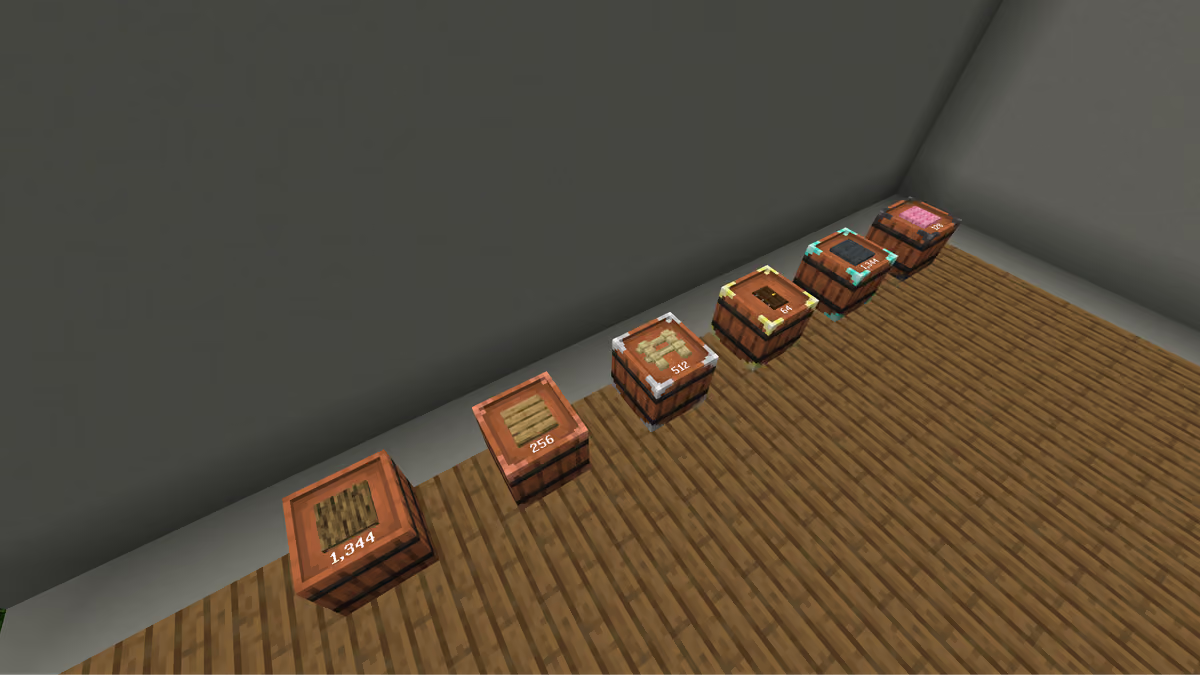
All limited barrel variants in a row, showing the item count inside
Upgrades
Upgrades are installed through the GUI. When holding an upgrade in hand, the blocks highlight the current slot contents and empty spots — showing where else something can be placed.
Upgrade | What it does |
Pickup | Picks up items that touch the block, by filter |
Magnet | Teleports items within a 5-block radius into the storage |
Filter | Restricts insertion/extraction through hoppers |
Void | Destroys items by filter when they enter the block |
Compacting | Compacts items via 2×2 recipes |
Feeding | Feeds the player when hunger drops |
Smelting | A furnace in the upgrade tab |
Smoking | A smoker in the tab (double speed, food only) |
Crafting | A crafting table in the upgrade tab |
Stonecutter | A stonecutter in the tab; remembers the last recipe and selects it immediately on the next block |
Stack Upgrade | Multiplies the maximum stack size: T1 ×2, T2 ×4, T3 ×8, T4 ×16, T5 ×32. Several upgrades multiply together. |
Jukebox | Plays music discs in the tab |
Compression | Takes up several slots, auto-converts between compression tiers (for example: iron nuggets → ingots → block) |
Hopper | Pulls from the top, pushes downward, 8 ticks between transfers, 1 item at a time |
Pump | Allows the storage to hold fluids |
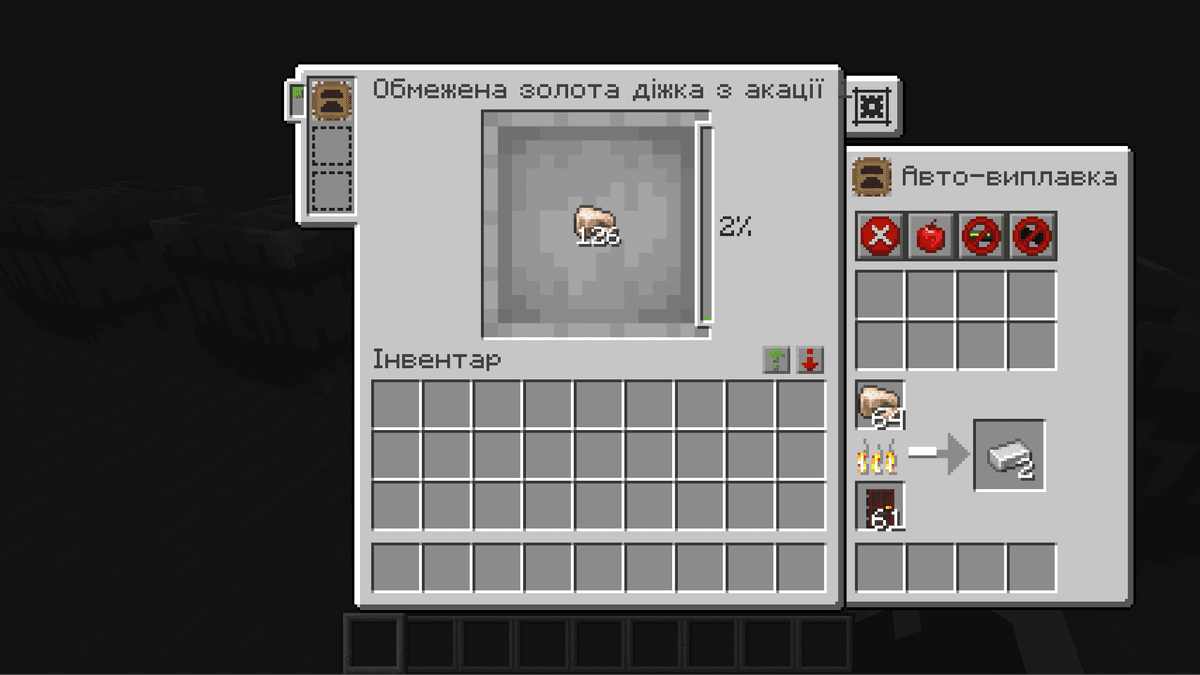
The auto-furnace upgrade pulls fuel and items from the storage, smelts them and returns the result back
Controller and storage network
The Controller unites all connected blocks into a single system. The maximum link distance is 15 blocks in any direction. Right-clicking the controller with a stack in hand distributes it into the first storage that already holds such an item. A double right-click unloads all matching inventory contents.
If you need storages that are distant or non-adjacent, the Storage Link is used. It is placed on the face of the target block, then bound to the controller via the Storage Tool. After that, the link includes all adjacent storages in the chain into the network — but only if they are within the 15-block radius.
The Storage Tool lets you: connect the controller to blocks, block insertion of foreign items through hoppers, hide/show the tier, upgrades, locks and counters on the blocks. Switch between modes with Shift + the mouse wheel.
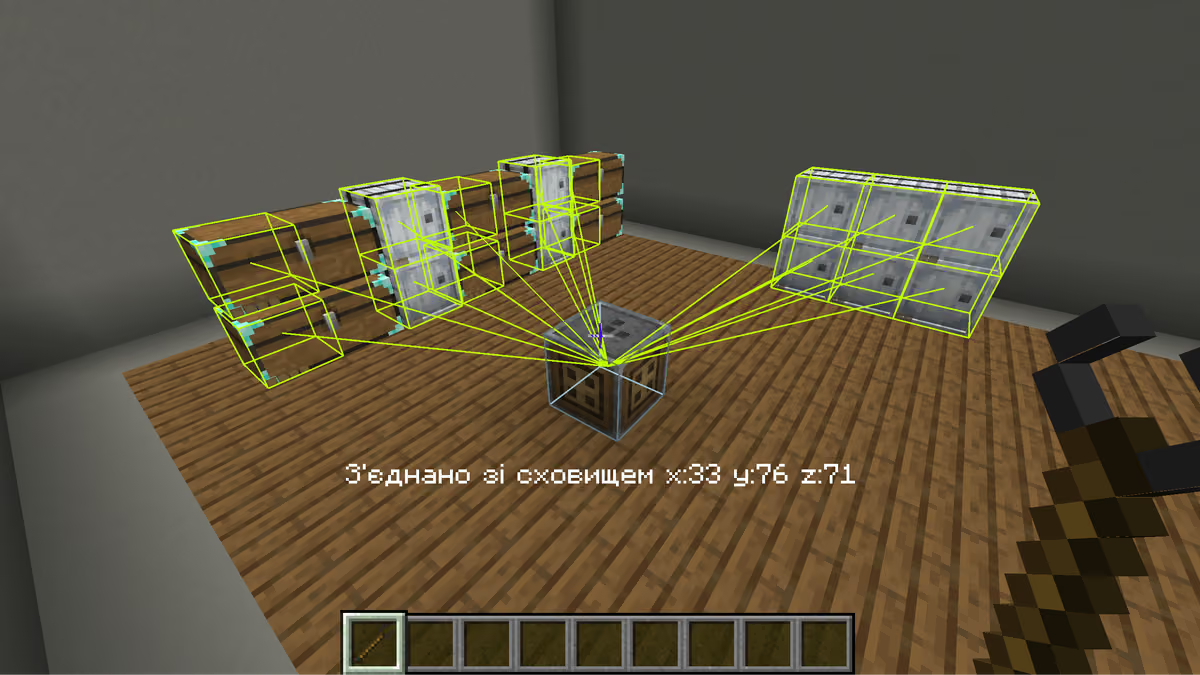
A unified storage built with the Controller and the Storage Tool
Decoration
Barrels, chests and shulker boxes support two independent colors — a main one and an accent one. For a barrel, the surface material can additionally be changed: top, side and bottom — separately for each zone.
The Decoration Table is the main tool. It offers a choice of colors and materials plus a preview of the result. It uses fewer resources compared to crafting.
The Brush is configured at the decoration table, then applied with a click right in the world. A click on the controller styles all connected blocks at once.
Dyes can also be applied via the crafting table: to the left of the block — the main color, to the right — the accent color, in the same column — both. The color mix is calculated the same way as dyeing leather armor.
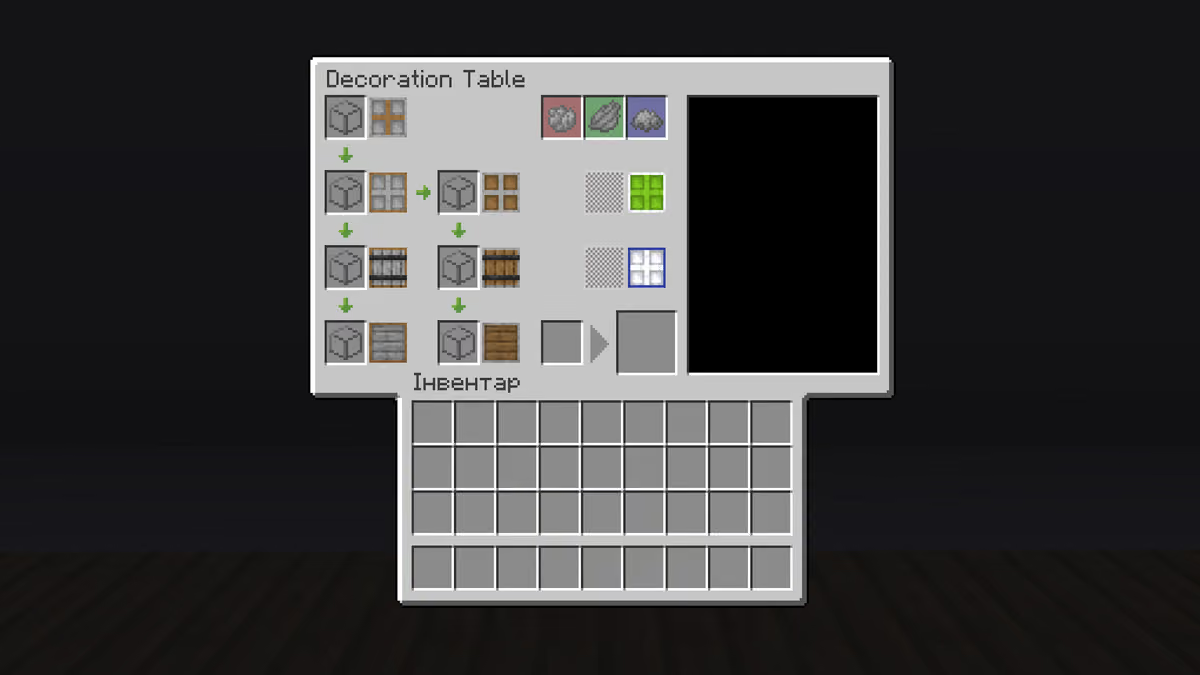
The decoration table with its interface open
Configuration
The mod has five config files. Below are the key parameters; the full list is in the corresponding files in the config/ directory.
sophisticatedstorage-server.toml
General parameters:
Parameter | Description |
| Limit of upgrades of a certain group per block. Example: " |
| The item count above which breaking a block without Shift is blocked with a warning. |
Storage block parameters (set separately for each tier: WoodBarrel, CopperBarrel, IronBarrel, GoldBarrel, DiamondBarrel, NetheriteBarrel; likewise for chests and shulker boxes):
Parameter | Description |
| Number of inventory slots |
| Number of upgrade slots |
For limited barrels (LimitedBarrelI–IV, likewise for copper, iron, etc.), instead of inventorySlotCount the baseSlotLimitMultiplier (1–8192) is used — the multiplier of the base stack size.
Smelting upgrade parameters (apply to smeltingUpgrade, smokingUpgrade, blastingUpgrade and their auto variants):
Parameter | Description |
| Smelting speed multiplier relative to the vanilla furnace |
| Fuel efficiency multiplier |
| Item filter slots (auto variants only) |
| Fuel filter slots (auto variants only) |
Hopper upgrade parameters:
Parameter | Description |
| Input filter slots |
| Output filter slots |
| Ticks between transfers (less = faster) |
| Items per transfer |
Other upgrade parameters:
Parameter and upgrade | Description |
| Magnet range in blocks |
|
|
| Maximum compression slots |
| Additional items for decompression. By default includes glowstone block → 4× dust and quartz block → 4× quartz |
|
|
| Maximum experience points per repair operation |
| Number of slots for music discs |
sophisticatedstorage-common.toml
Parameter | Description |
|
|
sophisticatedstorage-client.toml
Parameter | Description |
|
|
|
|
sophisticatedcore-client.toml
Parameter | Description |
| Position of the sort buttons in the GUI: to the right of the title, below the upgrades, below the upgrade tabs, or hidden |
|
|
sophisticatedcore-common.toml
Parameter | Description |
| Controls whether the mod's items are enabled. A value of |
Conclusion
Sophisticated Storage gives a clear progression from a 27-slot wooden chest to a 132-slot netherite one with five upgrade slots. The Controller, with support for 15-block chains, lets you build centralized storage without depending on heavy external automation.
The mod suits survival with a focus on resource organization — primarily in the mid and late stages, when materials are enough for the gold and diamond tiers. For survival servers, the mod covers most storage needs within a single mod.
Installation
A typical installation takes about 5 minutes. The flow is the same; only the loader and the matching build differ.
- 1Install a mod loader (Forge, Fabric or NeoForge) that matches your Minecraft version.
- 2Download the mod file (.jar) built for that same version.
- 3Place the .jar into your .minecraft/mods folder.
- 4Launch Minecraft with the modded profile and check the mod loads in-game.
 Installing Mods in Minecraft: A Guide for Forge, FabricLearn how to install mods in Minecraft with this step-by-step guide for Forge and Fabric. Improve your game with new features, tools, and mechanics!Open the install guide