
Stoneworks — a building mod for adding new decorative blocks and stone varieties in Minecraft
Stoneworks is a Minecraft mod that adds various decorative blocks, stairs, slabs, and walls for all vanilla stone types like granite…
Stoneworks is a Minecraft mod that adds various decorative blocks, stairs, slabs, and walls for all vanilla stone types like granite, diorite, and tuff.
Stoneworks — a building mod for adding new decorative blocks and stone varieties in Minecraft
Minecraft version tested and article written on: 1.21.11
Supported version range: 1.18.2 – 26.1.2
Third-party libraries: Puzzles Lib (for Fabric and NeoForge), Fabric API and Forge Config API Port (for Fabric)
Stoneworks is a Minecraft mod that closes a long-standing vanilla gap: the lack of decorative variants for most stone types. In the base game, only regular stone and deepslate have a complete set of variations. Granite, diorite, andesite, tuff, and others are limited to polished forms or have no additional variants at all. The mod gives each vanilla stone type an equally wide range of building blocks.
What variants does the mod add
The logic is simple — one template for all stone types. Up to five basic decorative variants appear for each supported rock type.
For some rare rock types, the list of variants will be smaller. The exact set depends on the rock and the version number.
For most of the new blocks, the mod also adds the standard trio "stairs + slab + wall". Transitions between floors, curbs, and fences can now be made with the same material, without switching to the vanilla palette and without losing the build's integrity.
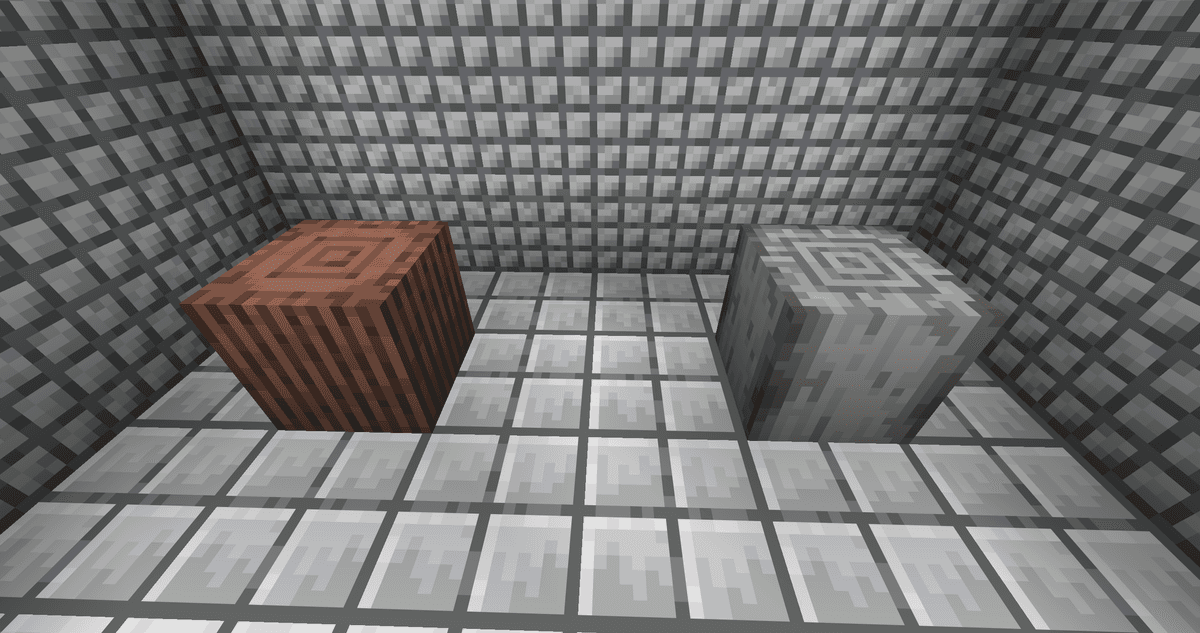
Placed granite and tuff columns against the background of new modded blocks
Supported rock types
Roughly speaking, all stone types in the game are covered. If a rock type is present in the game, it will get a full decorative set after installing Stoneworks.
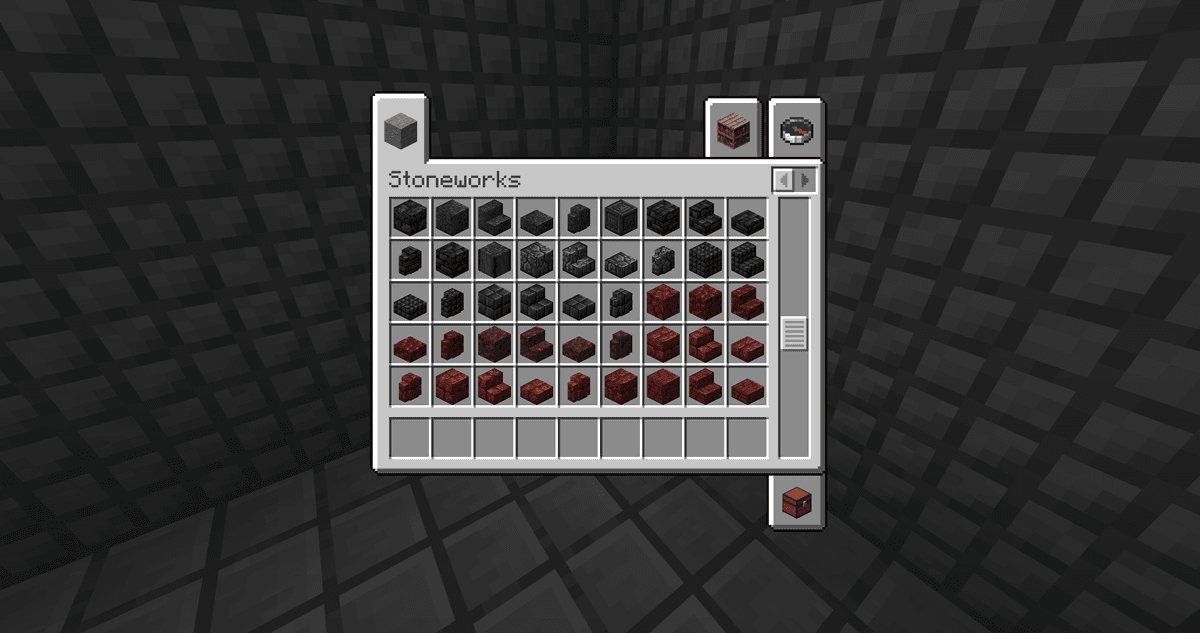
Creative menu tab showing the new blocks
Crafting via the stonecutter
All added blocks are crafted exclusively in the stonecutter. The workflow is standard for the vanilla tool: stone or its derivative form is placed in the left slot, and a complete list of available variants appears in the right slot. One input block = one output block (with the exception of slabs: just like in vanilla, one block yields two slabs).
This choice has several side effects:
No need to memorize separate crafting table recipes for each variant — all crafting is concentrated in a single GUI.
Survival mode is fully supported: the stonecutter is available early in the game and doesn't require rare ingredients.
Transformation paths are visible directly in the stonecutter window, without third-party recipe viewers.
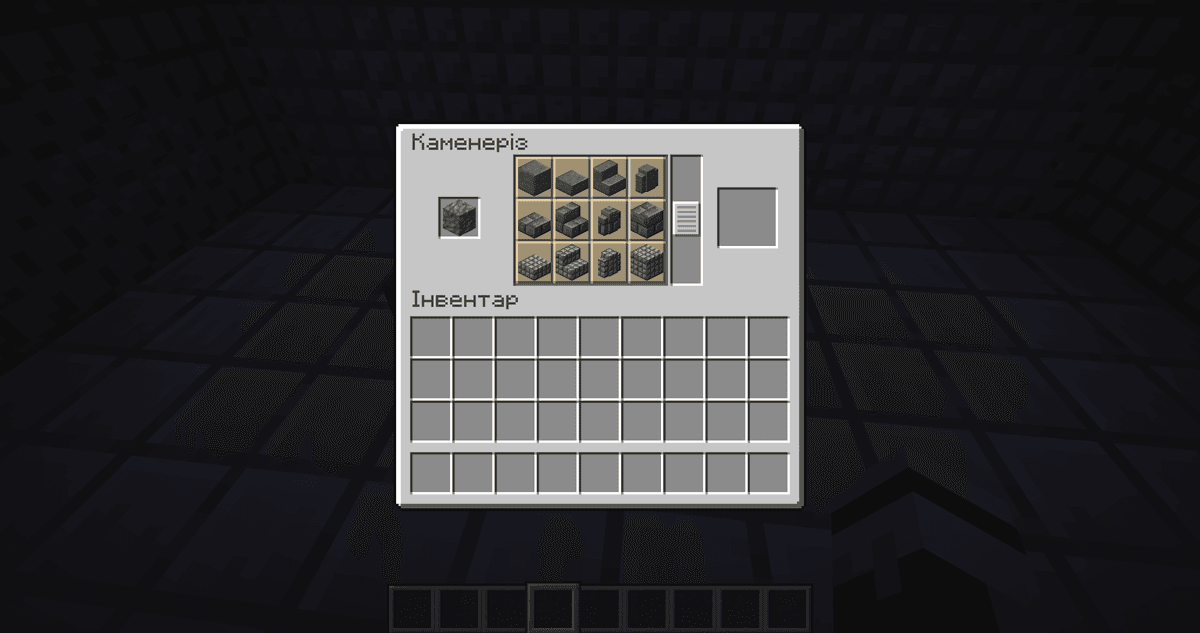
Stonecutter interface with a tuff block placed in the left slot and a full list of available results on the right
Config
The mod contains a single parameter, configured via the stoneworks-common.toml file in the .minecraft/config/ folder.
Parameter | Description |
| Controls whether vanilla stone variants are duplicated in the mod's own creative tab alongside new variants of the same rock type. |
There are no other parameters. Unlike large content mods, Stoneworks only adds blocks and does not require fine-tuning of behavior.
Conclusion
Stoneworks adds a decorative set for all vanilla stones — and does so without expanding mechanics, overloading the inventory, or introducing any complex changes. Stoneworks is suitable for those who build medieval castles, stone cities, roads, forts, and residential quarters in survival and want granite and tuff to have the same variety of options as smooth stone.
Installation
A typical installation takes about 5 minutes. The flow is the same; only the loader and the matching build differ.
- 1Install a mod loader (Forge, Fabric or NeoForge) that matches your Minecraft version.
- 2Download the mod file (.jar) built for that same version.
- 3Place the .jar into your .minecraft/mods folder.
- 4Launch Minecraft with the modded profile and check the mod loads in-game.
 Installing Mods in Minecraft: A Guide for Forge, FabricLearn how to install mods in Minecraft with this step-by-step guide for Forge and Fabric. Improve your game with new features, tools, and mechanics!Open the install guide










