
Trading Post: A mod review for simplifying trading with villagers in Minecraft
Description of the centralized trading interface, block crafting, TOML configuration, and dependencies.
Description of the centralized trading interface, block crafting, TOML configuration, and dependencies.
Dependencies:
Loader: Fabric / Forge / NeoForge / Quilt
Minecraft version: 1.19.x-26.1.x
Required libraries: Puzzles Lib (required), Forge Config API Port (required for Fabric)
Trading with villagers in standard gameplay requires visiting each trader individually and opening their personal menus sequentially. The Trading Post mod adds a block of the same name that automatically gathers the offers of all traders within a specific radius. Interacting with this block opens a single interface where you can view all available trades and filter items using a search bar. This simplifies bulk trading, saves time looking for specific books or resources, and eliminates the need to build complex mechanical corridors for sorting villagers.
Features and functionality of the trading interface
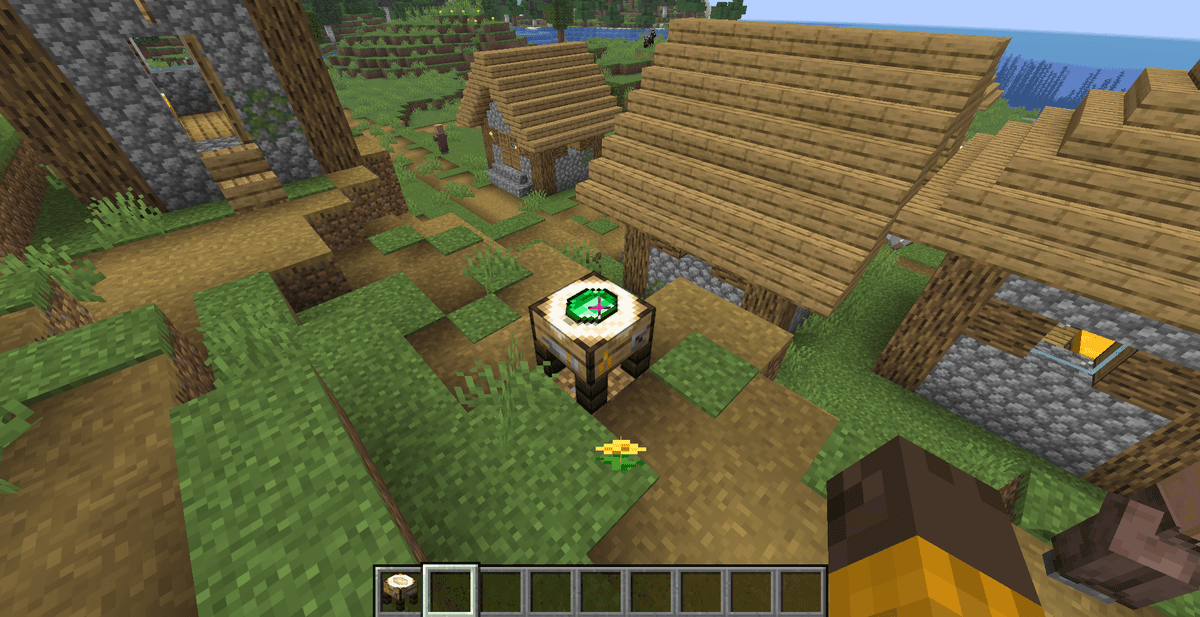
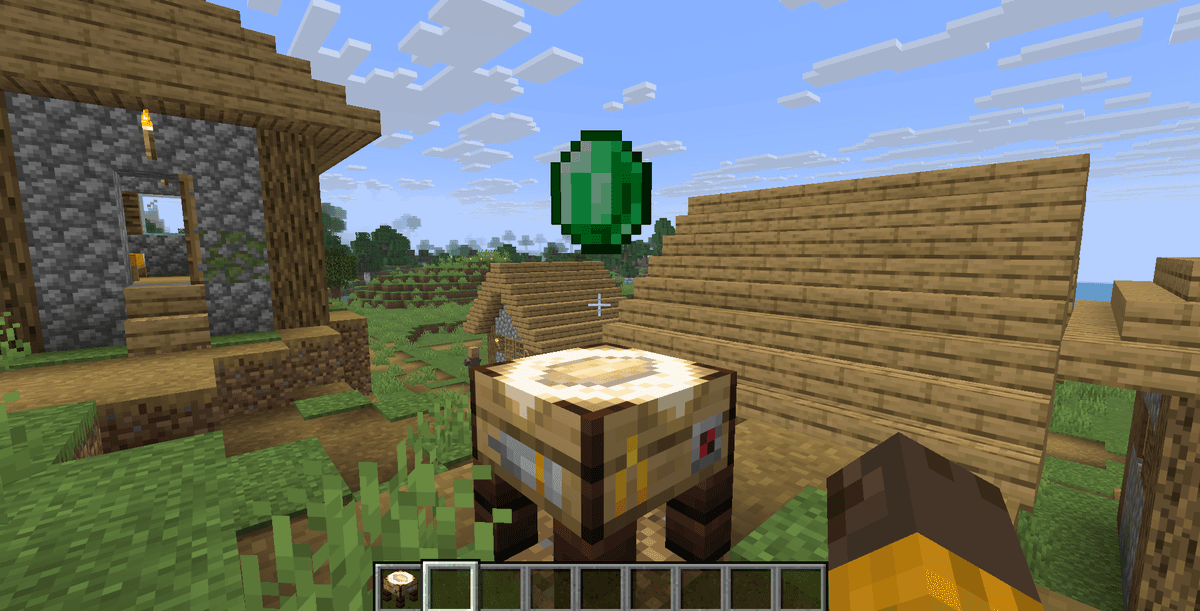
After placing the new block — the Trading Post — it scans the surrounding area and detects villagers who have a profession and are ready to trade. Right-clicking on this block opens a special trading screen.
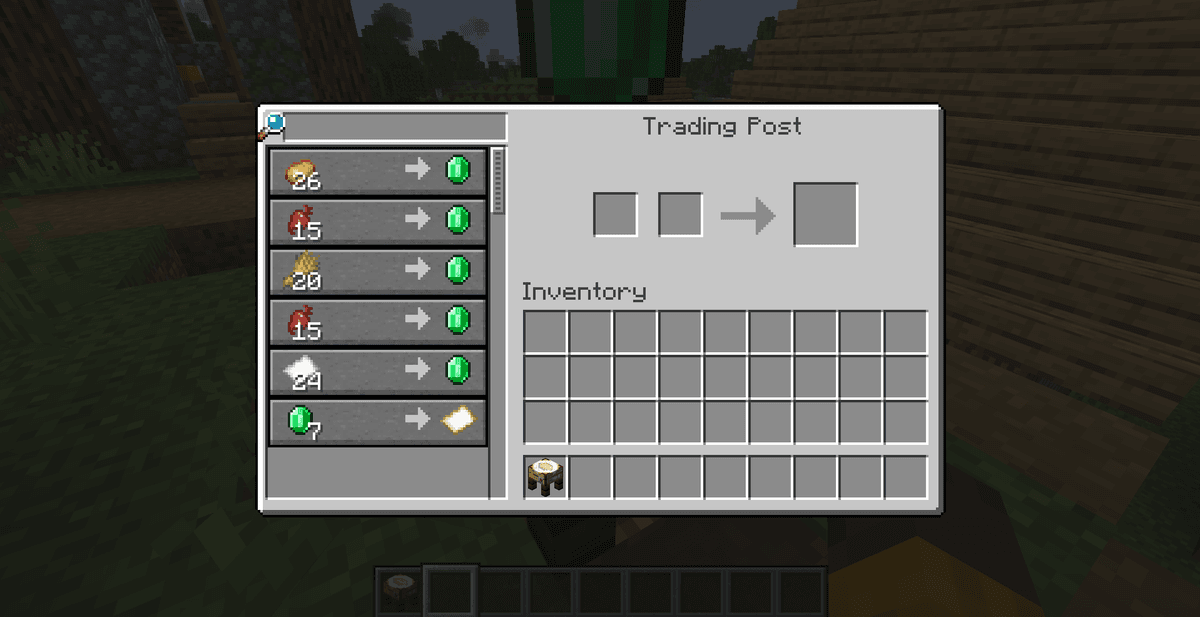
This screen combines items into one list. The left side contains a list of items that villagers offer or want to buy, as well as the number of available trades. If several villagers offer the same items (for example, Iron for Emeralds or Efficiency books), the interface groups them, allowing you to compare prices.
For quick item searching, the developer added a text field in the top left corner. By entering the name of an item there (for example, 'Emerald' or 'Book'), you will filter the list and see the relevant offers. All trading mechanics, such as offers refreshing twice per in-game day, trades locking after reaching a limit, and price reductions due to the Hero of the Village effect or curing Zombie Villagers, work without changes.
Experience collection and resource accumulation
Every successful trade yields experience and causes the villager to drop an experience orb on the ground. By default, the Trading Post mod spawns these experience orbs right next to the trading post block itself. This accumulates experience in one spot, and you can collect it after finishing your trades. If you activate the corresponding parameter in the configuration, experience orbs will spawn near your character.
Crafting and block placement rules
To craft a Trading Post, you will need: 3 Wooden Planks (any type), 2 Sticks, and 1 Emerald. The crafting recipe in the Crafting Table looks like this:
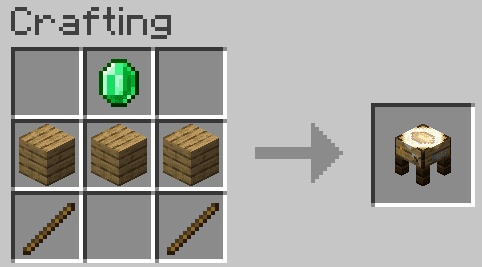
You can place the block anywhere. Its texture resembles a wooden stand with a green cloth and an emerald pattern on the sides, which fits well for decorating market squares or trading halls. For the block to work, villagers must be within its scanning range and have access to their workstations to restock their trades.
Configuration settings
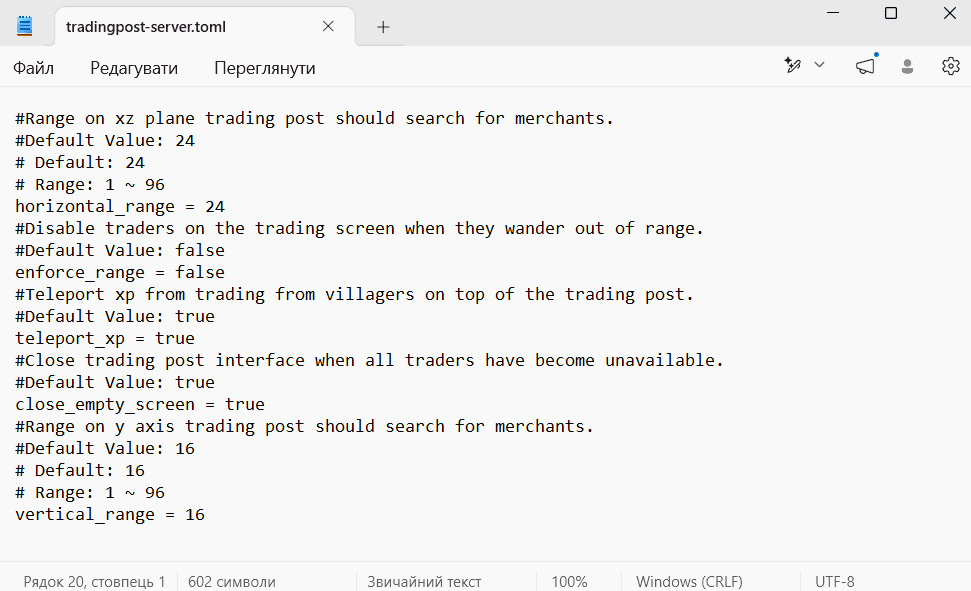
The modification allows you to adjust the scanning parameters and villager behavior using the tradingpost-server.toml configuration file. This file appears after launching the world for the first time and is located in the serverconfig folder of your save (path: .minecraft/saves/[World_Name]/serverconfig/tradingpost-server.toml).
Main configuration parameters:
horizontal_range(value from 1 to 96, default — 24): determines the horizontal scanning radius (along the X and Z axes) to search for traders.vertical_range(value from 1 to 96, default — 16): determines the scanning height (along the Y axis), which detects villagers on other floors or underground.enforce_range(boolean value true/false, default — true): if you enable this parameter, the game disables the trading interface with a specific villager if they wander out of the block's range during a trading session.teleport_xp(boolean value true/false, default — false): if set to true, the game teleports the dropped experience orbs directly to your character instead of dropping them near the block.
If you are using the Fabric loader, you must install the helper mod Mod Menu to change these parameters in-game, and on Forge or NeoForge — the Configured mod, which add a convenient graphical settings interface.
Compatibility and performance
To run the Trading Post mod, you need to install the Puzzles Lib library, which contains shared code for the author's projects. The Fabric version also requires Forge Config API Port to properly read the TOML configuration file.
Performance and limitations: If you set the maximum scanning radius values (horizontal_range = 96 and vertical_range = 96) in large settlements where the number of villagers exceeds several dozen, the game might drop frames (FPS) when opening the menu. Constant scanning of entities and updating their trade lists puts a load on the CPU and lowers server TPS. Keep the radius values within the standard 24–32 blocks.
To block unwanted entities or traders from other modifications, you can use the Minecraft tag system by adding identifiers to the tradingpost:blacklisted_traders tag via a custom datapack.
Author's opinion
Compared to the classic construction of large trading halls where you lock each villager in a small cubicle, Trading Post allows you to let villagers roam free without losing trading convenience. The main limitation of the mod is the increased system load with a large entity search radius. This modification is suitable for single-player survival and small private servers where players want to minimize the grind and restock their resources without wasting extra time.
Installation
A typical installation takes about 5 minutes. The flow is the same; only the loader and the matching build differ.
- 1Install a mod loader (Forge, Fabric or NeoForge) that matches your Minecraft version.
- 2Download the mod file (.jar) built for that same version.
- 3Place the .jar into your .minecraft/mods folder.
- 4Launch Minecraft with the modded profile and check the mod loads in-game.
 Installing Mods in Minecraft: A Guide for Forge, FabricLearn how to install mods in Minecraft with this step-by-step guide for Forge and Fabric. Improve your game with new features, tools, and mechanics!Open the install guide










