
VeinMiner — a gameplay mod for fast mining of an entire ore vein or block cluster in Minecraft
Review of the VeinMiner mod for Minecraft. Learn how to quickly mine entire ore veins or block clusters, configure block groups, and use…
Review of the VeinMiner mod for Minecraft. Learn how to quickly mine entire ore veins or block clusters, configure block groups, and use the commands.
VeinMiner — a gameplay mod for fast mining of an entire ore vein or block cluster in Minecraft
Minecraft version: 26.1.2
Mod version: 2.7.1
Dependencies: Fabric API, Silk, Fabric Language Kotlin
VeinMiner breaks a connected vein of any ore or other configured blocks of the same type in a single hit — from diamond ores to a pillar of wood logs. The same author has two other editions of the project (a data pack for vanilla and a plugin for Paper/Purpur).
Configuration
Instead of a chat menu, there is a dedicated command /veinminer with subcommands, a file config, a permission system, and block groups.
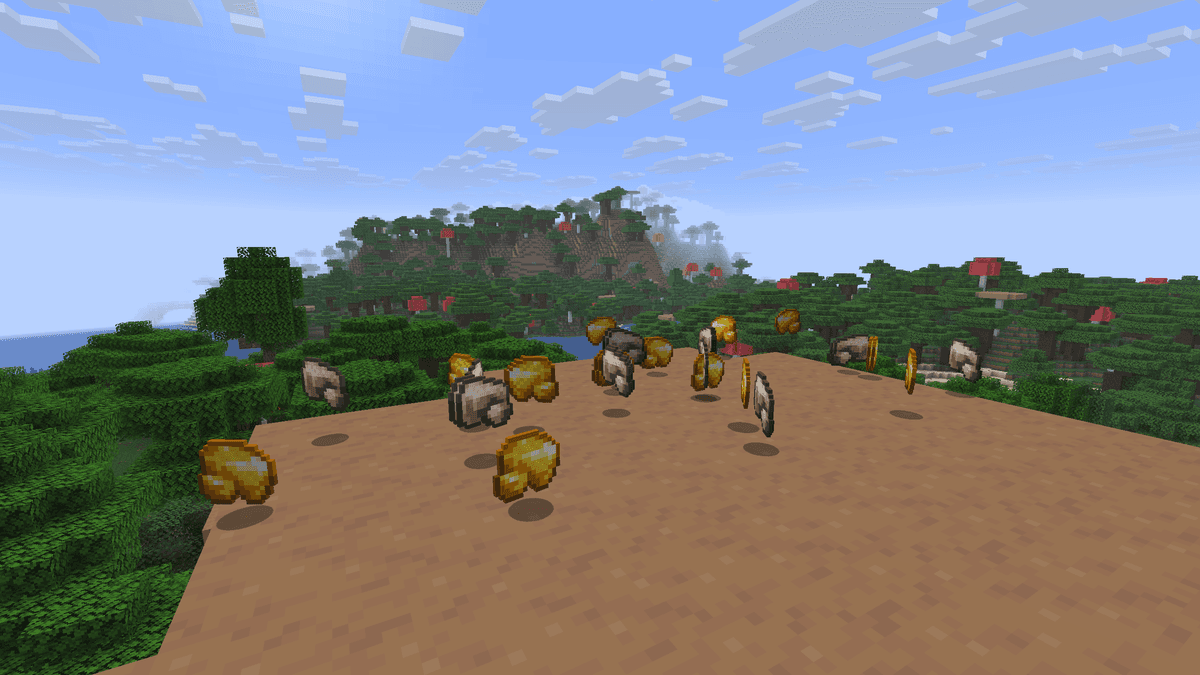
Demonstration of the mod using iron and gold ores
Commands
Command | Purpose |
| Edit allowed blocks |
| Toggle on/off entirely |
| Change general parameters |
Permissions to use the commands are granted to everyone by default.
How to add a block to the allowed list
By default, the mod vein-mines only those blocks that are on the allowed list. If a block is not listed, it is broken one by one, just like in pure vanilla.
To add a block, use the command: /veinminer blocks add
You can add not just one block, but an entire tag in one line — this is a group of blocks that Mojang pre-grouped logically. For example, #minecraft:logs — all types of wood logs together.
Other vanilla tags work the same way: #minecraft:planks, #minecraft:coal_ores, #minecraft:diamond_ores, #minecraft:leaves. Some mods add their own tags in a separate namespace (for example, #c:storage_blocks from Common Tags) — these can be linked too.
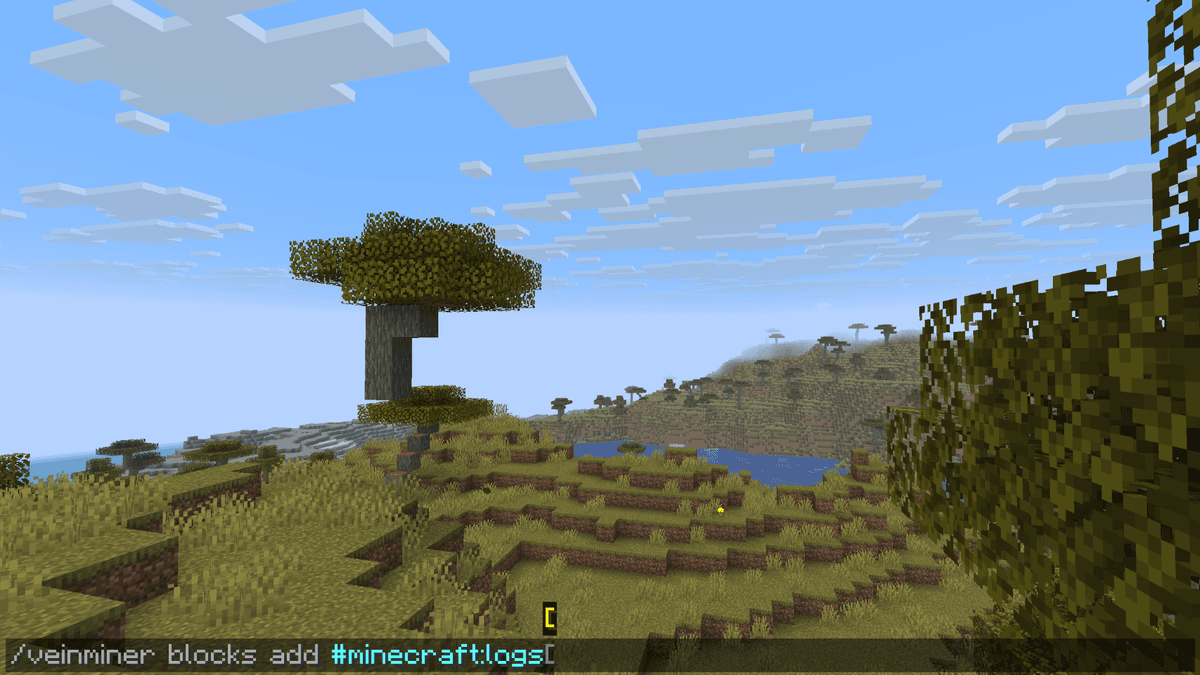
Adding all wood types to the list
General parameters for commands
Modification — /veinminer settings <parameter> <new value>.
Parameter | Description | Default |
| VeinMine works only while holding Shift |
|
| Delay between uses, in ticks |
|
| Interval between breaking neighboring blocks, in ticks |
|
| Maximum connected blocks from one source |
|
| Whether the tool must match the block |
|
| Search radius for neighboring blocks |
|
| Restrict VeinMine by permissions |
|
| All dropped blocks are merged into one item entity |
|
| Automatic download of new versions |
|
| Decrease tool durability for every broken block |
|
| Increase in block mining time depending on the vein size |
|
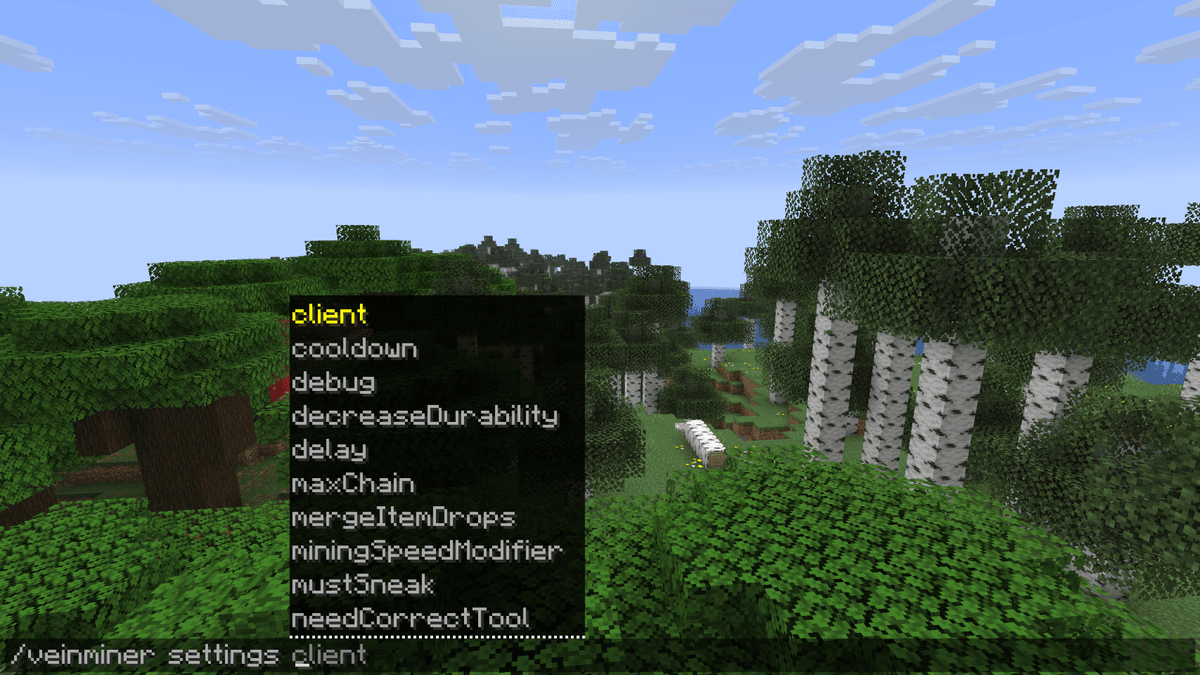
Output of /veinminer settings with possible parameters
Block groups
Blocks from the same group are broken together as one type — for example, copper_ore + deepslate_copper_ore in the same group will allow breaking a cluster of connected blocks in a single click. By default, the config is already set up so that all types of ores are broken together if they are connected. A single block can also be part of multiple groups. If no tool is specified for the group, it will work with any. If one is specified, it works only with it.
Commands for block groups
/veinminer groups create <name> [<block1>] [<block2>]— create a group/veinminer groups edit <name> add-block <block>— add a block to the group/veinminer groups edit <name> remove-block <block>— remove a block from the group/veinminer groups edit <name> add-tool <item>— restrict the group by tool/veinminer groups edit <name> remove-tool <item>— remove the restriction
![/veinminer groups create <name> [<block1>] [<block2>] — create a group/veinminer groups edit <name> add-block <block> — add…](/_next/image?url=%2Fuploads%2Fmods%2F3e63315c653241019a75a27cef7e173d.png&w=1200&q=75)
Creating a new group
Conclusion
VeinMiner removes the repetitive clicking during mining. The mod does not change loot, does not affect balance, and does not require custom blocks or infrastructure. Therefore, it is suitable for most players.
It works not only with ores. If you add wood, stone, or dirt to the allowed list — everything connected in a single chunk of the same type breaks together.
As for downsides — on very large veins (50+ blocks at once), the client lags from the massive amount of simultaneous item drops. mergeItemDrops helps partially: it collects everything into one stack, but it doesn't completely eliminate the root cause.
Installation
A typical installation takes about 5 minutes. The flow is the same; only the loader and the matching build differ.
- 1Install a mod loader (Forge, Fabric or NeoForge) that matches your Minecraft version.
- 2Download the mod file (.jar) built for that same version.
- 3Place the .jar into your .minecraft/mods folder.
- 4Launch Minecraft with the modded profile and check the mod loads in-game.
 Installing Mods in Minecraft: A Guide for Forge, FabricLearn how to install mods in Minecraft with this step-by-step guide for Forge and Fabric. Improve your game with new features, tools, and mechanics!Open the install guide










