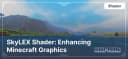
SkyLEX: Enhancing Minecraft Graphics
SkyLEX Shader transforms Minecraft with realistic lighting, shadows, water, and weather effects. Optimized for Java Edition and compatible…
SkyLEX Shader transforms Minecraft with realistic lighting, shadows, water, and weather effects. Optimized for Java Edition and compatible with popular mods.
Main Features of the SkyLEX Shader
Advantages
-
High Performance: The shader is optimized to run even on medium and low-end PCs.
-
Realistic Effects: Improved shadows, lighting, and reflections make the Minecraft world more vibrant.
-
Support for Modern Technologies: Full compatibility with mods like OptiFine and Iris.
What SkyLEX Improves
-
Lighting: Adds soft light transitions, realistic shadows, and brightness close to real-world conditions.
-
Realistic Water: Dynamic waves, reflections, and transparency make water in Minecraft truly beautiful.
-
Weather Effects: Rain, fog, and sun glares look natural and enhance the game’s atmosphere.
-
Night Lighting: A starry sky and soft moonlight create an impressive nighttime ambiance.
Compatibility
The SkyLEX Shader supports the following platforms and Minecraft versions:
-
Minecraft Versions: 1.16 — 1.20+.
-
Launchers: Compatible with Forge, NeoForge, and Fabric.
-
Mods: Fully functional with OptiFine, Iris, and other popular graphic mods.
What Makes SkyLEX Stand Out
SkyLEX combines high-quality graphics with excellent optimization. Unlike more resource-intensive shaders, it’s perfect for players with various PC configurations. Additionally, SkyLEX offers extensive customization options, allowing you to tailor the shader to your needs.
Shader Comparison Table
| Feature | SkyLEX | SEUS PTGI | BSL Shaders |
|---|---|---|---|
| Minecraft Version | 1.16—1.20+ | 1.16—1.20+ | 1.16—1.20+ |
| Performance | Medium and low-end PCs | High-end PCs | Medium PCs |
| Lighting Quality | Realistic, soft | Ray tracing | Brightness, saturation |
| Water Realism | Transparency, waves | Maximum detail | Dynamic reflections |
| Weather Effects | Rain, glare, fog | Realistic rain | Soft fog |
| Mod Compatibility | OptiFine, Iris | OptiFine | OptiFine, Iris |
| Customization Options | Flexible parameters | Minimal settings | Moderate settings |
| Key Features | High optimization | RTX support | Popularity among players |
Frequently Asked Questions (FAQ)
1. Why does the game freeze when using SkyLEX?
Solution: Check the graphics settings. Ensure your PC meets the minimum requirements and try lowering the shader’s parameters.
2. How do I configure the shader for a low-end PC?
Solution: In the shader settings menu, reduce lighting quality and disable complex effects like volumetric clouds or dynamic reflections.
3. SkyLEX conflicts with other mods. What should I do?
Solution: Ensure you’re using compatible versions of OptiFine or Iris. Check all installed mods for compatibility with your Minecraft version.
4. Is SkyLEX compatible with Minecraft Bedrock Edition?
Answer: Unfortunately, SkyLEX is only available for Java Edition.
Published under All Rights Reserved (free distribution allowed)
Installation
A typical installation takes about 5 minutes. The flow is the same; only the loader and the matching build differ.
 How to Install Shaders in MinecraftFind out how to install shaders in Minecraft with a simple guide. Improve lighting, shadows, and reflections for better visuals.Open the install guide
Gallery
Found: 16