

AuthMeReloaded — a plugin for authenticating players on a Minecraft server
AuthMeReloaded is an authentication plugin for servers running in offline mode. Until they log in or register, a player cannot move, break…
AuthMeReloaded is an authentication plugin for servers running in offline mode. Until they log in or register, a player cannot move, break or place blocks, enter commands, or open their inventory. After a successful /login all restrictions are lifted. On online servers the…
AuthMeReloaded — a plugin for authenticating players on a Minecraft server
Minecraft version: 26.1.2
Platform: Paper 26.1.2-63
Plugin version: 6.0.0
Java: 25
AuthMeReloaded is an authentication plugin for servers running in offline mode. Until they log in or register, a player cannot move, break or place blocks, enter commands, or open their inventory. After a successful /login all restrictions are lifted. On online servers the plugin adds a second layer of protection — for example, through 2FA or protection against nickname theft.
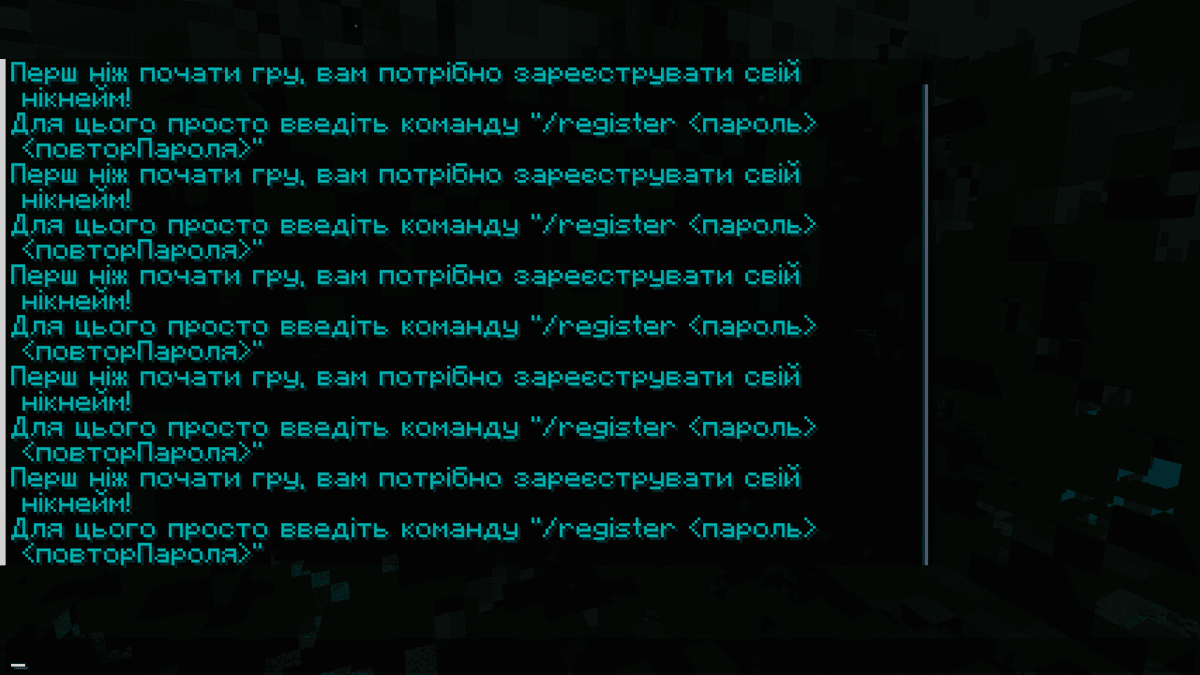
The screen after joining the server with a message about the need to authenticate
How it works
When a player connects, AuthMe takes away their OP status, flight speed and walking speed, and starts sending reminders every 5 seconds. A registered player enters /login <password>, a new one — /register <password> <password>. If the server crashes before the player leaves, the data is saved to disk via the limbo system — by default, each player in a separate file.
By default, 30 seconds each are allotted for login and registration — after that the player is kicked. The registration limit from a single IP is 1 account. The nickname must be 3 to 16 characters, only [a-zA-Z0-9_].
Version 6.0.0 added a graphical dialog for login and registration instead of the chat.
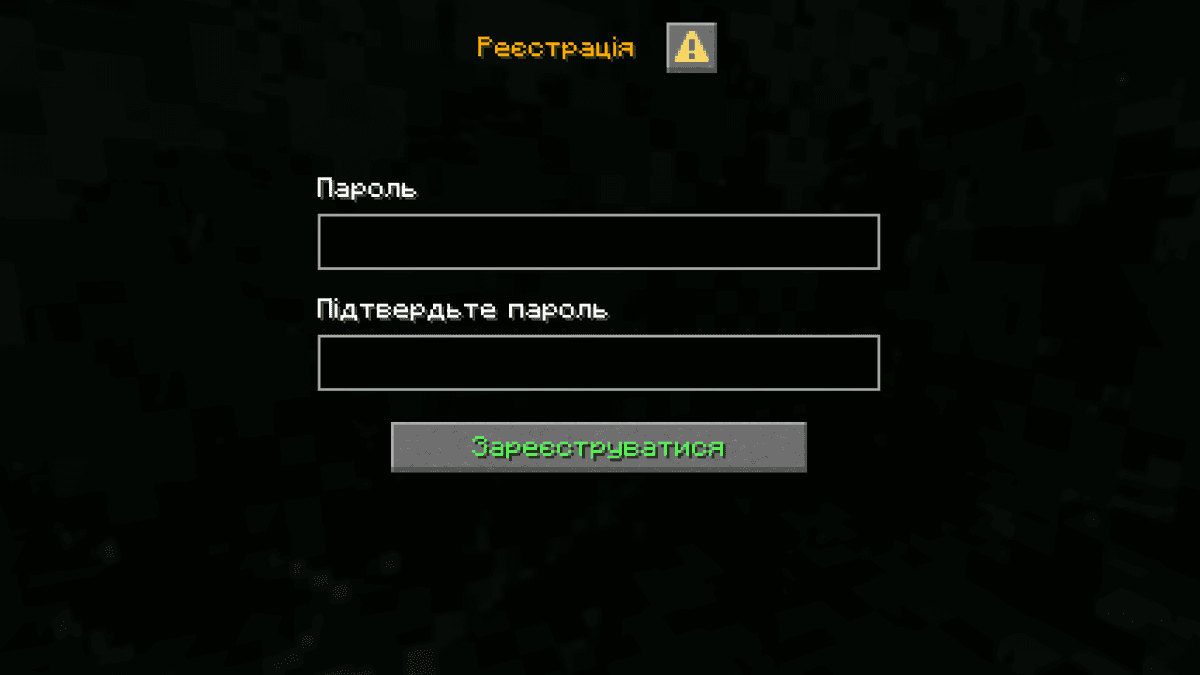
The graphical authentication dialog
Configuration
The config is located in plugins/AuthMe/config.yml. It is generated on first launch.
Database
By default, the plugin uses SQLite — the file is created in the plugin folder without any additional setup. For larger servers, switch to MySQL, MariaDB or PostgreSQL via the DataSource.backend parameter. When using an external database, the standard mySQLHost, mySQLPort, mySQLUsername, mySQLPassword and mySQLDatabase are specified.
Security and passwords
The minimum password length is 5 characters, the maximum is 30. The allowed characters are defined by the allowedPasswordCharacters regex, by default [!-~] — all visible ASCII characters.
The default hashing algorithm is SHA256. BCRYPT, PBKDF2, ARGON2 are supported, as well as the hashes of forum engines — PHPBB, MYBB, XENFORO, WORDPRESS and others. When changing the algorithm, old passwords are carried over via legacyHashes — the plugin automatically re-hashes on login
The captcha is enabled after 5 failed login attempts, but it is disabled by default. A temporary IP ban after 10 failed attempts is also disabled by default — when enabled, the duration is 480 minutes.
Registration
The default registration type is PASSWORD: the player specifies the password twice themselves. The second option is EMAIL: the system generates a password and sends it by email. For email-based recovery, SMTP is configured through the Email section — by default, smtp.gmail.com port 465 is specified.
Sessions are disabled by default. When enabled (settings.sessions.enabled: true), a player who joins from the same IP within 10 minutes is authenticated automatically.
Commands
All plugin commands are divided into two levels: player commands for registration and managing one's own account, and administrative /authme commands for managing other players' accounts from the console or with admin rights through the chat.
Player commands
Command | Description |
| Register an account |
| Log in |
| Log out |
| Change password |
| Link an email |
| Change email |
| Password recovery |
| Enable 2FA |
| Disable 2FA |
Administrative commands
Command | Description |
| Register a player from the console |
| Delete an account |
| Force authentication |
| Change a player's password |
| Date of last login |
| Accounts linked to an IP |
| Set a player's email |
| An online player's IP |
| A player's 2FA status |
| Disable a player's 2FA |
| Delete data older than N days |
| Delete banned players' data |
| Toggle AntiBot |
| Reload the config |
| Import from another plugin |
| Recent authentications |
Conclusion
AuthMeReloaded prevents playing until the player has authenticated. It also protects against nickname theft. The config covers virtually any scenario: from a simple SQLite server to a multi-server network with MySQL and forum integration. Most protective features are disabled by default — captcha, temporary ban, country-based protection — and are enabled as needed.
Installation
A typical installation takes about 5 minutes. The flow is the same; only the loader and the matching build differ.
- 1Stop your Minecraft server.
- 2Drop the plugin .jar into the server /plugins folder.
- 3Start the server once so the plugin generates its config files.
- 4Edit /plugins/<name>/config.yml as needed, then run /reload confirm or restart.
 How to Install a Plugin on a Minecraft ServerLearn how to install a plugin on a Minecraft server. Follow this guide to add new features, improve gameplay, and customize your server easily.Open the install guide