Soft Voxels Lite — Shaders for Minecraft
Soft Voxels Lite: RRe36's free, lightweight Soft Voxels shaders with soft ray-traced lighting, built for lower-end PCs running Minecraft.
Soft Voxels Lite: RRe36's free, lightweight Soft Voxels shaders with soft ray-traced lighting, built for lower-end PCs running Minecraft.
Soft Voxels Lite — Shaders for Minecraft
Soft Voxels Lite is a free, lightweight version of RRe36's Soft Voxels shaders for Minecraft. Instead of chasing photorealism, this build focuses on soft, ray-traced lighting: there's no classic shadowmap — light is calculated through a voxel grid using path tracing, so direct sunlight and moonlight come out diffused, giving the pack its signature moody, overcast look. The full version is paid; this one is built for weaker hardware.
Visual Features
Instead of a shadowmap, the pack runs a light-propagation-volume and path-tracing combo that produces colored bounce lighting from light sources.
Lighting: ray-traced, with colored highlights from emitters. A Soul Lantern casts a cool, bluish tint, while a regular Lantern gives a warm one; light doesn't flood the whole space evenly.
Shadows: soft, with no hard edges — the diffused ray blurs them.
Water: screen-space reflections (SSR) and a moving wave.
Sky: a custom skybox with flat 2D clouds covering the whole sky, so the weather leans cloudy more often than clear.
Extras: dynamic fog, godrays, and swaying leaves and grass.
In caves and the Nether, ray-traced lighting keeps visibility readable — there's no pitch blackness even without a torch.
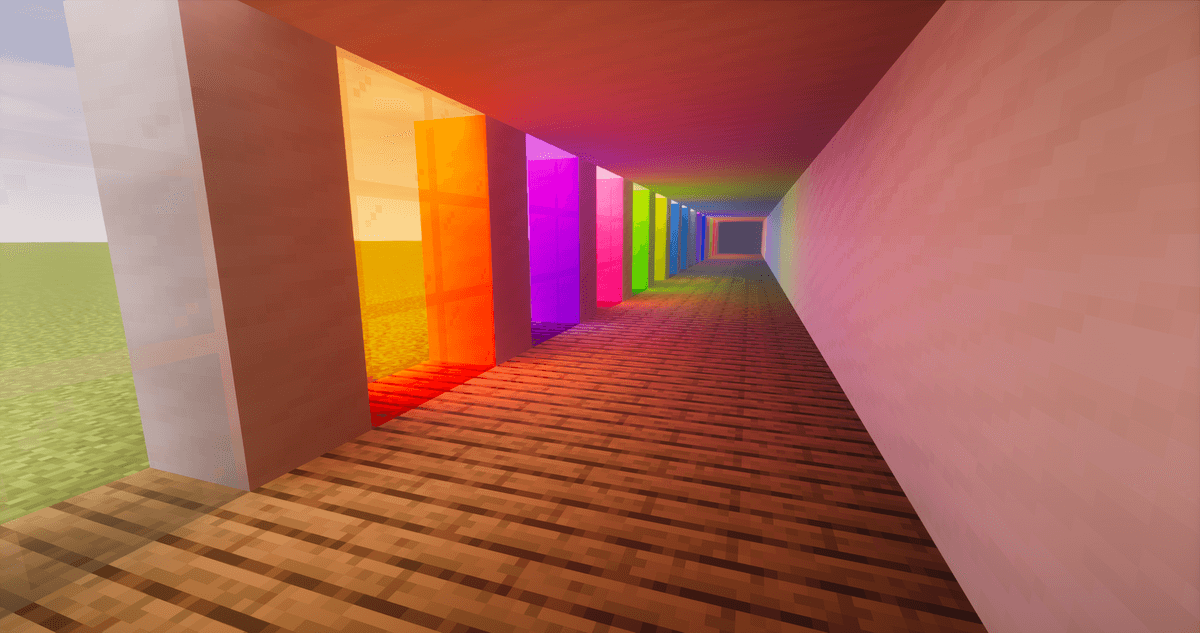
Soft lighting through colored glass
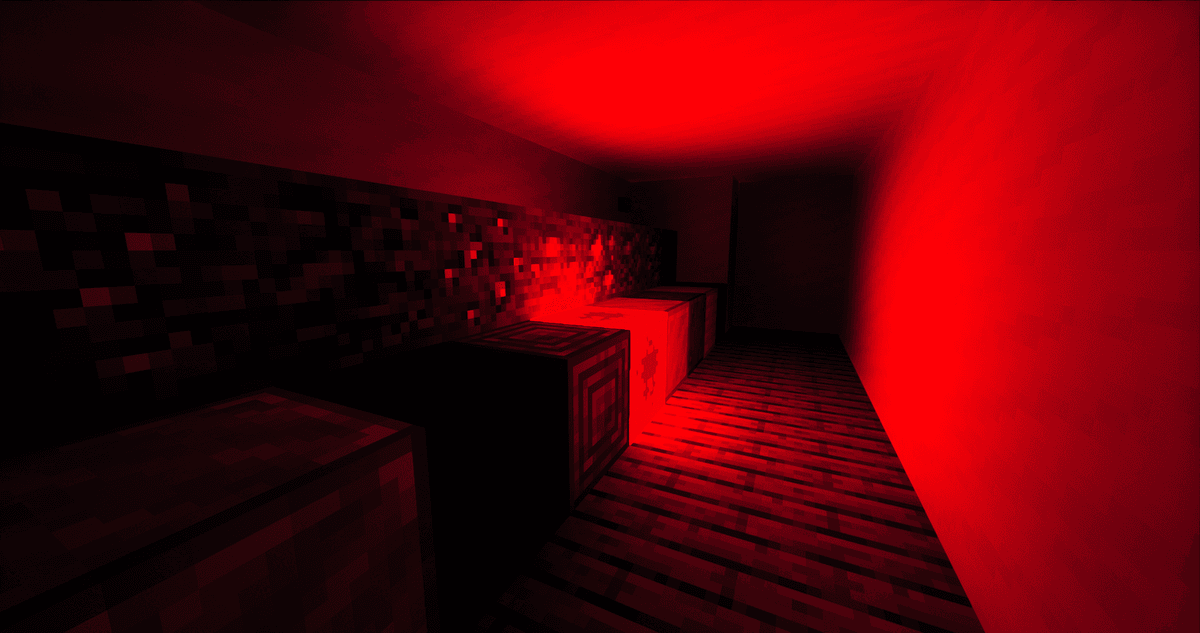
Room lighting using a Block of Redstone
Performance
On Modrinth, the pack is tagged "Medium." The minimum is a GTX 1050 / RX 560 with OpenGL 4.3 support; for 1080p at default settings, the developer recommends a GTX 1660 / RX 5600 XT or better. It runs on Windows and Linux; Intel HD 5000 and older won't launch it.
The main performance lever is TAAU temporal upscaling: lighting is calculated at a reduced internal resolution and reconstructed to full resolution. Lower values mean more FPS at the cost of sharpness; higher values, the reverse.
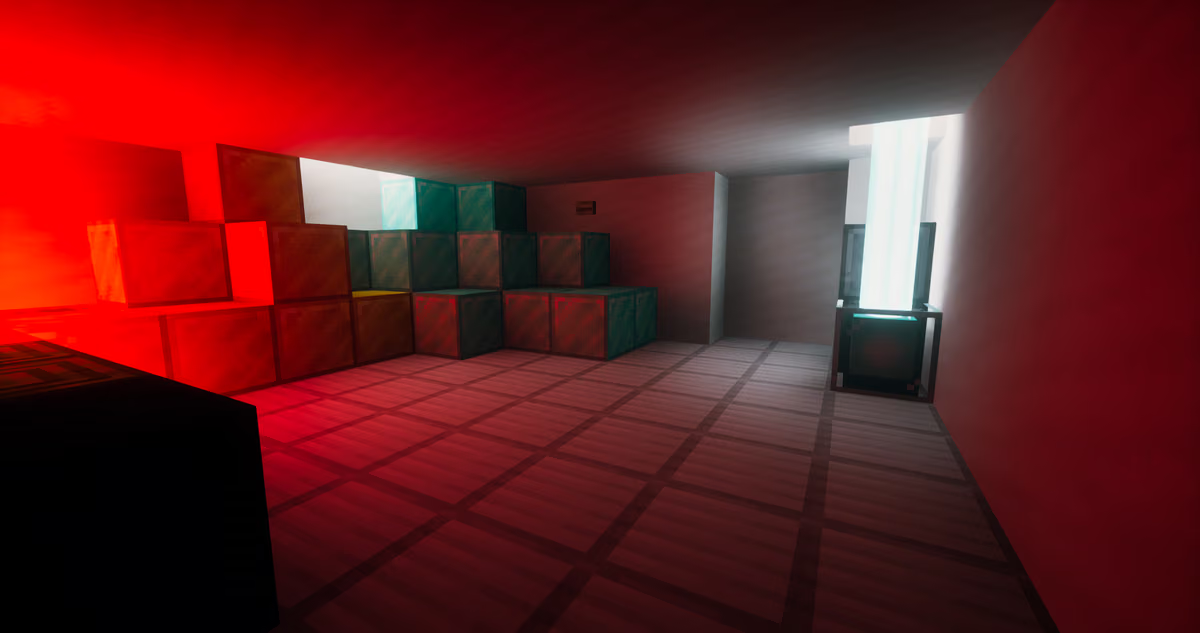
Lighting falling from multiple sources
Settings
In the shader menu (Iris or OptiFine), the settings most worth adjusting are:
Internal resolution (TAAU) — the main trade-off between FPS and sharpness.
SSR, godrays, fog, leaf sway — toggle independently; turning off the heavier effects boosts your frame rate.
GPU: your graphics card must support OpenGL 4.3, or the pack won't even start on a compatible version of Iris or OptiFine.
Resource Pack Compatibility
The pack reads specular maps under the LabPBR specification and works with PBR resource packs built to that standard: metals, wet surfaces, and polished surfaces get proper highlights. With regular resource packs, the image stays without this extra material detail.
Conclusion
Soft Voxels Lite nails one job: ray-traced, colored, soft lighting without a heavy FPS hit, making it a solid fit for mid-range hardware that can't handle full path-tracing packs. The moody, overcast look and lack of hard shadows are a stylistic choice — this build isn't meant for sharp shadows and clear skies. It's also limited by its supported version range (up to 1.20.1) and its closed license. For a broader set of effects in the same style, there's the full, paid version of Soft Voxels.
Installation
A typical installation takes about 5 minutes. The flow is the same; only the loader and the matching build differ.
- 1Install a shader loader: OptiFine, or Iris + Sodium for better performance.
- 2Download the shader pack (.zip).
- 3Open Options -> Video Settings -> Shaders -> Shaders Folder and drop the .zip in.
- 4Click the shader pack in the list to enable it.
 How to Install Shaders in MinecraftFind out how to install shaders in Minecraft with a simple guide. Improve lighting, shadows, and reflections for better visuals.Open the install guide