

Bare Bones: A Texture Pack Review for Recreating Minecraft's Trailer Style
An in-depth review of the Bare Bones texture pack for Minecraft Java Edition — simplified graphics, a bright palette, performance, and…
An in-depth review of the Bare Bones texture pack for Minecraft Java Edition — simplified graphics, a bright palette, performance, and shader compatibility.
Dependencies:
Minecraft version: 1.21.1 (supports most game versions)
Resolution: 16x
Required mods: OptiFine or Entity Model Features / Entity Texture Features (optional, needed only for extra animations and 3D models)
The Bare Bones texture pack overhauls Minecraft's graphics, bringing the game's visual style closer to Mojang's official marketing art and presentation trailers. Developer RobotPantaloons reworks the vanilla textures into a bright, cartoonish, minimalist look built from flat colors and simple lines. This pack completely strips out pixel noise and detailed shading, leaving only the basic outlines and clean color schemes of the original game blocks.
Style
The pack's author takes an approach of extreme visual simplification while keeping the standard 16x16 pixel resolution. The color palette becomes noticeably brighter and more saturated than vanilla Minecraft. Textures lose fine detail, gradients, and roughness — instead, blocks take on the look of solid-colored plastic pieces with thick, clean outlines.
Fonts and interface icons round out the overall minimalist concept. Buttons become flat, and all HUD elements — including the health, hunger, and armor indicators — lose their volume and detailed shadows, turning into simple two-dimensional symbols.
What's been reworked
The pack changes nearly every graphical element in the game, split into categories:
Blocks: natural blocks (grass, dirt, stone, sand) lose their pixel graininess. Stone, for example, looks like a uniform gray slab with a few dark lines, while grass becomes a rich green carpet. Building blocks (bricks, planks, cobblestone) get geometrically clean seams and colors.
Items: tools, weapons, and armor take on the look of flat vector illustrations. Emeralds, diamonds, and other gems appear as simplified bright crystals with crisp outlines and no inner highlights.
Mobs: animal and monster models get flat, solid-colored textures. Creepers look like smooth green creatures with a simplified facial expression, while pigs and cows get cartoonish dot eyes and flat patches with no color transitions.
GUI: the inventory, crafting table menu, furnace, and other game screens turn into clean gray panels with high contrast, making items easier to tell apart.
Compatibility with animation mods
Although Bare Bones only changes static textures, you can pair it with the Fresh Animations mod and its companion compatibility packs. This lets you combine the flat, cartoonish look of the mobs with smooth, lifelike facial expressions and entity movement, bringing the game even closer to the style of official animated trailers.
Technical requirements and performance
Since the texture pack keeps the standard 16x resolution and removes complex texture patterns, it puts almost no extra load on your GPU or CPU. The simplified graphics make frame rendering lighter, so you may notice a small FPS boost on weaker computers or laptops.
Using additional features: to display the simplified 3D entity models or custom skies, you'll need to install OptiFine or a combination of the Entity Model Features (EMF) and Entity Texture Features (ETF) mods on the Fabric loader.
Shader compatibility
For the fullest recreation of the atmosphere from Mojang's official trailers, we recommend pairing Bare Bones with BSL Shaders or Complementary Shaders. When you enable the 'Trailer' profile or turn on cel-shading (outline rendering) in the shader settings, the game takes on a fully cartoonish look with soft lighting and crisp object edges. The texture pack is also compatible with PBR texture packs, which add volume and highlights to block materials when used with modern shaders.
Conclusion
Unlike Faithful, which simply upscales the vanilla textures for extra detail, Bare Bones completely reimagines the game's graphics toward maximum simplification. The pack's main drawback is a loss of realism and texture depth, which can make some detailed builds look overly flat. This pack is perfect for players who want a bright, cartoonish look, want to rest their eyes from the usual routine, and want the game to look closer to Minecraft's signature trailers.
Installation
A typical installation takes about 5 minutes. The flow is the same; only the loader and the matching build differ.
- 1Download the resource pack (.zip) — keep it zipped.
- 2In Minecraft open Options -> Resource Packs -> Open Pack Folder.
- 3Move the .zip into that resourcepacks folder.
- 4Select the pack so it moves to the right column, then click Done.
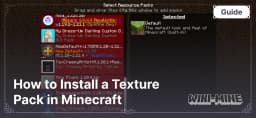 How to Install a Texture Pack in MinecraftLearn how to install a texture pack in Minecraft with a simple step-by-step guide. Personalize your game with ease.Open the install guide