
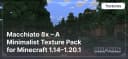
Macchiato 8x – A Minimalist Texture Pack for Minecraft 1.14–1.20.1
Macchiato 8x adds cozy, minimalist textures with 8x8 resolution to Minecraft. Balancing performance and style, it’s compatible with…
Macchiato 8x adds cozy, minimalist textures with 8x8 resolution to Minecraft. Balancing performance and style, it’s compatible with versions 1.14–1.20.1
Main Features
- Texture Resolution: 8x8 — reduces system load while maintaining clarity and detail.
- Styling:
- Soft and minimalist textures, creating a cozy atmosphere.
- Simple yet detailed elements suitable for all kinds of builds.
- Graphical Enhancements:
- Updated textures for blocks, items, and interfaces for enhanced visual comfort.
- Preserves the recognizable aesthetic of Minecraft’s original textures.
- Unique Elements:
- Charming minimalist style, perfect for PvE and PvP.
- Optimized textures to boost FPS.
Compatibility
- Minecraft Versions: Fully compatible with versions from 1.14 to 1.20.1.
- Shaders: Recommended for use with SEUS Renewed, BSL, or Complementary shaders to enhance visual appeal.
Comparison with Alternatives
| Feature | Macchiato 8x | Plasticky 8x | Plana Pollachius 8x |
|---|---|---|---|
| Texture Resolution | 8x8 | 8x8 | 8x8 |
| Styling | Soft and cozy textures | Clean and simple design | Flat and minimalist style |
| Graphical Effects | Updated textures for a modern look | Plastic-inspired design | Minimalist approach with clear details |
| Performance | Runs great on low-end PCs | Runs great on low-end PCs | Runs great on low-end PCs |
| Compatibility | 1.14–1.20.1 | 1.16–1.19.3 | 1.8–1.21.1 |
| Unique Features | Cozy minimalism | Simplicity for everyday play | Flat design for high FPS |
FAQ
Which shaders are best for Macchiato 8x?
SEUS Renewed, BSL, or Complementary shaders are ideal to enhance the soft and stylish textures of this pack.
How to improve performance while using the texture pack?
- Reduce render distance.
- Disable unnecessary visual effects like texture animations.
- Use OptiFine for advanced graphics tuning.
What makes Macchiato 8x different from other texture packs?
Its unique combination of minimalism and a cozy atmosphere makes it a perfect choice for players seeking a fresh style without sacrificing performance.
Conclusion
Macchiato 8x — is a texture pack that transforms Minecraft, making the game world softer and cozier. It maintains high performance, visual clarity, and creates a special atmosphere for a comfortable gaming experience. Try it today!
Published under All Rights Reserved (free distribution allowed)
Installation
A typical installation takes about 5 minutes. The flow is the same; only the loader and the matching build differ.
- 1Download the resource pack (.zip) — keep it zipped.
- 2In Minecraft open Options -> Resource Packs -> Open Pack Folder.
- 3Move the .zip into that resourcepacks folder.
- 4Select the pack so it moves to the right column, then click Done.
 How to Install a Texture Pack in MinecraftLearn how to install a texture pack in Minecraft with a simple step-by-step guide. Personalize your game with ease.Open the install guide
Gallery
Found: 22