

Overlay's – Enhanced Visual Effects for Minecraft
Enhance Minecraft with Overlay's texture pack, adding dynamic overlays and glowing ores for a more immersive experience.
2.3Kviews1 min
Enhance Minecraft with Overlay's texture pack, adding dynamic overlays and glowing ores for a more immersive experience.
Key Features
- Dynamic Overlays: Block textures expand and seamlessly blend into each other, creating a cohesive look without harsh edges.
- Glowing Ores: Ore veins emit a soft glow in the dark, making cave exploration easier.
- Improved Realism: Textures become more organic, giving the Minecraft world a natural appearance.
Conclusion
By using the Overlay's texture pack, you can give your Minecraft world a more vibrant and realistic look, enhancing the overall gaming experience.
Published under Custom License (see description)
Installation
A typical installation takes about 5 minutes. The flow is the same; only the loader and the matching build differ.
- 1Download the resource pack (.zip) — keep it zipped.
- 2In Minecraft open Options -> Resource Packs -> Open Pack Folder.
- 3Move the .zip into that resourcepacks folder.
- 4Select the pack so it moves to the right column, then click Done.
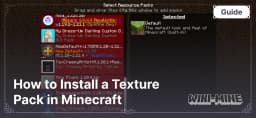 How to Install a Texture Pack in MinecraftLearn how to install a texture pack in Minecraft with a simple step-by-step guide. Personalize your game with ease.Open the install guide
Gallery
Found: 16