Quart! 4x – The Most Minimalist Texture Pack for Minecraft 1.20–1.20.5
Main Features Texture Resolution: 4x4 — the lowest resolution available for Minecraft, drastically reducing system load. Styling…
Main Features Texture Resolution: 4x4 — the lowest resolution available for Minecraft, drastically reducing system load. Styling: Minimalist and simplified design. Preserves the recognizability of original Minecraft textures. Graphical Enhancements: Simplified textures for all…
Main Features
- Texture Resolution: 4x4 — the lowest resolution available for Minecraft, drastically reducing system load.
- Styling:
- Minimalist and simplified design.
- Preserves the recognizability of original Minecraft textures.
- Graphical Enhancements:
- Simplified textures for all blocks, items, and mobs.
- Smoothed colors suitable for PvP and redstone builds.
- Unique Elements:
- Texture optimization provides an FPS increase of 10–20 frames per second.
- A clean visual style that doesn’t distract from gameplay.
Compatibility
- Minecraft Versions: Quart! 4x is fully compatible with versions from 1.20 to 1.20.5.
- Shaders: Works well with most lightweight shaders, including Sildur’s Basic and Complementary Reimagined, to enhance lighting.
Comparison with Alternatives
| Feature | Quart! 4x | Bytecraft 8x | Rodrigo’s Pack 8x |
|---|---|---|---|
| Texture Resolution | 4x4 | 8x8 | 8x8 |
| Styling | Minimalism for maximum performance | Minimalism for higher FPS | Cartoonish style with bright colors |
| Graphical Effects | Simplified textures for higher FPS | Optimized for redstone and PvP | Simplified textures and vibrant colors |
| Performance | Maximum FPS boost | 10–20 FPS improvement | Works great on low-end PCs |
| Compatibility | 1.20–1.20.5 | 1.20–1.20.5 | 1.9–1.16.5 |
| Unique Features | Lowest resolution available for Minecraft | Balanced performance and visual clarity | Bright cartoonish style |
FAQ
What shaders work best with Quart! 4x?
Lightweight shaders like Sildur’s Basic or Complementary Reimagined are recommended to enhance the simplicity and minimalism of the texture pack.
How can I improve performance when using Quart! 4x?
- Reduce render distance.
- Disable unnecessary graphical effects.
- Use the OptiFine mod for advanced graphics tuning.
What makes Quart! 4x different from other texture packs?
Its ultra-low resolution makes it the best choice for players seeking maximum performance without compromising the recognizability of Minecraft’s core visuals.
Conclusion
Quart! 4x — is the perfect choice for players who want to focus on gameplay and achieve maximum FPS while maintaining a unique minimalist style. This texture pack guarantees a smoother and more enjoyable gaming experience!
Published under All Rights Reserved (free distribution allowed)
Installation
A typical installation takes about 5 minutes. The flow is the same; only the loader and the matching build differ.
- 1Download the resource pack (.zip) — keep it zipped.
- 2In Minecraft open Options -> Resource Packs -> Open Pack Folder.
- 3Move the .zip into that resourcepacks folder.
- 4Select the pack so it moves to the right column, then click Done.
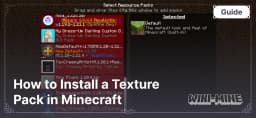 How to Install a Texture Pack in MinecraftLearn how to install a texture pack in Minecraft with a simple step-by-step guide. Personalize your game with ease.Open the install guide
Gallery
Found: 13