Realism Mats – Mega-Realistic Texture Pack for Minecraft
Main Features Texture Resolution Main resolution — 1024x1024 for maximum detail. Alternative versions: 512x512, 256x256 for less powerful…
Main Features Texture Resolution Main resolution — 1024x1024 for maximum detail. Alternative versions: 512x512, 256x256 for less powerful devices. Styling Photorealism with detailed material textures like stone, wood, metal, and glass. Dynamic textures emphasizing modern builds…
Main Features
Texture Resolution
- Main resolution — 1024x1024 for maximum detail.
- Alternative versions: 512x512, 256x256 for less powerful devices.
Styling
- Photorealism with detailed material textures like stone, wood, metal, and glass.
- Dynamic textures emphasizing modern builds and natural landscapes.
Graphic Enhancements
- Full support for PBR (Physically Based Rendering).
- Realistic lighting and reflections through Raytracing.
Animated Textures
- For example, the Nether portal now features an animated surface.
Active Development
- Regular updates to textures and the addition of new elements.
Compatibility
- Minecraft Versions: Realism Mats supports Minecraft versions from 1.12 to 1.21.
- Shaders: Recommended shaders include SEUS PTGI, BSL, or Bliss for maximum effect.
Comparison with Competitors
| Feature | Realism Mats | ModernArch | Vanilla Realism |
|---|---|---|---|
| Texture Resolution | 1024x1024 (alternatives: 512x512, 256x256) | 1024x1024 | 512x512 |
| Styling | Photorealism | Modern realism | Enhanced vanilla style |
| Graphic Effects | PBR, Raytracing, animated textures | PBR, 3D models | Photorealistic textures |
| Compatibility | 1.12–1.21 | 1.19–1.21 | 1.16–1.20.1 |
| Performance | Requires high-end hardware | Requires high-end hardware | Optimized option |
FAQ
Which shaders work best with Realism Mats?
Recommended shaders include SEUS PTGI, BSL, or Bliss Shader to fully unlock the potential of the texture pack.
What are the system requirements for Realism Mats?
A high-performance processor and graphics card are needed for smooth operation with 1024x1024 textures. Alternative versions with 512x512 or 256x256 resolutions are available for less powerful devices.
What makes Realism Mats different from other texture packs?
Its focus on photorealism and support for Raytracing make it unique for creating modern builds and landscapes.
Is Realism Mats suitable for low-end PCs?
For weaker systems, l
Published under Creative Commons Attribution Non Commercial No Derivatives 4.0
Installation
A typical installation takes about 5 minutes. The flow is the same; only the loader and the matching build differ.
- 1Download the resource pack (.zip) — keep it zipped.
- 2In Minecraft open Options -> Resource Packs -> Open Pack Folder.
- 3Move the .zip into that resourcepacks folder.
- 4Select the pack so it moves to the right column, then click Done.
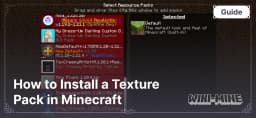 How to Install a Texture Pack in MinecraftLearn how to install a texture pack in Minecraft with a simple step-by-step guide. Personalize your game with ease.Open the install guide