Texture Pack Gothic Medieval RPG Font – A Medieval Font for Minecraft
Enhance your Minecraft UI with the Gothic Medieval RPG Font. Perfect for RPG servers and medieval-themed worlds. Unique, readable, and…
Enhance your Minecraft UI with the Gothic Medieval RPG Font. Perfect for RPG servers and medieval-themed worlds. Unique, readable, and immersive!
Font Features
-
Gothic Style – the letters appear more refined and stylized after medieval fonts.
-
Readability – despite its style, the text remains easy to read in the game interface.
-
Immersive Atmosphere – adds realism and enhances the RPG effect in Minecraft.
Gothic Medieval RPG Font – is a simple yet effective way to change the appearance of Minecraft's interface, making it more stylish and immersive. This texture pack is perfect for players who value game atmosphere and attention to detail.
Published under All Rights Reserved (free distribution allowed)
Installation
A typical installation takes about 5 minutes. The flow is the same; only the loader and the matching build differ.
- 1Download the resource pack (.zip) — keep it zipped.
- 2In Minecraft open Options -> Resource Packs -> Open Pack Folder.
- 3Move the .zip into that resourcepacks folder.
- 4Select the pack so it moves to the right column, then click Done.
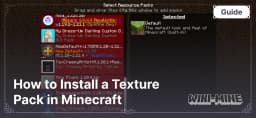 How to Install a Texture Pack in MinecraftLearn how to install a texture pack in Minecraft with a simple step-by-step guide. Personalize your game with ease.Open the install guide