
The Pixelmon Mod OST – music texture pack for Minecraft 1.12.2–1.20.2
Main Features Unique Music The texture pack includes original compositions by Chris Geddes. Each melody highlights key moments of the game…
Main Features Unique Music The texture pack includes original compositions by Chris Geddes. Each melody highlights key moments of the game: Biome Themes: unique soundtracks for each region in Minecraft. Pokémon Battles: dynamic tracks build tension during battles. Exploration…
Main Features
Unique Music
The texture pack includes original compositions by Chris Geddes. Each melody highlights key moments of the game:
- Biome Themes: unique soundtracks for each region in Minecraft.
- Pokémon Battles: dynamic tracks build tension during battles.
- Exploration: atmospheric melodies enhance the joy of exploring the world.
Full Integration with Pixelmon
The Pixelmon Mod OST is fully compatible with the Pixelmon mod, enhancing the overall gameplay experience:
- Pokémon-Inspired Locations: music perfectly reflects the nature and atmosphere of the Pokémon world.
- Dynamic Events: compositions change based on in-game actions, such as battles or exploring villages.
High-Quality Sound
The music in the texture pack is delivered in excellent quality:
- Clear and rich sound for full immersion in the game.
- Seamless transitions between tracks without abrupt changes.
- Great compatibility with in-game sound effects.
Compatibility
The Pixelmon Mod OST is compatible with Minecraft versions from 1.12.2 to 1.20.2 and requires the Pixelmon mod for full functionality. However, the texture pack can also be used standalone to add music to the game.
Recommended Mods for Integration
- Pixelmon Reforged: the main mod for Pokémon integration.
- Biomes O’ Plenty: adds new biomes that pair perfectly with the soundtrack.
- JourneyMap: a map that makes exploring the world more convenient with musical accompaniment.
- Dynamic Surroundings: enhances the world’s sound atmosphere by adding environmental effects.
Advantages of The Pixelmon Mod OST
- Original Music: unique compositions by a professional composer.
- Harmony with the Game: music is perfectly synchronized with in-game events.
- Versatility: the texture pack can be used with mods or standalone.
FAQ
Do I need to install Pixelmon to use this texture pack?
No, the texture pack can be used without Pixelmon. However, for the full experience, it is recommended to use them together.
How do I adjust the music volume?
Use the volume settings in the Minecraft menu to balance the music and sound effects.
Can this texture pack be used with other music mods?
Yes, the texture pack is compatible with other modifications such as Dynamic Surroundings.
The Pixelmon Mod OST by Chris Geddes — is the perfect choice for fans of Pokémon and Pixelmon. The music adds depth and a unique atmosphere, making every adventure exciting and unforgettable.
Published under All Rights Reserved (free distribution allowed)
Installation
A typical installation takes about 5 minutes. The flow is the same; only the loader and the matching build differ.
- 1Download the resource pack (.zip) — keep it zipped.
- 2In Minecraft open Options -> Resource Packs -> Open Pack Folder.
- 3Move the .zip into that resourcepacks folder.
- 4Select the pack so it moves to the right column, then click Done.
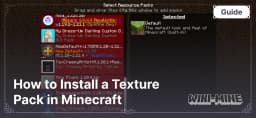 How to Install a Texture Pack in MinecraftLearn how to install a texture pack in Minecraft with a simple step-by-step guide. Personalize your game with ease.Open the install guide