Vanilla Experience+ – Enhanced Standard Style of Minecraft
Upgrade Minecraft visuals with Vanilla Experience+! Improved textures, balanced colors, and enhanced details while keeping the original…
Upgrade Minecraft visuals with Vanilla Experience+! Improved textures, balanced colors, and enhanced details while keeping the original vanilla style.
Main Features of the Texture Pack
-
Improved Textures – details are sharper, but the overall style remains vanilla.
-
Optimized Colors – the palette appears richer and more balanced.
-
Redesigned Blocks and Items – enhanced textures for tools, ores, and other elements.
-
Preserving the Minecraft Atmosphere – the updates make the game more visually appealing without disrupting its original style.
Vanilla Experience+ – is an excellent choice for those who want to refresh Minecraft’s visuals without losing its original atmosphere. The texture pack makes the game easier on the eyes while maintaining its classic style.
Published under All Rights Reserved (free distribution allowed)
Installation
A typical installation takes about 5 minutes. The flow is the same; only the loader and the matching build differ.
- 1Download the resource pack (.zip) — keep it zipped.
- 2In Minecraft open Options -> Resource Packs -> Open Pack Folder.
- 3Move the .zip into that resourcepacks folder.
- 4Select the pack so it moves to the right column, then click Done.
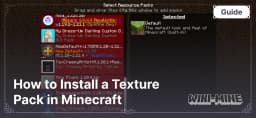 How to Install a Texture Pack in MinecraftLearn how to install a texture pack in Minecraft with a simple step-by-step guide. Personalize your game with ease.Open the install guide