FastAsyncWorldEdit — plugin for asynchronous and fast world editing in Minecraft
FastAsyncWorldEdit (FAWE) is a fork of the classic WorldEdit plugin for Minecraft with asynchronous processing. Learn about its commands…
FastAsyncWorldEdit (FAWE) is a fork of the classic WorldEdit plugin for Minecraft with asynchronous processing. Learn about its commands, features, and confi...
FastAsyncWorldEdit — plugin for asynchronous and fast world editing in Minecraft
FastAsyncWorldEdit (FAWE for short) is a fork of the classic WorldEdit plugin for Minecraft, in which internal edit processing has been rewritten. Regular WorldEdit executes large commands in the main server thread, so changing hundreds of thousands of blocks causes freezes and timeouts. FAWE splits the work into threads, batches operations by chunks, and writes them in parallel — the same //set on a 500x500 area completes without freezing ticks.
If a server already has plugins that depend on WorldEdit (region protection, structure generators, building plugins), you just need to replace WorldEdit with FAWE. Commands and API remain compatible, but the execution speed increases.
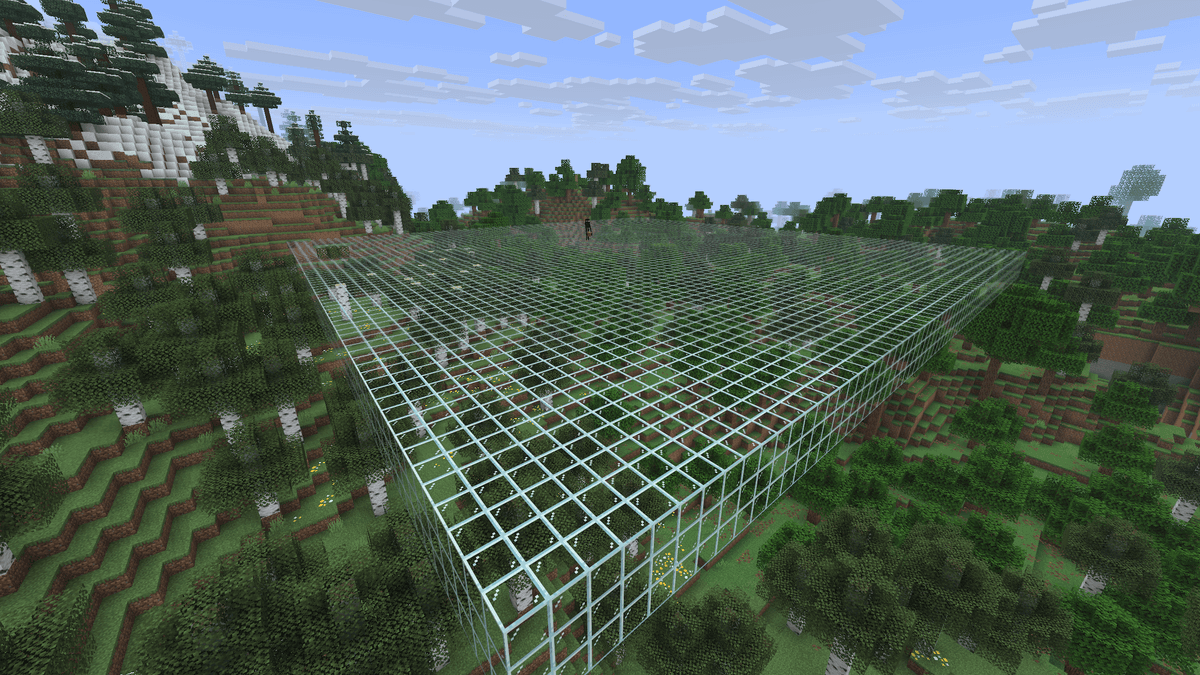
Result of the //set glass command on the selected area — a glass cube. The background is an empty white concrete platform around it.
What FAWE adds on top of WorldEdit
Basic commands look the same: //pos1, //pos2, //set, //copy, //paste, //undo. The fundamental difference is how they are processed internally. To this, about 200 new commands are added: advanced masks, patterns, transformations, specialized brushes, and terrain tools.
Some things not in vanilla WorldEdit:
Unlimited
//undoand//redowith history saved on disk. Undoing is available even after a server restart.//lazycopy— instantly copies a selected area of any size without fully loading the copy into memory.CFI (Create From Image) — generates a world from a heightmap or image (
/cfi).Anvil commands — mass changes in region files directly: removing all chests, trimming the map, replacing blocks in a selected region.
Lighting commands —
/fixlighting,/setlight,/removelightfor manual recalculation without reloading chunks.Inspection and rollback —
//inspectshows who placed a block and when,//history rollbackrestores the world to its state before a specific date.
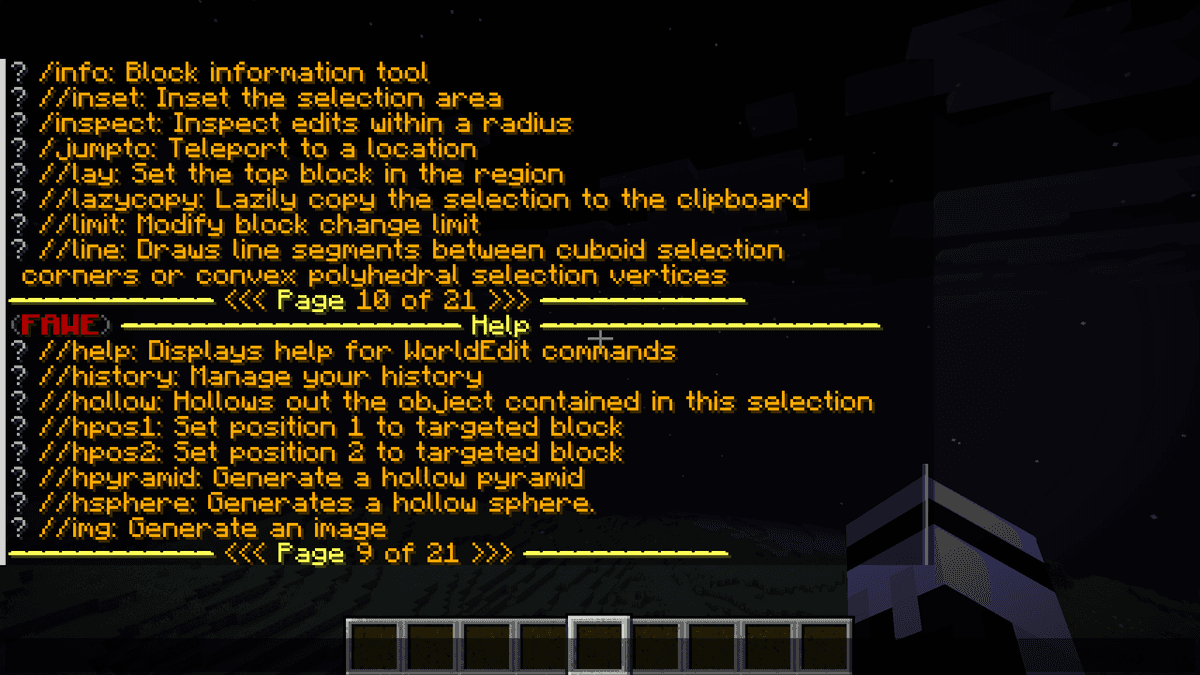
Chat window with the output of the /we help command — a list of FAWE categories with brief descriptions.
Selections and basic commands
A selection is created with a wooden axe. Left click sets the first point, right click sets the second. Alternatively: //pos1 and //pos2 set points at the player's current coordinates, //hpos1 and //hpos2 at the block you are looking at.
After making a selection, basic block operations become available:
Command | What it does |
| Fills the selection with the specified block |
| Replaces one block type with another |
| Builds walls around the perimeter |
| Builds walls, floor, and ceiling |
| Hollows out the selected volume |
| Copies the selection to the clipboard |
| Copies and deletes the original |
| Pastes the clipboard contents at the player's position |
| Rotates the clipboard by 90/180/270° |
| Mirrors the clipboard |
| Undoes or redoes the last action |
Also useful: //copy -b copies along with biomes, //copy -e skips entities, //paste -a ignores air blocks from the schematic (keeps what is already in the target area).
Pasting entities (mobs, paintings) cannot be undone with //undo. Check the position before pasting a schematic.
Brushes and tools
Brushes are commands bound to the item in your hand. After the /br <type> command, right clicking activates the action where you are looking. Commonly used ones:
/br sphere <block> <radius>— a sphere of a given radius at the clicked point./br cyl <block> <radius> <height>— a cylinder./br smooth <radius>— terrain smoothing./br stencil <pattern> <radius> <file>— paints using a heightmap or image./br spline <pattern>— creates a curve through multiple points (roads, tunnels, bridges)./br sweep— sweeps clipboard contents along a curve./br scatter <pattern> <density>— randomly scatters blocks or schematics with a set density./br copy— left click to copy an object, right click to paste. The -r flag adds a random rotation when pasting.
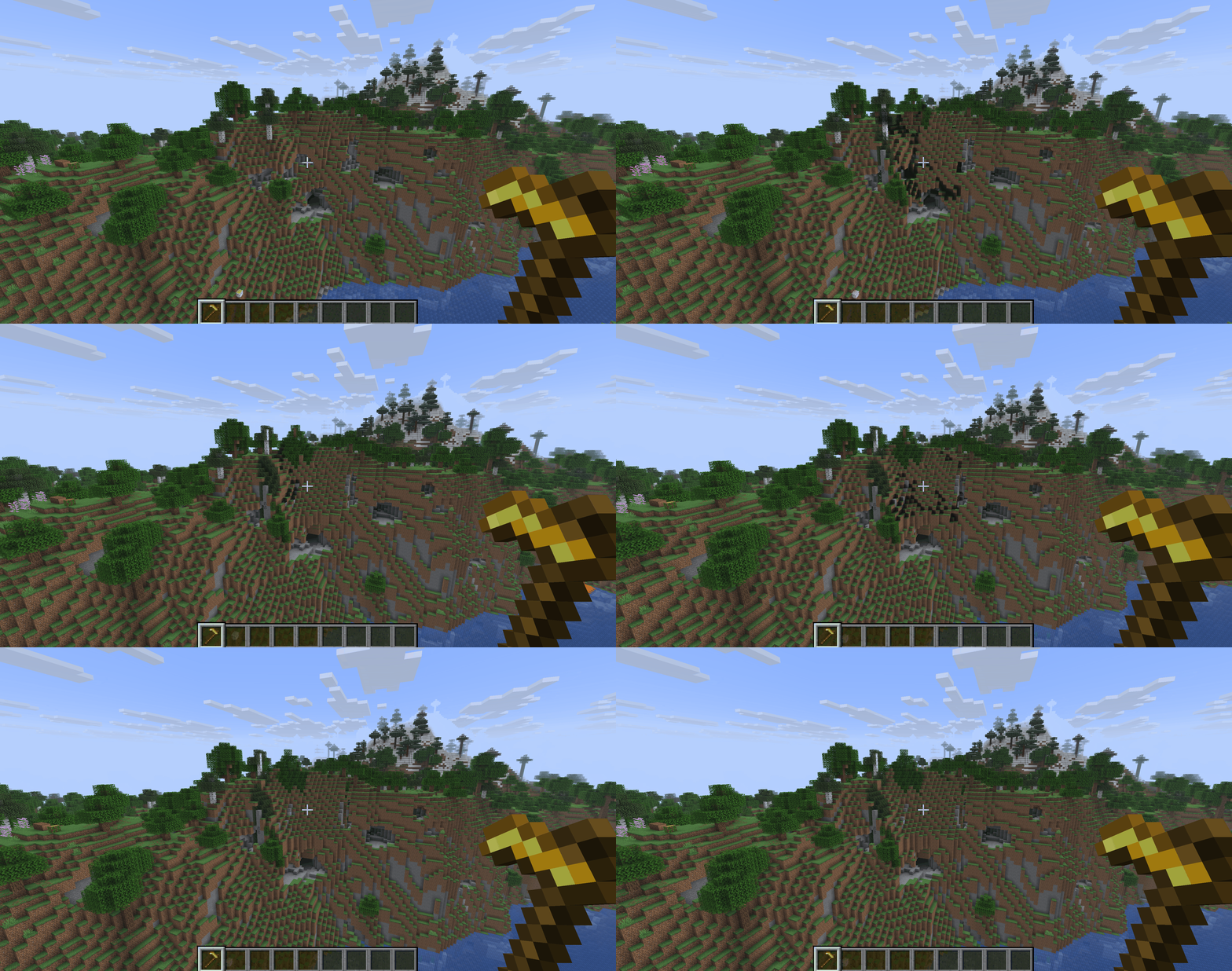
The /br smooth 10 brush in action
Masks (/mask) and patterns (/mat) are set for brushes. A mask determines which blocks can be replaced: /mask >stone — only blocks above stone, /mask <air — only blocks below air. A pattern determines what to replace them with: /mat 50%stone,50%cobblestone yields a random mix of stone and cobblestone in a 50/50 proportion, /mat #surfacespread[3][stone] — a spread pattern with scattering within a radius of 3.
Schematics — structures in files
FAWE supports .schem and .schematic formats. Commands:
//schem save <name>— saves the current selection toplugins/FastAsyncWorldEdit/schematics/.//schem load <name>— loads a file into the clipboard.//schem list— a list of available schematics.//schem delete <name>— deletes a schematic.
Additionally, /download creates an anonymous link to the clipboard via the schem.intellectualsites.com service. The link is temporary; you can send the file to another player or server without exporting manually through FTP. This is configured in the web section of the config.
Region protection and per-player limits
FAWE integrates with WorldGuard and PlotSquared. The region-restrictions: true option in config.yml limits editing to areas the player is added to.
By default, it operates in MEMBER mode — players can edit only where they are a region member. Alternatively, OWNER. Admins bypass restrictions with the fawe.bypass permission. For servers with some protected zones and free building elsewhere, a blacklist mode is more convenient: allow-blacklists: true plus worldguard-region-blacklist: true allows editing everywhere except in protected regions.
Different limits can be configured for various player groups. The default block is copied under a new name, the max-changes, max-brush-radius, and max-iterations values are adjusted, and a permission is given to the player. Thus, strict limits for newbies and expanded limits for trusted players can coexist on the same server.
Configuration
Main files are located here: plugins/FastAsyncWorldEdit. Most default values are suitable for a typical server — it only makes sense to tweak a few key blocks.
Memory and limits
Parameter | What it does |
| If RAM usage exceeds this percentage, non-admin edits are canceled. Bypass via the |
| Upon reaching this threshold, some operations slow down — for instance, asynchronous chunk loading. |
| Maximum number of blocks one player can change per command. |
| Maximum brush radius. |
| Large edits (over 16384 chunks) require an extra confirmation via //confirm. |
Queue and threads
Parameter | What it does |
| Number of threads for parallel processing. It is recommended to set this to your processor's number of physical cores. |
| The chunk amount threshold at which parallel placement begins before calculations finish. Values less than |
| How many chunks are preloaded. Formula from documentation: 128 × GB RAM / number of concurrent WE users. |
History and clipboard
Parameter | What it does |
| Saves edit history on disk. Provides unlimited |
| Compression level of history from 0 (no compression, fastest) to 9 (max compression, heavy on CPU). Levels above 6 require ZSTD 1.4.8+. |
| How many days before the on-disk history is deleted. |
| Similarly saves the clipboard on disk — saves RAM. |
| How many days before the saved clipboard is deleted. |
Conclusion
FastAsyncWorldEdit removes the primary limitation of standard WorldEdit, due to which large-scale edits could halt the server. On modpack servers and building networks, where players concurrently work with hundreds of thousands of blocks, FAWE eliminates timeouts and freezes. On small survival servers with rare edits, the benefit is not as noticeable, but the plugin doesn't hurt — it is backwards compatible via its API.
For servers with large-scale building, FastAsyncWorldEdit is a more practical choice; for occasional vanilla world editing, standard alternatives will do.
Installation
A typical installation takes about 5 minutes. The flow is the same; only the loader and the matching build differ.
- 1Stop your Minecraft server.
- 2Drop the plugin .jar into the server /plugins folder.
- 3Start the server once so the plugin generates its config files.
- 4Edit /plugins/<name>/config.yml as needed, then run /reload confirm or restart.
 How to Install a Plugin on a Minecraft ServerLearn how to install a plugin on a Minecraft server. Follow this guide to add new features, improve gameplay, and customize your server easily.Open the install guide