WorldGuard — a plugin for protecting territories and creating private regions in Minecraft
WorldGuard is a Bukkit plugin protecting territories with claimable regions, dozens of behavior flags (pvp, mob-spawning, tnt, fire-spread)…
WorldGuard is a Bukkit plugin protecting territories with claimable regions, dozens of behavior flags (pvp, mob-spawning, tnt, fire-spread) and config.yml settings; requires WorldEdit for selection.
WorldGuard — a plugin for protecting territories and creating private regions in Minecraft
Dependency: WorldEdit
WorldGuard is a Minecraft server plugin that creates protected areas, manages world behavior rules, and blocks unwanted player actions. It is one of the oldest projects in the Bukkit ecosystem. And it still remains the basic protection tool on almost every large server. By default, after installation, no features are active: the administrator manually enables only what is needed for a specific server.
The most famous part of the plugin is the region system. Alongside it work global world rules (explosions, mob spawning, weather), a blacklist of items and blocks, and integration with behavior flags.
Regions — the basis of territory protection
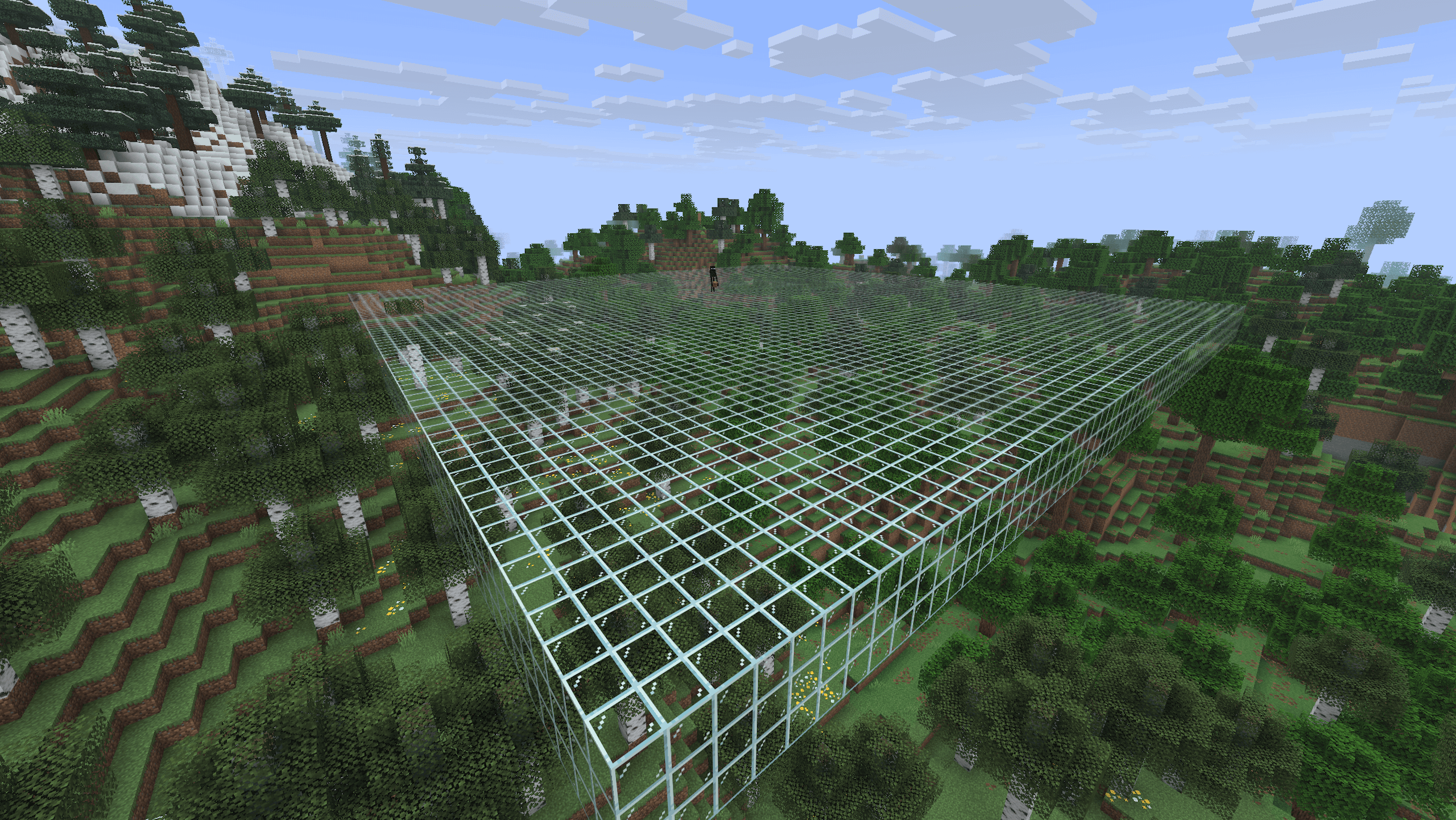
A region is a named volume area with owners, members, priority, and a set of rules. The shape is limited to two options: a cube and a two-dimensional polygon with a specified height.
To create a region, you first need to select a territory via WorldEdit (this is the main reason for the dependency) and then register it with the command:
/rg define spawn
A newly created region immediately denies building to everyone except members and owners. You can add them like this:
/rg addmember spawn g:builders
/rg addowner spawn wizjany
Basic region commands
Command | What it does |
| creates a region from the current WorldEdit selection |
| changes the shape of an existing region |
| deletes a region |
| shows owners, members, flags |
| lists all regions in the world |
| sets a region flag |
| opens an interactive list of flags (values are changed by clicking) |
| forcibly saves changes (normal saving is automatic, with a slight delay) |
Regions can overlap. In this case, the rule is: to do something, a player needs permission in all regions that overlap the point. Priority (/rg setpriority) or passthrough allows overriding the behavior, which makes the region "transparent" to build checks — useful when a region is only needed for a PvP arena without block protection.
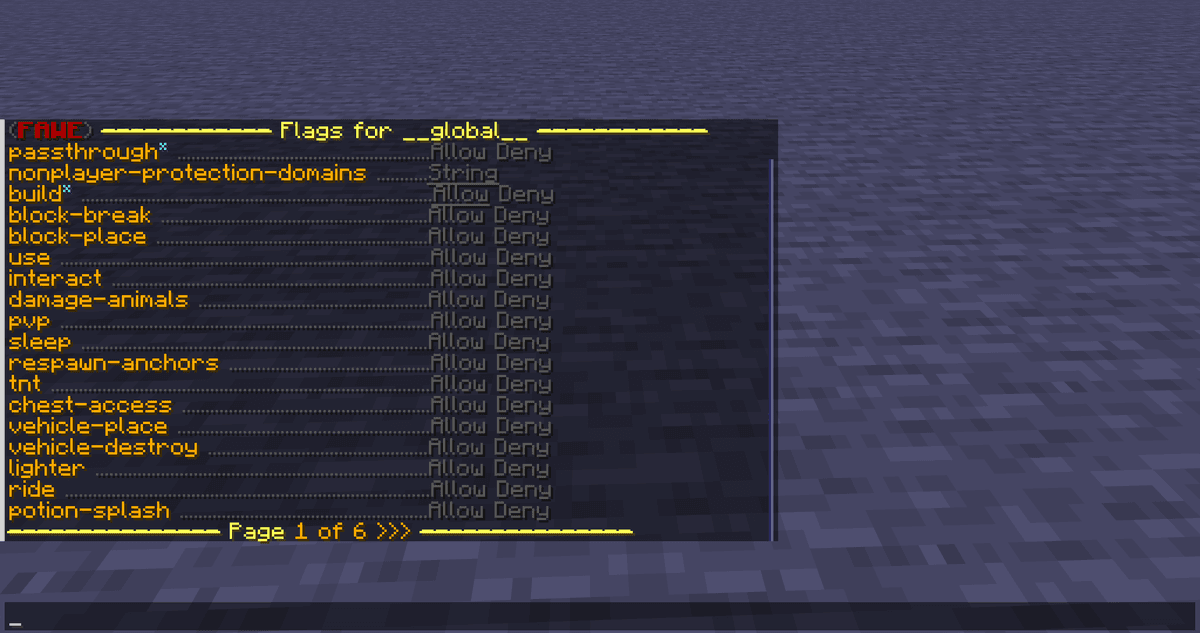
Output of /rg list in chat
Region flags
Flags are separate rules tied to a specific region. There are dozens of them, and they cover almost all game mechanics: combat, weather, mobs, movement, entry and exit messages. They are most often used for:
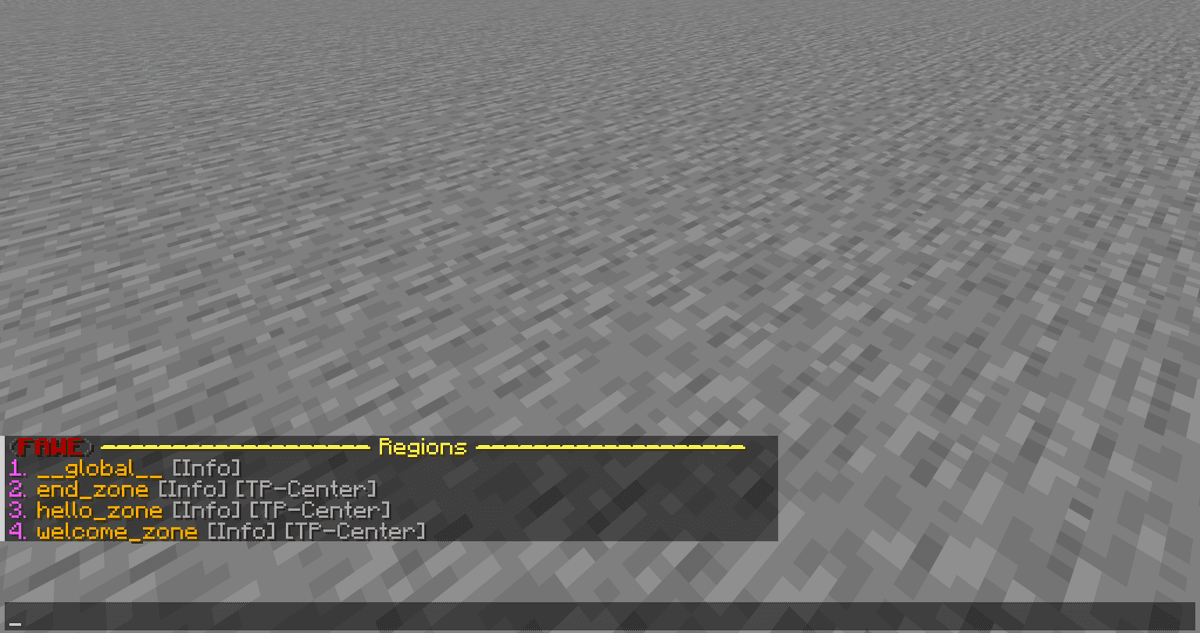
Interactive flag list /rg flags
Protection and interaction:
build — a global flag that covers everything at once (breaking, placing, interacting, combat, sleeping in a bed, inventory access). It works "implicitly" through the member system, and modifying it manually is not recommended.
interact — using doors, levers, buttons, riding mounts.
block-break / block-place — separately for breaking and placing blocks.
chest-access — access to chests, barrels, and shulkers.
pvp — player versus player combat.
tnt — detonation and TNT damage.
Mobs, fire, and explosions:
creeper-explosion — whether creeper explosions cause block damage.
mob-spawning — completely disables mob spawning, including commands and eggs.
deny-spawn — a list of specific mob types that will not spawn (for example, cow,pig).
fire-spread — fire spread.
enderman-grief / ravager-grief — whether endermen and ravagers break blocks.
Movement and messages:
entry / exit — denying entry or exit (by default applies to non-members).
greeting / farewell — a text message in chat upon entry/exit.
greeting-title / farewell-title — the same, but as a large title on the screen. A subtitle is added via \n.
enderpearl — whether ender pearls can be used.
Healing and maps:
heal-amount + heal-delay — automatic healing by N half-hearts every N seconds (convenient for infirmaries).
feed-amount + feed-delay — the same for hunger.
game-mode — a mode forcibly enabled upon entering a region.
blocked-cmds — a list of denied commands in an area.
time-lock — fixed time of day in ticks (from 0 to 24000).
Example — configuration that heals players to half their health bar:
/rg flag hospital heal-delay 1
/rg flag hospital heal-amount 2
/rg flag hospital heal-max-health 10
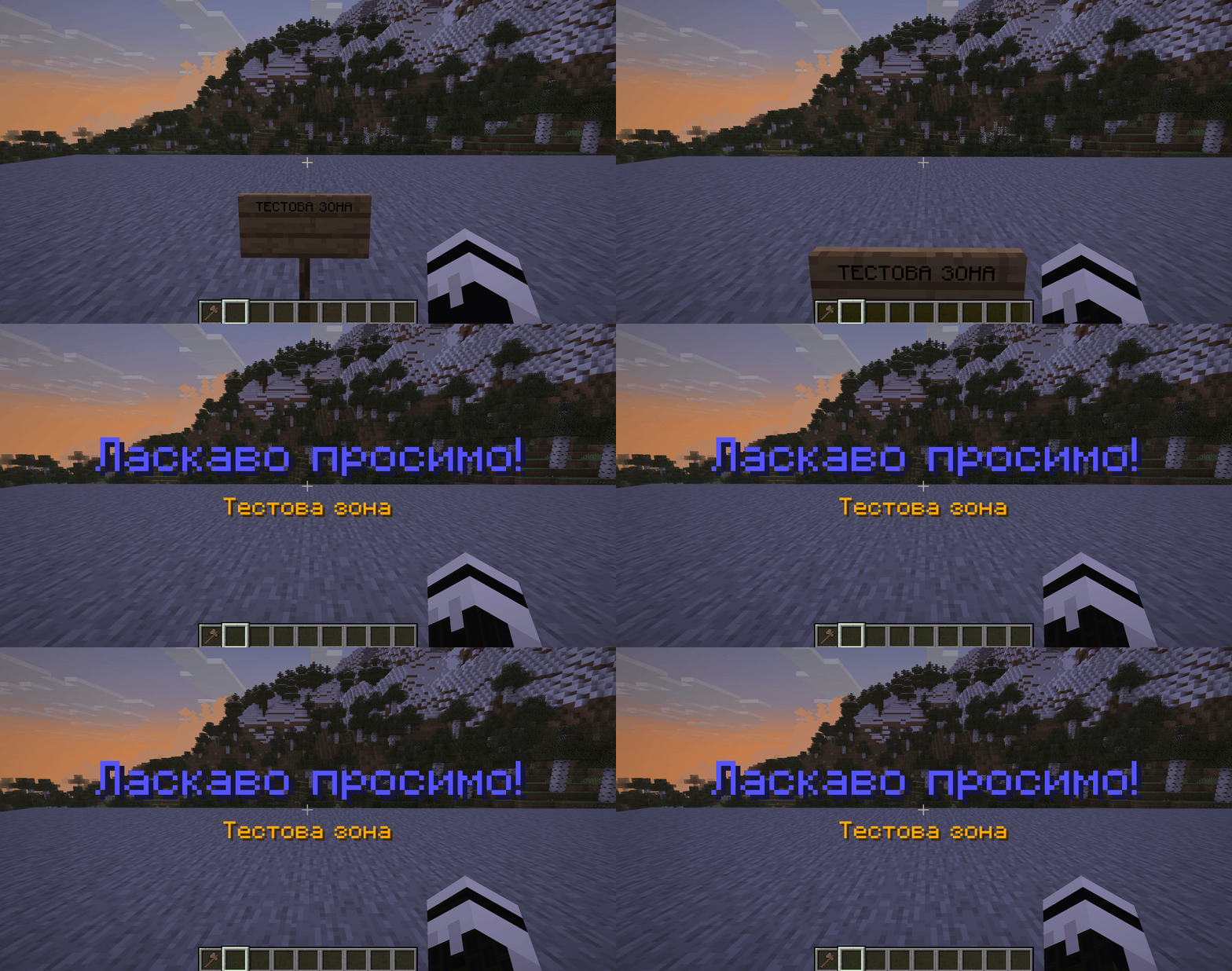
A player enters a region with the greeting-title flag set — a large greeting title with a subtitle appears on the screen.
Configuration
Basic settings are located in plugins/WorldGuard/config.yml and plugins/WorldGuard/worlds/<world>/config.yml. Below are key parameters that every administrator encounters.
Parameter | What it does |
| enables the entire region system. If false, /rg commands work, but flags and protection do not apply |
| an item that serves as a tool to check a region at the click point. Separate from the WorldEdit wand — in the new version, a new leaf block is used by default |
| the maximum volume of one region a player can claim via /rg claim (in blocks) |
| how many regions one person can create. The limit can be overridden for specific permission groups |
| if true, new regions can only be created inside parent regions — the basis for a plot system |
| enables flags fire-spread, water-flow, lava-flow, lava-fire. If true, server load increases |
| blocks the creation of Nether portals that cross the boundary of someone else's region |
| if true, mobs that attack invincible players in a region with the invincible flag are removed from the game |
| outputs a summary of enabled features to the console upon server startup. Convenient for verifying that nothing unnecessary is active |
| if |
| if |
| if |
| if |
| global denial of TNT activation |
| switches the blacklist to whitelist mode: only what is explicitly set to allow is permitted |
| if a hopper attempts to transfer an item where its action is denied, it breaks. Prevents lag from endless movement attempts |
Administrator commands
A separate block of commands starts with /wg. The most useful ones:
/wg report -p— creates a file with a report on server status, versions of all plugins, and WorldGuard settings. Suitable for sending in bug reports./wg profile -p <seconds>— profiles server CPU for N seconds. Helps find heavy ticks./wg flushstates— resets player state cache (needed after manually editing region files)./wg reload— reloads the config without restarting the server./stoplag— instantly stops fire spread and some other heavy processes while the administrator investigates the cause of lag.
Conclusion
WorldGuard limits what players can do in specific zones of the Minecraft world. Its strengths are the flexibility of flags and priorities, the ability to build a region hierarchy and manage rules through permission groups, and out-of-the-box compatibility with most popular plugins. Weaknesses include a learning curve (full configuration requires reading the documentation) and the lack of a built-in GUI for regular players: everything is done via commands. WorldGuard is optimal for servers with an active admin team that need precise control over world behavior — public PvE/RPG.
Installation
A typical installation takes about 5 minutes. The flow is the same; only the loader and the matching build differ.
- 1Stop your Minecraft server.
- 2Drop the plugin .jar into the server /plugins folder.
- 3Start the server once so the plugin generates its config files.
- 4Edit /plugins/<name>/config.yml as needed, then run /reload confirm or restart.
 How to Install a Plugin on a Minecraft ServerLearn how to install a plugin on a Minecraft server. Follow this guide to add new features, improve gameplay, and customize your server easily.Open the install guide