Grim Anticheat — Minecraft anticheat plugin
Grim Anticheat is an open-source movement simulation anticheat plugin for Minecraft that prevents unfair advantages without relying on…
Grim Anticheat is an open-source movement simulation anticheat plugin for Minecraft that prevents unfair advantages without relying on fixed patterns.
Grim Anticheat — Minecraft anticheat plugin
Java: 17 or newer
Supported Minecraft versions: 1.8 – 26.1.2
Plugin version: 2.3.74
Grim Anticheat (GrimAC) is an open-source server anticheat for Minecraft licensed under GPL-3.0. The plugin works by simulating player movements rather than comparing them against fixed behavior patterns, distinguishing it from most free alternatives.
Its main task is to detect unallowed client modifications that provide unfair advantages in combat, movement, or block interactions. The plugin itself does not ban players — it records the violation and passes the punishment execution to another plugin (LiteBans, AdvancedBan, or any custom command via config).
Approach: movement prediction instead of patterns
Classic free anticheats rely on pre-recorded behavior patterns. This method has an obvious limitation — every modification update can potentially bypass detection until a new pattern is added to the database.
GrimAC, on the other hand, includes a Movement Simulation Engine. The server calculates exactly where a player could be on a specific game tick, taking into account surrounding blocks, potion effects, cobwebs, bubble columns, boats, pigs, striders, elytra, and dozens of other situations. If the client sends coordinates that exceed what is physically possible, the Simulation check triggers and calculates the block offset.
Additionally, the plugin maintains a personal copy of the world for each player. Chunks are compressed to 16–64 KB using palettes, making the cache quite lightweight even with 200+ online players. This architecture safely processes fake blocks placed by other plugins via packets.
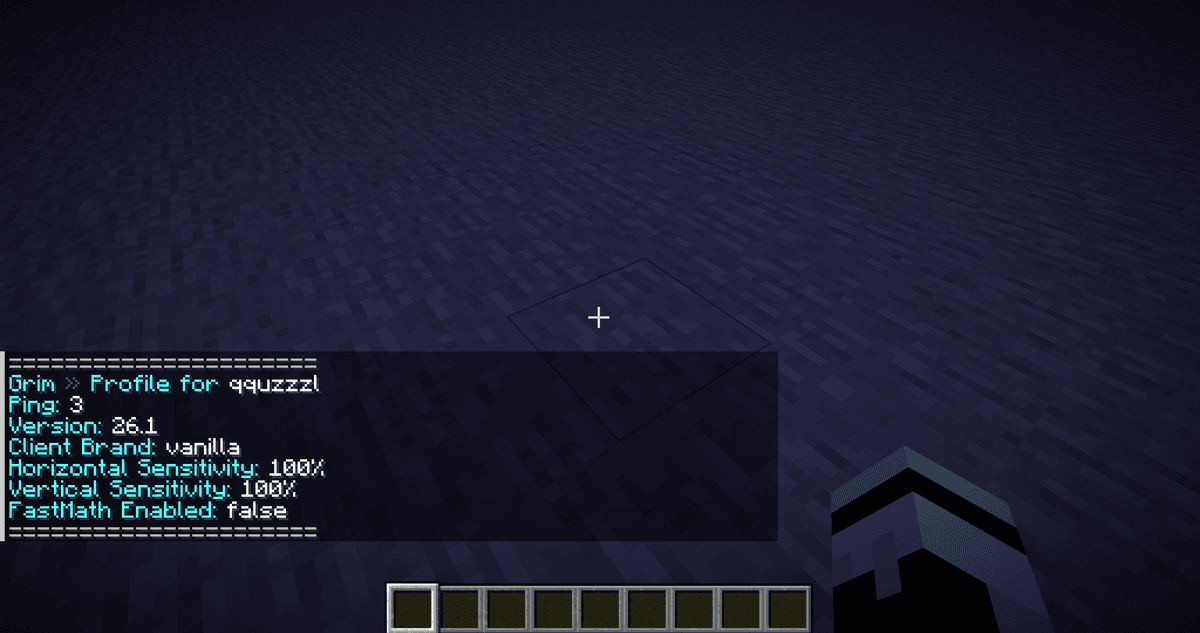
Command output of /grim help in chat
Checks
Checks are divided into functional groups. The names are taken from the source code — administrators see them in /grim verbose and in webhook messages. The names themselves are not the names of unallowed modifications — it's the plugin's internal classification.
Movement
Simulation — the main check. It detects any changes in player position that do not match a physically possible trajectory: unallowed acceleration, moving without support, moving through blocks.
Timer, TimerLimit, NegativeTimer, VehicleTimer — detect acceleration of the client's internal time. This is the foundation of modifications that speed up item consumption and bow shooting. The detection threshold is around 1.005× normal time speed — much more precise than most free alternatives.
NoFall — faking the falling state. A modification sends a fake onGround=true to negate fall damage; the check detects this.
Phase — moving through a solid block. The basic behavior of modifications that allow walking through walls or entering protected zones.
Combat
Reach — attacking beyond the maximum allowed distance.
Hitboxes — attacking outside the target's actual hitbox.
Knockback, Explosion — the client ignores the impulse from hits or explosions.
Aim, Interact — incorrect head rotation before a hit, physically impossible interactions.
Packets and block placement
BadPackets, PacketOrder, Crash — incorrect packet order, attempts to crash the server with intentionally malformed packets.
NoSlow — the player does not slow down while eating food, shooting a bow, using a shield, or crawling through cobwebs.
Block placement checks group — detects placing a block when it is physically impossible to do so: too far, in an unreachable direction, in mid-air without support.
Baritone — the movement pattern of automated bot-assistants.
Exploit — individual exploits, such as Sprint-Jump abuse on an elytra.
Main admin commands
Command | Purpose |
| List of commands with short descriptions |
| Toggle receiving alerts in chat |
| Show every flag without buffer and thresholds |
| Client version, brand (Vanilla/Fabric/Lunar/Forge), mouse sensitivity, FastMath status |
| Paginated history of sessions and violations from the database |
| Enter spectator mode and teleport to a player |
| Return to previous position |
| Download debug log for a specific flag ID |
| Reload all configs, reset active violations |
| Developer mode: prediction vs actual movement with offset |
| Test the Discord webhook without waiting for a real violation |
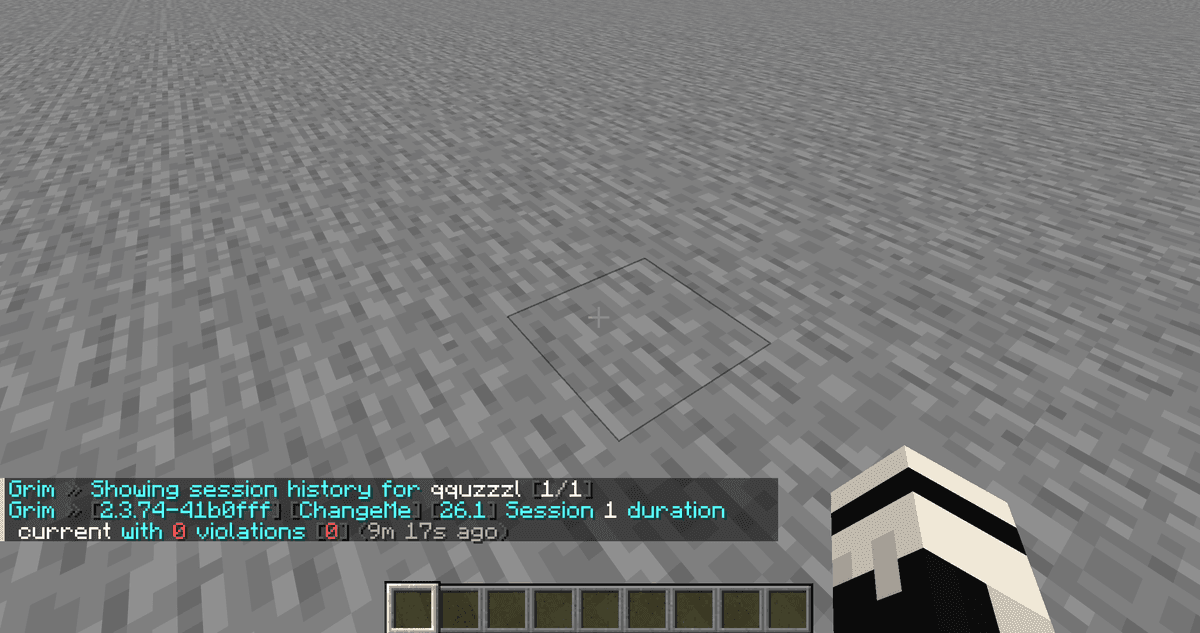
Command output of /grim profile in chat — client version, brand, mouse sensitivity, and player's FastMath status
Alerts and punishments
Each check has its own violation counter, which gradually decreases over time. This is crucial: a short lag or random glitch doesn't accumulate into a permanent ban, and the reaction triggers only on consistent violations. The reaction itself is defined by the administrator — for each group of checks, it is specified at which violation and how often to execute a command.
The logic is as follows: specify the violation number that triggers the reaction, and the interval — how often it will repeat afterward. The entry 100:0 kick %player% means the player will receive a kick on exactly the 100th violation, and the command will not execute again. The entry 5:3 [alert] will trigger on the 5th violation, then the 8th, 11th, and so on — the alert will be sent to the in-game chat to players with permission.
The command can be replaced by Grim's own service tag ([alert] — chat message, [log] — console and database log, [webhook] — Discord message, [proxy] — pass to other backend servers), or any server console command. Available placeholders include the player's nickname, the check name, and the number of violations. Because of this, Grim connects to external ban plugins without any additional bridges.
Discord webhooks
GrimAC features a built-in integration for sending notifications to Discord. The appearance of the message is completely customizable — from the embed color to exactly which fields to display. In a ready message, you can see the player's nickname, check name, number of violations, client version and brand, current ping, and server tps at the time of the event. It supports both regular channels and Discord forum channels. It's highly recommended to verify the configuration beforehand — the /grim testwebhook command sends a test message without waiting for a real violation.
Incompatible client mods
The official wiki maintains a separate list of mods that either break vanilla mechanics or provoke false positives. The list is not exhaustive and is updated on the "Known incompatible client mods" page in the plugin's GitHub wiki. If a player triggers massive flags with stable ping and no other signs of violations, the first hypothesis is a client mod from this list.
Storing violation history
GrimAC maintains a history database linked to sessions. A session is a single connection of a player to the server. The command /grim history <player> shows: when the player joined, how long the session lasted, how many violations occurred, from which client, with a breakdown by checks.
Supported backends: SQLite (default, local file data/history.v1.db), MySQL, PostgreSQL, MongoDB, Redis. SQLite is enough for a single server. For a network with multiple Grim instances, a network backend with a shared database is needed — typically MySQL or Postgres.
Additionally, there is retention — automatic deletion of old records. By default, sessions live for 90 days, and violations for 365 days. This can be configured or disabled.
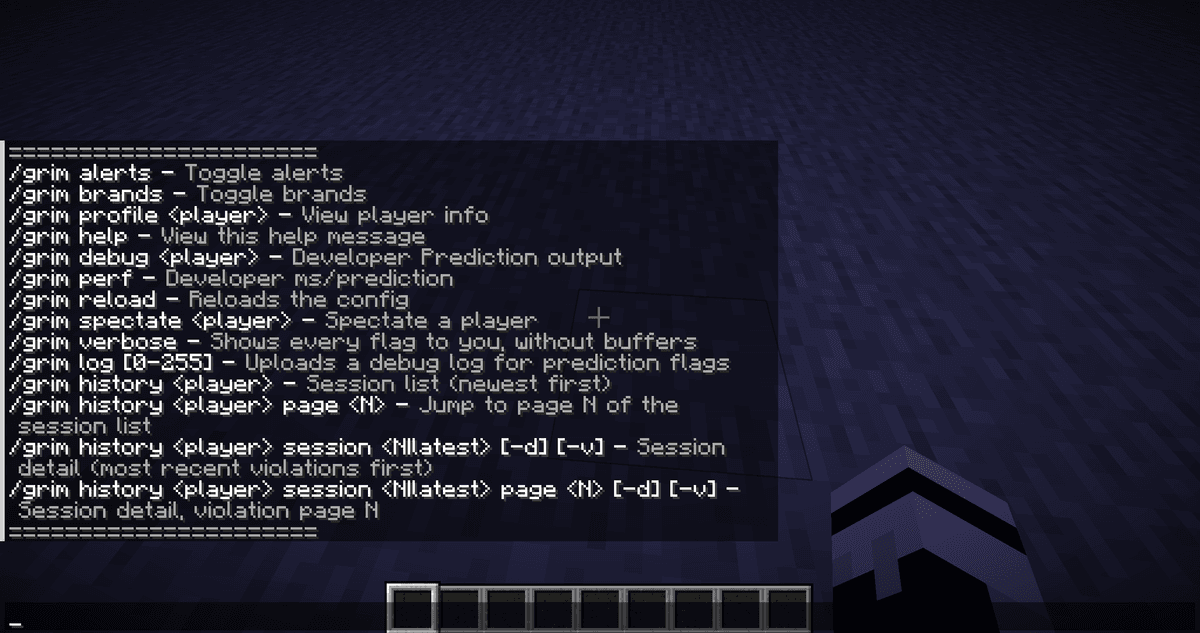
Command output of /grim history in chat
Configuration
Settings are spread across several YAML files in the plugins/Grim/ folder.
The parameters that are really worth paying attention to during initial setup:
Parameter | File | What it does |
| config.yml | Block offset threshold, after which Simulation is considered a violation. Lower — stricter, more false positives on lag. |
| config.yml | Hitbox expansion beyond the vanilla limit. 0.0005 detects exceeding 3.0005 blocks. |
| config.yml | An extra packet at the end of each tick for more precise Reach detection. Useful on 1.8 PvP servers; otherwise creates unnecessary traffic. |
| config.yml | Enables test checks. Best left off unless necessary. |
| config.yml | Timeout in seconds before automatically kicking a player. |
| config.yml | Kick clients on problematic Forge 1.18.2–1.19.3. |
| config.yml | Pass alerts between backend servers via a proxy. Requires bungee-plugin-message-channel in Velocity. |
| database.yml | Master switch for saving history. |
| database.yml | Where to write violations: sqlite, mysql, postgres, mongo, redis, none. |
The rest of the parameters in config.yml (decay multipliers, ceilings, ping limits for specific mechanics like firework boost) precisely calibrate the balance between strict detection and comfort for players with high ping. Most administrators leave them at default — they were balanced by the plugin's author as a compromise between accuracy and tolerance for high ping.
Conclusion
Grim Anticheat detects most common movement, combat, and packet processing violations through predicting possible movements rather than comparing with patterns. Thanks to this, the plugin is resilient to new versions of the same modifications. Real limitation: lacks heuristic checks for aim-assist based on mouse movement and auto-clicks by click frequency — these are promised in the Premium branch, which hasn't been released yet. GrimAC is suitable for servers where there is real motivation to use unallowed modifications — PvP arenas, minigame networks, survival servers with valuable resources, anarchy servers. For a small creative survival with 10 friends, the plugin is overkill — without serious risk of violations, the prediction engine simply consumes server resources.
Installation
A typical installation takes about 5 minutes. The flow is the same; only the loader and the matching build differ.
- 1Stop your Minecraft server.
- 2Drop the plugin .jar into the server /plugins folder.
- 3Start the server once so the plugin generates its config files.
- 4Edit /plugins/<name>/config.yml as needed, then run /reload confirm or restart.
 How to Install a Plugin on a Minecraft ServerLearn how to install a plugin on a Minecraft server. Follow this guide to add new features, improve gameplay, and customize your server easily.Open the install guide