

LagFixer — plugin for optimizing, increasing TPS and fixing lag in Minecraft
LagFixer is a server optimization plugin for Minecraft. It improves TPS by individually addressing lag sources like mob AI, redstone…
LagFixer is a server optimization plugin for Minecraft. It improves TPS by individually addressing lag sources like mob AI, redstone, entities, and explosions.
LagFixer — plugin for optimizing, increasing TPS and fixing lag in Minecraft
LagFixer is a server plugin for Minecraft that reduces TPS load through a set of targeted optimization modules. Unlike similar solutions, each source of lag is treated separately: mobs, dropped items, redstone, explosions, moving entities, and tree leaves. The admin only enables the modules that are actually needed for a specific server and configures them according to their load profile.
Plugin modules
Each module is placed in a separate YAML file and works independently. This allows for targeted response to problems without side effects on vanilla mechanics.
MobAiReducer
Replaces the standard mob AI with its own optimized behavior. Removes heavy pathfinders — constant looking around, aimless head movements, and reaction to other players within the line of sight. On a server with farms of 200+ animals, this gives the biggest TPS boost among all modules. Has separate toggles for animals, monsters, villagers, tamed, and flying entities.
After modifying the MobAiReducer.yml config, a full server restart is required, not /reload.

A cow farm with frozen bodies that activate upon player hit
EntityLimiter
Sets an entity cap per chunk: separately for animals and monsters (15), separately for drops, moving entities (3), and projectiles (5). The whitelist — villager, wither, ender dragon, wolf, cat, zombie villager — the limit does not affect them.
LagShield
A dynamic "fuse". Monitors TPS in real time and disables specific mechanics when it drops below thresholds. For example: mob spawning, projectiles, explosions, and others.
WorldCleaner
A periodic auto-cleaner. Every 600 seconds (10 minutes) it removes dropped items older than 10 seconds, hostile mobs from its list (zombie, skeleton, creeper, spider, phantom, fish, squid), and projectiles. Warns players 15, 10, 5, 4, 3, 2, and 1 seconds before running.
A special feature is Abyss. Removed items do not disappear forever, but go into a temporary chest from which they can be taken back via /abyss. The inventory closes 60 seconds after opening.
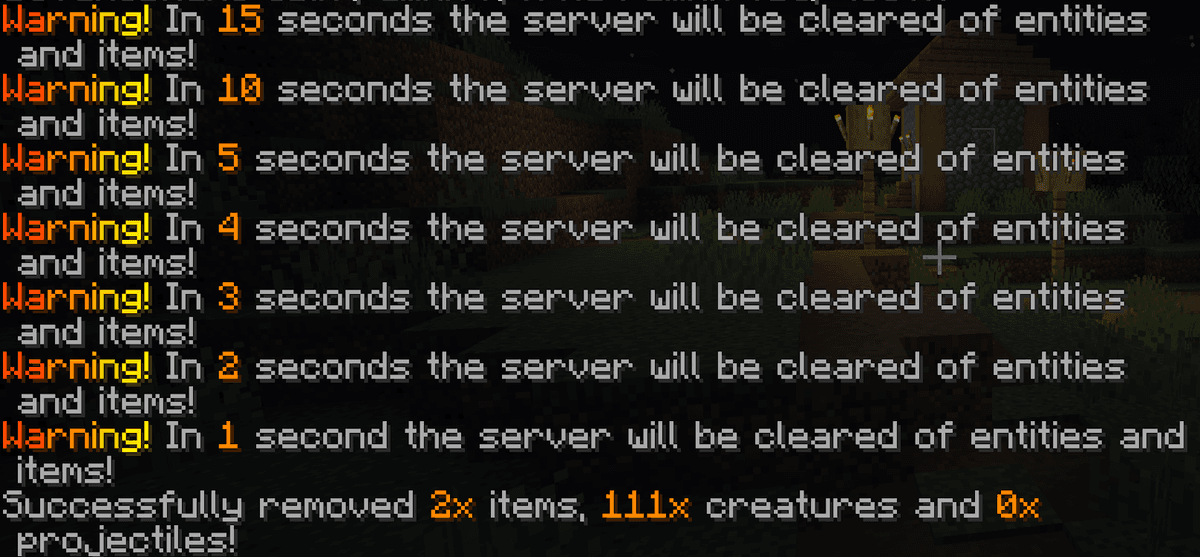
Server cleanup message and its successful execution
RedstoneLimiter
Protects the server from overloaded circuits. Limits: 1100 redstone ticks per chunk per second and 50 piston movements. When exceeded, the plugin blocks updates or breaks the causing block — the behavior is configured separately. Adds a 1500 ms cooldown to levers, buttons, and redstone torches — protection against auto-clickers.
A separate blacklist for blocks that cannot be pushed by a piston. By default, it includes sand, red sand, and gravel — this blocks the most common dupes.
ExplosionOptimizer
Controls explosion power and chain reactions. You can set the maximum radius separately for TNT, minecarts with TNT, creepers, fire charges, wither skeleton skulls, and end crystals. Chains are configured in pairs: TNT does not ignite neighboring TNT, crystals do not blow each other up, creepers — at the admin's discretion. A maximum of 3 explosions in one chain, with a cooldown of 1000 ms between them.
For extreme cases, complete disablement of explosions is provided, retaining only the sound and optional damage without breaking blocks.
InstantLeafDecay
Makes leaf decay instant after chopping down a tree. The radius from the trunk is up to 7 blocks. Optionally enables dropping items (saplings, apples, sticks).
VehicleMotionReducer
Optimizes collision handling for boats and minecarts. Optionally removes minecarts with chests from generated mineshafts — useful for servers where chunks are often generated for the first time.
AbilityLimiter
Limits spamming with the elytra booster and trident with the Riptide enchantment. Cooldown: 5 seconds for elytra, 3 seconds for trident. Additionally removes 5 durability points from the item upon each use — it will be harder for the player to load chunks through fast travel.
ConsoleFilter
Filters console messages using regular expressions. Removes spam about connecting/disconnecting, chat, command execution, "Save complete", and timeouts. Standard patterns are already written, optionally saves filtered lines to a separate log.
Commands and placeholders
The main command is /lagfixer (aliases /lf, /antilag, /lag).
Command | Purpose |
| Reloads the configuration of all modules |
| Shows the average ping of players on the server |
| Manual entity cleanup according to WorldCleaner rules |
| Server load statistics |
| Opens the GUI menu for editing the configuration |
| Runs the Java garbage collector |
| Server load map with an MSPT graph |
| Runs a benchmark and compares the result with other servers |
| Chest for restoring removed items |
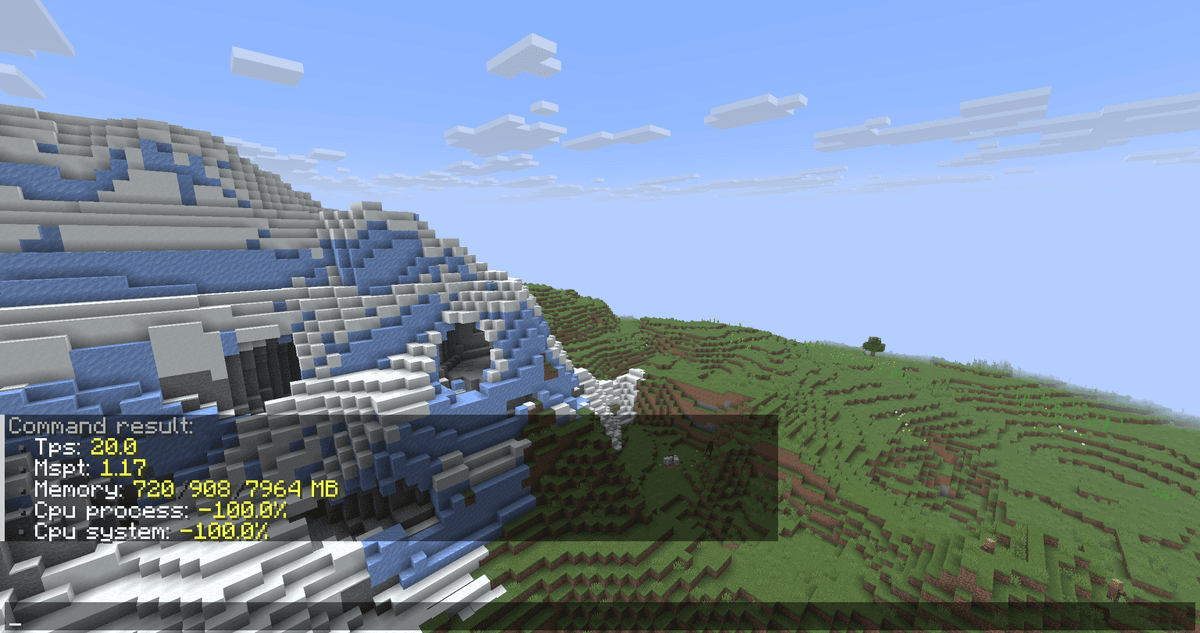
Output of the /lagfixer monitor command in the game chat
Conclusion
LagFixer specifically optimizes individual sources of load on the server — from mob AI to redstone, without interfering with vanilla game mechanics. Suitable for survival servers with 30+ online players, projects with large animal farms, and situations where the admin already knows their server's TPS profile and wants flexible control instead of a standard approach.
Installation
A typical installation takes about 5 minutes. The flow is the same; only the loader and the matching build differ.
- 1Stop your Minecraft server.
- 2Drop the plugin .jar into the server /plugins folder.
- 3Start the server once so the plugin generates its config files.
- 4Edit /plugins/<name>/config.yml as needed, then run /reload confirm or restart.
 How to Install a Plugin on a Minecraft ServerLearn how to install a plugin on a Minecraft server. Follow this guide to add new features, improve gameplay, and customize your server easily.Open the install guide