

ViaBackwards — a plugin for supporting older clients on a Minecraft server
A vanilla server accepts connections only from clients running the same game version. ViaBackwards extends the original's capabilities…
A vanilla server accepts connections only from clients running the same game version. ViaBackwards extends the original's capabilities: clients from 1.9 up to the latest current release can connect to a server running an older game version. The plugin intercepts network packets…
ViaBackwards — a plugin for supporting older clients on a Minecraft server
Dependencies: ViaVersion
Java: 17 or newer
A vanilla server accepts connections only from clients running the same game version. ViaBackwards extends the original's capabilities: clients from 1.9 up to the latest current release can connect to a server running an older game version. The plugin intercepts network packets and translates them into a format the older client understands — with no changes to server logic, player data, or world files.
How the plugin works
Essentially, ViaBackwards is a bridge between versions. If the server runs on 26.1.2 and a player wants to join from 1.20, the plugin automatically translates network packets from the new format into the one the old client understands. The player sees the picture, can walk, fight, and interact with items — all without any action on their part.
On its own, the plugin does nothing — it is an add-on to ViaVersion, which solves the reverse task (new clients on old servers). ViaBackwards handles only the reverse direction: old clients on new servers.
Commands
All commands are run through /viaverson — the shared interface of the Via ecosystem, which covers ViaVersion and ViaBackwards. There is no separate command for ViaBackwards — all actions, including viewing active bridges and reloading the config, go through the same prefix
Command | What it does |
| Reloads config.yml without restarting the server |
| Generates a debug report and a paste link — needed when reporting on GitHub Issues |
| Shows a list of connected players and their client versions |
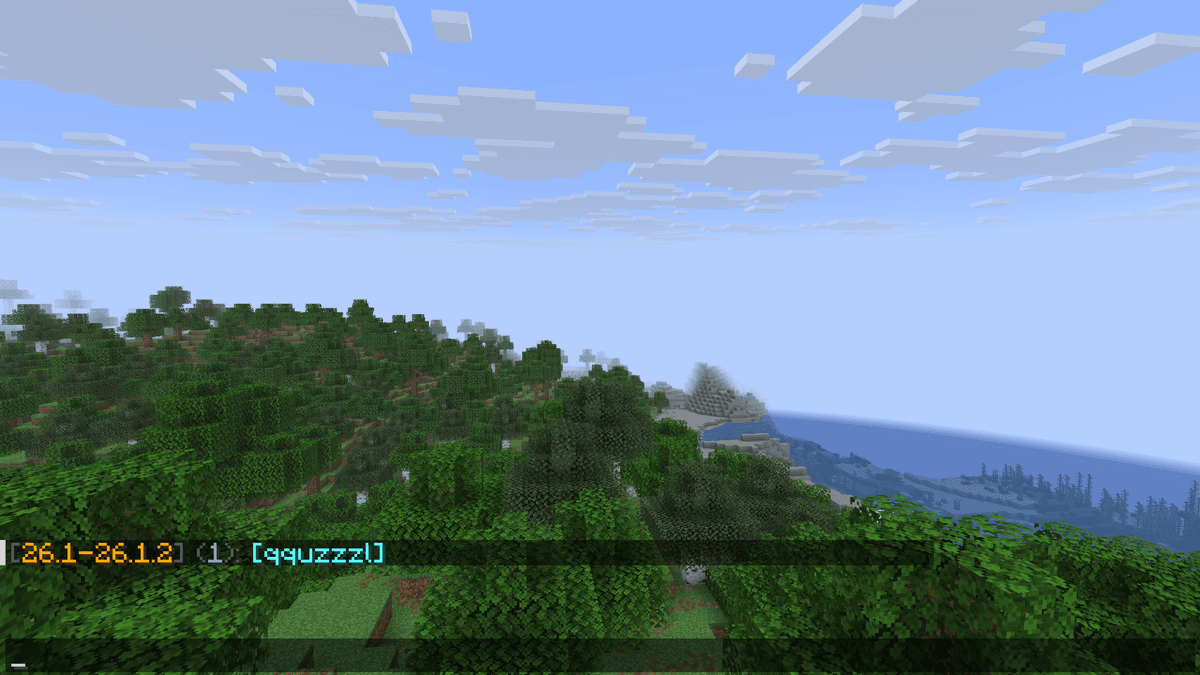
display of the list of connected players and their client versions
/via reload applies changes from config.yml without a restart — handy when editing parameters on a live server. But some changes only take effect after a full restart, so if the behavior hasn't changed, it's worth restarting the server completely.
Config
By default, the config is already tuned optimally for most servers, so in most cases there's no need to edit it at all. Below are the parameters that might come in handy for editing.
Parameter table
Parameter | What it does |
| Writes custom enchantments into the item description. Better to disable it if the plugin already does this for such enchantments — otherwise the entries are duplicated |
| Converts color and formatting in inventory titles for clients on older versions |
| Replaces ping packets with inventory acknowledgement packets |
| Sends fake bedrock at level Y=0 for clients on older versions. May cause unexpected interactions |
| Displays the SCULK SHRIEKER as crying obsidian for clients on older versions. Without this, problems with collision and block breaking arise |
| Removes warnings about unsupported features from the console |
Limitations
Clients below 1.17 don't see blocks below Y=0 — this is a physical limit of the old protocol, and there's no workaround for it.
New content that didn't exist in the client's version is either displayed as a substitute or not displayed at all. Server-side plugins that use new mechanics or packets may work incorrectly for old clients — this depends on the specific plugin, not on ViaBackwards.
Conclusion
ViaBackwards lets old clients connect to new servers — and it does so reliably, without manual configuration and without affecting server logic. The default config covers most scenarios; edits are only needed if the server has custom changes to vanilla game mechanics or items.
Installation
A typical installation takes about 5 minutes. The flow is the same; only the loader and the matching build differ.
- 1Stop your Minecraft server.
- 2Drop the plugin .jar into the server /plugins folder.
- 3Start the server once so the plugin generates its config files.
- 4Edit /plugins/<name>/config.yml as needed, then run /reload confirm or restart.
 How to Install a Plugin on a Minecraft ServerLearn how to install a plugin on a Minecraft server. Follow this guide to add new features, improve gameplay, and customize your server easily.Open the install guide