

ViaVersion — a plugin for supporting clients of different versions on a Minecraft server
ViaVersion allows players with a newer client version to connect to a server running an older version. If the server is on 26.1.2 and a…
ViaVersion allows players with a newer client version to connect to a server running an older version. If the server is on 26.1.2 and a player opens a previous version of the game, they will join without any action on their part. The plugin is free and open source.
ViaVersion — a plugin for supporting clients of different versions on a Minecraft server
Minecraft version: 26.1.2
Loader: Paper
Plugin version: 5.9.0
Java: 25
ViaVersion allows players with a newer client version to connect to a server running an older version. If the server is on 26.1.2 and a player opens a previous version of the game, they will join without any action on their part. The plugin is free and open source.
How it works
The plugin intercepts network packets between the client and the server and converts them between protocols on the fly.
The most complete support is on Paper. On BungeeCord and Velocity, ViaVersion is installed on the proxy itself, not on the backend servers.
Commands
All commands are entered in the chat or the server console. Operator permissions are required to run them in-game.
Command table
Command | What it does |
| List of online players with their client versions |
| Enables/disables auto-teams to prevent collisions between players |
| Prints a player's packets to the console — only at the request of support |
| Enables ResourceLeakDetector in Netty — only at the request of support |
| Enables/disables notifications about new updates on login |
| Generates a link with diagnostic information for contacting support |
| Detailed information about the connection of a specific player or all of them |
| List of all players with their number of packets per second |
| Reloads the config; kicks all connected players |
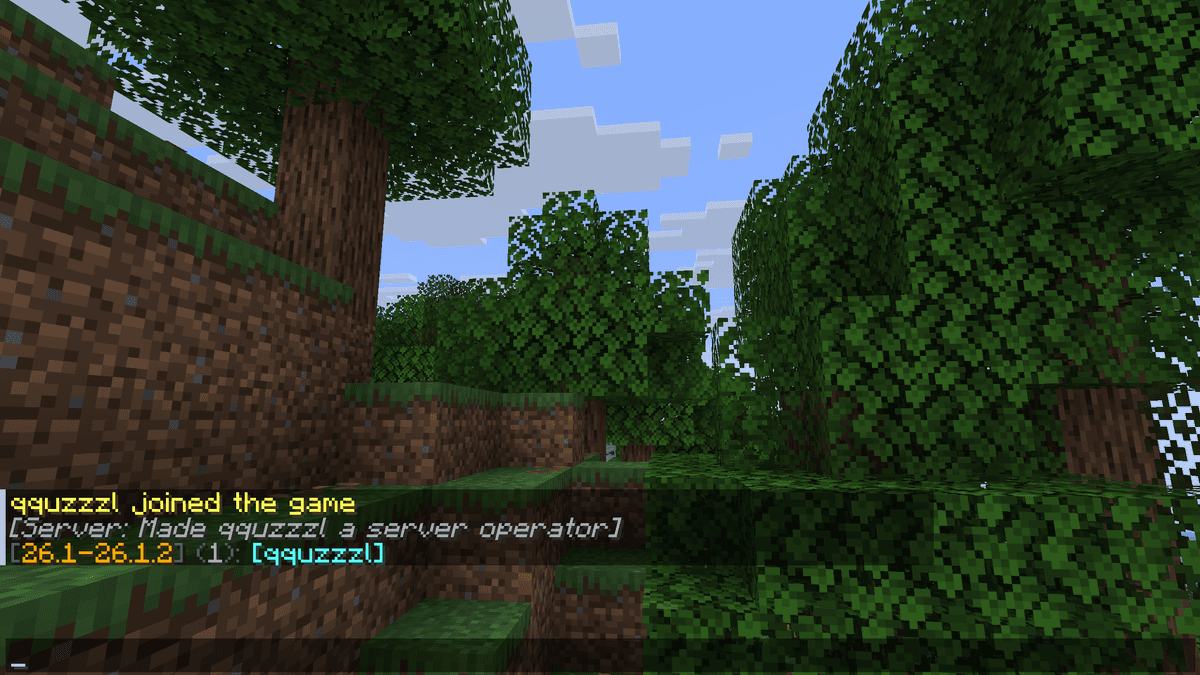
alt: output of the /viaver list command
Configuration
File: plugins/ViaVersion/config.yml. Generated automatically on first launch.
block-versions — blocks connections from certain versions. Supports the operators < and >, for example: block-versions: ["<1.17"].
block-disconnect-msg — the message shown on disconnect due to a blocked version. Supports Minecraft color codes.
logging.log-blocked-joins — logs connection attempts from blocked versions to the console. False by default.
send-supported-versions — when true, the server tells the client the list of supported versions in the ping response.
Packet limit
By default, a player is kicked when they exceed 800 packets/s. Additionally, behavior is tracked over a time window — for example, with sustained-max-per-second: 200, sustained-period-seconds: 7 and sustained-threshold: 4, a player will be kicked if they exceeded 200 packets/s for 4 out of 7 seconds. To disable the limit — enabled: false.
Additional parameters
hologram-patch — fixes the height of holograms for 1.9+ clients on older servers. False by default. If holograms from plugins like HolographicDisplays are displayed at the wrong height — enable this parameter.
serverside-blockconnections — enables server-side handling of block connections for 1.13+ clients. By default true. Affects the correct rendering of fences, glass panes, and doors. The blockconnection-method parameter defines the handling method: packet — at the packet level, world — at the world level (experimental).
use-1_15-instant-respawn — when true, 1.15+ clients respawn instantly without the death screen. By default false.
armor-toggle-fix — fixes the bug with swapping armor in an occupied slot for 1.19.4+ clients. True by default.
enforce-secure-chat — defines the secure chat value sent to 1.19+ clients on login. It is not recommended to change it if the server runs on 1.19 or newer.
Conclusion
ViaVersion solves one simple but important problem: a mismatch between the client and server versions. If an administrator cannot update the server due to dependencies on old plugins, while players are already on newer versions — the plugin solves the problem without any client-side changes. For basic use, no config is needed.
Installation
A typical installation takes about 5 minutes. The flow is the same; only the loader and the matching build differ.
- 1Stop your Minecraft server.
- 2Drop the plugin .jar into the server /plugins folder.
- 3Start the server once so the plugin generates its config files.
- 4Edit /plugins/<name>/config.yml as needed, then run /reload confirm or restart.
 How to Install a Plugin on a Minecraft ServerLearn how to install a plugin on a Minecraft server. Follow this guide to add new features, improve gameplay, and customize your server easily.Open the install guide